
Official statement
Other statements from this video 14 ▾
- □ Peut-on vraiment utiliser un sous-répertoire unique pour gérer plusieurs marchés internationaux avec hreflang ?
- □ Pourquoi Google n'indexe-t-il pas toutes les URLs de votre site ?
- □ Peut-on utiliser des avis tiers pour les résultats enrichis produits ?
- □ Comment savoir si Google vous pénalise vraiment ?
- □ Faut-il abandonner les URI de thésaurus NALT pour optimiser son référencement ?
- □ Faut-il vraiment rediriger vos 404 vers la homepage ?
- □ Faut-il vraiment maintenir les redirections lors d'une migration de domaine ?
- □ Faut-il s'inquiéter de millions d'URLs non indexées sur son site ?
- □ Faut-il vraiment éviter le cloaking de codes HTTP entre Googlebot et utilisateurs ?
- □ Google traite-t-il vraiment les redirections 308 et 301 de la même manière ?
- □ La qualité du contenu influence-t-elle vraiment la vitesse d'indexation par Google ?
- □ WiFi vs Wi-Fi : Google fait-il vraiment la différence pour le référencement ?
- □ Un nombre d'avis à zéro pénalise-t-il le référencement d'une page produit ?
- □ Pourquoi certains sites migrés apparaissent-ils dans Google en quelques minutes et d'autres mettent des mois ?
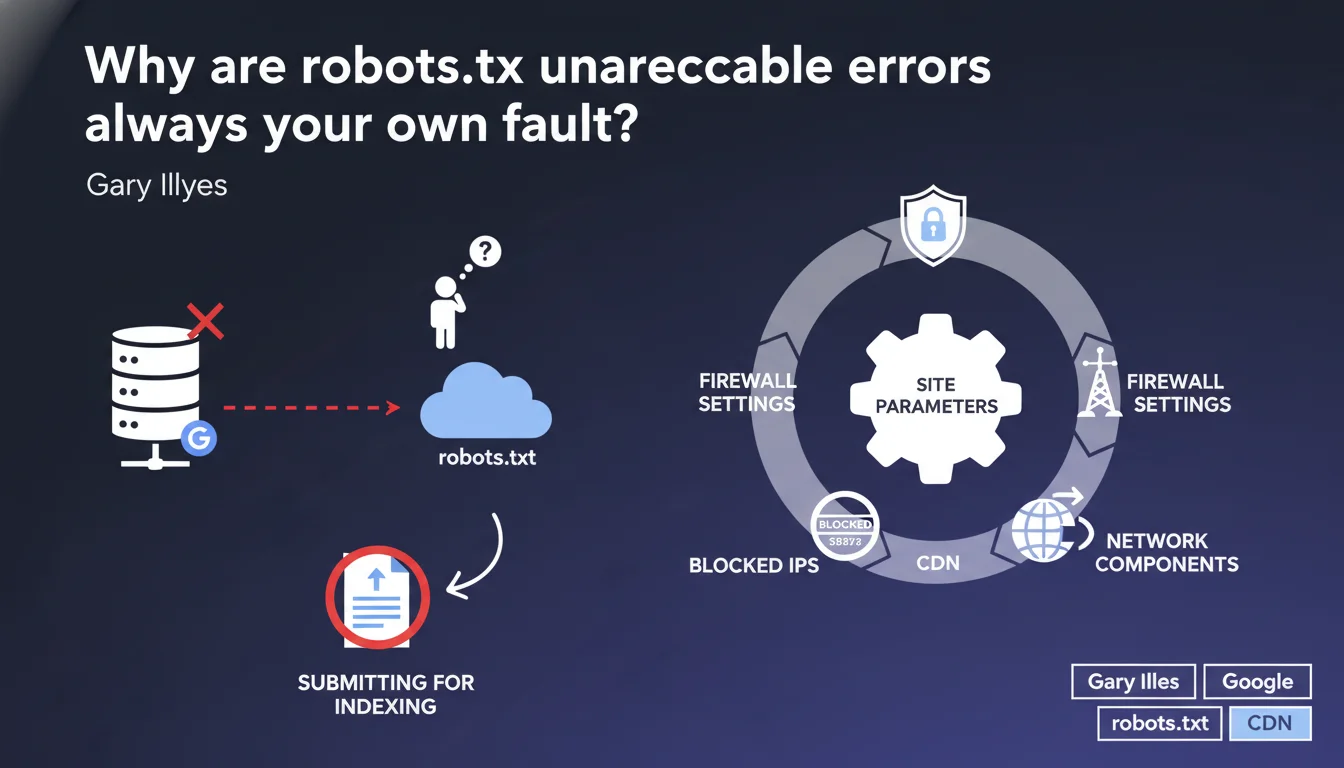
robots.txt unreachable errors never come from Google. Gary Illyes is categorical: the problem is always on your site — overly strict firewalls, misconfigured CDNs, blocked Googlebot IPs. Submitting the robots.txt file for indexing serves no purpose.
What you need to understand
What does "unreachable" really mean for Google?
When Google reports a robots.txt unreachable error, it means Googlebot couldn't access your site's robots.txt file during the crawl. Not that it doesn't exist, not that it's poorly formatted — simply that the HTTP request failed.
This diagnosis doesn't concern the file's content, but the technical accessibility of the resource. Google attempts to retrieve robots.txt before each crawl. If the response takes too long, if it returns a server error (5xx), if the connection is refused, the error is triggered.
Why does Google say it can't do anything about it?
Because the error lies between the bot and your infrastructure. Google doesn't control your firewall, CDN, or rate limiting rules. If Googlebot gets blocked, something — intentionally or not — is preventing it from reaching the file.
Gary Illyes is adamant: it's systematic. Misconfigured network settings are the most common cause. A WAF that considers Googlebot's user-agent suspicious, a CDN that rate-limits too aggressively, an .htaccess rule that blocks an IP range — all common scenarios.
Why is submitting robots.txt for indexing pointless?
Because robots.txt is never indexed. It's read before the crawl, not processed like a regular page. Submitting it via Search Console has no effect — it's not a candidate URL for indexing, it's a directives file.
If Google can't access it during the crawl, submitting it afterward won't change anything. You need to fix the accessibility problem upstream, not attempt to force an indexing that shouldn't happen in the first place.
- The unreachable error means a technical inability to access, not a content problem
- Google doesn't control your infrastructure: firewall, CDN, rate limiting are your responsibility
- Submitting robots.txt for indexing is a false workaround with no effect
- Common causes: blocked IPs, timeouts, overly strict WAF, misconfigured CDN
SEO Expert opinion
Is this statement consistent with real-world observations?
Yes, absolutely. In the field, robots.txt unreachable errors are almost always linked to network blocks. We regularly see misconfigured Cloudflare instances rate-limiting Googlebot, application firewalls blacklisting Google IP ranges, nginx configurations timing out too quickly.
What sometimes surprises people is the temporal variability. A site might be accessible 95% of the time, but if Google hits a period of high load or a poorly calibrated security rule, the error gets reported. The problem is that these incidents can go unnoticed on the webmaster's end if no one actively monitors Search Console.
What nuances should be made?
Gary Illyes says "always on your site," but it's worth clarifying: sometimes, it's unintentional and difficult to diagnose. A hosting provider changing a firewall rule without notice, a CDN applying a new security profile, a WordPress plugin blocking bots by default — all cases where the webmaster hasn't consciously done anything.
Another point: Google mentions "blocked IPs," but Googlebot's IP ranges change. If you've hardcoded whitelisted addresses instead of verifying via reverse DNS, you might block the bot without knowing it. [To verify]: Google doesn't always proactively announce additions of new IP ranges.
In what cases doesn't this rule apply?
There are edge cases where the error could come from a bug on Google's side, but this is extremely rare. If you notice an unreachable error while your robots.txt responds correctly with 200 for all other crawlers and you've verified your IPs, contact Search Console support.
In 99% of cases, however, investigating on the infrastructure side is sufficient. Server logs are your best ally: look for requests to /robots.txt with a Googlebot user-agent and check the response codes. If you see 403s, 503s, or timeouts, you've found your culprit.
Practical impact and recommendations
What should you do concretely when the error appears?
First step: verify file accessibility from multiple IPs and user-agents. Use a tool like curl with the Googlebot user-agent, test from an external server, use the Search Console URL inspection tool.
If the file responds correctly in your tests but the error persists, dig into the server logs. Look for requests to /robots.txt from Googlebot. Identify the response codes: 403, 503, timeout? This tells you where to look.
What errors should you avoid?
Never block Googlebot via robots.txt — it seems obvious, but we still see sites with rules like User-agent: Googlebot / Disallow: /. Also don't block Google's IP ranges in your firewall. Always verify via reverse DNS rather than hardcoding whitelisted addresses.
Another classic mistake: a CDN with overly aggressive caching. If your robots.txt is cached for 24 hours and Google tries to access it during an incident, it retrieves a cached error. Configure a short TTL for this file — 1 hour maximum.
How do you verify that your site is compliant?
Use the robots.txt testing tool in Search Console. Test accessibility from multiple geographic locations. Verify that your firewall or WAF doesn't block Google user-agents. Regularly check coverage reports to detect any unreachable errors.
If you use a CDN like Cloudflare, verify the rate limiting rules and security settings. Make sure Googlebot's IPs are whitelisted or that challenge rules don't apply to this user-agent.
- Test robots.txt accessibility with the Googlebot user-agent from multiple IPs
- Check server logs to identify HTTP response codes to /robots.txt requests
- Verify firewall, WAF, and CDN rules to ensure Googlebot isn't blocked
- Never hardcode Google IP whitelists — use reverse DNS verification
- Configure a short cache TTL (1 hour max) for robots.txt
- Regularly monitor Search Console to detect unreachable errors
- Don't attempt to submit robots.txt for indexing — this has no effect
❓ Frequently Asked Questions
Que faire si l'erreur robots.txt unreachable apparaît alors que le fichier est accessible lors de mes tests ?
Est-ce grave si l'erreur n'apparaît qu'occasionnellement ?
Faut-il absolument avoir un fichier robots.txt ?
Mon hébergeur peut-il être responsable de l'erreur ?
Comment whitelister Googlebot correctement ?
🎥 From the same video 14
Other SEO insights extracted from this same Google Search Central video · published on 12/04/2023
🎥 Watch the full video on YouTube →
💬 Comments (0)
Be the first to comment.