
Official statement
Other statements from this video 11 ▾
- □ Les migrations de site sont-elles vraiment devenues moins risquées pour le référencement ?
- □ Pourquoi les redirections meta refresh peuvent-elles ruiner votre migration SEO ?
- □ Faut-il vraiment attendre un an après une migration de site pour paniquer ?
- □ Pourquoi masquer des redirections à Googlebot peut ruiner votre migration de site ?
- □ Faut-il vraiment éviter de cumuler migration et refonte complète ?
- □ Modifier votre HTML peut-il vraiment impacter votre référencement Google ?
- □ Faut-il vraiment migrer son site complexe par étapes plutôt que d'un seul coup ?
- □ Faut-il vraiment vérifier l'historique d'un nom de domaine avant migration SEO ?
- □ Pourquoi un domaine à historique problématique peut-il saborder vos performances SEO pendant un an ?
- □ Les migrations HTTPS sont-elles vraiment aussi simples que Google le prétend ?
- □ Une migration SEO bien faite génère-t-elle vraiment zéro perte de trafic ?
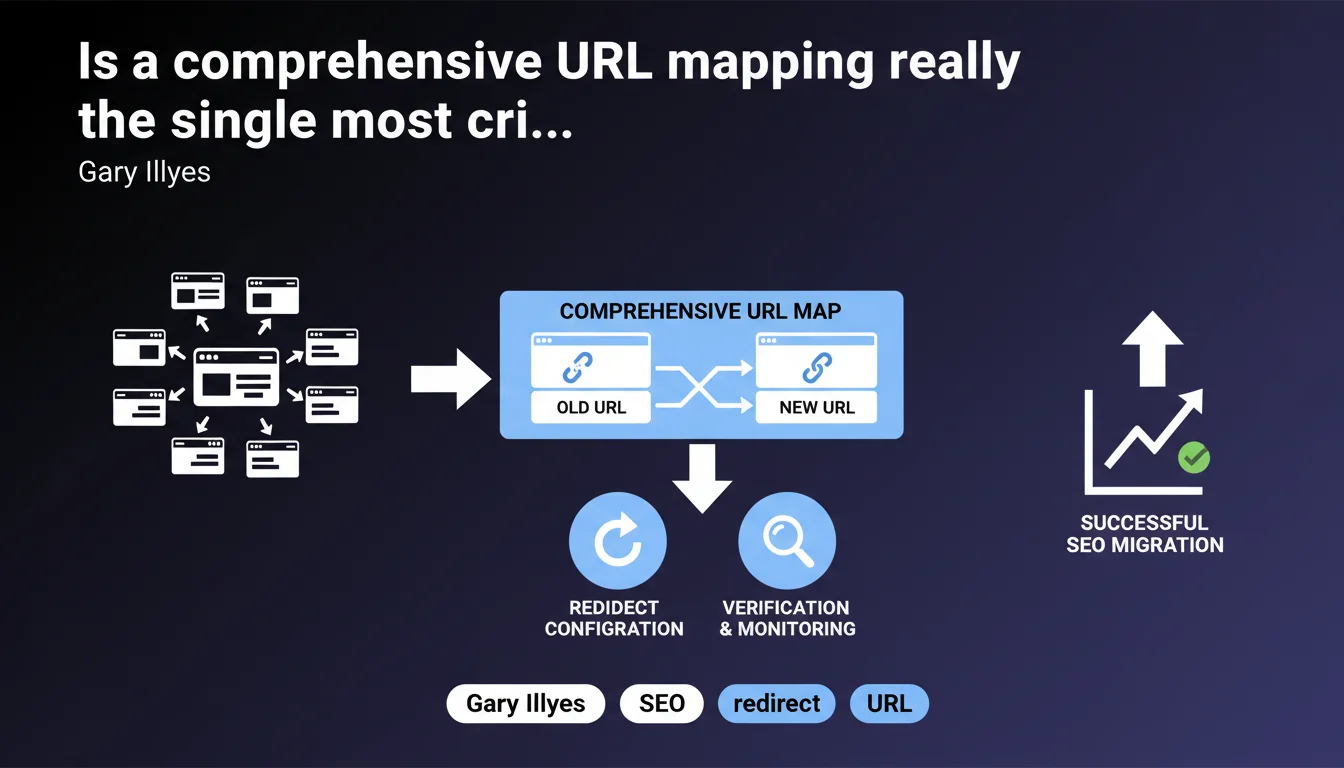
Gary Illyes sets the foundation: without a complete URL map (source → destination), a migration is destined to fail. This mapping determines redirect configuration and post-migration verification. No rigorous mapping = guaranteed traffic loss.
What you need to understand
What exactly does a URL mapping strategy look like in practice?
A URL mapping is an exhaustive file that pairs each old URL with its new destination. The standard format is a spreadsheet with two columns (source | target), often enriched with metadata (HTTP status, traffic volume, backlinks). This document becomes the single source of truth for orchestrating the entire migration.
Google doesn't provide technical details here, but the principle is straightforward: you need to know precisely where each page should land. An orphaned URL or misconfigured redirect = loss of crawl budget, rankings, and traffic.
Why does Google emphasize this element so heavily?
Because cascading redirects, massive 404 errors, or incomplete mappings are the most common migration mistakes — and the most devastating. A single misconfigured redirect can cause a site to lose 30 to 70% of organic traffic within days.
The mapping also allows you to verify semantic consistency: does a product page redirect to an equivalent product page, or to a generic category? This granularity matters for preserving link equity and thematic relevance in Google's eyes.
What are the concrete risks of an incomplete or poorly executed mapping?
- Loss of rankings on high-traffic pages that land on 404s or a generic homepage
- Internal PageRank dilution through redirect chains (301 → 301 → 200) or redirect loops
- Inability to debug post-migration: without a reference document, you don't know what should have been redirected or where
- Degraded user experience when internal URLs or bookmarked links lead to 404 errors
- Slower re-crawling by Googlebot, which must discover new URLs without guidance
SEO Expert opinion
Is this statement aligned with real-world observations?
Absolutely. After auditing dozens of migrations, 80% of SEO disasters stem from poorly executed or nonexistent mappings. Some clients arrive with homemade mappings that cover only 60% of URLs — only to discover 40% landing on 404s three days after the switch.
The problem: many technical vendors treat mapping as a "minor SEO detail" and rush through it. Result: generic redirects (all product pages to /products/), forgotten parameterized URLs, unmapped legacy marketing campaigns. Google shows no mercy for this kind of negligence.
What nuances should we add to this recommendation?
Gary Illyes talks about a "complete map," but doesn't define the scope. Should you map all crawled URLs, even those with zero traffic or backlinks? Technically yes, but in practice, you prioritize. [To verify]: Google has never clarified whether a 95% mapping of SEO-valuable URLs is sufficient, or if you truly need 100%.
Another point: the "verification that everything has migrated correctly" remains vague. Google doesn't specify whether this involves Search Console, post-migration crawls, or server log monitoring. An experienced SEO knows you need all three, but a beginner might think a quick glance in GSC is enough — spoiler alert: it isn't.
In what scenarios doesn't this rule apply completely?
If you're launching a completely new site with radically different architecture (business pivot, target shift), one-to-one mapping may be impossible. In that case, redirect by semantic groups: old articles to new categories, old product pages to new equivalents.
But be careful: this isn't a license to do whatever you want. Even in a pivot, you must document the redirect logic and identify high-value pages (backlinks, traffic) to find them coherent destinations. Otherwise, you squander accumulated authority.
Practical impact and recommendations
What should you actually do before launching a migration?
First step: crawl your entire current site with Screaming Frog, Oncrawl, or Botify. You get the exhaustive list of crawlable URLs. Then cross-reference with Google Search Console (URLs with impressions) and Google Analytics (URLs with sessions) to identify which ones matter.
Next, export backlinks from your tracking tool (Ahrefs, SEMrush, Majestic). Any URL with inbound links must appear in the mapping — even if it drives zero traffic today. Quality backlinks pass PageRank, and losing them is a strategic error.
How should you structure this mapping to make it production-ready?
Recommended format: CSV or Google Sheets, with at least these columns:
- Source URL (old URL in full, protocol included)
- Target URL (new URL in full)
- HTTP code (301 permanent, 302 temporary — prioritize 301)
- Organic sessions (last 12 months)
- Backlinks (number of referring domains)
- Page type (product, category, article, landing page)
- Validation status (to process, validated, in production)
This file becomes your single source of truth. Share it with your dev team, agency, and client. All changes must be tracked (Git versioning or Google Sheets history).
What mistakes should you absolutely avoid?
Never bulk redirect to the homepage or a generic category. Google detects these patterns and can devalue the redirects. Each URL must point to its closest semantic equivalent.
Avoid redirect chains (A → B → C). Google follows up to 5 hops, but each step dilutes PageRank and slows crawling. If you already have redirects in place, flatten them before migration.
Another trap: forgetting parameterized URLs (UTM, filters, facets). They often generate little direct traffic but can have backlinks or be indexed. Crawl with parameters to capture them.
A successful SEO migration rests on rigorous, documented, and pre-validated mapping. Crawl, cross-reference traffic and backlink data, structure an actionable file, test redirects in staging, then monitor post-migration. These steps demand technical expertise and constant vigilance — if you lack internal resources, consider partnering with a specialized SEO agency that has mastered these critical processes.
❓ Frequently Asked Questions
Faut-il rediriger toutes les URLs du site, même celles sans trafic ?
Peut-on utiliser une redirection 302 au lieu d'une 301 pendant une migration ?
Comment vérifier que toutes les redirections sont bien actives après la migration ?
Que faire si une ancienne page n'a pas d'équivalent exact sur le nouveau site ?
Combien de temps Google met-il pour recrawler toutes les URLs après migration ?
🎥 From the same video 11
Other SEO insights extracted from this same Google Search Central video · published on 23/02/2023
🎥 Watch the full video on YouTube →
💬 Comments (0)
Be the first to comment.