
Official statement
Other statements from this video 7 ▾
- □ Does Google really treat internal links as a UX signal for Googlebot?
- □ Does Googlebot really discover your pages through internal links?
- □ Why does Google insist that links should remain real HTML links?
- □ Is meaningful anchor text still a decisive SEO lever in 2024?
- □ Is your internal linking strategy hurting your SEO more than it helps?
- □ How do you strike the right balance with internal linking without overdoing it?
- □ Why does Google keep emphasizing internal links as the backbone of site crawlability and content discovery?
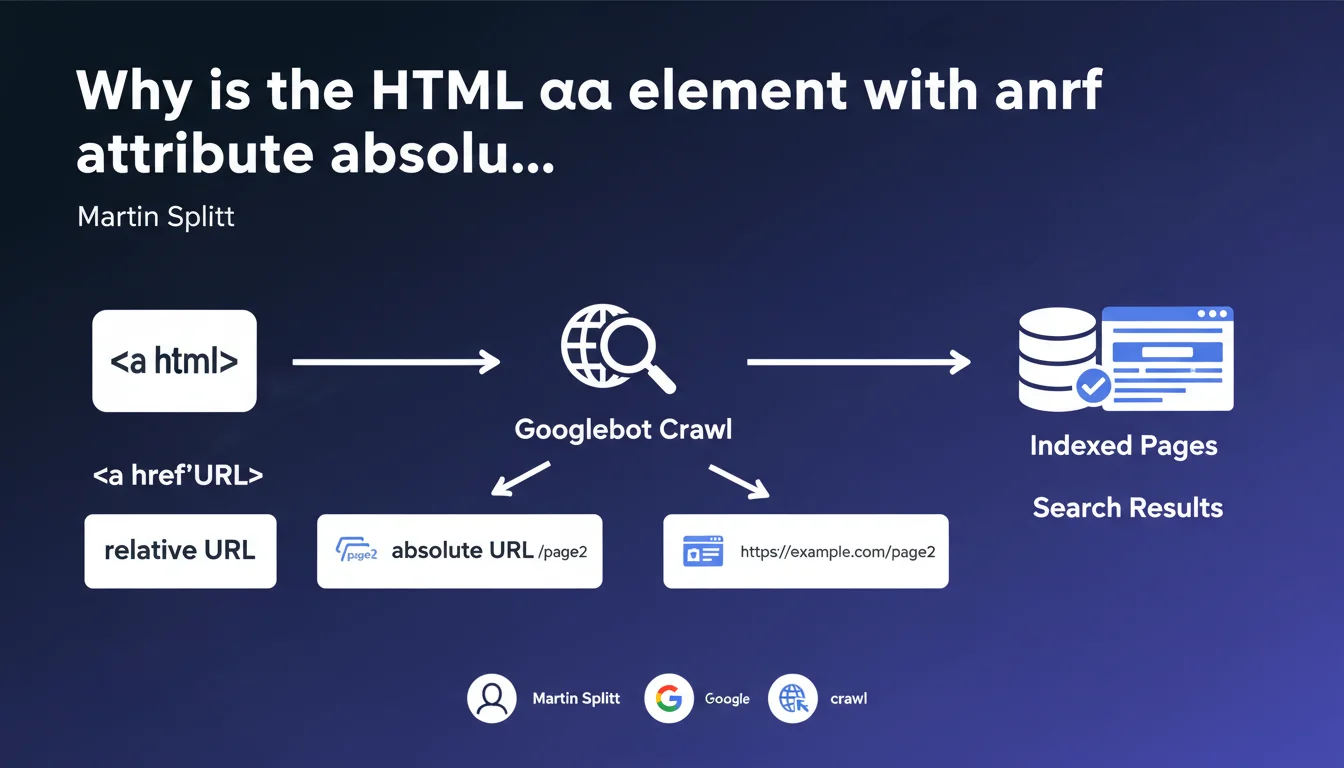
Google requires the use of the HTML <a> element with a valid href attribute for a link to be recognized and followed by its robots. Relative or absolute URL, it doesn't matter — but without <a> and href, your link simply doesn't exist for Googlebot. A technical basics often overlooked in modern JavaScript-heavy sites.
What you need to understand
Why does Google insist on the element when other solutions exist?
Googlebot relies on HTML standards to identify links. The element with href is the only native and universal way to signal a link in the DOM. Modern JavaScript frameworks (React, Vue, Angular) sometimes create pseudo-links via onclick, clickable divs, or client-side routing — invisible to the crawler.
Martin Splitt's statement reinforces a fundamental truth: if you want Google to discover and index your pages, use real tags. No workarounds, no hacks. The search engine can interpret JavaScript, certainly, but it guarantees no reliable discovery if you break the basic HTML structure.
What's the difference between relative and absolute URLs in the href attribute?
Google accepts both syntaxes without preference. A relative URL (e.g., /example-page) is resolved by the browser and Googlebot based on the current domain. An absolute URL (e.g., https://example.com/example-page) is explicit.
In practice? Relative URLs simplify migration between environments (dev, staging, prod) and reduce HTML weight. Absolute URLs eliminate any risk of ambiguity — particularly in syndicated content or RSS feeds. As long as the href attribute contains an exploitable value, Google will follow the link.
What happens if a link doesn't have an href attribute?
Simple: Google ignores it. An without href is not a link in the HTML sense — it's an empty anchor, technically invalid. Browsers display no link behavior (no hover state, no right-click "Open in new tab"). Googlebot sees nothing to crawl.
Some developers use <a onclick="..."> without href to trigger JavaScript. Classic mistake: the link only exists on the client side, after execution. If the JS fails or delays, the link vanishes. Google may attempt to interpret it, but there's no guarantee — and more importantly, no PageRank transfer.
- The element with href is the only valid link natively recognized by Googlebot
- Relative or absolute URL: both work, choose based on your technical context
- No href = no link for the crawler, even if the click works via JavaScript
- Pseudo-links (div onclick, buttons without href) transmit neither discovery nor PageRank
- Modern frameworks: verify that routing generates proper tags in the final HTML
SEO Expert opinion
Is this statement consistent with practices observed in the field?
Yes — and it's one of the rare points where Google hasn't budged in 20 years. No
Practical impact and recommendations
What specifically should you check on your site?
Inspect the raw HTML source (Ctrl+U in Chrome, not the inspector). Look for all your navigation links, categories, products. If you don't see <a href="..."> directly in the source, the link is generated by JavaScript — risk of non-discovery.
Test with the URL Inspection tool in Google Search Console. Look at the "Rendered HTML" section: are the links present? Compare with the HTML source. If significant discrepancy exists, your JavaScript is delaying or blocking discovery.
Which errors must you avoid absolutely?
Never use <div onclick="..."> or <button onclick="..."> to simulate a link. Even if you add CSS for hover effects, Google doesn't see this as a link. No PageRank transfer, no crawling, no indexing of target pages.
Avoid frameworks that only generate links after client-side hydration. If you use React, Next.js, Nuxt, or Gatsby, verify that SSR (Server-Side Rendering) or SSG (Static Site Generation) produces proper tags in the initial HTML. Pure CSR (Client-Side Rendering) is a nightmare for SEO.
Never rely on XML sitemaps as your sole discovery mechanism. A sitemap guides Googlebot, but doesn't replace internal linking. A page with no incoming HTML links remains fragile, even if listed in the sitemap.
How do you quickly audit your entire site?
Run a crawl with Screaming Frog or Oncrawl with "JavaScript Rendering" disabled. Compare the number of pages discovered with JavaScript rendering enabled. If the gap is massive (>20%), your architecture depends too heavily on JS for discovery.
Also check crawl depth: if your important pages are 5+ clicks away from the homepage via HTML links, that's a signal of failing internal linking. Googlebot prioritizes pages close to the root — and so does PageRank.
- Inspect the HTML source (Ctrl+U) to verify the presence of native
<a href>tags - Test the URL in Google Search Console, compare HTML source and rendered HTML
- Eliminate all pseudo-links (divs, buttons) without href attribute
- Verify that your framework generates valid tags from SSR/SSG, not after hydration
- Crawl your site with and without JavaScript to measure the discovery gap
- Control crawl depth: strategic pages should be ≤3 clicks from the homepage
- Never rely solely on XML sitemaps for discovery
❓ Frequently Asked Questions
Google suit-il les liens générés dynamiquement en JavaScript ?
Peut-on utiliser des URLs relatives dans l'attribut href sans risque SEO ?
Un lien <a> sans href transmet-il du PageRank ?
Les frameworks modernes (React, Vue) génèrent-ils automatiquement des liens valides ?
Le sitemap XML compense-t-il l'absence de liens HTML internes ?
🎥 From the same video 7
Other SEO insights extracted from this same Google Search Central video · published on 23/07/2024
🎥 Watch the full video on YouTube →
💬 Comments (0)
Be the first to comment.