
Official statement
Other statements from this video 11 ▾
- □ Does Google Search Central Documentation Get Special Treatment in Search Results?
- □ Do you really need to check Search Console every single day?
- □ Should you really fix every single 404 error on your website?
- □ Should you really segment your sitemaps beyond 50,000 URLs?
- □ Should you really automate hreflang tags to manage multilingual websites?
- □ Do titles and meta descriptions really influence SEO beyond just improving click-through rates?
- □ Does Google really rewrite your title tags however it sees fit?
- □ Should you really be using nofollow links in your client case studies?
- □ How can you convince a development team to prioritize Core Web Vitals?
- □ Do FAQ structured data really deliver rich snippets, or is Google overselling the feature?
- □ How can you accurately measure SEO success when you're making multiple changes at once?
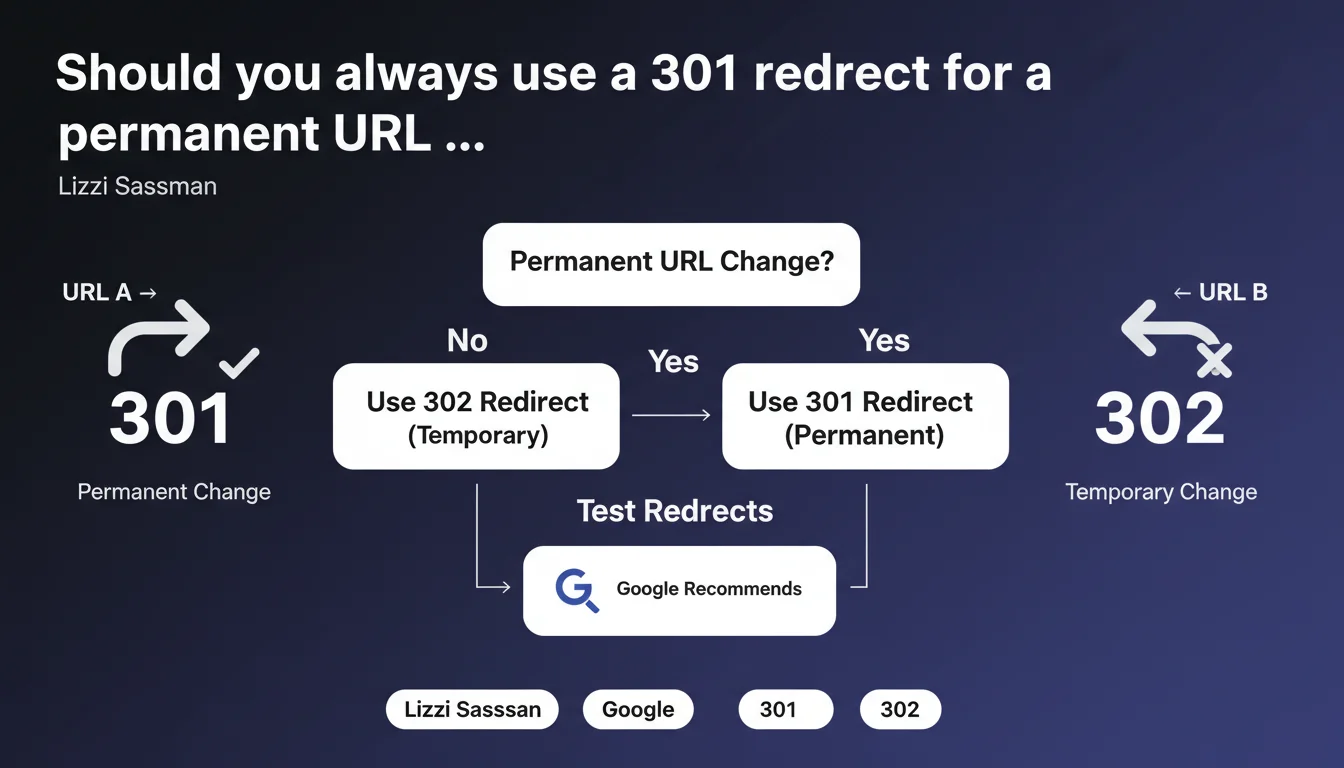
Google is clear: a 301 redirect should be your go-to choice for any permanent URL change, not a 302. The search engine also strongly recommends testing these redirects systematically before going live. Confusing 301 with 302 can slow down authority transfer and send mixed signals to Google.
What you need to understand
What's the fundamental difference between a 301 and a 302?
A 301 redirect signals a permanent URL change. It tells Google that the old page no longer exists and that all SEO equity should be transferred to the new address. A 302, on the other hand, is temporary — it tells the search engine: "This page has moved for now, but it might come back."
The catch? Google may eventually treat certain 302s as 301s if they stick around long enough. But that timeline remains unclear, and in the meantime, you're losing time and visibility. Why take that risk?
Why does this distinction impact your SEO performance?
A 302 sends an ambiguous signal. Google hesitates to fully transfer the authority from the old URL because it expects it to return. Result: the new page takes longer to regain its authority, and the old one sometimes continues to appear in search results.
With a properly configured 301, the transfer is immediate and unambiguous. No floating period, no cannibalization between the two versions.
Testing redirects before going live: why does Google keep pushing this point?
Google doesn't say it for nothing. A poorly configured redirect chain — multiple successive jumps, or worse, an infinite loop — can drain PageRank and slow down indexation. Not to mention 404 errors that pop up because a special character was encoded incorrectly.
Testing should be systematic: verify the HTTP code returned, response time, and that the final destination is exactly what you intended. A tool like Screaming Frog or a simple Python script can save you a headache.
- A 301 signals a permanent change and transfers SEO authority immediately
- A 302 is temporary and delays or blocks that transfer
- Redirect chains and loops harm crawlability and indexation
- Testing in a staging environment or with dedicated tools is a non-negotiable step
SEO Expert opinion
Is this recommendation actually followed by well-ranking sites?
On paper, yes. In practice? Far less often. You still see e-commerce sites stacking 302s for questionable technical reasons, or migrations where nobody bothered to check HTTP codes. Yet these sites can hold decent rankings… for a while.
The real issue is that Google often corrects course on its own by interpreting a persistent 302 as a 301. But that's not instant, and during this floating period, you're leaving PageRank on the table. Why gamble when all it takes is checking the right box?
Are there cases where a 302 still makes sense?
Rarely, but yes. A page in temporary maintenance, a seasonal campaign redirecting to a specific landing page, or an A/B test where you want to avoid polluting indexation. In these specific contexts, the 302 keeps its purpose.
But — and this is critical — if you keep that 302 running for weeks without removing it, you risk creating confusion. Google might decide to flip it to a 301 in its mind, or conversely continue indexing the old URL. [To verify]: Google doesn't publish an official timeline for when a 302 gets re-evaluated, leaving plenty of gray areas.
What mistake costs the most in a migration?
Redirect chains. URL A → URL B → URL C → URL D. Each hop dilutes the signal a little more and slows down indexation. In extreme cases, Google even abandons the chain and keeps the old URL in its index.
Another classic blunder: JS redirects or meta refresh. Google can follow them, but with added delay and uncertainty. A server-side 301 remains the only reliable and immediate approach.
Practical impact and recommendations
What do you need to do concretely before a URL migration?
First, map out all affected URLs. A Search Console export plus a full crawl gives you the foundation. Next, create a 1:1 mapping file between old and new addresses, avoiding generic redirects to the homepage as much as possible.
Set up your 301s at the server level (Apache, Nginx, or your CDN), not in JavaScript. Test each redirect individually if possible, or at least a representative sample. Verify the HTTP code returned is indeed 301, and that the final destination is reachable in a single hop.
What errors should you absolutely avoid when going live?
Never redirect multiple old URLs to a single generic new page, unless they're truly redundant. Google understands you're trying to simplify, but it may also see this as content loss and devalue the new page.
Avoid temporary redirects just to "see how it goes." A misplaced 302 can stick in cache (browser, CDN) and cause headaches for weeks. When in doubt, a 301 is always less risky than an approximate 302.
How do you verify your redirects are working correctly after going live?
Use a crawler like Screaming Frog or OnCrawl to check all HTTP codes across your site. Flag any 302s hanging around and ask yourself if they're truly justified. Also watch for chains: no URL should pass through more than one hop.
Monitor Search Console closely in the weeks following launch. If old URLs keep showing up as 404 errors or if your new pages' indexation stalls, it's a sign some redirects weren't picked up by Google.
- Map all URLs affected by the migration
- Create a 1:1 mapping between old and new addresses
- Configure 301s at server level (Apache, Nginx, CDN)
- Test each redirect before going live
- Verify there are no redirect chains
- Avoid generic homepage redirects
- Monitor indexation in Search Console post-migration
- Never use 302 for a permanent change
❓ Frequently Asked Questions
Une redirection 301 transfère-t-elle 100 % du PageRank ?
Combien de temps faut-il conserver une redirection 301 après une migration ?
Peut-on utiliser une 302 pendant une phase de test puis basculer en 301 ?
Les redirections en JavaScript sont-elles prises en compte par Google ?
Que se passe-t-il si je crée une chaîne de redirections ?
🎥 From the same video 11
Other SEO insights extracted from this same Google Search Central video · published on 20/10/2022
🎥 Watch the full video on YouTube →
💬 Comments (0)
Be the first to comment.