
Official statement
Other statements from this video 11 ▾
- □ La documentation Google Search Central bénéficie-t-elle d'un avantage dans les résultats de recherche ?
- □ Faut-il vraiment consulter Search Console tous les jours ?
- □ Faut-il vraiment toujours utiliser une redirection 301 pour un changement d'URL permanent ?
- □ Faut-il vraiment segmenter vos sitemaps au-delà de 50 000 URLs ?
- □ Faut-il vraiment automatiser les balises hreflang pour gérer le multilingue ?
- □ Les titres et meta descriptions influencent-ils vraiment le SEO au-delà du CTR ?
- □ Google réécrit-il vraiment vos balises title comme bon lui semble ?
- □ Faut-il vraiment utiliser des liens nofollow dans vos études de cas clients ?
- □ Comment convaincre une équipe de développement de prioriser les Core Web Vitals ?
- □ Les FAQ en structured data sont-elles vraiment efficaces pour générer des rich snippets ?
- □ Comment mesurer le succès SEO quand vous modifiez plusieurs éléments en même temps ?
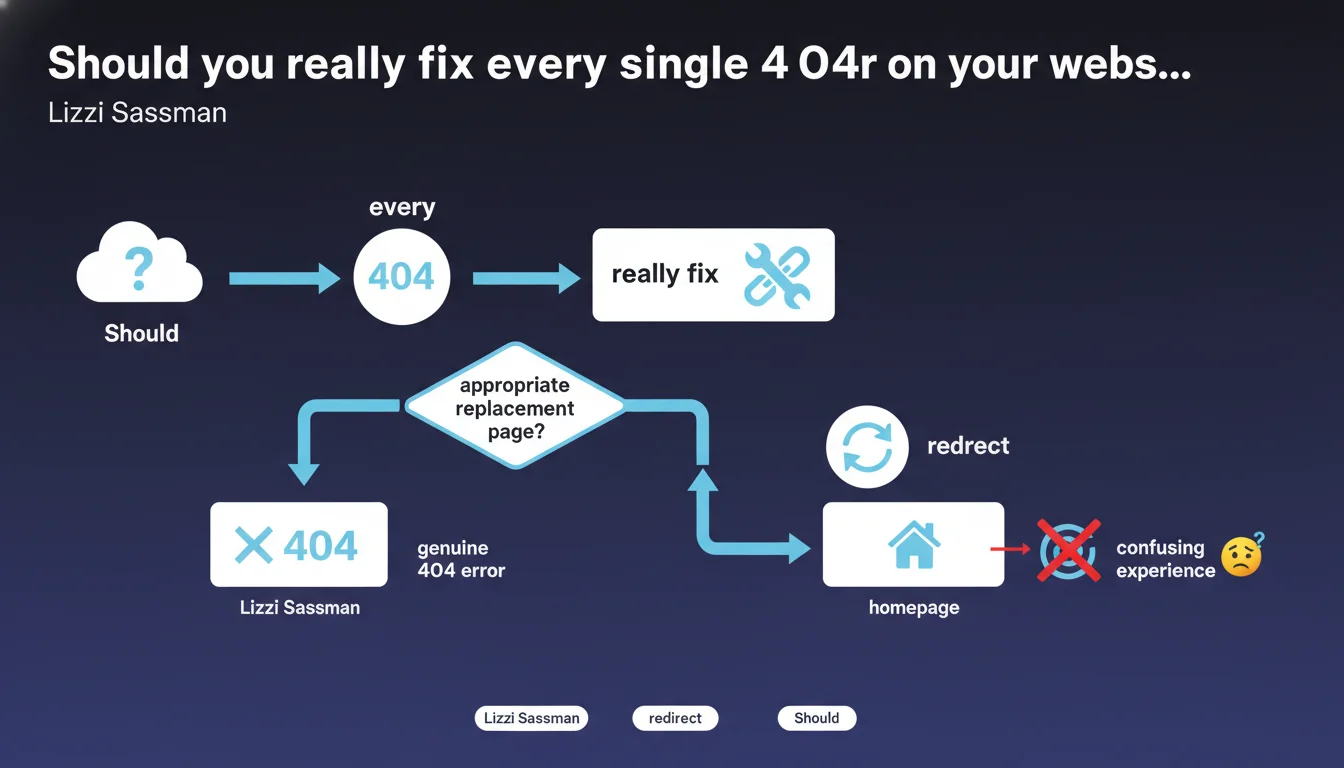
Google states that it's acceptable to leave pages as 404 if no relevant alternative exists. Systematically redirecting to the homepage creates a more confusing user experience than a genuine 404 page. Strategic management of 404 errors involves evaluating relevance rather than blindly eliminating them.
What you need to understand
Why does Google validate the existence of 404 errors?
404 errors are often perceived as negative signals in the SEO ecosystem. Yet this statement from Lizzi Sassman challenges that misconception: a 404 is only problematic if a legitimate alternative exists.
Google recognizes that some content naturally disappears — products that are permanently out of stock, past events, obsolete pages. In these cases, forcing a redirect to a generic page degrades the user experience more than it solves it.
What's the difference between a legitimate 404 and a real problem?
A 404 becomes problematic when it concerns a page that should exist or has an obvious alternative. For example: a restructured URL without a redirect, a moved page without internal link updates, or content migrated to a new address.
Conversely, a legitimate 404 concerns content that is truly deleted with no direct equivalent. No page on your site addresses the original intent of that disappeared URL.
How does Google treat these 404s in its index?
Pages returning 404 are gradually removed from the index. If Google detects that the status persists, it stops crawling these URLs and frees up crawl budget for other pages.
This mechanism is sound: it allows your site to evolve without dragging along a history of unnecessary redirects that complicate technical architecture.
- Intentional 404s don't penalize the rest of the site
- Redirects to the homepage create soft 404s if the content doesn't match
- Google prefers a genuine 404 to a misleading redirect
- Crawl budget concentrates on active and relevant pages
SEO Expert opinion
Is this approach consistent with real-world observations?
Absolutely. Sites that massively redirect their 404s to the homepage create soft 404s — Google detects that the destination page doesn't match the original intent and treats it as a disguised error.
In practice, these poorly targeted redirects dilute the topical relevance of the homepage, especially if the volume of redirected 404s is high. We regularly see sites with thousands of backlinks pointing to their homepage through old deleted product URLs — a waste of link juice.
What nuances should be applied to this recommendation?
Google's statement remains deliberately vague on one critical point: what exactly is the definition of an "appropriate replacement page"?
In practice, between a strict 404 and a generic redirect, there's a whole spectrum of alternatives: category pages, filtered internal search pages, thematic landing pages. Google doesn't specify at what level of granularity a redirect becomes "appropriate". [To be verified]: this gray area leaves room for interpretation and testing.
In what cases does this rule not apply?
E-commerce sites with volatile catalogs present a special case. A product that's permanently out of stock may justify a 404, but if that product belongs to an still-active product line, redirecting to the parent category or an equivalent product remains relevant.
Another exception: site migrations. Leaving hundreds of pages as 404s after a redesign without mapping old URLs to their logical equivalents is a strategic mistake, even if technically Google "accepts" 404s.
Practical impact and recommendations
What should you concretely do with your current 404s?
Start by auditing your 404s in Search Console. Identify those that still receive traffic, those with external backlinks, and those with no activity trace.
For "active" 404s (traffic or backlinks), evaluate whether there's a truly relevant destination page. If yes, redirect with a 301. If no, create a custom 404 page that guides the user toward related content rather than the homepage.
What errors should you absolutely avoid?
Never mass-redirect to the homepage "by default". This practice turns your 404s into soft 404s and muddles the signals sent to Google.
Also avoid leaving 404s on URLs still referenced in your internal linking structure. It's the best way to waste crawl budget and create dead ends in your architecture.
How do you verify that your 404 management is optimal?
Use Search Console to monitor the volume of 404s detected. A sudden spike often signals a technical problem — broken URLs after an update, broken internal links, obsolete sitemap.
Crawl your site with Screaming Frog or Oncrawl to identify internal links pointing to 404s. Fix them at the source rather than compensating with redirects.
- Audit your 404s in Search Console: sort by traffic and backlinks
- Identify "orphan" 404s (no traffic, no backlinks) — let them die
- For 404s with backlinks, evaluate the relevance of a targeted redirect
- Create a custom 404 page with contextual suggestions
- Clean up broken internal links to avoid generating new 404s
- Monitor 404 volume evolution monthly
- Only redirect to the homepage if no thematic alternative exists
❓ Frequently Asked Questions
Un 404 pénalise-t-il le référencement global du site ?
Vaut-il mieux un 404 ou une redirection 301 vers la page d'accueil ?
Combien de temps Google met-il pour désindexer un 404 ?
Dois-je supprimer les 404 de mon sitemap XML ?
Comment gérer les 404 sur un site e-commerce avec produits saisonniers ?
🎥 From the same video 11
Other SEO insights extracted from this same Google Search Central video · published on 20/10/2022
🎥 Watch the full video on YouTube →
💬 Comments (0)
Be the first to comment.