
Official statement
Other statements from this video 18 ▾
- □ Canonical seul ne suffit pas pour bloquer le contenu syndiqué dans Discover : faut-il vraiment ajouter noindex ?
- □ Deux domaines pour un même pays : où commence vraiment la manipulation ?
- □ Les failles JavaScript de vos bibliothèques font-elles chuter votre positionnement Google ?
- □ Peut-on vraiment empêcher Google de crawler certaines parties d'une page HTML ?
- □ Faut-il encore perdre du temps à soumettre son sitemap XML ?
- □ Pourquoi les données structurées Schema.org ne suffisent-elles pas toujours pour obtenir des résultats enrichis Google ?
- □ Les en-têtes HSTS ont-ils vraiment un impact sur votre référencement ?
- □ Google retraite-t-il vraiment votre sitemap à chaque crawl ?
- □ Sitemap HTML vs XML : pourquoi Google insiste-t-il sur leur différence de fonction ?
- □ Les données structurées avec erreurs sont-elles vraiment ignorées par Google ?
- □ Les chiffres dans vos URLs pénalisent-ils vraiment votre référencement ?
- □ L'index bloat existe-t-il vraiment chez Google ?
- □ Comment bloquer définitivement Googlebot de votre site ?
- □ Google délivre-t-il vraiment des certifications SEO officielles ?
- □ Plusieurs menus de navigation nuisent-ils vraiment au SEO ?
- □ Les host groups indiquent-ils vraiment une cannibalisation à corriger ?
- □ Peut-on désavouer des backlinks toxiques en ciblant leur adresse IP ?
- □ Faut-il supprimer la balise meta NOODP de vos sites Blogger ?
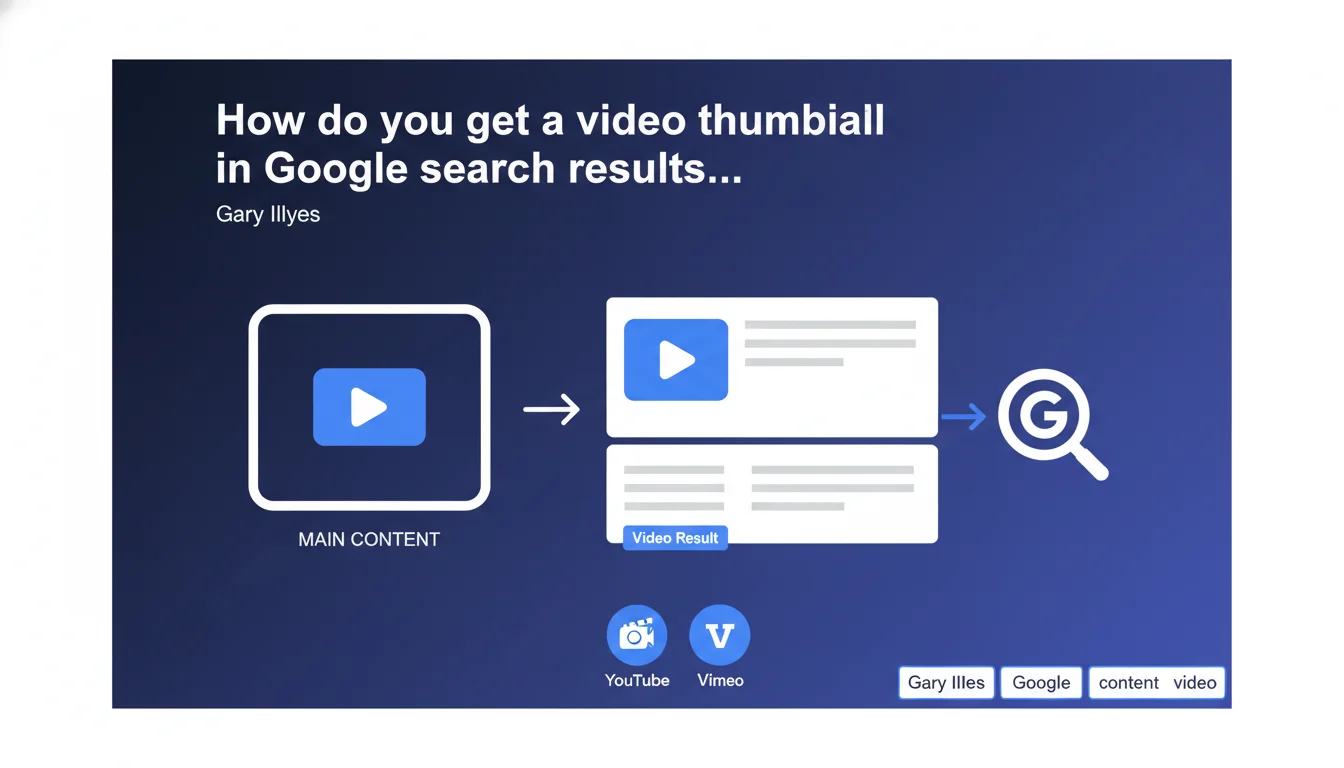
Google only generates a video thumbnail in search results if the video is the main content of the page — meaning it's visible immediately, without scrolling or additional clicks. The reference point: YouTube and Vimeo, where video is clearly the central element. If your video is buried in an article or hidden in a tab, don't expect a thumbnail.
What you need to understand
Google rarely publishes criteria this explicit. Here, Gary Illyes sets a clear rule: for a video to earn its rich thumbnail in the SERPs, it must be immediately visible when users land on the page.
Practical translation: no scrolling, no accordion clicks, no video lost in the middle of a text block. Users should understand at a glance that the video is the heart of the content.
Why does Google enforce this requirement?
The algorithm wants to prevent abuse. If any page with a secondary video could get a thumbnail, the SERPs would be flooded with irrelevant results.
By requiring that the video be the main content, Google ensures that users who click on the thumbnail land exactly on what they expect: a video, not an article with an illustrative video buried at the bottom.
What does 'immediately visible' actually mean?
Gary Illyes doesn't give pixel metrics, but he points to YouTube and Vimeo. On these platforms, the video takes up most of the screen from the moment it loads. That's the benchmark.
In practice, this means: above the fold, generous dimensions, no elements competing for visual attention. If your video is 300x200px in a sidebar, forget about the thumbnail.
- The video must be visible without scrolling when the page loads
- It must occupy a central place in the layout, not be relegated to a supporting role
- The remaining content (text, images) should play a secondary role compared to the video
- Take inspiration from YouTube: the video is the hero, everything else orbits around it
SEO Expert opinion
Is this statement consistent with real-world observations?
Yes, and it's even a welcome confirmation. We've long observed that pages with 'article with illustrative video' rarely get a rich thumbnail, even with perfect VideoObject markup.
Google favors pages where video is clearly the primary format. This makes sense: search intent differs depending on whether you're looking for a video tutorial or a written article with visuals. The video thumbnail should signal video content, not a hybrid.
What nuances should we consider?
The concept of 'main content' remains subjective. Gary Illyes doesn't set a numerical threshold: what's the minimum size? What's the video-to-text ratio? [To be tested] by trying different configurations.
Another point: 'immediately visible' doesn't necessarily mean 'autoplay.' A video set to autoplay could actually be detrimental to user experience. What matters is visual hierarchy, not technical behavior.
When doesn't this rule apply?
If you're creating long-form editorial content where video is a complement, don't try to force the thumbnail. Your featured snippet or position zero could be more valuable than a video thumbnail.
Conversely, if you're targeting high video intent queries (tutorials, product demos, recipes), then yes, restructure your page to make video the hero. But this sometimes means sacrificing text content that could rank for other keywords.
Practical impact and recommendations
What do you need to do concretely to get the thumbnail?
First step: audit your video pages. Open them in private browsing mode, without scrolling. If the video doesn't occupy most of the screen, you have a problem.
Second step: rethink the layout. The video must be centered, wide (at least 600px wide on desktop), and placed before any substantial text content. The title can go above it, but not a 300-word intro block.
What critical mistakes should you avoid?
Don't hide your video in a tab, accordion, or lightbox. Google can't guess it's there if it's not visible on initial page load.
Don't bury the video in an article. If you have 2000 words of text and a 2-minute video in the middle of the page, Google will consider the text to be the main content. No thumbnail.
- Place the video above the fold, ideally after a short title and 1-2 lines maximum of intro text
- Use generous dimensions: 16:9 aspect ratio, minimum width of 600px on desktop
- Add Schema.org VideoObject markup with all required properties (name, description, thumbnailUrl, uploadDate, duration)
- Check in Search Console that Google detects the video correctly (Enhancements > Videos report)
- Test the page in private browsing on both mobile and desktop to confirm the video is immediately visible
- Limit text content before the video: maximum 2-3 introductory sentences
- Avoid pop-ups, intrusive GDPR banners, or anything else that would hide the video on load
❓ Frequently Asked Questions
Le balisage Schema.org VideoObject suffit-il à obtenir une vignette ?
Peut-on avoir une vignette vidéo si la vidéo est en bas de page ?
Quelle taille minimale doit faire la vidéo pour être considérée comme contenu principal ?
Faut-il activer la lecture automatique pour obtenir la vignette ?
Si j'ai un article long avec une vidéo intégrée, comment obtenir la vignette ?
🎥 From the same video 18
Other SEO insights extracted from this same Google Search Central video · published on 07/06/2023
🎥 Watch the full video on YouTube →
💬 Comments (0)
Be the first to comment.