
Official statement
Other statements from this video 18 ▾
- □ Canonical seul ne suffit pas pour bloquer le contenu syndiqué dans Discover : faut-il vraiment ajouter noindex ?
- □ Deux domaines pour un même pays : où commence vraiment la manipulation ?
- □ Les failles JavaScript de vos bibliothèques font-elles chuter votre positionnement Google ?
- □ Peut-on vraiment empêcher Google de crawler certaines parties d'une page HTML ?
- □ Faut-il encore perdre du temps à soumettre son sitemap XML ?
- □ Pourquoi les données structurées Schema.org ne suffisent-elles pas toujours pour obtenir des résultats enrichis Google ?
- □ Les en-têtes HSTS ont-ils vraiment un impact sur votre référencement ?
- □ Google retraite-t-il vraiment votre sitemap à chaque crawl ?
- □ Les données structurées avec erreurs sont-elles vraiment ignorées par Google ?
- □ Les chiffres dans vos URLs pénalisent-ils vraiment votre référencement ?
- □ L'index bloat existe-t-il vraiment chez Google ?
- □ Comment bloquer définitivement Googlebot de votre site ?
- □ Google délivre-t-il vraiment des certifications SEO officielles ?
- □ Plusieurs menus de navigation nuisent-ils vraiment au SEO ?
- □ Les host groups indiquent-ils vraiment une cannibalisation à corriger ?
- □ Peut-on désavouer des backlinks toxiques en ciblant leur adresse IP ?
- □ Faut-il supprimer la balise meta NOODP de vos sites Blogger ?
- □ Comment obtenir une vignette vidéo dans les SERP : qu'entend Google par « contenu principal » ?
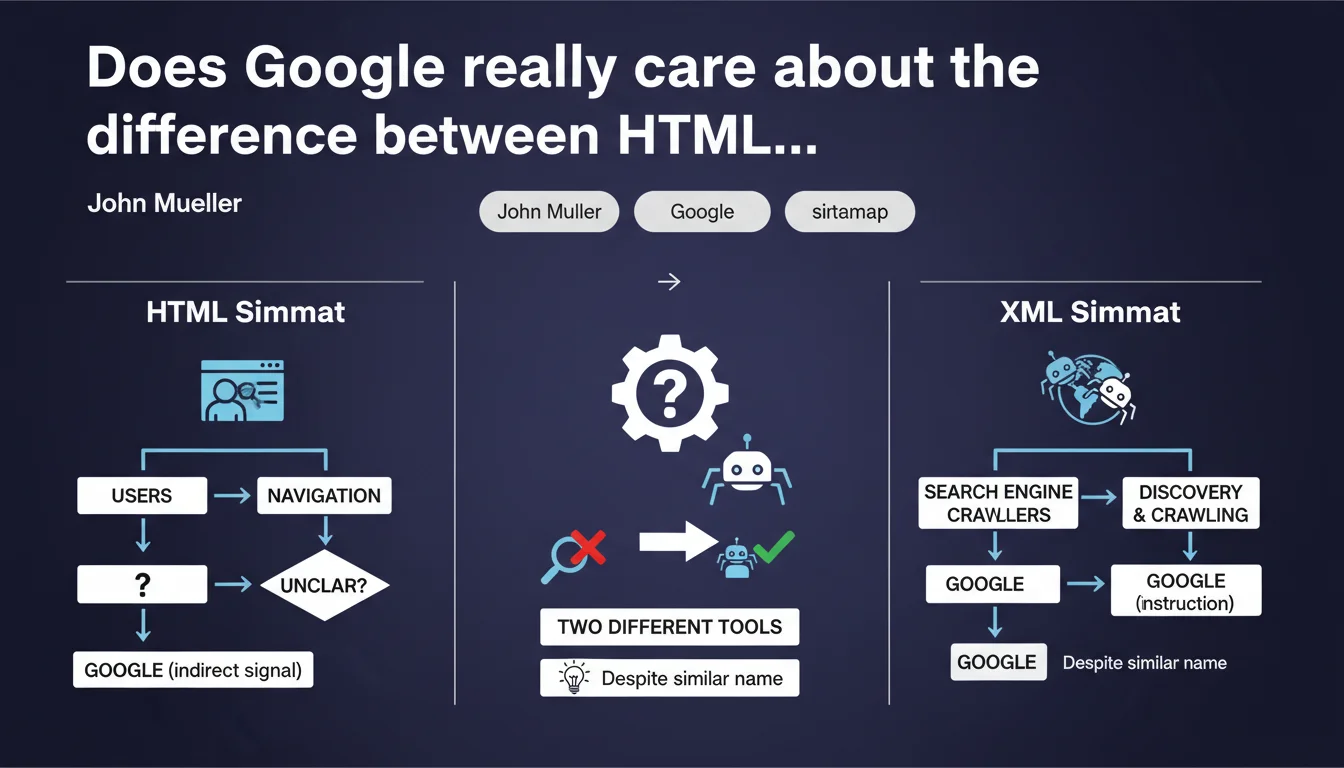
John Mueller clarifies that HTML sitemaps and XML sitemaps serve completely different purposes: the first is designed for users to navigate, the second exists exclusively for search engine crawlers. If you need an HTML sitemap, it's often a sign that your site architecture is broken. Two tools, two distinct roles — don't confuse them.
What you need to understand
Mueller's statement might seem basic, but it highlights a common misconception. Many SEO practitioners treat HTML sitemaps as secondary indexing tools, when their primary function is purely navigational.
The XML sitemap, on the other hand, serves exclusively to inform search engine crawlers which URLs to explore. It has no utility for human visitors — it's a raw technical file.
Why does confusion between HTML and XML sitemaps exist?
The term "sitemap" creates ambiguity. In the collective imagination, a sitemap "helps explore the site" — which is true in both cases, but for radically different audiences.
HTML sitemaps date back to an era when site architecture was less structured. They served as a safety net for lost users. Today, if your main navigation is clear, nobody clicks on a "Sitemap" link in the footer.
Does an HTML sitemap signal an architecture problem?
Mueller states it clearly: "may indicate unclear navigation." Translation? If your users need an HTML sitemap to find content, your internal linking and menu are failing.
It's not an absolute rule — some massive sites (e-commerce with thousands of products, institutional portals) can legitimately offer an HTML sitemap to facilitate navigation. But in 90% of cases, it's a band-aid on a broken leg.
Does an XML sitemap really improve crawling?
The XML sitemap doesn't guarantee indexation, but it speeds up URL discovery. If a page is poorly linked internally, the XML sitemap might be its only way to be seen by Googlebot.
For sites that publish frequently (blogs, news sites), it's a freshness signal. Google reads the last modification date and prioritizes crawling accordingly.
- HTML Sitemap: intended for users, useful only if primary navigation is insufficient
- XML Sitemap: technical file for crawlers, essential for signaling URLs and their update frequency
- A strong need for HTML sitemaps often reveals a broken site architecture
- The XML sitemap doesn't index, it facilitates discovery — an essential distinction
SEO Expert opinion
Is this statement consistent with real-world SEO practices?
Absolutely. Sites that rely on an HTML sitemap as an SEO crutch miss the real problem: their navigation structure is probably poorly designed. Google won't reward an HTML sitemap — it wants relevant internal contextual links.
The XML sitemap, however, remains an essential standard. Every CMS generates it automatically, and no serious site operates without one. But beware: an oversized XML sitemap (thousands of non-crawled URLs) can also signal a crawl budget problem or low-value content.
What nuances should be added to this principle?
Mueller doesn't say "never use an HTML sitemap." He says it serves users, not SEO. If your site has a complex structure (marketplace, multi-level portal), a well-designed HTML sitemap can improve UX — and thus indirectly benefit SEO.
Another case: niche websites with an expert audience. An HTML sitemap can become a discovery hub, especially if it intelligently categorizes content. But this is the exception, not the rule. [To verify]: no study proves that an HTML sitemap directly improves ranking — any impact, if it exists, flows through user behavior.
In what cases is this distinction not respected?
Many budget SEO agencies still recommend creating HTML sitemaps "to help Google." That's cargo cult thinking. Google reads the XML sitemap, period. If your pages aren't being crawled, an HTML sitemap won't change that.
Another common mistake: poorly maintained XML sitemaps. 404 URLs, chain redirects, UTM parameters — all of this pollutes the file and muddies signals sent to crawlers. An XML sitemap must be clean, up-to-date, and ideally segmented if you have more than 10,000 URLs.
Practical impact and recommendations
What should you concretely do with these two types of sitemaps?
For the XML sitemap: verify it's declared in Google Search Console, contains only canonical indexable URLs, and is updated with each publication or major change. Segment it by content type if your site exceeds 10,000 pages.
For the HTML sitemap: first ask yourself whether it's truly useful. If your primary navigation and internal linking are solid, it adds nothing. If you maintain one, ensure it's logically structured (by categories, not an absurd alphabetical list) and accessible within two clicks from the homepage.
What mistakes must you absolutely avoid?
Never submit non-indexable URLs to your XML sitemap: noindex pages, canonicalized URLs pointing elsewhere, 301/302 redirects, 404 pages. That's noise that dilutes your signals.
Also avoid massive non-segmented XML sitemaps. Google recommends not exceeding 50,000 URLs per file — but in practice, a well-targeted 5,000-URL sitemap will have more impact than a 40,000-page file where half the pages don't deserve to be crawled.
For HTML sitemaps, don't create a footer "Sitemap" link pointing to an auto-generated, unreadable page. If you do it, make it humanly explorable — otherwise it's a dead link in your internal linking structure.
How can you verify your sitemaps are properly configured?
- Verify that the XML sitemap is declared in the robots.txt file and in Search Console
- Audit the crawl rate of XML sitemap URLs via GSC coverage reports
- Check that each URL in the XML sitemap returns a 200 status code and is indexable (no noindex, no canonical pointing elsewhere)
- Segment the XML sitemap by content type if the site exceeds 10,000 pages
- Test your site's primary navigation with real users to evaluate whether an HTML sitemap is relevant
- If an HTML sitemap is maintained, ensure it's logically structured and accessible within two clicks maximum
The distinction between HTML and XML sitemaps is straightforward: one for humans, the other for robots. But behind this obvious difference lies an architecture challenge. If your HTML sitemap is essential, your internal navigation structure probably needs to be redesigned.
Optimizing these technical elements requires a nuanced understanding of your site structure and crawl behavior. For complex projects or risky migrations, it may be wise to rely on a specialized SEO agency that can audit your architecture and correct signals sent to crawlers — without applying surface-level fixes.
❓ Frequently Asked Questions
Un sitemap HTML a-t-il un impact SEO direct ?
Combien d'URLs peut contenir un sitemap XML ?
Faut-il soumettre toutes les pages de mon site dans le sitemap XML ?
Le sitemap XML garantit-il l'indexation des pages ?
Comment savoir si mon sitemap XML est bien crawlé ?
🎥 From the same video 18
Other SEO insights extracted from this same Google Search Central video · published on 07/06/2023
🎥 Watch the full video on YouTube →
💬 Comments (0)
Be the first to comment.