
Official statement
Other statements from this video 14 ▾
- 5:33 Can you really control which image appears in Google's text search results?
- 7:30 Why do your Search Console reports keep contradicting each other?
- 8:40 Should you really upload your disavow list only on the current domain?
- 10:06 Is Google really ranking your internal pages above your category pages—and should you be worried?
- 11:21 Why does the public URL test fail so frequently in Search Console?
- 13:33 Does Google really prioritize content quality over technical optimization when facing the 'Crawled - not indexed' status?
- 15:15 Do 'Crawled – not indexed' pages really harm your entire website's visibility?
- 16:27 Why is Google treating your e-commerce category pages as duplicate content?
- 18:55 Does Google really interpret the intention behind your searches better than you think?
- 21:21 Do simple URLs really impact your Google rankings?
- 22:22 Can Google ignore your JavaScript if you place a noindex tag in the head?
- 24:24 Are iframes in your <head> really killing your SEO?
- 28:06 Can a misconfigured 301 redirect actually block your pages from being indexed?
- 30:28 How can you control the date displayed in Google search results?
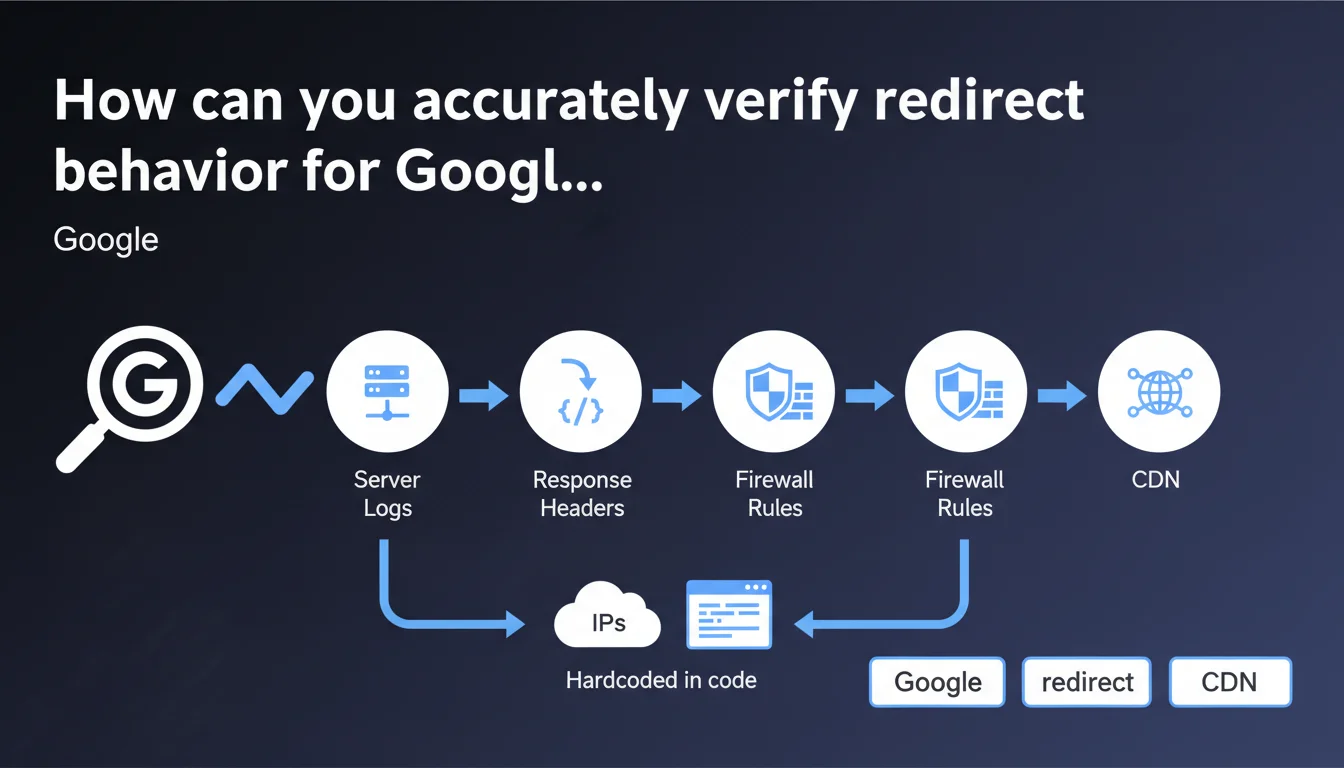
Google recommends examining server logs and response headers for the Googlebot user-agent to verify redirect behavior. The statement also emphasizes the importance of controlling firewall rules, CDN, and hardcoded IPs in code that may alter observed behavior.
What you need to understand
Why are server logs the most reliable method?
Unlike online testing tools that simulate a crawl, server logs record what actually happens when Googlebot accesses your site. They capture raw requests, HTTP status codes returned, and any redirect chains.
This approach eliminates false positives. A third-party tool may display behavior different from what the bot experiences — especially if conditional rules apply based on user-agent, source IP, or CDN parameters.
What exactly should you check in the response headers?
HTTP headers reveal status codes (301, 302, 307, 308), Location headers, and potential JavaScript or meta refresh redirects that Googlebot must process. A 301 visible to users may become a 302 for the bot if a server rule discriminates by user-agent.
Google emphasizes checking specifically for Googlebot, not for a standard browser. Some configurations return different responses depending on who requests the page.
What peripheral elements can skew the diagnosis?
Firewalls, CDNs, and hardcoded IPs in code can introduce redirects or blocks invisible to manual testing. A firewall may block certain Googlebot IP ranges, a CDN may apply geographic redirect rules, code may force a redirect if the IP doesn't match a whitelist.
These intermediate layers must be audited to understand the complete path of a Googlebot request.
- Examine raw server logs for the Googlebot user-agent
- Check HTTP headers returned (status codes, Location, Cache-Control)
- Audit firewall rules, CDN, and hardcoded IPs that may modify behavior
- Don't rely solely on online testing tools that simulate a crawl
SEO Expert opinion
Is this statement consistent with real-world observations?
Yes, absolutely. Server logs have always been the source of truth for diagnosing crawl and redirect issues. Third-party tools are convenient for initial diagnosis, but they don't capture the nuances of complex infrastructure.
We regularly observe sites where manual testing shows a clean 301, while logs reveal a chain of 3 redirects for Googlebot — usually due to misconfigured CDN or a firewall injecting its own rules.
What nuances should be noted?
Google doesn't specify how to extract and interpret server logs — which isn't trivial for all environments. Log formats vary (Apache, Nginx, IIS), and isolating Googlebot requests requires technical skills.
Another point: access to logs isn't always guaranteed. On some SaaS platforms or shared hosting, you don't have direct access to raw logs. You must then use proxies like Search Console, which offers a partial view.
What are the risks if you neglect this verification?
A site can lose PageRank in chains if multiple redirects dilute link equity. Or worse: Googlebot may abandon crawling after several hops, leaving important pages unindexed.
Misconfigured firewall or CDN rules can also block Googlebot without your knowledge — until an organic traffic drop alerts you, too late.
Practical impact and recommendations
What should you do concretely to audit redirects?
Start by extracting server logs over a representative period (at least 7 days). Filter lines containing the Googlebot user-agent (or its variants like Googlebot-Image, Googlebot-News).
Then analyze status codes to identify redirects (301, 302, 307, 308). Trace chains: URL A redirects to B, which redirects to C. Ideally, each redirect should be direct (A → C).
Cross-reference this data with Search Console reports — Coverage and Exploration sections. If URLs appear as redirected in the console but not in your logs, it signals that intermediate rules are at play.
What errors should you avoid when verifying?
Never test solely with a browser or tool that doesn't properly spoof the Googlebot user-agent. Server rules can discriminate : a human sees one behavior, the bot sees another.
Avoid neglecting CDN or firewall rules. A Cloudflare, Akamai, or application firewall may inject redirects or blocks that your web server doesn't even see in its own logs.
Last point: don't confuse server redirects (HTTP 3xx) with JavaScript or meta refresh redirects. These are treated differently by Googlebot — with potential delay.
How can you automate and maintain this monitoring?
Set up regular log monitoring with tools like GoAccess, Splunk, or custom Python/shell scripts. Create alerts if redirect chains appear or if the rate of 3xx codes suddenly increases.
Also integrate a review of firewall and CDN rules into your deployment processes. Any configuration change should be tested with a real Googlebot user-agent before going live.
- Extract server logs for the Googlebot user-agent over at least 7 days
- Filter and analyze HTTP 3xx codes to spot redirect chains
- Cross-reference with Search Console reports (Coverage, Exploration)
- Audit firewall rules, CDN, and hardcoded IPs in code
- Test redirects with a real Googlebot user-agent (not a browser)
- Set up automated log monitoring with alerts
- Document and version firewall/CDN configurations
❓ Frequently Asked Questions
Peut-on se fier uniquement aux outils de test en ligne pour vérifier les redirections ?
Comment isoler les requêtes Googlebot dans les logs serveur ?
Que faire si je n'ai pas accès aux logs serveur bruts ?
Une chaîne de redirections impacte-t-elle vraiment le SEO ?
Les règles CDN peuvent-elles modifier les redirections sans que je le sache ?
🎥 From the same video 14
Other SEO insights extracted from this same Google Search Central video · published on 05/03/2026
🎥 Watch the full video on YouTube →
💬 Comments (0)
Be the first to comment.