
Official statement
Other statements from this video 14 ▾
- 5:33 Can you really control which image appears in Google's text search results?
- 7:30 Why do your Search Console reports keep contradicting each other?
- 8:40 Should you really upload your disavow list only on the current domain?
- 10:06 Is Google really ranking your internal pages above your category pages—and should you be worried?
- 13:33 Does Google really prioritize content quality over technical optimization when facing the 'Crawled - not indexed' status?
- 15:15 Do 'Crawled – not indexed' pages really harm your entire website's visibility?
- 16:27 Why is Google treating your e-commerce category pages as duplicate content?
- 18:55 Does Google really interpret the intention behind your searches better than you think?
- 21:21 Do simple URLs really impact your Google rankings?
- 22:22 Can Google ignore your JavaScript if you place a noindex tag in the head?
- 24:24 Are iframes in your <head> really killing your SEO?
- 26:06 How can you accurately verify redirect behavior for Googlebot?
- 28:06 Can a misconfigured 301 redirect actually block your pages from being indexed?
- 30:28 How can you control the date displayed in Google search results?
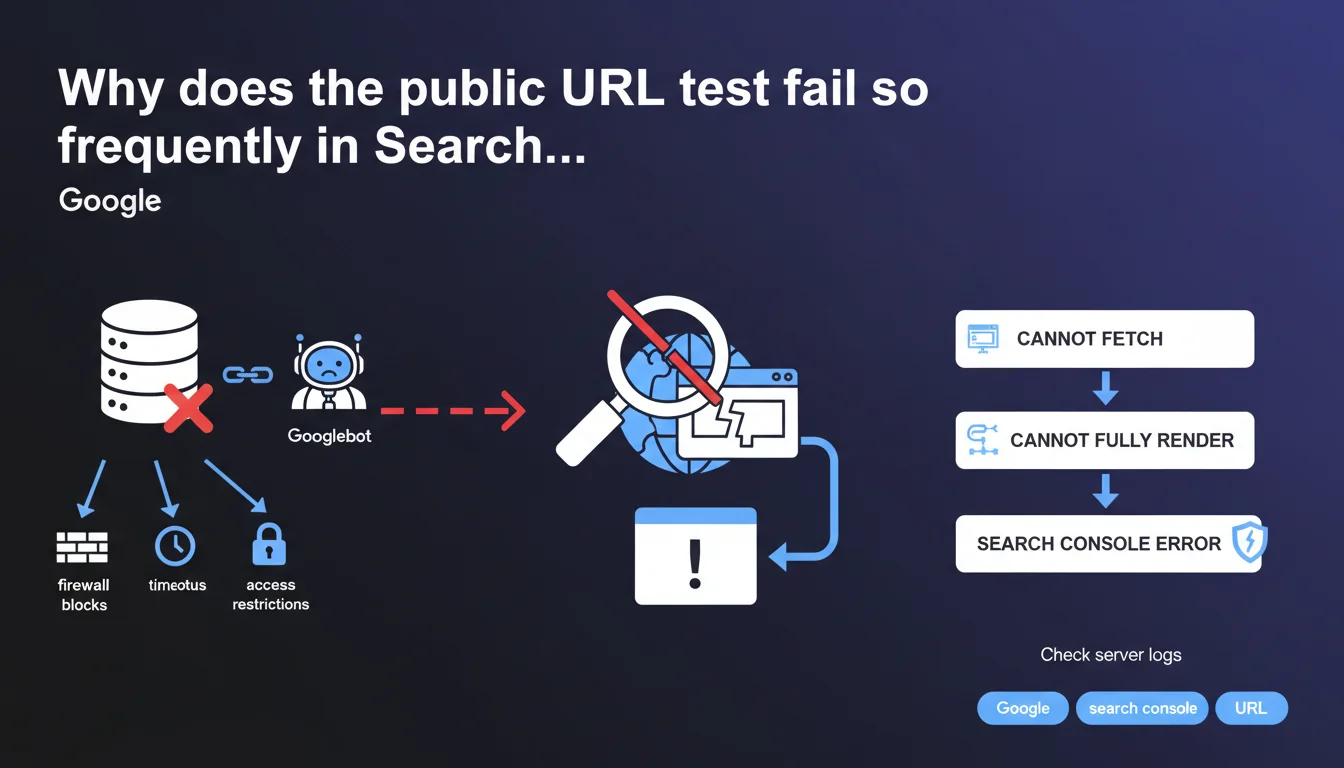
When the public URL test generates an error in Search Console, it's typically because Googlebot can't fetch or fully render the content. Google recommends checking server logs to identify firewall blocks, timeouts, or access restrictions specific to its crawler.
What you need to understand
What does this public URL test error actually mean in practice?
The public URL test tool in Search Console simulates how Googlebot behaves when encountering a given page. When it generates an error, it signals that the robot has encountered a technical obstacle preventing it from fetching or interpreting the content as it would during a normal crawl.
This error is not trivial — it indicates that Google might never properly index the page in question, or that it perceives it differently than what you see in your browser. The problem rarely lies with Google, but almost always stems from server configuration or security rules blocking its access.
Why are server logs the first clue to explore?
Server logs record all HTTP requests received, including those from Googlebot. They reveal precisely what happened at the moment of the test: a 403 error code, a timeout after X seconds, an IP blocked by the firewall.
Google explicitly points to this verification because the most frequent causes are invisible from your browser. A firewall may authorize "normal" IPs but block Google's IPs. A CDN may enforce rate limiting rules too strict that penalize Googlebot. Logs are the only source of truth.
What types of blocks trigger this error?
Google mentions three families of problems: firewall blocks, timeouts, and access restrictions specific to Googlebot. Each points to a distinct server configuration you must audit methodically.
- Firewall: overly strict IP rules, WAF (Web Application Firewall) blocking suspicious user-agents
- Timeouts: server too slow, response time > 10-15 seconds, blocking resources slowing rendering
- Googlebot restrictions: misconfigured robots.txt, blocking via .htaccess, CDN challenging the bot like a human
- Rendering issues: JavaScript not executing properly, critical resources blocked preventing final display
SEO Expert opinion
Is this statement consistent with real-world observations?
Yes, and it's even a frustrating constant. The vast majority of public URL test errors we encounter stem from restrictive server configurations designed to block malicious bots, but which also strike Googlebot. Infrastructure teams don't always distinguish between an aggressive scraper and a legitimate crawler.
The reflex to "check the logs" is the right one — but you need to have access to them first. On shared hosting or certain SaaS platforms, it's sometimes impossible. In that case, you must resort to indirect tests: external crawl tools, synthetic monitoring, comparison between user-agents. [To verify]: Google doesn't specify whether certain hosting categories are more affected, but empirically, "maximum security" infrastructure is overrepresented.
What nuances should be added to this recommendation?
Google speaks of "fetching or fully rendering content," which conflates two distinct crawl stages. Fetching concerns raw HTTP (fetch), rendering concerns JavaScript execution and final DOM construction. An error can occur at either stage, and the solutions differ radically.
If the fetch fails, it's a classic network/access problem. If rendering fails, it's often tied to third-party JavaScript resources that timeout, APIs not responding to the bot, or poorly configured front-end frameworks. Google's statement remains vague on this distinction — it would have benefited from separating the two scenarios.
In what cases is this rule insufficient?
Sometimes, the logs show nothing abnormal: no 4xx, no 5xx, proper response times. Yet the test still fails. That's where it gets tricky.
Less obvious causes include: infinite redirects invisible in summary logs, SSL/TLS certificates causing problems with certain Google IPs, nginx/Apache configurations returning empty responses under specific load conditions. In these cases, you must cross-reference multiple sources: application logs, APM monitoring, complete network traces.
Practical impact and recommendations
What should you do concretely when this error appears?
The first action is to retrieve server logs corresponding to the exact date and time of the URL test. Search Console displays a timestamp — use it to filter lines where the user-agent contains "Googlebot." Identify the HTTP code returned, response time, exact URL called.
Next, reproduce the test with a Googlebot user-agent via curl or a crawl tool (Screaming Frog, OnCrawl, etc.) targeting the same URL. Compare the result with what you get via a standard browser. If the two differ, you've confirmed bot-specific treatment.
What mistakes should you avoid in diagnosis?
Don't rely solely on what you see in your browser. A site may display perfectly for you but be completely inaccessible to Googlebot due to a firewall rule, IP geo-restriction, or mandatory JavaScript challenge.
Also avoid correcting "blindly" without identifying the root cause. Disabling an entire WAF to solve the problem creates a security risk. Better to whitelist Googlebot IPs in a targeted manner, or adjust rate limiting rules to exempt legitimate user-agents.
- Retrieve server logs at the exact moment of the test (Search Console timestamp)
- Filter requests with user-agent "Googlebot" and analyze returned HTTP codes
- Reproduce the test with curl using Googlebot's user-agent
- Check firewall, WAF, and CDN rules to identify IP or user-agent blocks
- Control server timeouts (must respond in < 10 seconds)
- Test JavaScript rendering via the URL test tool and compare with raw HTML
- Verify robots.txt and X-Robots-Tag directives for intentional blocking
- Whitelist official Googlebot IP ranges if necessary
How do you ensure the problem is resolved long-term?
Once the fix is applied, rerun the public URL test in Search Console. Wait a few minutes — caching may play a role. If the test passes, request URL reindexing via the interface.
But don't stop there. Verify that other pages on the site aren't encountering the same issue by cross-referencing coverage reports and logs over several days. An intermittent timeout problem may only manifest under load, or at certain times of day.
❓ Frequently Asked Questions
Le test d'URL publique a échoué, mais mon site s'affiche normalement dans mon navigateur. Pourquoi ?
Où trouver les plages IP officielles de Googlebot pour les whitelister ?
Un timeout de combien de secondes fait échouer le test d'URL publique ?
Faut-il corriger toutes les erreurs de test d'URL ou seulement celles des pages importantes ?
Le test passe maintenant, mais Google n'a toujours pas réindexé ma page. Que faire ?
🎥 From the same video 14
Other SEO insights extracted from this same Google Search Central video · published on 05/03/2026
🎥 Watch the full video on YouTube →
💬 Comments (0)
Be the first to comment.