
Official statement
Other statements from this video 16 ▾
- □ Faut-il vraiment supprimer les balises meta keywords de votre site ?
- □ Faut-il modifier la date lastmod du sitemap à chaque mise à jour mineure ?
- □ Faut-il vraiment séparer les sitemaps news et généraux pour éviter les doublons d'URLs ?
- □ Pourquoi Google ignore-t-il votre meta description alors que vous l'avez soigneusement rédigée ?
- □ Faut-il vraiment nettoyer les backlinks spammés de votre profil de liens ?
- □ Faut-il encore optimiser la densité de mots-clés pour le SEO ?
- □ Le désaveu de liens suffit-il à récupérer vos positions perdues après une pénalité ?
- □ Pourquoi les redirections 301 restent-elles le nerf de la guerre lors d'un changement de domaine ?
- □ Faut-il vraiment avoir le même contenu sur mobile et desktop pour l'indexation mobile-first ?
- □ Faut-il vraiment demander la suppression des URLs redirigées de l'index Google ?
- □ Vérifier son site dans Search Console améliore-t-il vraiment son référencement ?
- □ Pourquoi Google refuse-t-il le contenu multilingue dynamique sur une même URL ?
- □ Que se passe-t-il quand vos liens hreflang ne se valident pas tous ?
- □ Les liens footer « Made by X » sont-ils vraiment sans danger pour votre SEO ?
- □ Comment configurer correctement les balises canonical et alternate pour un site m-dot ?
- □ Les données EXIF des images sont-elles inutiles pour le SEO ?
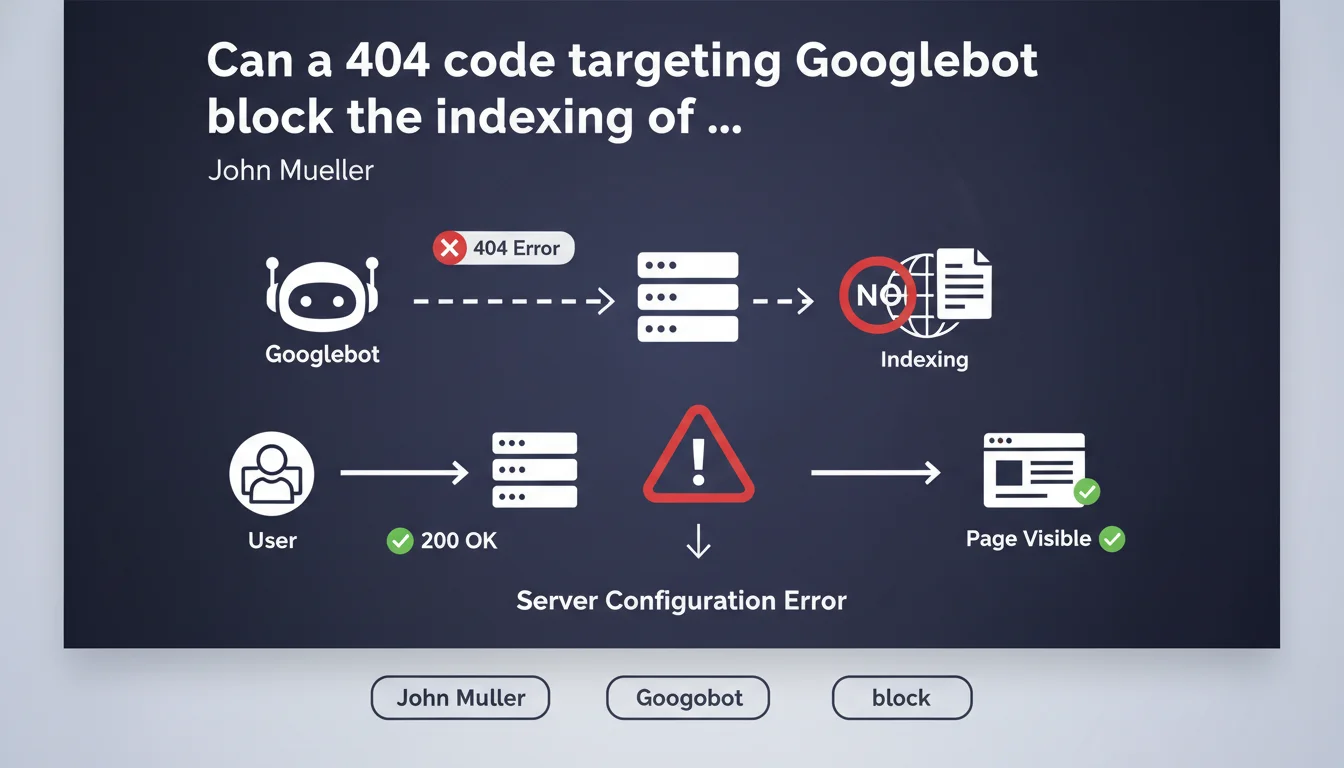
If your server returns a 404 code specifically to the Googlebot user agent while normal visitors access the page without any problem, Google considers that this page does not exist and refuses to index it. It's a server configuration error that can have dramatic consequences on your visibility.
What you need to understand
What is a 404 code targeted at Googlebot?
Some servers or security systems detect the Googlebot user agent and return an HTTP 404 code to it while conventional browsers access the content normally. This practice, often unintentional, results from a misconfiguration — a firewall that's too strict, a poorly written .htaccess rule, or an anti-bot system that blocks Googlebot by mistake.
The problem? Google cannot distinguish between a truly non-existent page and this awkward situation. When it receives a 404, it takes the information at face value and removes the page from the index or prevents it from entering.
Why doesn't Google detect this inconsistency?
Google relies on what its crawler sees — that's it. If Googlebot encounters a 404, it has no technical way of knowing that users, on the other hand, see the page. It does not analyze what happens on the conventional browser side to verify consistency.
This rule stems from simple logic: Google cannot index what it cannot see. If you intentionally or accidentally block access to Googlebot, you sabotage your own search engine optimization.
How does this situation occur in practice?
Several classic scenarios lead to this problem. A WordPress security plugin that's overzealous and considers Googlebot as a malicious bot. A CDN or WAF (Web Application Firewall) configured to block certain user agents deemed suspicious. A server rule that prohibits crawler access to "save bandwidth".
Sometimes it's a developer who has implemented a system of reverse cloaking without measuring the consequences — thinking they're doing the right thing to protect the site from scrapers, they've also blocked Google.
- A 404 code targeted only at Googlebot prevents any indexing of the affected page
- Google cannot detect the inconsistency between what its bot sees and what users see
- This situation often results from poor security configuration or an overly strict firewall
- The result is identical to that of a real 404 page: deindexing or non-indexing
SEO Expert opinion
Is this rule really applied without exception?
Yes, and it's one of the rare points on which Google never compromises. If Googlebot receives a 404, the page is considered non-existent — even if Search Console or other tools show that users are accessing it. Google has no cross-verification mechanism to compare server behavior between different user agents.
In practice, this type of error often goes unnoticed for weeks or even months. Why? Because site owners test their pages with their browser and verify that everything works. They don't think to check what Googlebot sees via the URL inspection tool in Search Console.
What are the most frequently observed pitfalls?
The first pitfall: security systems that block all crawlers by default, including legitimate ones. Some hosting providers offer turnkey "anti-bot" configurations that don't distinguish Googlebot from malicious scrapers.
Second pitfall: poorly tested server rules. A developer adds a condition on the user agent to block a specific bot, but uses a regex that's too broad and also captures Googlebot. Classic example: blocking all user agents containing "bot" without exception for legitimate crawlers.
How do you detect this problem before it causes damage?
The most reliable method remains the URL inspection tool in Google Search Console. It precisely simulates what Googlebot sees and displays the HTTP code returned, as well as the page rendering. If you get a 404 there while the page displays normally in your browser, you've found your culprit.
Another option: use a user agent switcher in your browser to simulate Googlebot and observe the server's behavior. But this method is less accurate because it doesn't exactly reproduce real crawling conditions.
Practical impact and recommendations
What should you check immediately on your site?
Test your most strategic pages with the URL inspection tool in Search Console. Focus on pages that generate organic traffic or those that have mysteriously disappeared from search results. Compare the HTTP code returned to Googlebot with what you get in your browser.
Examine server logs to detect Googlebot requests. If you see 404s or 403s in the logs while these pages are accessible to normal visitors, you've identified the problem. Look for patterns: is it all pages, or only certain sections of the site?
Which configurations should you correct as a priority?
Temporarily disable your security plugins or firewall rules to test. If indexing resumes, that's where the problem lies. Then configure explicit exceptions for Googlebot in your security system — most modern solutions allow whitelisting legitimate crawlers.
Check your .htaccess files and nginx/Apache rules. Look for directives that block or redirect based on user agent. If you block bots, use a whitelist to explicitly authorize crawlers from major search engines.
How do you prevent this problem from happening again?
Set up regular monitoring via Search Console. Configure alerts to be notified in case of a sudden increase in 404 or 403 errors. Also monitor your rankings on strategic queries — a sudden drop may signal an indexing problem.
Document all server rules that affect the user agent. When a developer modifies a configuration, they must systematically test the impact on Googlebot. Include this test in your deployment checklist.
- Test strategic pages with the URL inspection tool in Search Console
- Analyze server logs to identify 404/403 codes returned specifically to Googlebot
- Temporarily disable security plugins to identify the culprit
- Configure exceptions to whitelist Googlebot in your protection systems
- Check and clean up .htaccess or nginx rules that filter by user agent
- Set up Search Console monitoring with alerts on crawl errors
- Document all server rules related to user agents
- Include a Googlebot test in your deployment process
❓ Frequently Asked Questions
Est-ce que retourner un 403 à Googlebot au lieu d'un 404 change quelque chose ?
Peut-on utiliser le cloaking pour servir du contenu différent à Googlebot et aux utilisateurs ?
Comment vérifier que mon CDN ne bloque pas Googlebot par erreur ?
Un plugin WordPress de sécurité peut-il provoquer ce problème sans que je le sache ?
Si je corrige l'erreur, combien de temps faut-il pour que Google réindexe mes pages ?
🎥 From the same video 16
Other SEO insights extracted from this same Google Search Central video · published on 31/01/2023
🎥 Watch the full video on YouTube →
💬 Comments (0)
Be the first to comment.