
Official statement
Other statements from this video 16 ▾
- □ Faut-il vraiment supprimer les balises meta keywords de votre site ?
- □ Faut-il modifier la date lastmod du sitemap à chaque mise à jour mineure ?
- □ Faut-il vraiment séparer les sitemaps news et généraux pour éviter les doublons d'URLs ?
- □ Pourquoi Google ignore-t-il votre meta description alors que vous l'avez soigneusement rédigée ?
- □ Faut-il vraiment nettoyer les backlinks spammés de votre profil de liens ?
- □ Faut-il encore optimiser la densité de mots-clés pour le SEO ?
- □ Le désaveu de liens suffit-il à récupérer vos positions perdues après une pénalité ?
- □ Un code 404 ciblé sur Googlebot peut-il bloquer l'indexation de vos pages ?
- □ Faut-il vraiment avoir le même contenu sur mobile et desktop pour l'indexation mobile-first ?
- □ Faut-il vraiment demander la suppression des URLs redirigées de l'index Google ?
- □ Vérifier son site dans Search Console améliore-t-il vraiment son référencement ?
- □ Pourquoi Google refuse-t-il le contenu multilingue dynamique sur une même URL ?
- □ Que se passe-t-il quand vos liens hreflang ne se valident pas tous ?
- □ Les liens footer « Made by X » sont-ils vraiment sans danger pour votre SEO ?
- □ Comment configurer correctement les balises canonical et alternate pour un site m-dot ?
- □ Les données EXIF des images sont-elles inutiles pour le SEO ?
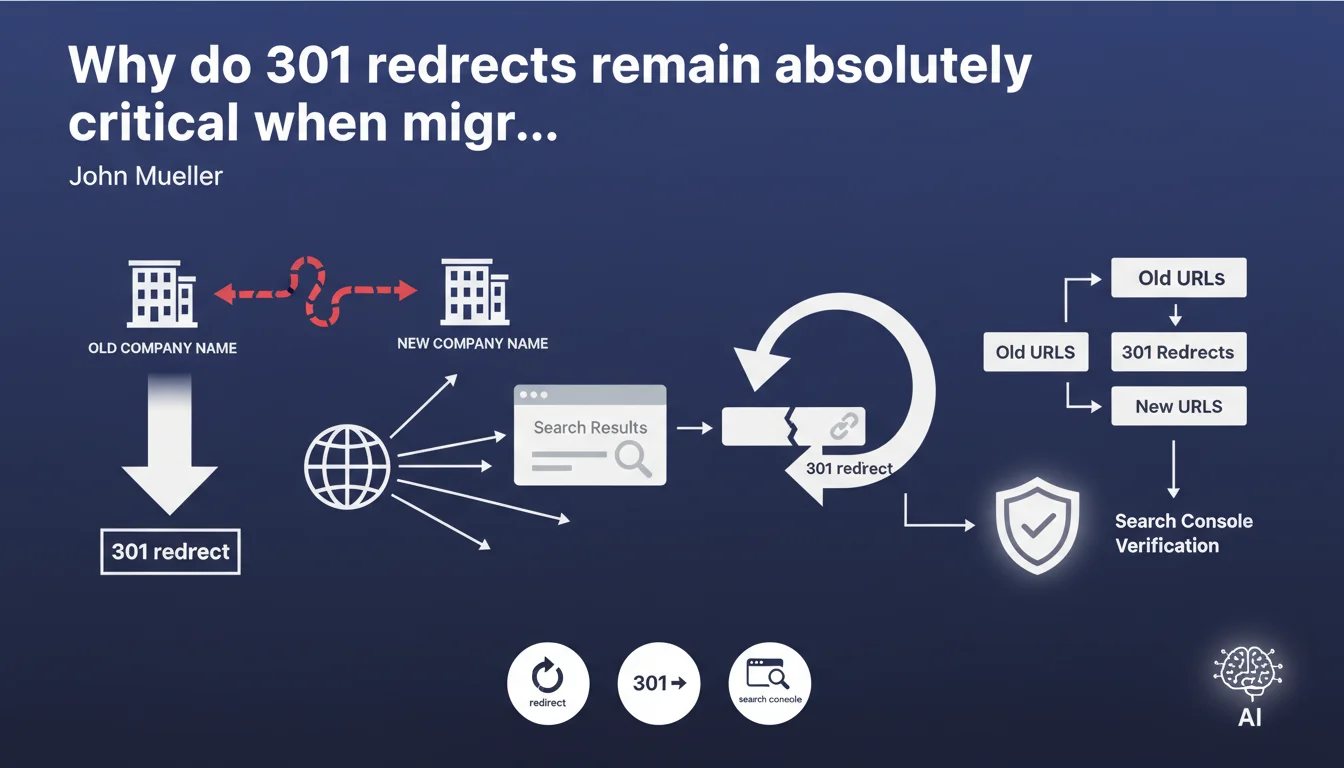
John Mueller reminds us that during a domain change, the critical element remains implementing 301 redirects from all old URLs to new ones. Validating the new domain in Search Console comes second, but never replaces a clean redirection strategy.
What you need to understand
Why does Google insist so heavily on 301 redirects?
301 redirects constitute the permanent signal indicating to Google that a page has definitively moved. Without this signal, the search engine treats old and new content as two distinct entities, which fragments authority and dilutes accumulated ranking signals.
Unlike 302 or 307 redirects (temporary), the 301 transfers — in theory — the entirety of PageRank and historical signals to the new destination. This mechanism is what allows you to preserve your rankings during migration.
Is validation in Search Console sufficient?
No. Validating the new domain in Search Console is an administrative step that allows you to monitor performance and identify any indexation errors. But it in no way replaces server-side redirects.
Search Console simply records the fact that you claim ownership of the new domain. It's the 301 redirect that does the work of transmitting SEO signals — Search Console simply gives you visibility into the process.
What actually happens without 301 redirects?
Without redirects, Google continues to crawl the old domain and encounters 404 errors. External links pointing to the old structure become dead links, and all the SEO capital built over the years evaporates.
The new domain starts from scratch, like a freshly created site. Positions gained, established trust, indexation history: everything disappears. This is exactly what happens during botched migrations where the service provider forgets 30% of URLs.
- 301 redirects are the permanent relocation signal for Google
- They theoretically transfer 100% of PageRank and historical signals
- Search Console enables monitoring but does not replace server-side redirects
- Without 301s, old SEO equity is lost and the new domain starts from zero
- A partial migration (forgotten URLs) equals a net loss of authority
SEO Expert opinion
Does this statement really reflect what we observe in the field?
Yes, but with a significant caveat: PageRank transfer via 301 is never 100% in practice. Google confirmed in 2016 that they no longer penalize redirect chains like they used to, but nobody ever said it was perfect.
In the field, we systematically observe a temporary loss of visibility during migrations, even when perfectly executed. A 10% to 30% drop for 2 to 6 weeks is the norm. Mueller doesn't mention this here, and that's unfortunate — it gives a false impression of simplicity.
What edge cases does this recommendation not cover?
Mueller talks about a company name change, so likely a 1:1 migration where each old URL has a direct equivalent on the new domain. But what about complete redesigns with structural changes to the site architecture?
In these cases, URL mapping becomes a complex exercise. Some pages merge, others disappear, the taxonomic structure changes. A simple 301 redirect is no longer sufficient — you need a thoughtful consolidation strategy, sometimes with deliberate 410s for obsolete content.
Is the timing of Search Console verification really secondary?
Mueller says to verify the domain "afterward," but in practice, it's better to do it before the migration. This allows you to submit an official address change through Search Console's dedicated tool, which accelerates the transition.
Without this tool, Google eventually understands through the 301s, but it takes longer. The declared address change gives the process a boost — it's an additional signal, not a replacement for redirects. [To verify]: Google has never communicated actual figures on the real impact of this declaration versus letting the 301s do the job alone.
Practical impact and recommendations
How do you technically plan 301 redirects?
First step: create an exhaustive mapping file listing each old URL and its destination on the new domain. Use tools like Screaming Frog or Sitebulb to crawl the old site and extract all indexable URLs.
Configure redirects at the server level (Apache .htaccess, Nginx conf, or via CDN). Avoid JavaScript or meta refresh redirects — they are less reliable and delay signal transfer. Test each redirect individually before the DNS switchover.
What critical mistakes must you absolutely avoid?
Mistake #1: redirect all old URLs to the new domain's homepage. This is the surest way to lose thematic authority from deep pages. Google interprets this as a soft-404.
Mistake #2: forget URLs with parameters, old campaign UTMs, or trailing slash variants. These URLs often capture valuable backlinks — a missed redirect = a permanent dead link.
Mistake #3: fail to monitor status codes after migration. Redirect chains (301 → 301 → 200) slow down crawling and dilute transmitted authority. Each redirect must point directly to the final destination.
How do you verify that the migration is going well?
Monitor Search Console daily: rising 404 errors, index coverage dropping sharply, abnormal server response times. These are immediate red flags.
Compare positions on a sample of strategic queries before/after. Volatility is normal, but a vertical drop across all queries indicates a technical problem — likely misconfigured redirects or a robots.txt blocking crawling.
Verify that Google is actively crawling the new domain through server logs. If crawling remains concentrated on the old domain beyond 2 weeks, it means the 301s aren't being properly detected.
- Create an exhaustive URL mapping file (complete crawl)
- Configure 301s at server level, never in JavaScript
- Test each redirect individually before the DNS switchover
- Verify the new domain in Search Console and declare the address change
- Redirect each URL to its semantic equivalent, not to the homepage
- Include all variants (trailing slash, parameters, old campaigns)
- Monitor 404 errors, index coverage and positions daily
- Analyze server logs to verify that Googlebot crawls the new domain
- Eliminate redirect chains (301 → 301) for direct transfer
A successful domain migration relies on meticulous redirect mapping and close monitoring for the 6 weeks following. The address change tool in Search Console accelerates the process but never replaces flawless server configuration.
This type of technical project requires pointed expertise and constant vigilance — a configuration error can cost months of visibility. If you lack internal resources to pilot this complexity, working with an SEO agency specialized in migrations ensures a smooth transition and dramatically limits the risk of traffic loss.
❓ Frequently Asked Questions
Les redirections 302 peuvent-elles remplacer les 301 lors d'une migration définitive ?
Combien de temps faut-il maintenir les redirections 301 après une migration ?
Faut-il rediriger les pages qui n'ont plus d'équivalent sur le nouveau site ?
L'outil de changement d'adresse dans Search Console est-il obligatoire ?
Peut-on perdre du PageRank même avec des redirections 301 parfaitement configurées ?
🎥 From the same video 16
Other SEO insights extracted from this same Google Search Central video · published on 31/01/2023
🎥 Watch the full video on YouTube →
💬 Comments (0)
Be the first to comment.