
Official statement
Other statements from this video 14 ▾
- □ Why do so many SEO professionals still confuse robots.txt and no-index? Here's what you need to know
- □ Should you really optimize your entire site after an algorithmic update?
- □ Is Search Console finally giving you the AI visibility you need—or just keeping you in the dark?
- □ Do you really need to optimize your site differently for Google's AI Overviews?
- □ Is Google Trends really a strategic tool to guide your SEO editorial strategy?
- □ Can Search Console truly reveal what your audience is really searching for?
- □ Is SEO really dead or just undergoing a transformation right before our eyes?
- □ Does content quality directly impact your Google indexation rate more than you think?
- □ Is your CDN or firewall silently blocking Googlebot without you even knowing it?
- □ Does Google really use the Knowledge Graph to identify topics in Trends, or is it just keyword grouping?
- □ Does Google's search index really have a hard capacity limit?
- □ Does traditional marketing really matter for ranking higher on Google?
- □ Does structured data really have no impact on your SEO rankings?
- □ Should you really have all your automatic translations checked for SEO purposes?
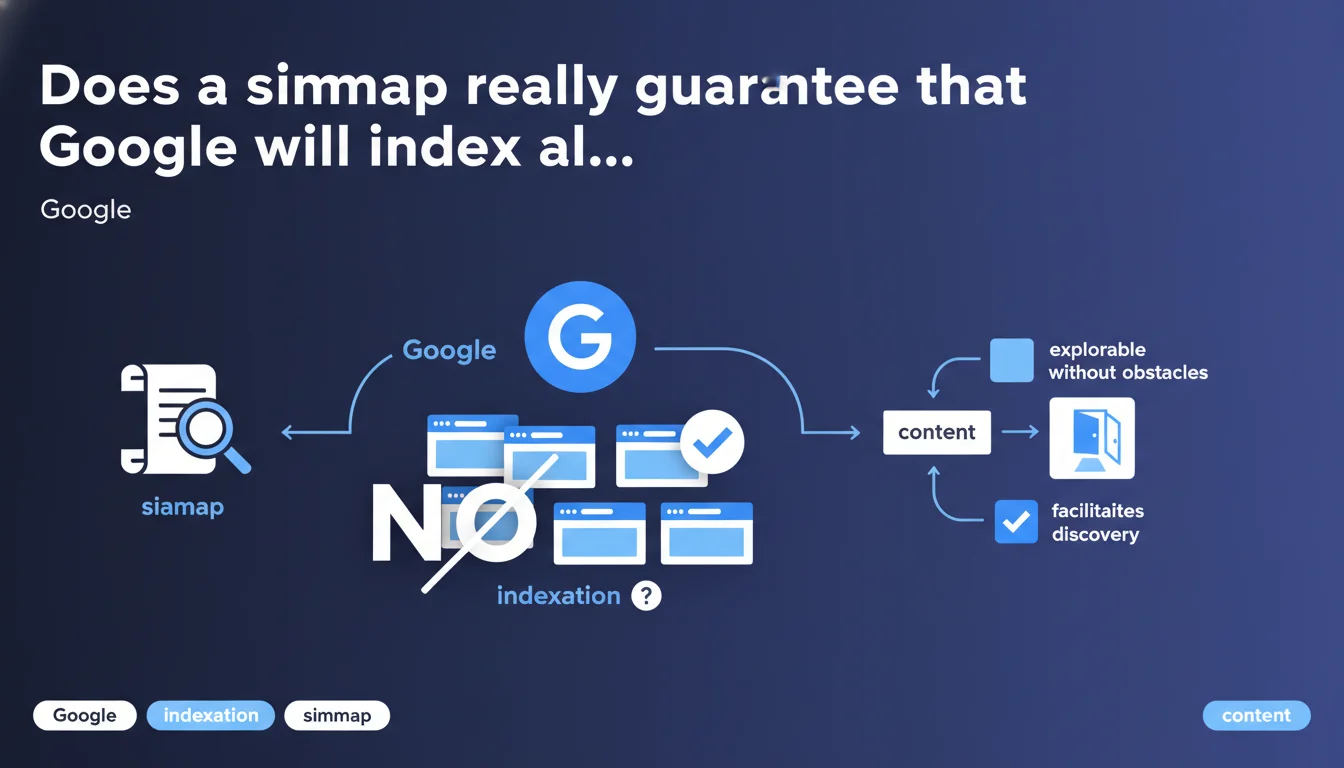
Google confirms that sitemaps facilitate content discovery, but they absolutely do not guarantee indexation. What matters is ensuring the search engine knows where to find your URLs and can crawl them without friction. The real issue is less about the sitemap itself than about Google's ability to access the content and judge it worthy of indexation.
What you need to understand
Why does Google emphasize the concept of "discovery" rather than indexation?
Because submitting a URL via a sitemap creates no obligation for Google. The search engine becomes aware of the page's existence, but that's it. The decision to index or not then depends on quality criteria, duplication, crawl budget, potential cannibalization.
In plain terms: a sitemap is a signal, not an order. Google remains in control of its indexation choices, and this XML document merely facilitates the upstream phase — discovery — without prejudging what comes next.
What's the difference between "crawling" and "indexation" in this context?
Crawling is when the bot visits a URL to retrieve its content. Indexation is the decision to add that page to the index and make it eligible for ranking in search results. The sitemap only influences the first stage.
Google can easily crawl a page discovered via sitemap and decide not to index it — because it's deemed low quality, too similar to other pages, or simply useless for the user. Crawling is a necessary condition, but not a sufficient one.
What does "explored without obstacles" concretely mean?
It refers to technical barriers that prevent Googlebot from accessing content: robots.txt blocking, chain redirects, server response times that are too long, poorly handled JavaScript, orphaned pages not linked from anywhere. A sitemap doesn't compensate for these problems.
If your infrastructure is shaky, the sitemap becomes a band-aid solution. Google will discover the URLs, attempt to crawl them, fail or abandon — and you'll end up with pages marked as "Discovered – currently not indexed" in Search Console.
- A sitemap facilitates discovery, it doesn't force indexation
- Indexation depends on content quality and the absence of technical barriers
- A sitemap doesn't replace good internal linking or clean site architecture
- Google can crawl without indexing — the sitemap changes nothing about that
SEO Expert opinion
Is this statement consistent with what we observe in real-world practice?
Absolutely. We regularly see sites with flawless sitemaps but catastrophic indexation rates. Why? Because Google crawled, evaluated, and decided not to index. The sitemap did its job — signaling the URLs — but the quality didn't follow.
Conversely, sites without sitemaps but with solid internal linking and quality content do just fine. The sitemap is a convenience, not a crutch. If your site is well-architected, Google will find your pages anyway.
In which cases does a sitemap become truly indispensable?
For large sites with thousands of pages, particularly those that publish frequently (news outlets, e-commerce with vast catalogs, marketplaces). The sitemap accelerates discovery of new URLs and limits the risk that recent pages go unnoticed.
But also for sites with poorly linked sections — isolated silos, pages that are deep and hard to access. In this case, the sitemap partially compensates for deficient internal linking. Let's be honest: it's not the ideal solution, but it can prevent certain pages from remaining invisible.
What mistakes do practitioners still make with sitemaps?
First mistake: including all site URLs without distinction. Legal pages, filter parameters, poorly managed language variants, thin content — everything goes in. Result: Google wastes time crawling pages of no value.
Second mistake: believing that a poorly maintained sitemap is better than no sitemap. If your file contains URLs returning 404 errors, redirects, pages blocked by robots.txt, it becomes counterproductive. Google detects these inconsistencies and adjusts downward the trust it gives this signal.
Third mistake: not segmenting sitemaps by content type. An e-commerce site with products, categories, blog, and institutional pages should have multiple sitemaps. This makes tracking easier in Search Console and allows you to pinpoint exactly where indexation problems lie.
Practical impact and recommendations
What should you audit first on your current sitemap?
Start by verifying that all URLs in the sitemap return a 200 status code. No redirects, no 404s, no pages blocked by robots.txt. Each URL must be directly accessible and properly served.
Next, ensure that only strategic and indexable pages appear in the sitemap. Exclude anything tagged with noindex, anything canonicalized to another page, anything related to technical navigation (sorting parameters, filters, poorly managed pagination).
Finally, check the sitemap update frequency. If you publish content daily but your sitemap only regenerates weekly, Google wastes time. Automate the update so it reflects your site's state in real-time.
What concrete technical actions should you implement right now?
Segment your sitemaps by content type — products, categories, articles, static pages. This enables granular tracking in Search Console and allows you to identify problematic sections precisely.
Add the <lastmod> tag for each URL, indicating the true last modification date. Google uses this to prioritize crawling of recently updated pages. Don't lie about this date: if you indicate a modification yesterday when the page hasn't changed in 6 months, you erode the engine's trust.
Implement a monitoring system that automatically alerts if the sitemap contains errors (404 URLs, redirects, blocked pages). A sitemap that deteriorates silently becomes a handicap.
- Verify that all sitemap URLs return a 200 status code
- Exclude pages with noindex, canonicalized URLs, or non-strategic pages
- Segment sitemaps by content type (products, articles, categories)
- Automate sitemap updates whenever content is published or modified
- Add the <lastmod> tag with reliable dates
- Regularly monitor the sitemap to detect errors (404s, redirects)
- Check coverage rates in Search Console for submitted URLs
- Don't exceed 50,000 URLs per sitemap file (or 50 MB uncompressed)
How can you ensure this optimization produces measurable results?
Track the coverage report linked to your sitemap in Search Console. Compare the number of submitted URLs to the number indexed. A significant gap signals a quality or accessibility problem, not a sitemap problem.
Also measure the time between publication and indexation for your fresh content. If your sitemap is well-configured and your content is quality, this timeframe should be short — anywhere from hours to a few days depending on your site's crawl frequency.
🎥 From the same video 14
Other SEO insights extracted from this same Google Search Central video · published on 18/12/2025
🎥 Watch the full video on YouTube →
💬 Comments (0)
Be the first to comment.