
Official statement
Other statements from this video 19 ▾
- □ Should you panic if your hreflang disappears temporarily during a migration?
- □ Should you block GoogleOther or risk disrupting your Google services?
- □ Do local domains (ccTLD) really offer an SEO advantage for local search rankings?
- □ Does Google really treat a site after massive expansion as a brand new website?
- □ Why does Google keep displaying your old site name in search results long after a rebrand?
- □ Should you really fix every single indexation error Google reports in Search Console?
- □ How can you leverage the Google Search Status Dashboard API to supercharge your SEO tools?
- □ Why aren't your product structured data appearing in Google's rich results?
- □ Why does Google refuse to grant unlimited indexation request quotas in Search Console?
- □ Is your brand really stuck being confused with a common word? How long does Google actually need to figure it out?
- □ What's the only way to hide text from Google without using HTML tags?
- □ Is Schema Recipe really restricted to food recipes only, or can you use it creatively?
- □ Can Google actually transfer your SEO rankings during a domain migration?
- □ Does the noindex tag really only affect individual pages, or can it impact your entire site?
- □ Do you really need to fill in every single field of structured data for Google to actually use it?
- □ Does Google really use RSS feeds to discover and index new content on your site?
- □ Why is your new favicon taking so long to appear in Google search results?
- □ Does the order of H1, H2, H3 tags really affect your Google rankings?
- □ Do links on crawl-blocked pages really lose all their SEO value?
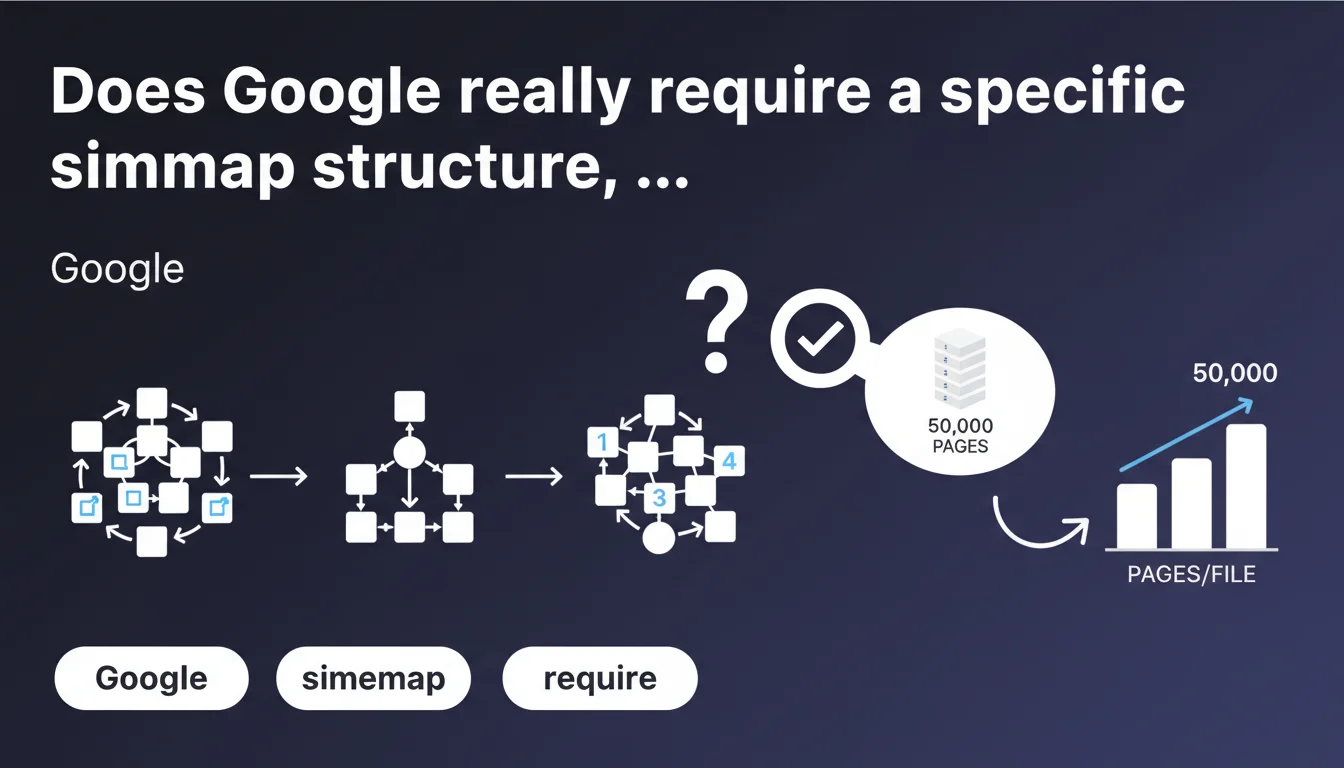
Google states that sitemap organization is completely free, with only one constraint: 50,000 URLs maximum per file. For automated systems, filling up to this limit is sufficient. No structural rules are imposed beyond this technical constraint.
What you need to understand
What exact freedom does Google give you in organizing sitemaps?
Google announces complete freedom in organizing your sitemap files. No structural constraints are imposed: you can segment by section, by date, by content type, or group everything in a single file as long as you respect the technical limit.
This limit — 50,000 URLs per file — remains the only officially documented barrier. It's a constraint inherited from the sitemap.org protocol, not a new requirement. In practice, most CMS platforms and generators already respect this rule without manual intervention.
Why does Google emphasize automated generation?
The mention of automated systems is not coincidental. Google is simply reminding you that it's sufficient to fill files up to the 50,000 URL limit. No need to over-optimize the structure: let your CMS or generator handle it.
This pragmatic approach prevents webmasters from getting lost in unnecessary technical considerations. The search engine adapts to your organization as long as the files are valid and accessible.
What are the concrete implications for large sites?
For a site with hundreds of thousands of pages, this statement confirms that no particular logic is required. You can have 10 files of 50,000 URLs or 100 files of 5,000 URLs depending on your technical convenience.
The only real constraint remains the sitemap index file which can reference up to 50,000 sub-sitemaps. Beyond that, you need to multiply indexes or use a nested sitemap — but again, Google doesn't dictate anything.
- Complete freedom of organization with no structural rules imposed by Google
- Documented technical limit: 50,000 URLs maximum per file
- Automated generation recommended: fill up to the limit without overthinking
- No constraints on segmentation (by date, section, content type)
- The index file can reference up to 50,000 sub-sitemaps
SEO Expert opinion
Does this statement truly reflect real-world practices?
Yes and no. Technically, Google does accept any organization as long as the 50,000 limit is respected. I've seen chaotically organized sitemaps get crawled without apparent issues.
But — and this is where it gets tricky — good organization facilitates monitoring and troubleshooting. Segmenting by section allows you to quickly identify non-indexed pages or crawl errors via Search Console. Google doesn't require it, but your operational efficiency depends on it.
Does Google omit important nuances in this statement?
Absolutely. This statement is deliberately simplistic. It doesn't mention image sitemaps, video sitemaps, or hreflang attributes that can quickly bloat a file size even with few URLs.
It also ignores the question of optimal refresh rate. Some sites benefit from segmentation by update frequency (daily news vs static pages). [Requires verification] but field observations suggest Google crawls segmented sitemaps by freshness more regularly.
In what cases does this rule show its limitations?
For sites with highly dynamic content — marketplaces, aggregators, news sites — automated generation that mindlessly fills up to 50,000 URLs can create unmanageable sitemap files. You end up with 200 files of 50,000 URLs mixing fresh and old content without logic.
In these cases, ignoring Google's recommendation and implementing intelligent segmentation (by date, by category, by crawl priority) remains the best approach. Google's statement targets simple cases, not complex architectures.
Practical impact and recommendations
What should you do concretely with your current sitemaps?
If your sitemaps are automatically generated and respect the 50,000 URL limit, don't change anything. This statement confirms that your approach is valid, regardless of your organization logic.
However, if you manually manage your sitemaps or if you're considering a redesign, this statement gives you complete flexibility. Choose the structure that facilitates your monitoring, not the one that theoretically pleases Google.
What mistakes should you avoid despite this apparent freedom?
The temptation to group everything in a single giant sitemap file. Technically acceptable up to 50,000 URLs, but it's a nightmare for tracking. A single file doesn't allow you to trace which sections are well-crawled or problematic.
Another pitfall: forgetting the 50 MB uncompressed limit that applies in parallel. A file with 40,000 URLs but many extended attributes can exceed this limit and be rejected by Google.
How can you verify that your implementation remains optimal?
Use the Sitemaps reports in Search Console. Check the ratio of discovered pages versus submitted pages. A significant gap signals a problem — either in the sitemap or in your site architecture.
Also test the download speed of your sitemap files. A file of 50,000 URLs that takes 10 seconds to load slows down crawling. In this case, segment even if Google doesn't require it.
- Verify that each sitemap file contains maximum 50,000 URLs
- Check that uncompressed size remains under 50 MB
- Segment by business logic if it facilitates monitoring (date, section, language)
- Use a sitemap index file if you have multiple sub-sitemaps
- Test the download speed of your sitemap files
- Monitor Search Console reports to detect discovery gaps
- Exclude URLs blocked by robots.txt or marked noindex from sitemaps
❓ Frequently Asked Questions
Peut-on dépasser 50 000 URLs dans un seul fichier sitemap ?
Faut-il organiser ses sitemaps par date ou par section ?
Quelle est la limite de poids d'un fichier sitemap ?
Combien de fichiers sitemap un index peut-il référencer ?
Les sitemaps segmentés sont-ils crawlés plus rapidement ?
🎥 From the same video 19
Other SEO insights extracted from this same Google Search Central video · published on 18/07/2024
🎥 Watch the full video on YouTube →
💬 Comments (0)
Be the first to comment.