
Official statement
Other statements from this video 19 ▾
- □ Should you panic if your hreflang disappears temporarily during a migration?
- □ Should you block GoogleOther or risk disrupting your Google services?
- □ Do local domains (ccTLD) really offer an SEO advantage for local search rankings?
- □ Does Google really treat a site after massive expansion as a brand new website?
- □ Why does Google keep displaying your old site name in search results long after a rebrand?
- □ Should you really fix every single indexation error Google reports in Search Console?
- □ Why aren't your product structured data appearing in Google's rich results?
- □ Why does Google refuse to grant unlimited indexation request quotas in Search Console?
- □ Is your brand really stuck being confused with a common word? How long does Google actually need to figure it out?
- □ What's the only way to hide text from Google without using HTML tags?
- □ Is Schema Recipe really restricted to food recipes only, or can you use it creatively?
- □ Can Google actually transfer your SEO rankings during a domain migration?
- □ Does the noindex tag really only affect individual pages, or can it impact your entire site?
- □ Do you really need to fill in every single field of structured data for Google to actually use it?
- □ Does Google really use RSS feeds to discover and index new content on your site?
- □ Why is your new favicon taking so long to appear in Google search results?
- □ Does the order of H1, H2, H3 tags really affect your Google rankings?
- □ Do links on crawl-blocked pages really lose all their SEO value?
- □ Does Google really require a specific sitemap structure, or can you organize them however you want?
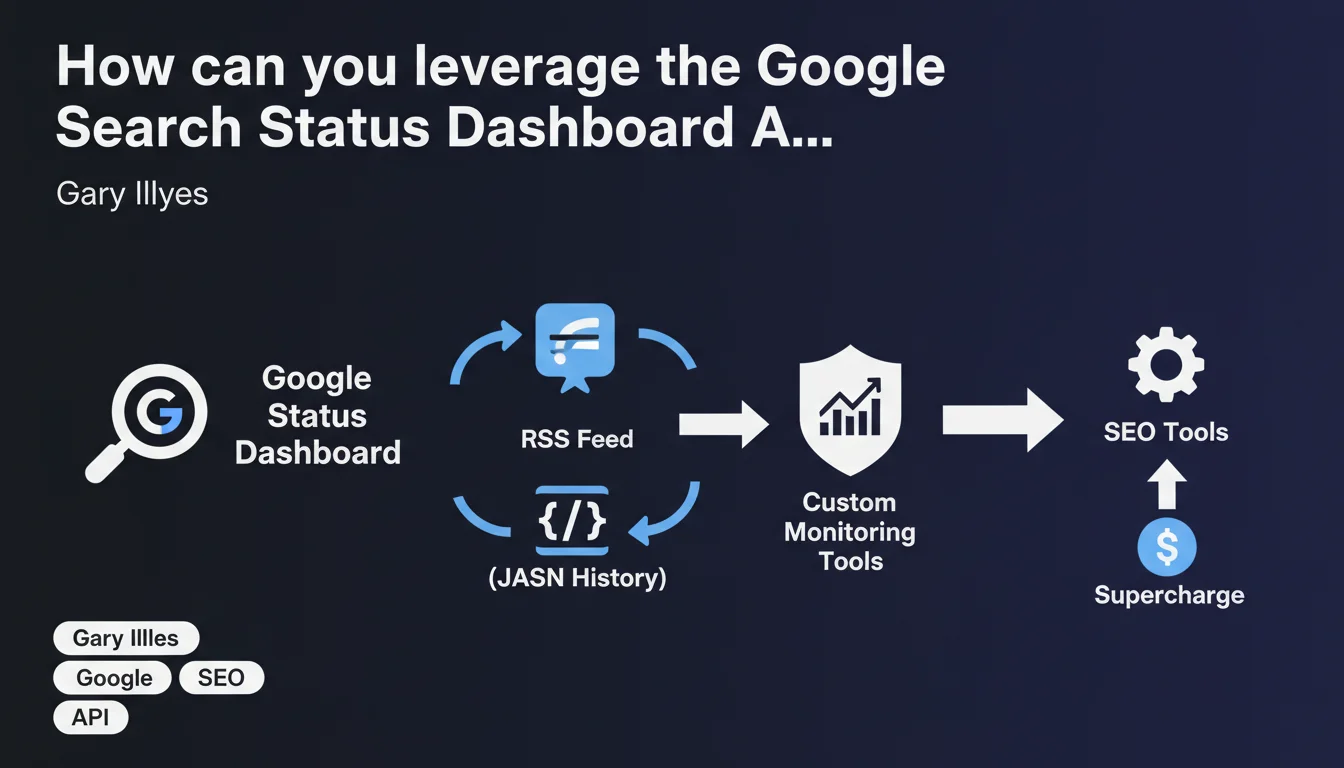
Google now provides an RSS feed and JSON history to access Google Search Status Dashboard data. These APIs enable SEO professionals to build custom tools for real-time monitoring of Google service health and anticipate incidents that could impact their websites.
What you need to understand
What exactly is the Google Search Status Dashboard?
The Google Search Status Dashboard is the official interface where Google communicates about the operational status of its indexing and search services. Until now, accessing this information required manually visiting the relevant pages — a reactive rather than proactive approach.
What's changing? Google now exposes this data through two structured formats: an RSS feed for real-time alerts and a JSON history for querying the past state of services. Both feeds are directly accessible from each dashboard page.
Why is this API relevant for SEO professionals?
How many times have you noticed a sudden drop in organic traffic without immediately knowing whether the problem was on your end or Google's? This API lets you cross-reference your Analytics data with the actual status of Google's services.
By automating monitoring through these feeds, you can trigger custom alerts as soon as an incident is reported on Google's side — and precisely document the correlations between Google outages and performance anomalies on your sites. No more frantic searching for "is it Google or me?"
What data can you actually extract?
The feeds expose service statuses (operational, degraded, down), official Google messages about ongoing incidents, and the history of past events. The JSON notably allows you to query specific time ranges.
- Programmatic access to availability alerts for Google Search services
- Incident history and their resolution duration
- Ability to integrate this data into your custom monitoring dashboards
- Automation of client reports to explain traffic drops linked to Google
- Correlation between Google incidents and performance metrics of your sites
SEO Expert opinion
Is this API opening really a strategic breakthrough?
Let's be honest: Google could have opened this data years ago. The fact that it's happening now suggests either growing pressure for greater transparency, or a strategy to outsource part of the monitoring work to the SEO community. Probably a mix of both.
What strikes me is the complete absence of technical documentation in this announcement. Gary Illyes mentions that the feeds are "linked from each dashboard page," but no endpoints are publicly specified. [To verify]: Is this truly a documented REST API or just static exports? This distinction is critical for advanced use cases.
What practical limitations should you anticipate?
First critical point: temporal granularity. If the JSON history only goes back 30 days, its analytical usefulness remains limited. Second point: the RSS feed can suffer from latency — and in SEO, a 15-minute delay on a Googlebot incident can mean thousands of pages going uncrawled.
Then there's the question of false positives and negatives. Google has an unfortunate tendency to downplay certain incidents or declare them "resolved" when effects persist for 48 hours. Cross-referencing this data with your own server logs remains essential — never rely solely on official statements.
In what scenarios does this API deliver real added value?
For large e-commerce sites where every hour of indexing counts, automating an alert like "Googlebot slowed + crawl decrease observed in logs" becomes possible. For agencies managing dozens of clients, centralizing these alerts saves time diagnosing problems outside your control.
Practical impact and recommendations
How do you integrate these feeds into your monitoring infrastructure?
First step: identify the exact URLs of the RSS and JSON feeds from the Google Search Status Dashboard pages. Manually test their format and update frequency before automating anything.
Next, set up a script that queries periodically (every 5-10 minutes) the RSS feed and triggers an alert if a status changes. On the JSON side, you can create a historical database to compare Google incidents with your own traffic and indexation metrics.
Which metrics should you correlate with API data?
Cross-reference the timestamps of Google incidents with your Search Console data: pages crawled per day, 5xx server errors, download time. Add your Analytics metrics: organic traffic, bounce rate, SEO-driven conversions.
If a Googlebot incident coincides with a 40% crawl drop in your logs — and that drop persists 6 hours after the official "resolution" — you have documented proof to archive. These correlations become solid arguments when facing a client who doubts the real impact of a Google outage.
What mistakes should you avoid when exploiting this data?
- Don't over-interpret minor incidents: not every "slight degradation" warrants a client alert
- Avoid neglecting your own server logs in favor of Google's statements alone
- Never consider an incident "resolved" until your internal metrics have returned to normal
- Systematically document correlations to build a proof history you can leverage
- Test the reliability of the feeds over several weeks before basing critical decisions on them
❓ Frequently Asked Questions
Où trouver les liens vers le flux RSS et l'historique JSON du tableau de bord Google Search ?
Ces APIs sont-elles gratuites et sans limitation de requêtes ?
Le flux RSS notifie-t-il instantanément les incidents ou y a-t-il un délai ?
L'historique JSON remonte sur quelle période exactement ?
Peut-on recevoir des alertes uniquement pour certains services Google Search spécifiques ?
🎥 From the same video 19
Other SEO insights extracted from this same Google Search Central video · published on 18/07/2024
🎥 Watch the full video on YouTube →
💬 Comments (0)
Be the first to comment.