
Official statement
Other statements from this video 16 ▾
- □ Do you really need to notify Google when redesigning your website?
- □ Does Google really detect WEBP format through the HTTP header rather than the file extension?
- □ Does multilingual duplicate content really hurt your international SEO rankings?
- □ Should you choose a ccTLD over .com to target a local market?
- □ Why does Google insist on isolating site migrations from any other redesign work?
- □ Is AdsBot skewing your Search Console crawl data without you knowing?
- □ Should you consolidate all hreflang annotations in one sitemap or split them by language?
- □ Does Google offer a button to force massive reindexing of a website after a redesign?
- □ Strong vs Bold: Does Google really make a difference between these two tags?
- □ Does LCP really only measure what's visible in your viewport at load time?
- □ Is an XML sitemap really essential for Google to index your website?
- □ Should you use hreflang 'de' or 'de-de' to target German speakers?
- □ Does Google really retry indexing your pages after a 401 error or server downtime?
- □ Does nesting your structured data really help Google understand what your page is actually about?
- □ Should you really prioritize alt text over OCR for extracting text from images?
- □ Is infinite scroll killing your e-commerce indexation on Google?
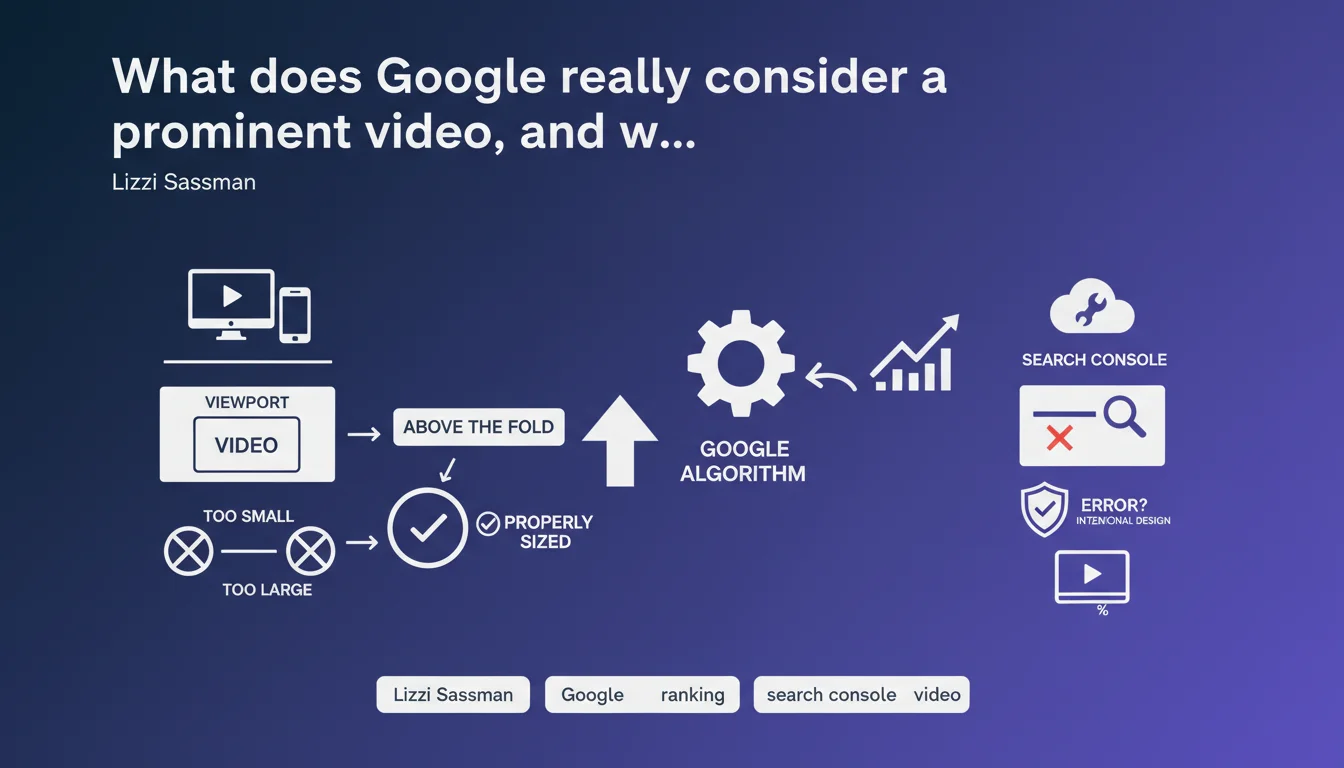
Google considers a video prominent if it appears above the fold on page load and has an appropriate size — neither microscopic nor disproportionate. The Search Console error flagging a non-prominent video may be entirely intentional based on your page design, and doesn't necessarily represent a problem that needs fixing.
What you need to understand
What is a prominent video according to Google?
Google defines video prominence through two main criteria: immediate visibility (above the fold) and appropriate sizing. In practical terms, your video must be visible as soon as the page loads, without requiring users to scroll.
The second criterion concerns size: too small, and the video goes unnoticed; too large, and it overwhelms the rest of the content. Google seeks a balance that ensures the video is a central element of the user experience, not a decorative accessory tucked in a corner.
Why does Search Console report errors on non-prominent videos?
The error appears in Search Console when Google detects a video that doesn't meet these prominence criteria. But — and this is crucial — Lizzi Sassman clarifies that this error can be intentional based on your page design.
If you've deliberately placed a video at the bottom of the page or in reduced size for editorial or UX reasons, the error isn't an alarm signal. It's simply Google informing you that this video won't be treated as priority video content in search results.
What are the implications for video SEO?
A non-prominent video will be indexed, but it likely won't benefit from video rich snippets in the SERPs. Google prioritizes videos that occupy a central place on the page to display thumbnails, durations, and other enriched metadata.
If your SEO strategy relies on organic video traffic, overlooking this criterion amounts to depriving yourself of a major visibility lever. Conversely, if the video is a secondary editorial complement, the error has no negative impact.
- Above the fold visibility = video visible immediately on page load
- Appropriate sizing = neither too small (invisible) nor too large (overwhelming)
- Search Console error = information, not necessarily a problem to solve
- SEO impact = no video rich snippets if non-prominent
- Editorial choice = a secondary video can legitimately not be prominent
SEO Expert opinion
Is this definition consistent with real-world observations?
Yes, largely. Sites that optimize their videos according to these criteria actually do obtain video rich snippets in search results. We regularly observe that videos placed above the fold with substantial size (at least 30% of viewport height) generate more clicks from SERPs.
However — and Google remains vague here — the exact sizing threshold is never specified. [To verify] What's the exact minimum size? What proportion of the screen? Google speaks of "appropriately sized," but this phrasing remains subjective and leaves uncomfortable room for interpretation for those optimizing to the millimeter.
What nuances should be added to this statement?
First point: the Search Console error is not a negative ranking factor. Google doesn't penalize pages with non-prominent videos. It simply refrains from displaying video enhancements in the SERPs — a critical distinction.
Second point: this logic applies only if you're trying to rank the video itself. If your goal is simply to enrich text content with complementary video support, placing the video mid-page or toward the end remains entirely legitimate. The error becomes inconsequential information in this context.
In which cases does this rule not apply?
On pages where the video isn't the main content — blog articles, product sheets with secondary demo video, institutional pages — you can ignore this recommendation without negative SEO impact. The Search Console error becomes a false positive in this context.
Practical impact and recommendations
What specifically should you do to optimize a prominent video?
Place the video above the fold, meaning it's visible immediately on load without scrolling. On mobile, this means it must appear within the first 600-800 pixels of height. On desktop, roughly within the first 1000 pixels.
Size the video so it occupies at least 30% of viewport height — this is an empirical threshold based on real-world observations, since Google provides no official figure. Avoid 16:9 players reduced to 300x169px crammed into a sidebar.
What mistakes must you absolutely avoid?
Don't place the video in a carousel where it only appears after rotation — Google will consider it as not visible on initial load. Similarly, avoid lazy-loaded videos that only display after scrolling: they will never be prominent in Google's eyes.
Another pitfall: videos in popups or modals requiring user action to display. They don't meet the immediate visibility criterion and won't benefit from rich snippets.
How do I verify my video meets the requirements?
Use Google's Rich Results Test to validate that your video is detected as prominent. Regularly check the "Video Enhancements" section in Search Console to identify any errors.
Systematically test display on mobile — that's where most prominence problems emerge. A player that looks correct on desktop can get squeezed or pushed below the fold on small screens.
- Verify the video appears above the fold on load (desktop AND mobile)
- Ensure the player occupies at least 30% of visible height
- Avoid carousels, aggressive lazy-loading, and modals for priority videos
- Implement VideoObject Schema.org markup with uploadDate, duration, thumbnailUrl
- Test with Google's "Rich Results Test" tool
- Monitor errors in Search Console > Enhancements > Video
❓ Frequently Asked Questions
Une vidéo non proéminente est-elle pénalisée par Google ?
Quelle est la taille minimale recommandée pour qu'une vidéo soit considérée comme proéminente ?
Faut-il corriger toutes les erreurs de vidéo non proéminente dans Search Console ?
Le lazy-loading empêche-t-il une vidéo d'être proéminente ?
Les vidéos en carrousel peuvent-elles être proéminentes ?
🎥 From the same video 16
Other SEO insights extracted from this same Google Search Central video · published on 09/03/2023
🎥 Watch the full video on YouTube →
💬 Comments (0)
Be the first to comment.