
Official statement
Other statements from this video 10 ▾
- □ Is faceted navigation really eating up half of your crawl budget?
- □ Should you really block faceted navigation in robots.txt?
- □ Are action parameters in your URLs sabotaging your crawl budget?
- □ Is Google really acting as a technical consultant for WordPress plugin developers?
- □ Should you really get rid of session IDs in your URLs?
- □ Are your WordPress calendar parameters secretly destroying your crawl budget?
- □ Is double URL encoding silently killing your crawl budget?
- □ Why does Googlebot need to crawl massive amounts of a new site before deciding if it's worth its attention?
- □ Do you really have to wait 24 hours for robots.txt changes to take effect with Google?
- □ Should you replace GET parameters with PUT requests to protect your crawl budget?
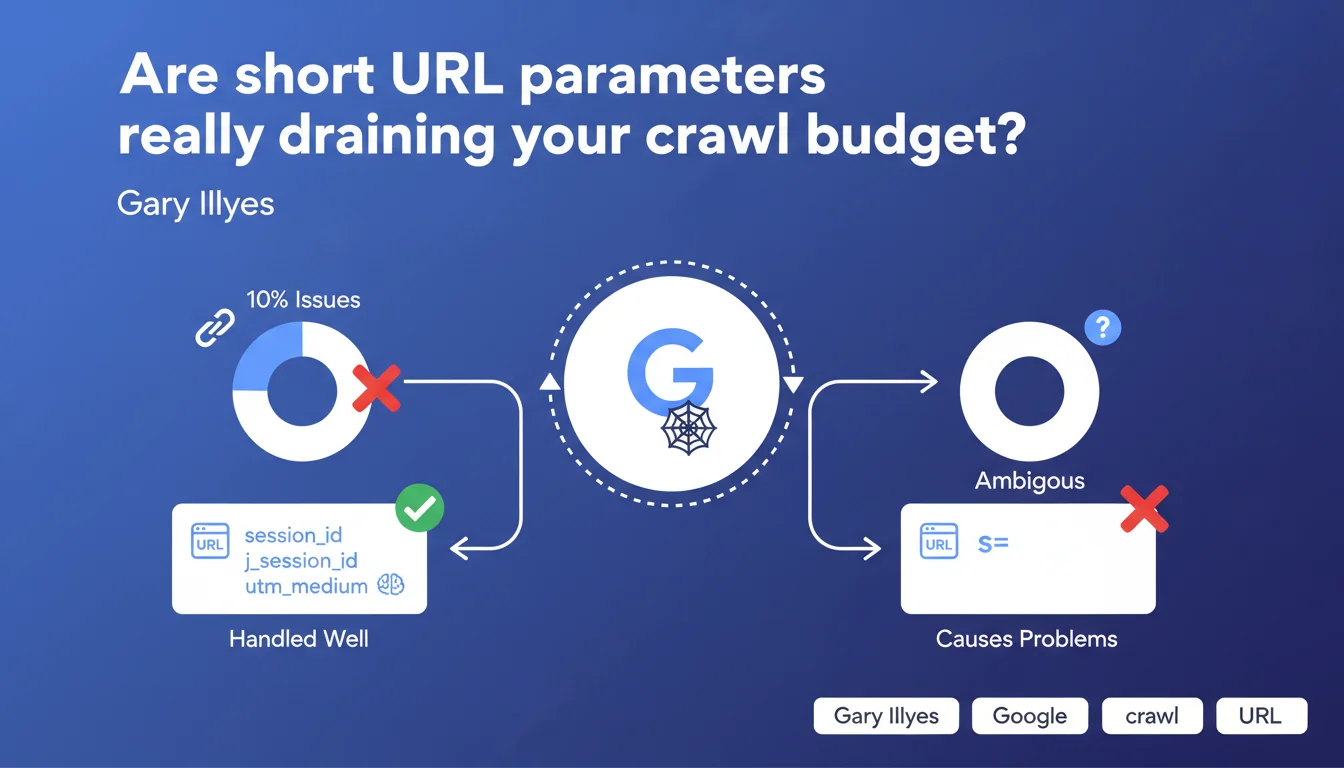
Google handles standard parameters (utm_*, session_id, j_session_id) without any trouble, but short non-standard parameters (s=, p=, v=) represent 10% of reported crawl problems. Their ambiguity prevents Google from determining whether they generate duplicate or unique content.
What you need to understand
Why do certain parameters cause problems for Google?
Google crawls billions of pages every day and must decide which ones deserve to be visited. When it encounters example.com/product?s=2, it doesn't know if this parameter changes the content (sorting, filtering) or if it's just tracking. This semantic ambiguity forces it to crawl multiple variants to determine which is which.
Standard parameters like utm_medium or session_id are recognized by Google — it knows they don't modify content. It can safely ignore them without risking missing an important page. That's why they don't cause crawl issues.
What exactly makes a parameter "non-standard"?
A short parameter like s= could mean "sort", "session", "size", or even "search". Without an established convention, Google can't guess. So it will crawl multiple URLs with different values to understand if the content changes.
This mechanism wastes crawl budget unnecessarily if your parameter is just tracking. The result: Google wastes time on duplicates instead of exploring your new strategic pages.
- 10% of crawl problems come from poorly managed irrelevant parameters
- Standard parameters (utm_*, session_id, j_session_id) are automatically ignored by Google
- Ambiguous short parameters (s=, p=, v=) force Google to crawl multiple variants to determine which is correct
- This ambiguity consumes crawl budget that could have been used to index strategic content
SEO Expert opinion
Does this claim match what we observe in the field?
Yes, and it's actually an understatement. Apache/Nginx logs show that Google indeed crawls dozens of variants of identical URLs when parameters are misconfigured. On a large e-commerce site with faceted filters, this can represent 50 to 70% of total crawl wasted.
The 10% figure announced by Gary Illyes concerns reported issues, not the real extent of the problem. Many sites suffer from this issue without even knowing it — they've never opened their crawl logs. [To verify] whether this figure includes only Search Console or also Google's internal diagnostics that aren't published.
Why doesn't Google simply blacklist all short parameters?
Because some short parameters are legitimate and do modify content. A ?p=2 for pagination, a ?c=red for a product color — these URLs need to be crawled.
Google prefers to crawl and analyze rather than risk missing indexable content. It's up to us, SEO practitioners, to make its job easier through canonicals, robots.txt, or Search Console. The engine won't guess our intentions for us.
Are URL parameter management tools in Search Console still relevant?
Google removed the URL parameter management tool from Search Console in 2022. The stated reason? It was underused and a source of errors. Many SEO professionals misconfigured the rules and accidentally blocked important content.
Today, Google recommends canonicals and robots.txt instead to handle these cases. Let's be honest: it's less granular, but more robust. A bad canonical won't prevent crawling, just indexing of the variant — less risky than a poorly configured robots.txt block.
Practical impact and recommendations
What should you do concretely to clean up your URL parameters?
Start by listing all parameters present in your Google crawl logs. Screaming Frog or OnCrawl can extract this quickly. Identify which are pure tracking (utm_*, fbclid, gclid) and which modify content.
For tracking parameters, you have two options: either canonical to the clean URL, or block them in robots.txt if you don't want Google to crawl them at all. Be careful with robots.txt — it prevents crawling but also PageRank consolidation via canonical.
Parameters that modify content (filters, sorting, pagination) must remain crawlable. Use consistent canonicals: for example, all sorted URLs canonical to the default version. Avoid canonical chains — they slow down consolidation.
What mistakes should you absolutely avoid with URL parameters?
Never block a parameter via robots.txt without verifying it doesn't carry unique content. A client once blocked ?cat= thinking it was tracking — it was actually their category pages. Massive de-indexing within 48 hours.
Another classic pitfall: circular canonicals. URL A canonicals to URL B which canonicals back to URL A. Google gives up and indexes randomly. Verify your canonicals with a full crawl before deploying.
Finally, watch out for client-side generated parameters (JavaScript). Google can see them if you use client-side routing with query strings. Make sure your canonicals apply in the rendered DOM too.
How do you verify your site is correctly configured?
- Crawl your site with Screaming Frog and export all URLs with parameters
- Verify each parameterized URL has a consistent canonical to a clean version
- Analyze your Google crawl logs (minimum 7 days) to identify over-crawled parameters
- Compare URLs crawled by Google with those in your XML sitemap
- Test your robots.txt rules with Google's testing tool (via API or third-party tools)
- Monitor explored, not indexed pages in Search Console — often a sign of parameterized duplicates
❓ Frequently Asked Questions
Google ignore-t-il automatiquement les paramètres UTM ?
Faut-il bloquer les paramètres de tracking dans le robots.txt ?
Comment savoir si un paramètre court est problématique sur mon site ?
Les paramètres de session (PHPSESSID, JSESSIONID) sont-ils gérés par Google ?
Peut-on utiliser les canonicals pour gérer les paramètres de pagination ?
🎥 From the same video 10
Other SEO insights extracted from this same Google Search Central video · published on 03/02/2026
🎥 Watch the full video on YouTube →
💬 Comments (0)
Be the first to comment.