
Official statement
Other statements from this video 10 ▾
- □ Is faceted navigation really eating up half of your crawl budget?
- □ Should you really block faceted navigation in robots.txt?
- □ Are action parameters in your URLs sabotaging your crawl budget?
- □ Is Google really acting as a technical consultant for WordPress plugin developers?
- □ Are short URL parameters really draining your crawl budget?
- □ Should you really get rid of session IDs in your URLs?
- □ Are your WordPress calendar parameters secretly destroying your crawl budget?
- □ Is double URL encoding silently killing your crawl budget?
- □ Do you really have to wait 24 hours for robots.txt changes to take effect with Google?
- □ Should you replace GET parameters with PUT requests to protect your crawl budget?
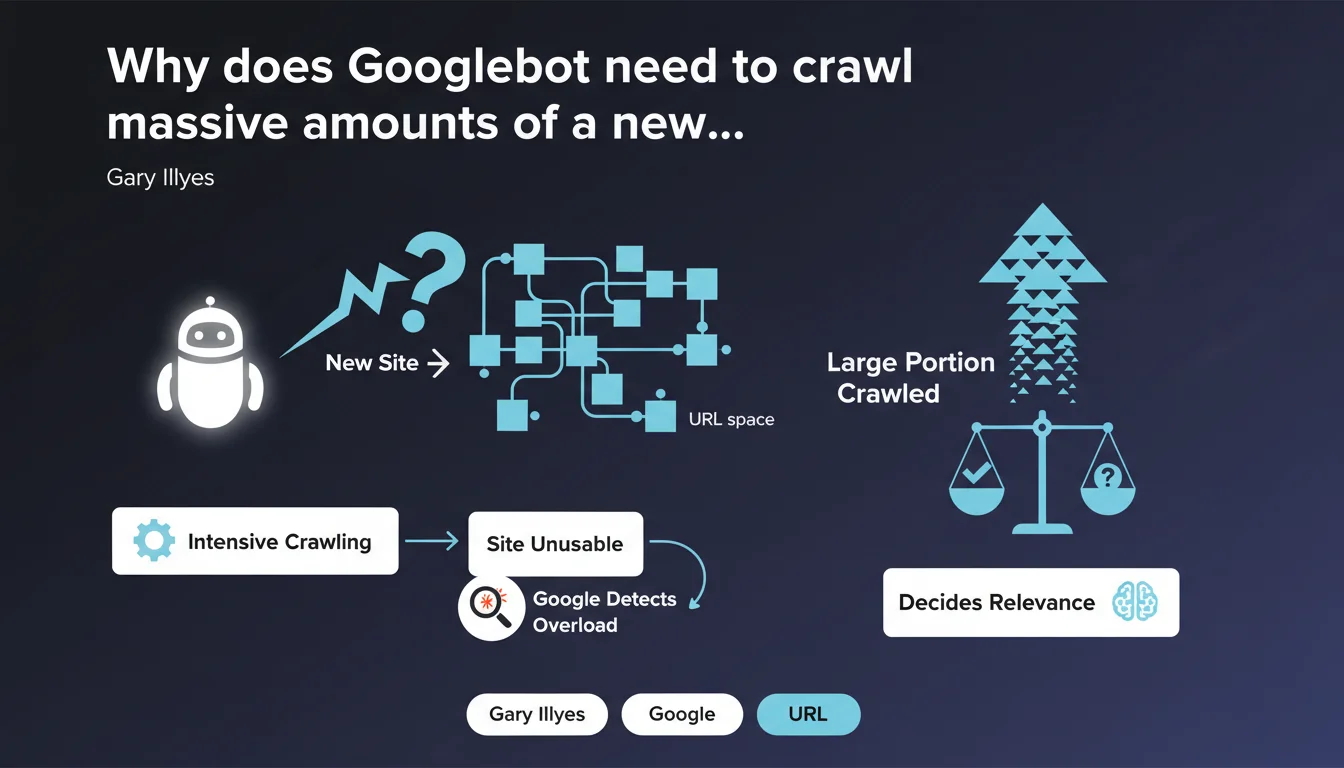
Googlebot cannot predict in advance whether a new URL space deserves its attention — it must first crawl a large portion of it. This process can overload an unprepared site to the point of making it unusable, before Google even detects the problem and slows down.
What you need to understand
Why can't Googlebot evaluate a site without crawling it massively?
Google has no magical shortcut to determine whether a new domain or new URL space contains relevant content. No preliminary analysis phase, no light scan — the bot must dive into pages, follow links, index samples.
Only after traversing a significant volume can algorithms establish patterns of quality, structure, and relevance. Before that, Googlebot navigates blind. And if it crawls too fast, it can saturate server resources before understanding it should ease off.
What does this mean for a site that's just starting out?
A brand new site, a migration, a massive deployment of new URLs — all scenarios where Googlebot will arrive without restraint. If your infrastructure isn't dimensioned to handle this initial onslaught, you risk slowdowns, timeouts, even crashes.
The worst part? Google only slows down once it detects the overload. In the meantime, your site can become unusable for real users. It's a blind spot in crawling that many underestimate.
How many pages does Googlebot need to see to form an opinion?
Google obviously doesn't communicate any precise figure — and it would be absurd to give one, since it depends on site size, structure, internal linking coherence. But the key point is here: it's not 10 pages, or 50. We're talking about a substantial portion of the URL space.
For a site with a few thousand pages, this could represent hundreds, even thousands of requests concentrated over a few days. If your server isn't ready, you'll know it fast.
- Googlebot cannot guess a site's relevance — it must crawl it to evaluate it.
- This initial crawl can be very intense and saturate server resources.
- Google only slows down after detecting overload, not before.
- An unprepared site can become unusable for users during this phase.
- No official figure on the necessary volume, but expect a large sample.
SEO Expert opinion
Is this statement consistent with what we observe in the field?
Absolutely. Site migrations, launches of new sections, massive deployments of e-commerce categories — all these scenarios generate brutal crawl spikes in the first days. Server logs confirm it: Googlebot arrives in force, follows everything it finds, and only eases off after detecting slowdown signals.
What's interesting is that Google admits it openly: there is no soft pre-evaluation phase. The bot must dive before understanding. This explains why so many sites experience performance issues right after a launch or migration — they didn't anticipate this initial load.
What nuances should be applied to this statement?
Google speaks here of new URL spaces, but the same logic applies to existing sections that suddenly become accessible — for example after lifting a robots.txt block or noindex. In these cases, Googlebot behaves exactly like facing a new domain.
[To verify] Gary Illyes doesn't specify whether certain signals — like the presence of a structured XML sitemap, strong domain authority, or incoming external links — can accelerate this evaluation phase. We know that already-established sites benefit from a more generous crawl budget, but does that fundamentally change things for a new URL space? Uncertain.
In what cases doesn't this rule apply completely?
For an already-established site that gradually adds content, the problem is less acute. Google already has a history of quality, structure, and user behavior. Crawl budget is already calibrated, and new URLs are discovered at the pace of internal linking and sitemaps.
But as soon as we talk about massive volumes deployed all at once — migration, redesign, full product catalog deployment — the risk roars back. Even an established site can become overwhelmed if infrastructure wasn't dimensioned to absorb the shock.
Practical impact and recommendations
What concretely needs to be done before a launch or migration?
First, dimension the infrastructure to handle intensive crawling. If your server is already struggling under normal conditions, it will explode under Googlebot's pressure. Plan for additional resources — dedicated server, CDN, aggressive caching — at least for the first few weeks.
Next, configure explicit crawl limits in Google Search Console. Yes, Google adjusts automatically, but you can force a slowdown from the start if you know your infrastructure is fragile. It's a safety net often neglected.
How to monitor and react during the initial crawl phase?
Set up real-time server log monitoring. You need to know how many requests Googlebot sends per hour, which paths it prioritizes, and most importantly — whether it's generating 5xx errors or timeouts.
If you detect an overload, two options: either increase server resources immediately, or temporarily block less-priority sections via robots.txt to concentrate crawl on essentials. It's a tactical tradeoff, but sometimes necessary.
What mistakes should be avoided absolutely?
Never launch a new site or major migration without testing your infrastructure's capacity to handle intensive crawling. Too many projects focus on design, content, UX — and completely forget this technical dimension.
Another trap: believing Google will naturally slow down before causing problems. No. It takes a visible overload signal — 503 errors, timeouts — for the bot to ease off. Until then, your site can be in trouble.
- Dimension infrastructure to absorb massive crawling from day 1
- Configure crawl limits in Google Search Console if infrastructure is fragile
- Set up real-time monitoring of server logs and performance
- Prepare a plan B: additional resources or temporary blocking of non-critical sections
- Test server resilience before launch with load simulations
- Never underestimate the volume of initial crawl — it can be brutal
❓ Frequently Asked Questions
Google peut-il ralentir le crawl avant qu'une surcharge ne se produise ?
Combien de pages Googlebot doit-il crawler pour évaluer un nouveau site ?
Un sitemap XML bien structuré peut-il limiter le crawl initial ?
Cette règle s'applique-t-elle aussi aux sites établis qui ajoutent de nouvelles sections ?
Peut-on forcer Google à crawler plus lentement dès le départ ?
🎥 From the same video 10
Other SEO insights extracted from this same Google Search Central video · published on 03/02/2026
🎥 Watch the full video on YouTube →
💬 Comments (0)
Be the first to comment.