
Official statement
Other statements from this video 10 ▾
- □ Pourquoi la navigation à facettes cause-t-elle la moitié des problèmes de crawl ?
- □ Faut-il vraiment bloquer la navigation à facettes dans robots.txt ?
- □ Les paramètres d'action dans vos URLs sabotent-ils votre crawl budget ?
- □ Pourquoi Google intervient-il directement dans le code des plugins WordPress ?
- □ Les paramètres d'URL courts mettent-ils vraiment votre crawl budget en danger ?
- □ Faut-il vraiment se débarrasser des session IDs dans vos URLs ?
- □ Pourquoi vos paramètres de calendrier WordPress sabotent-ils votre crawl budget ?
- □ Le double encodage d'URLs tue-t-il vraiment votre crawl budget ?
- □ Pourquoi Googlebot doit-il crawler massivement un nouveau site avant de savoir s'il vaut le coup ?
- □ Faut-il attendre 24 heures pour qu'une modification de robots.txt soit prise en compte ?
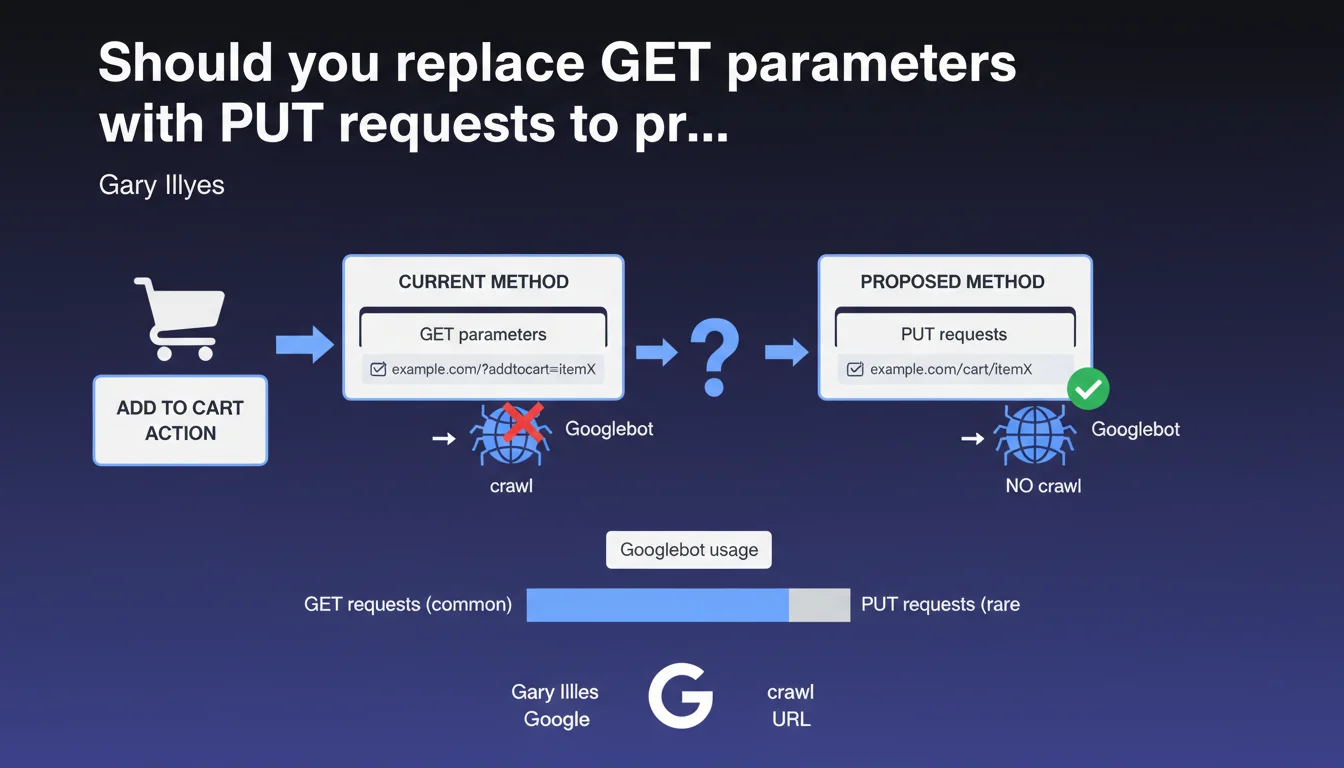
Googlebot very rarely uses HTTP PUT requests. Replacing GET parameters with PUT requests for actions like adding to cart would prevent these URLs from being crawled unnecessarily. A technical strategy to protect your crawl budget on e-commerce sites.
What you need to understand
Why does Googlebot ignore PUT requests?
The HTTP protocol defines several request methods: GET to retrieve data, POST to submit it, PUT to create or modify a resource, DELETE to remove it. Googlebot focuses almost exclusively on GET requests, those used to display content.
PUT requests, used for modification actions, are not part of the typical scope of a search engine crawler. Gary Illyes confirms here what many suspected: Googlebot almost never executes PUT requests during its crawl.
What is the problem with GET parameters for user actions?
On many e-commerce sites, actions like "add to cart" go through URLs with GET parameters: ?add_to_cart=123, ?action=wishlist&product_id=456. These URLs are technically crawlable.
Result: Googlebot can discover them through poorly configured internal links, explore them, generate unnecessary pages in the index and waste crawl budget. On a catalog with thousands of products, this quickly becomes unmanageable.
How do PUT requests solve this issue?
By switching these actions to PUT requests (or POST, for that matter), you remove these URLs from Googlebot's radar. The bot will never follow a link that triggers a PUT request.
Concretely, the add-to-cart action is performed via JavaScript with an AJAX PUT request to a backend API, without generating a crawlable URL. You maintain control over what gets explored.
- Googlebot limits itself almost exclusively to GET requests
- GET parameters for actions (add to cart, temporary filters) create unnecessary crawlable URLs
- Using PUT or POST via AJAX prevents these URLs from cluttering your index
- This approach protects crawl budget on large catalogs
SEO Expert opinion
Is this recommendation consistent with real-world practices?
Yes, absolutely. Audits of e-commerce sites regularly reveal thousands of parasitic URLs generated by poorly managed GET parameters. Sort filters, user sessions, account actions — it all ends up in crawl logs.
The classic solution involves combining robots.txt, noindex tags or parameters in Search Console. But that's symptomatic treatment. Switching to PUT/POST via AJAX is treating the problem at its root.
What nuances should we add to this statement?
Gary Illyes says "very rare", not "never". We lack context: in what cases would Googlebot use PUT? No public data on that. [To verify]
Another point: this approach assumes your site runs in SPA mode or with modern JavaScript. If you're still on an older CMS with classic forms, migrating to PUT requests can represent a significant technical undertaking.
Finally — and this is rarely mentioned — POST would have the same effect as PUT here. Google doesn't crawl POST either. Why does Illyes specifically mention PUT? Perhaps to emphasize REST semantics, but in practice, POST works just as well.
Does this technique replace other best practices?
No. Switching to PUT requests doesn't exempt you from cleaning up your existing GET parameters. If your site has already indexed 50,000 unnecessary URLs, they won't disappear magically.
You need to combine this approach with a review of parameters in Search Console, a clean robots.txt file and a clear canonicalization strategy. PUT requests are a prevention tool, not a correction tool.
Practical impact and recommendations
What should you do concretely on an e-commerce site?
First step: audit your crawled URLs. Check your server logs or Search Console to identify GET parameters related to actions (add to cart, wishlist, temporary filters).
Then, switch these actions to AJAX requests with PUT or POST method. This requires your front-end to use modern JavaScript (Fetch API, Axios, etc.). If you're on WordPress/WooCommerce, plugins like WP REST API allow you to handle this properly.
In parallel, clean up already-indexed URLs via robots.txt or noindex tags, and submit a removal request in Search Console if necessary.
What mistakes should you avoid during migration?
Don't switch everything at once. Test first on a subsection of your site (a product category, for example) and verify that conversions don't drop.
Make sure your PUT/POST requests return appropriate HTTP codes (200 for success, 201 for creation, 4xx/5xx for errors). A bad return can break UX without you noticing immediately.
Finally, don't delete your old GET URLs until you've confirmed the new system works. Keep a fallback for a few weeks.
How do you verify that Googlebot is no longer crawling these URLs?
Monitor your server logs: if you no longer see Googlebot hitting ?add_to_cart= or equivalent, that's a good sign. Search Console should also show a decrease in the number of URLs explored.
Use the URL inspection tool in Search Console on a few suspicious URLs. If they're no longer discovered, you've succeeded.
- Audit GET parameters currently being crawled (logs, Search Console)
- Identify user actions passing through GET (cart, wishlist, filters)
- Migrate these actions to PUT or POST via AJAX
- Test in dev environment before deployment
- Block old GET URLs via robots.txt or noindex
- Monitor server logs to validate reduced crawl
- Verify in Search Console that parasitic URLs disappear from the index
❓ Frequently Asked Questions
Pourquoi Google ne crawle-t-il pas les requêtes PUT ?
POST a-t-il le même effet que PUT pour éviter le crawl ?
Cette technique fonctionne-t-elle sur tous les CMS ?
Dois-je aussi bloquer ces URLs dans robots.txt ?
Quel impact sur le crawl budget puis-je espérer ?
🎥 From the same video 10
Other SEO insights extracted from this same Google Search Central video · published on 03/02/2026
🎥 Watch the full video on YouTube →
💬 Comments (0)
Be the first to comment.