
Official statement
Other statements from this video 10 ▾
- □ Faut-il vraiment bloquer la navigation à facettes dans robots.txt ?
- □ Les paramètres d'action dans vos URLs sabotent-ils votre crawl budget ?
- □ Pourquoi Google intervient-il directement dans le code des plugins WordPress ?
- □ Les paramètres d'URL courts mettent-ils vraiment votre crawl budget en danger ?
- □ Faut-il vraiment se débarrasser des session IDs dans vos URLs ?
- □ Pourquoi vos paramètres de calendrier WordPress sabotent-ils votre crawl budget ?
- □ Le double encodage d'URLs tue-t-il vraiment votre crawl budget ?
- □ Pourquoi Googlebot doit-il crawler massivement un nouveau site avant de savoir s'il vaut le coup ?
- □ Faut-il attendre 24 heures pour qu'une modification de robots.txt soit prise en compte ?
- □ Faut-il abandonner les paramètres GET pour sécuriser son crawl budget ?
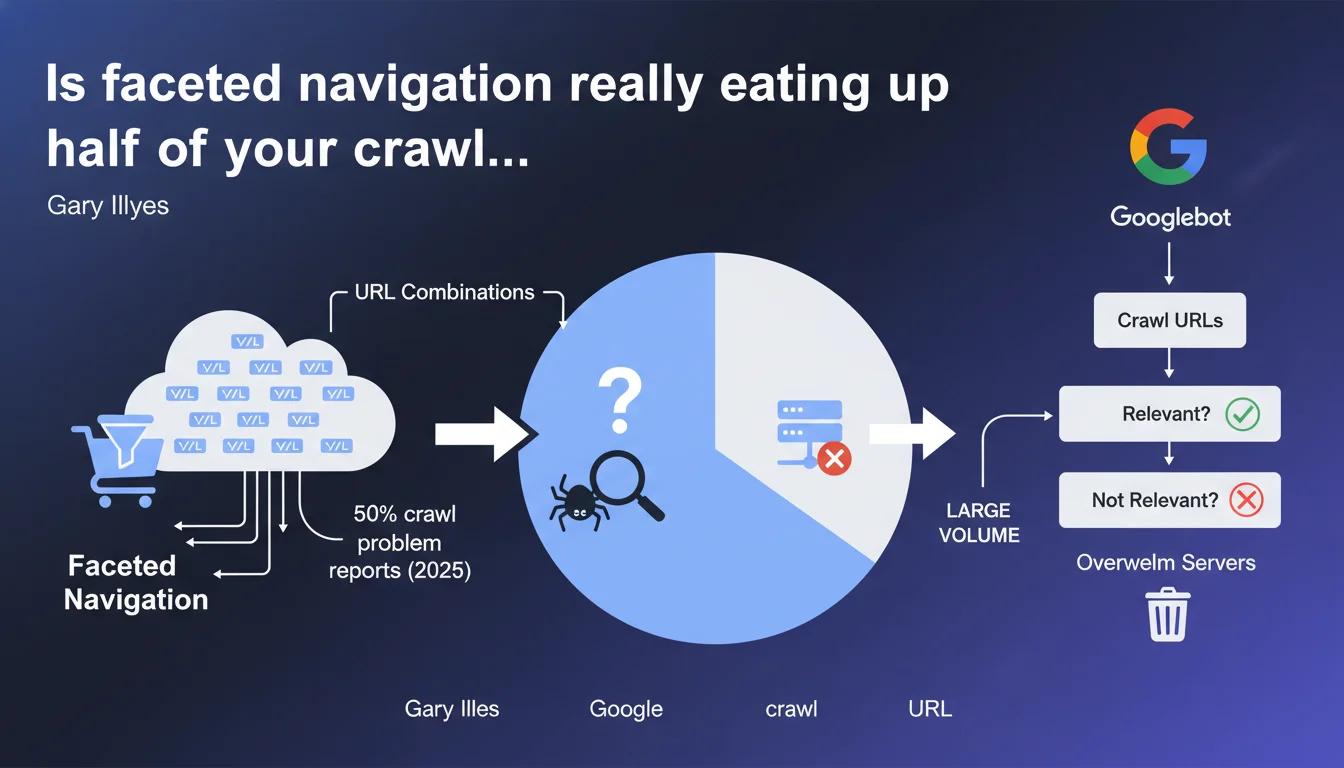
Gary Illyes reveals that faceted navigation accounts for nearly 50% of crawl problem reports received by Google. The URL combinations generated by filters and sorting on e-commerce sites overwhelm servers and force Googlebot to crawl a massive volume of URLs to determine their relevance. It's a clear signal: the majority of e-commerce sites still haven't mastered this fundamental.
What you need to understand
What is faceted navigation and why is it such a problem?
Faceted navigation is that system of filters and sorting you find on every e-commerce site. Color, size, price, brand, customer rating — each combination generates a unique URL. On a catalog of 1000 products with 5 filters at 3 options each, you potentially end up with hundreds of thousands of URLs.
The problem? Googlebot doesn't know upfront which ones are useful. It must crawl massively to understand which pages deserve to be indexed and which are simply duplicates or empty combinations. Result: your server takes the hit with thousands of unnecessary requests.
Why does Google receive so many reports on this specific issue?
Because it's a recurring structural problem. Faceted navigation is technically simple to implement from a development perspective, but catastrophic for SEO if not properly managed. E-commerce platforms generate these URLs by default, without distinguishing between what's relevant and what isn't.
And let's be honest — many sites end up with wasted crawl budgets, server timeouts, or worse, relevant pages that never get crawled because Googlebot exhausts itself on absurd filter combinations.
What does this 50% figure really mean in concrete terms?
It means that among all crawl problems reported to Google, half involve faceted navigation. That's huge. It shows that despite years of articles and recommendations, the majority of e-commerce sites still haven't sorted out this fundamental issue.
It's also a clear indicator: if you manage a site with filters, there's a 50-50 chance you have a latent crawl problem you haven't even detected yet.
- 50% of crawl reports involve facets — it's the number one structural problem in e-commerce
- URL combinations explode rapidly with multiple active filters
- Googlebot must crawl extensively to sort relevant from superfluous
- Servers can be overwhelmed if URL volume isn't controlled
- This isn't a new problem, but it remains largely unsolved
SEO Expert opinion
Is this statement consistent with what we observe in the field?
Absolutely. Every SEO working in e-commerce knows this nightmare. You audit a site, you open Search Console, and you see thousands of crawled URLs corresponding to empty or redundant filter combinations. Crawl budget gets consumed by useless pages while strategic product pages remain overlooked.
What's interesting is that Google is saying this openly: it's their top reported issue. That validates what we've been repeating for years — faceted navigation, if not designed with SEO in mind, is a technical disaster.
What nuances should we add to this statement?
The 50% figure doesn't mean 50% of sites have this problem — but rather that 50% of crawl problem reports concern this issue. Important distinction. It can also reflect the fact that e-commerce sites are overrepresented in these reports, simply because they mechanically generate more URLs.
Another point: Google says Googlebot must crawl to determine relevance. Let's be clear — it's our job to make it easier for Googlebot. If you're waiting for Googlebot to figure out which pages are relevant on its own, you'll be waiting a long time and wasting crawl budget. Canonical tags, noindex, robots.txt, URL parameters in Search Console — there are tools to properly manage this.
In what cases does this rule not apply?
If you manage a brochure site or a blog, this problem probably doesn't concern you. Faceted navigation is really an issue for e-commerce, marketplaces, and classified ad sites — anything that offers multiple filters across a large catalog.
Now, even on a medium-sized e-commerce site, if you've properly configured your canonical tags and URL parameters in Search Console, you can limit the damage. The problem mainly affects those who've let the situation spiral — or who have a CMS that generates everything without safeguards.
Practical impact and recommendations
What concrete steps should you take on an e-commerce site?
First step: identify the relevant filter combinations. Not all filtered pages are equal. A page for "red shoes" might have search volume. A page for "red shoes size 42 leather with express shipping" probably has zero SEO value.
Next, you need to block indexation of useless combinations. Several methods: canonical to the parent page, noindex on filtered pages without potential, robots.txt to block specific URL parameters. The choice depends on your architecture and goals.
What mistakes should you avoid at all costs?
The classic mistake is leaving everything open. No canonicals, no noindex, all combinations crawlable and indexable. Result: your server slows down, your crawl budget evaporates, and you end up with massive duplicate content.
Another trap: blocking too aggressively in robots.txt. If you prevent Googlebot from crawling these pages, it can't follow internal links that pass through them. You risk cutting off crawl paths to important pages. Better to allow crawling but control indexation with noindex or canonical.
How do you verify your site is properly configured?
Open Search Console and look at pages that are crawled but not indexed. If you see hundreds of URLs with filter parameters, that's a bad sign. Also check server logs: how many requests does Googlebot make on filtered URLs?
Use the URL inspection tool to test a few combinations. If Google says "canonical URL differs from requested URL," that's good — it means your canonical is working. If all combinations are treated as canonical, there's a problem.
- Audit filtered URLs crawled in Search Console
- Identify filter combinations with high SEO potential vs. useless ones
- Implement canonical tags to parent pages for combinations without value
- Use noindex on redundant or empty filtered pages
- Configure URL parameters in Search Console to guide Googlebot
- Avoid blocking crawl in robots.txt if it cuts internal navigation paths
- Regularly monitor server logs to detect excessive crawling
- Test filtered pages with the URL inspection tool to validate canonicals
❓ Frequently Asked Questions
Dois-je bloquer toutes mes pages filtrées avec un noindex ?
Canonical ou noindex pour gérer les facettes ?
Est-ce que robots.txt suffit pour gérer le crawl des facettes ?
Comment savoir si mes facettes posent problème ?
Les paramètres d'URL dans Search Console sont-ils encore utiles ?
🎥 From the same video 10
Other SEO insights extracted from this same Google Search Central video · published on 03/02/2026
🎥 Watch the full video on YouTube →
💬 Comments (0)
Be the first to comment.