
Official statement
Other statements from this video 12 ▾
- □ Google suit-il vraiment tous les codes HTTP ou s'arrête-t-il au premier rencontré ?
- □ Un CDN améliore-t-il vraiment votre classement Google ?
- □ Faut-il bloquer le crawl des endpoints API pour optimiser son budget de crawl ?
- □ Faut-il vraiment bannir le nofollow des liens internes ?
- □ Faut-il arrêter de se fier à la commande site: pour mesurer l'indexation ?
- □ Pourquoi Google préfère-t-il les redirections serveur aux redirections JavaScript ?
- □ Faut-il vraiment différencier les redirections 301 et 302 pour le SEO ?
- □ Faut-il vraiment isoler vos contenus archivés pour améliorer votre SEO ?
- □ Peut-on vraiment forcer l'affichage des sitelinks dans Google ?
- □ Faut-il vraiment bloquer ou masquer les liens externes pour protéger son PageRank ?
- □ Google favorise-t-il vraiment certaines plateformes CMS pour le référencement ?
- □ Les URLs dans les données structurées sont-elles crawlées par Google ?
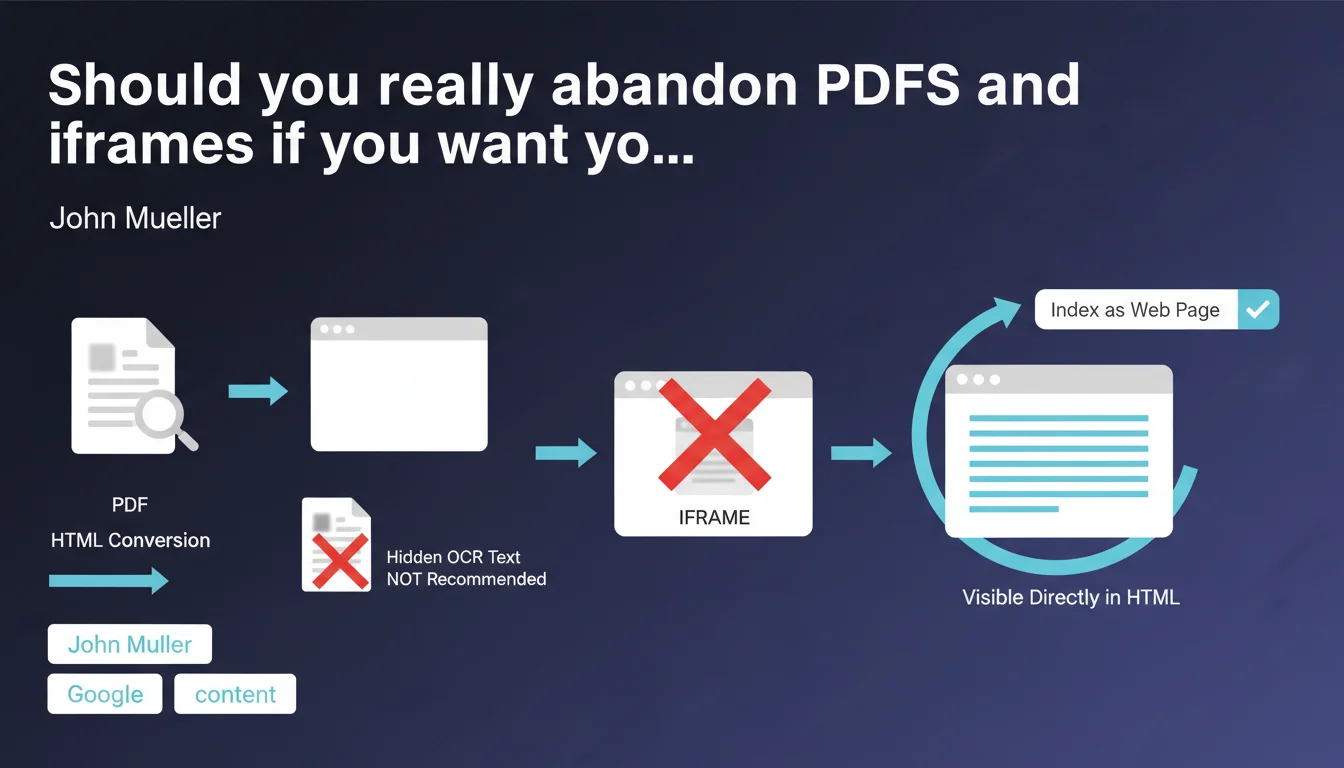
Google converts PDFs to HTML for indexing, but this method remains less reliable than native content. Hiding OCR text in a PDF's HTML is counterproductive. If your goal is to index content like a standard web page, it's better to display it directly in HTML rather than embedding it as a PDF in an iframe.
What you need to understand
How does Google actually index PDFs?
Google doesn't read PDFs the way a human would open Adobe Reader. The search engine first converts each PDF to HTML before analyzing it, which introduces an additional processing layer. This conversion isn't always perfect — complex layouts, nested tables, and graphic elements can create noise or be misinterpreted.
Mueller's statement clarifies that hiding OCR text in HTML is a bad idea. Some publishers try this trick to "help" Google read a scanned PDF, but it essentially creates invisible content, which can be viewed poorly by anti-spam algorithms.
Why do iframes cause indexation problems?
An iframe loads external content within a page. When you embed a PDF via iframe, Google must decide which URL to index: the parent page or the PDF itself. Often, it's the PDF that gets indexed, not the HTML page hosting it.
The result? You lose control over SEO signals: meta tags, heading structure, internal linking. You also fragment authority between two URLs instead of concentrating it on a single resource.
In what cases is a PDF still legitimate?
Mueller doesn't say PDFs are forbidden. They remain relevant for downloadable documents: annual reports, technical studies, brochures. Users expect a PDF in these contexts.
The problem occurs when a PDF is used as a lazy substitute for an HTML page — because it's faster to produce or because you want to preserve a fixed layout. In this case, indexation will always be suboptimal.
- PDF to HTML conversion introduces information loss and parsing errors
- Hiding OCR text in HTML can be interpreted as spam
- iframes fragment authority and complicate SEO signal control
- A PDF remains legitimate for content meant for download, not to replace a standard web page
SEO Expert opinion
Does this recommendation actually change anything in practice?
Let's be honest: no one has ever considered PDFs an optimal SEO solution. This statement mainly confirms what we've observed for years — PDFs rank worse than equivalent HTML pages, except in very specific niches (legal, academic, technical documentation).
What's new is the clarification about hidden OCR. Some "PDF SEO" tools offer injecting invisible text to compensate for poor scan quality. Mueller makes it clear this is a false good idea — aligning with Google's cloaking logic.
What gray areas does this statement not address?
Mueller says nothing about PDFs enriched with XMP metadata, nor about the actual impact of structured tags (headings, lists) in modern PDFs. We also don't know if a well-constructed PDF with complete semantic markup performs better than a flat PDF.
[To verify]: Does Google treat differently a PDF generated from LaTeX with complete semantic structure versus a basic Word export? No official data on this. Field tests show variable results depending on sectors.
Does this rule apply to all types of websites?
For an e-commerce site or blog, it's non-negotiable: all main content must be in native HTML. PDFs should remain ancillary resources (user guides, downloadable product sheets).
For an institutional or academic site, reality is more nuanced. Users explicitly seek PDFs in certain contexts (scientific publications, official reports). Forcing everything into HTML can degrade user experience and reduce external citations.
Practical impact and recommendations
What should you do if your site heavily uses PDFs for editorial content?
First step: audit your indexed PDFs via Google Search Console. Filter URLs by content type and compare their performance (impressions, CTR, average position) with equivalent HTML pages.
If PDFs generate qualified traffic, don't remove them abruptly. First create a enriched HTML version, let it rank, then redirect the PDF with a 301 only once the new page has recovered most of the traffic. Keep the PDF downloadable via an explicit link on the HTML page.
How do you manage legacy PDFs that have accumulated backlinks?
This is the classic case of the whitepaper or study that circulated for years. You have two options:
Option 1 — Progressive migration: Create an HTML landing page for the study, embed the PDF as a download. Redirect the old PDF URL to this page. You preserve backlinks while offering an optimized experience for indexation.
Option 2 — Assumed duplication: Keep the PDF at its historical URL, create an alternative HTML version on a new slug. Use rel="canonical" on the HTML side to avoid duplication, but let the PDF continue ranking on its niche queries (e.g., searches with filetype:pdf).
What technical mistakes should you avoid when migrating PDF to HTML?
- Don't redirect all your PDFs to the homepage — each PDF should have its own dedicated HTML page
- Preserve semantic structure: if the PDF had chapters, create equivalent H2/H3 in HTML
- Integrate visuals (charts, diagrams) into the HTML page with descriptive alt tags
- If the PDF contained data tables, transform them into accessible HTML tables, not images
- Always add a download link to the original PDF for users who prefer that format
- Verify that historical backlinks are properly redirected (use Ahrefs/Majestic to list referring domains)
- Test mobile rendering of the new HTML page — many PDFs are unreadable on smartphone
❓ Frequently Asked Questions
Google indexe-t-il le contenu d'un PDF intégré en iframe ?
Peut-on améliorer l'indexation d'un PDF en ajoutant du texte OCR invisible dans le HTML ?
Les PDF générés depuis LaTeX ou InDesign sont-ils mieux indexés que des exports Word basiques ?
Faut-il supprimer tous les PDF d'un site pour optimiser le SEO ?
Comment gérer un PDF qui reçoit beaucoup de backlinks mais performe mal en SEO ?
🎥 From the same video 12
Other SEO insights extracted from this same Google Search Central video · published on 08/06/2022
🎥 Watch the full video on YouTube →
💬 Comments (0)
Be the first to comment.