
Official statement
Other statements from this video 11 ▾
- □ Pourquoi les redirections 307 et 308 sont-elles inutiles pour le SEO classique ?
- □ Faut-il vraiment abandonner les meta refresh pour vos redirections ?
- □ Les redirections JavaScript sont-elles réellement suivies par Google ?
- □ Faut-il vraiment rediriger chaque URL individuellement lors d'une migration de domaine ?
- □ Pourquoi les fusions et divisions de domaines provoquent-elles des fluctuations SEO prolongées ?
- □ Les redirections géographiques empêchent-elles vraiment l'indexation de vos contenus européens ?
- □ Faut-il abandonner les redirections géographiques pour préserver votre crawl budget ?
- □ Les interstitiels avec redirections bloquent-ils vraiment Googlebot ?
- □ Faut-il vraiment des redirections bidirectionnelles entre versions mobile et desktop pour éviter les problèmes d'indexation ?
- □ Pourquoi l'URL Inspection Tool affiche-t-il un code 200 même après redirection ?
- □ Faut-il vraiment utiliser des redirections 302 entre les versions mobile et desktop ?
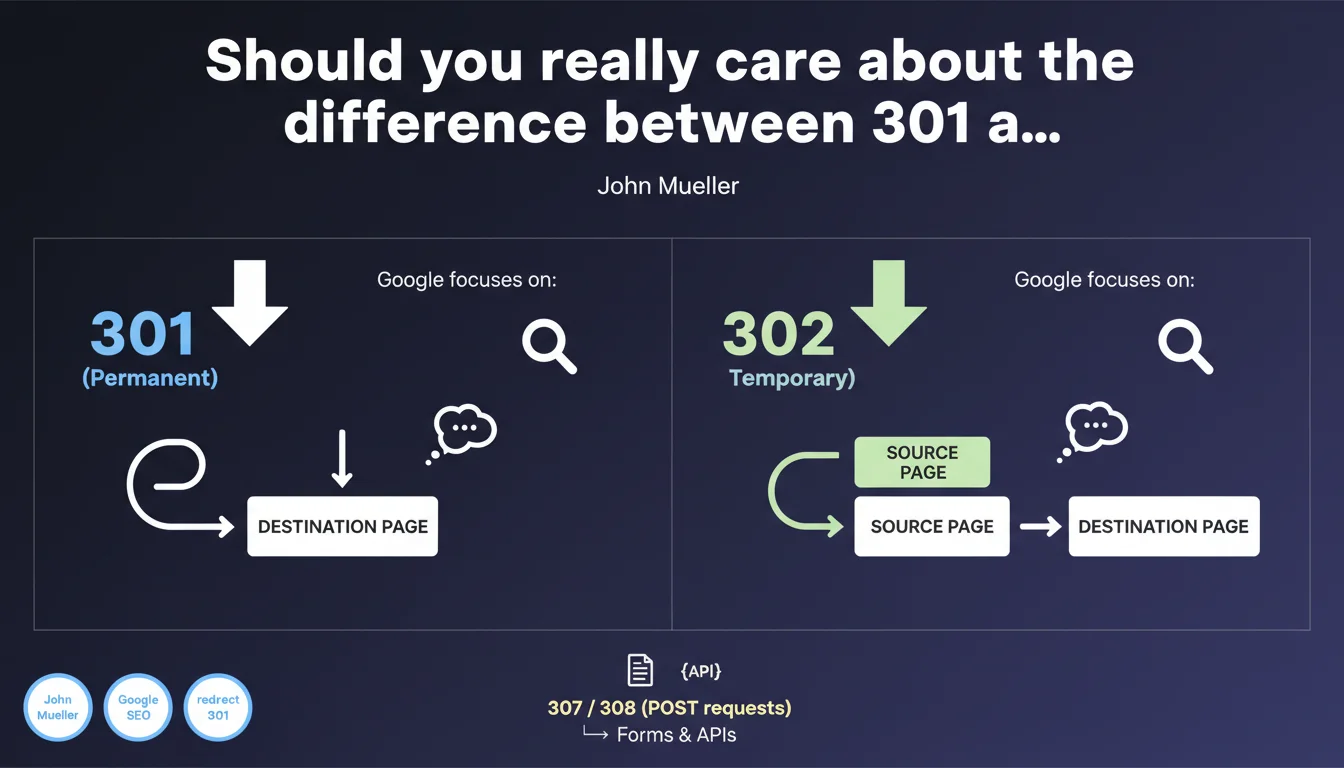
Google confirms that both 301 and 302 redirects do not cause SEO signals to be lost — the difference lies solely in which URL inherits the PageRank and canonicalization. A 301 permanently transfers signals to the new URL, while a 302 preserves them on the original URL. The choice of redirect type should therefore reflect your actual intention, not an SEO preference.
What you need to understand
Why does the distinction between 301 and 302 redirects cause so much confusion in the SEO world?
For years, the prevailing belief was that 302 redirects resulted in a loss of PageRank. This idea was based on observations where pages redirected with a 302 did not transfer their authority to the new URL.
But this interpretation confused cause and effect. Google wasn't transferring signals because the HTTP 302 status code explicitly indicates that the move is temporary — meaning signals should remain on the original URL. This wasn't a bug; it was the intended behavior.
What actually happens with a 301 redirect?
A 301 (Moved Permanently) indicates that the resource has permanently changed addresses. Google interprets this signal as an instruction to transfer: PageRank, backlinks, and canonicalization migrate to the new URL.
This migration is not instantaneous — it depends on crawl frequency and how quickly Google recalculates its link graphs. But the intention is clear: the old URL becomes obsolete.
With a 302, do the signals really stay on the original URL?
Exactly. A 302 (Found / Temporary Redirect) tells Google that the move is temporary. The original URL remains canonical: it retains the PageRank, and backlinks continue pointing to it in the link graph.
This is crucial for genuinely temporary redirects — seasonal promotions, maintenance, A/B testing. If you temporarily move to a new URL and then return to the original, you lose nothing.
- No redirect type causes PageRank loss: signals are simply assigned to the original or destination URL depending on the HTTP status code.
- A 301 permanently transfers: PageRank, canonicalization, and backlinks migrate to the new URL.
- A 302 temporarily preserves: the original URL remains canonical and keeps its signals.
- Your choice of HTTP status code should reflect your actual intention, not a hypothetical SEO strategy.
SEO Expert opinion
Is this statement consistent with what we observe in practice?
Yes, with one important caveat. Experienced SEO professionals know that Google sometimes ignores a 302 redirect if it remains active too long — and may eventually treat it as a 301. This is an automatic correction mechanism.
John Mueller has confirmed this behavior elsewhere: if a 302 stays active for several weeks or months, Google may decide that "temporary" is meaningless and transfer the signals. The exact timeframe for this transition is not precisely documented — [Requires verification] on what temporal basis this switchover occurs.
In what cases does this rule break down?
When you chain multiple redirects together (redirect chains), the behavior becomes unpredictable. Google typically follows up to 5 hops, but each redirect increases crawl time and potentially dilutes the signals being transferred.
And let's be honest: in complex migrations involving thousands of URLs and sophisticated redirect rules, we sometimes observe organic traffic losses even with perfectly implemented 301 redirects. Signals take time to consolidate, some backlinks are never recrawled, and some pages lose semantic context.
Why did this clarification take so long to come out?
Because Google often allows SEO myths to persist when they don't directly harm user experience. For years, believing that a 302 "loses PageRank" pushed sites toward using 301s — which is usually the right choice for permanent moves.
But this confusion became problematic for legitimate 302 use cases: A/B testing, geo-targeted redirects, temporary events. Hence this clarification.
Practical impact and recommendations
What should you actually do on your website?
Audit your existing 302 redirects. If they've been in place for months and the move is permanent, convert them to 301s. This prevents Google from treating them unpredictably.
For each redirect, ask yourself: will this original URL ever be active again? If the answer is no, it's a 301. If yes (promotion, seasonality, test), keep it as a 302.
What mistakes should you avoid during a migration?
Never create redirect chains: old URL → intermediate URL → new URL. Each hop extends crawl time and risks blocking the complete signal transfer. Redirect directly to the final destination.
And if you're migrating an entire site, don't forget to update your internal linking. Redirects are a safety net for external backlinks, not a solution to keep pointing to obsolete URLs in your own navigation.
How can you verify that your redirects are properly configured?
Use a crawl tool (Screaming Frog, Sitebulb) to identify all active redirects. Verify that the HTTP status code matches your actual intention.
In Search Console, monitor canonicalized URLs that differ from user-selected ones. If Google picks an unexpected URL after a redirect, that signals a consistency problem.
- Audit all 302 redirects that have been active for more than 3 months
- Convert to 301s those that represent permanent moves
- Eliminate all redirect chains (more than 2 hops)
- Update internal linking to point to new URLs
- Verify HTTP status codes with a crawl tool
- Monitor unintended canonicalizations in Search Console
❓ Frequently Asked Questions
Une redirection 302 qui dure plusieurs mois devient-elle automatiquement une 301 ?
Faut-il absolument éviter les chaînes de redirections même avec des 301 ?
Peut-on utiliser une 302 pour des tests A/B sans perdre de PageRank ?
Les redirections 307 et 308 ont-elles le même comportement que les 302 et 301 ?
Combien de temps faut-il garder une redirection 301 active après une migration ?
🎥 From the same video 11
Other SEO insights extracted from this same Google Search Central video · published on 17/11/2022
🎥 Watch the full video on YouTube →
💬 Comments (0)
Be the first to comment.