
Official statement
Other statements from this video 11 ▾
- □ 301 vs 302 : les redirections temporaires font-elles vraiment perdre du PageRank ?
- □ Pourquoi les redirections 307 et 308 sont-elles inutiles pour le SEO classique ?
- □ Faut-il vraiment abandonner les meta refresh pour vos redirections ?
- □ Faut-il vraiment rediriger chaque URL individuellement lors d'une migration de domaine ?
- □ Pourquoi les fusions et divisions de domaines provoquent-elles des fluctuations SEO prolongées ?
- □ Les redirections géographiques empêchent-elles vraiment l'indexation de vos contenus européens ?
- □ Faut-il abandonner les redirections géographiques pour préserver votre crawl budget ?
- □ Les interstitiels avec redirections bloquent-ils vraiment Googlebot ?
- □ Faut-il vraiment des redirections bidirectionnelles entre versions mobile et desktop pour éviter les problèmes d'indexation ?
- □ Pourquoi l'URL Inspection Tool affiche-t-il un code 200 même après redirection ?
- □ Faut-il vraiment utiliser des redirections 302 entre les versions mobile et desktop ?
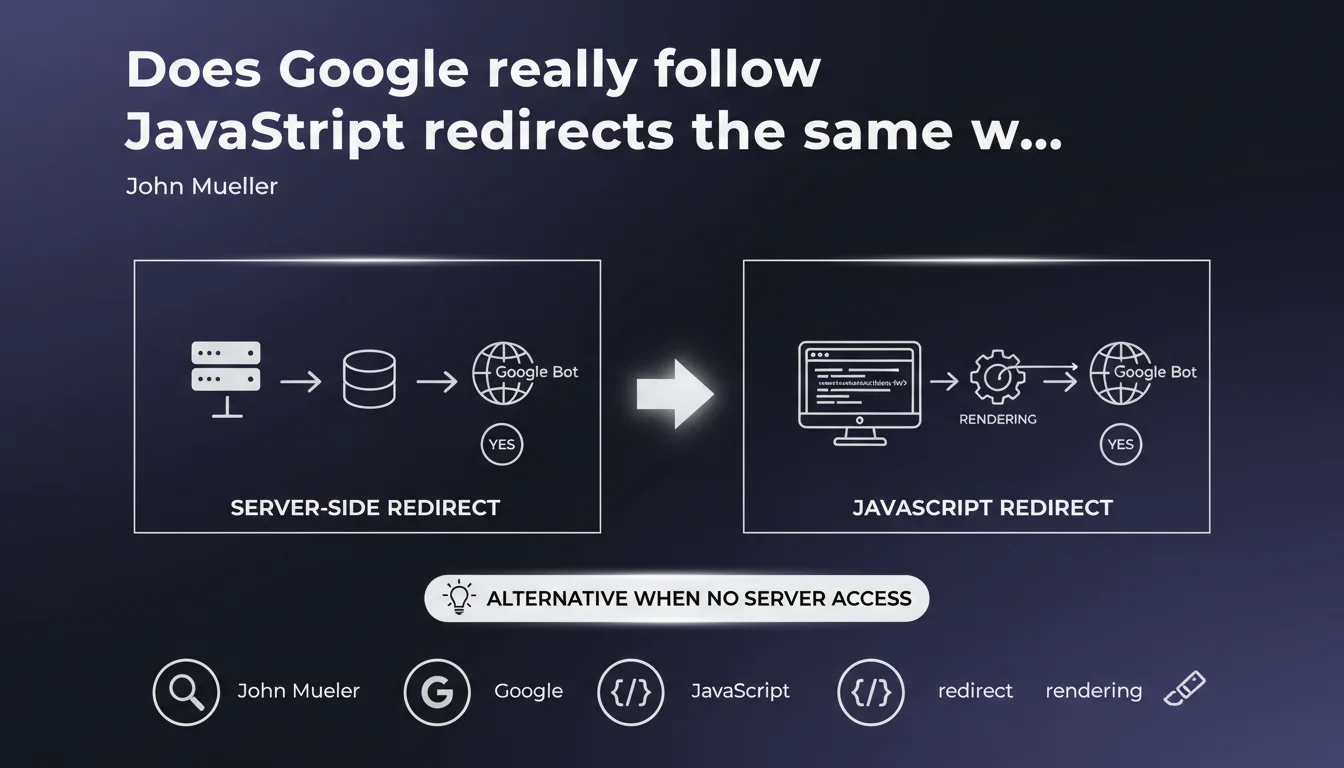
Google detects and follows JavaScript redirects during page rendering. They represent a valid alternative to server redirects when you lack access to .htaccess or server configuration. Crawling and indexing work, but nuances remain regarding speed and reliability of the process.
What you need to understand
Does Google really render all pages with JavaScript?
Yes, but with variable delays. Googlebot uses a recent version of Chrome to execute JavaScript and detect client-side redirects. This process occurs after the initial crawl, in a rendering queue that can take anywhere from a few seconds to several days depending on resources allocated to your site.
The engine identifies classic JavaScript redirects: window.location, location.href, location.replace(). Once rendering is complete, Google follows the redirect as it would with a server-side 301 or 302.
Why choose JavaScript for redirects?
The main reason: lack of server access. On certain platforms (hosted CMS, static sites, restrictive CDNs), it's impossible to configure .htaccess or Nginx redirects. JavaScript becomes the only practical option.
Another use case: complex conditional redirects based on user interactions, localStorage, or multiple parameters difficult to manage server-side. JavaScript offers flexibility that server rules cannot achieve.
What are the concrete limitations of this approach?
- Rendering delay: following the redirect is not instantaneous, unlike HTTP redirects
- Crawl budget: each page requires two steps (crawl + render), consuming more resources
- PageRank transfer: no official confirmation that JS redirects transmit 100% of SEO juice like a 301
- JavaScript dependency: if the JS crashes or times out, the redirect fails silently
- External tools: some third-party crawlers don't render JavaScript, creating blind spots in analysis
SEO Expert opinion
Is this statement consistent with real-world observations?
Yes for detection, nuanced for speed. On sites with high crawl budgets (established media, e-commerce), JavaScript redirects are well-followed within a few days maximum. We observe this in Search Console: the old URL gradually disappears from the index in favor of the new one.
But on sites with low authority or crawled infrequently, the delay lengthens. I've seen cases where Google took 3 to 4 weeks to follow a simple JS redirect, whereas a server-side 301 would have been processed in 48-72 hours. [To verify]: no official data on crawl budget thresholds that accelerate or slow this process.
Does PageRank transfer really work like a 301?
Google claims to treat JavaScript redirects "like normal redirects," but remains intentionally vague about exact link juice transmission. No published large-scale test confirms perfect equivalence.
My hypothesis, based on 15 years of observation: PageRank likely transits, but with higher latency and possibly slight loss due to double passage (crawl + render). If you have the choice between server-side 301 and JS redirect, the 301 remains the gold standard. JS is an acceptable Plan B, not an optimal Plan A.
In what cases does this solution fail?
JavaScript timeout. If your script takes more than 5 seconds to execute or depends on slow external resources (APIs, fonts, blocking analytics), Googlebot may abandon rendering before the redirect triggers. Result: the old page remains indexed, the new one is never discovered.
Another pitfall: overly complex conditional redirects. If your code redirects based on client-side variables (cookies, language detection via navigator), Googlebot may see a different version than users. You end up with broken indexation, duplicate pages, and zero consistency.
Practical impact and recommendations
What should you do concretely if you must use JavaScript redirects?
First, code cleanly. Use location.replace() rather than location.href to avoid keeping the old URL in the browser history. Place the redirect script as high as possible in the <head>, ideally inline to avoid external dependencies.
Next, test rendering. Use the URL inspection tool in Search Console on 5-10 key pages to verify Google sees the redirect. Compare raw HTML and rendered HTML: if the redirect appears in the rendered version, that's a good sign.
Add a meta refresh fallback in <noscript> for bots that don't execute JavaScript. This doesn't replace a true 301, but it limits blind spots.
What mistakes must you absolutely avoid?
- Never redirect with JavaScript after a user event (click, scroll). Googlebot doesn't trigger these interactions.
- Avoid redirects based on
setTimeout()with long delays (>2s). Google may timeout first. - Don't chain more than 2 successive JavaScript redirects. Each hop increases failure risk.
- Never mix server-side 302 + JS redirect on the same URL. Guaranteed conflict.
- Verify that critical JS resources (those containing the redirect) are not blocked by robots.txt.
How do you verify your redirects work in SEO?
Use Screaming Frog in JavaScript mode to crawl your site and detect client-side redirects. Compare with a crawl without JS: URLs should match.
In Search Console, monitor the "Coverage" tab: old URLs should shift to "Excluded - redirect" after a few weeks. If they remain indexed 30 days later, your JS redirect is probably not detected.
Also test with curl and a real browser: if curl sees the old page and Chrome sees the new one, the redirect is purely JavaScript. That confirms Google will need to go through rendering to follow it.
JavaScript redirects work in SEO, but with clear trade-offs: longer processing time, increased crawl budget consumption, uncertainty about exact PageRank transfer. They remain a viable solution when server access is impossible.
Technical implementation must be rigorous: inline code, regular testing, monitoring in Search Console. A poorly configured JS redirect can create duplicate content, crawl loops, or orphaned pages invisible to Google.
If your architecture relies heavily on JavaScript redirects (site migration, redesign, URL restructuring), support from a specialized SEO agency can prove valuable to avoid technical pitfalls and accelerate Google's processing.
❓ Frequently Asked Questions
Les redirections JavaScript sont-elles aussi rapides que les redirections serveur ?
Peut-on utiliser location.href au lieu de location.replace() pour rediriger ?
Faut-il ajouter un code HTTP 301 en plus d'une redirection JavaScript ?
Les redirections JavaScript fonctionnent-elles pour les images et ressources statiques ?
Comment savoir si ma redirection JavaScript est trop lente pour Google ?
🎥 From the same video 11
Other SEO insights extracted from this same Google Search Central video · published on 17/11/2022
🎥 Watch the full video on YouTube →
💬 Comments (0)
Be the first to comment.