
Official statement
Other statements from this video 11 ▾
- □ 301 vs 302 : les redirections temporaires font-elles vraiment perdre du PageRank ?
- □ Pourquoi les redirections 307 et 308 sont-elles inutiles pour le SEO classique ?
- □ Faut-il vraiment abandonner les meta refresh pour vos redirections ?
- □ Les redirections JavaScript sont-elles réellement suivies par Google ?
- □ Faut-il vraiment rediriger chaque URL individuellement lors d'une migration de domaine ?
- □ Pourquoi les fusions et divisions de domaines provoquent-elles des fluctuations SEO prolongées ?
- □ Les redirections géographiques empêchent-elles vraiment l'indexation de vos contenus européens ?
- □ Faut-il abandonner les redirections géographiques pour préserver votre crawl budget ?
- □ Les interstitiels avec redirections bloquent-ils vraiment Googlebot ?
- □ Pourquoi l'URL Inspection Tool affiche-t-il un code 200 même après redirection ?
- □ Faut-il vraiment utiliser des redirections 302 entre les versions mobile et desktop ?
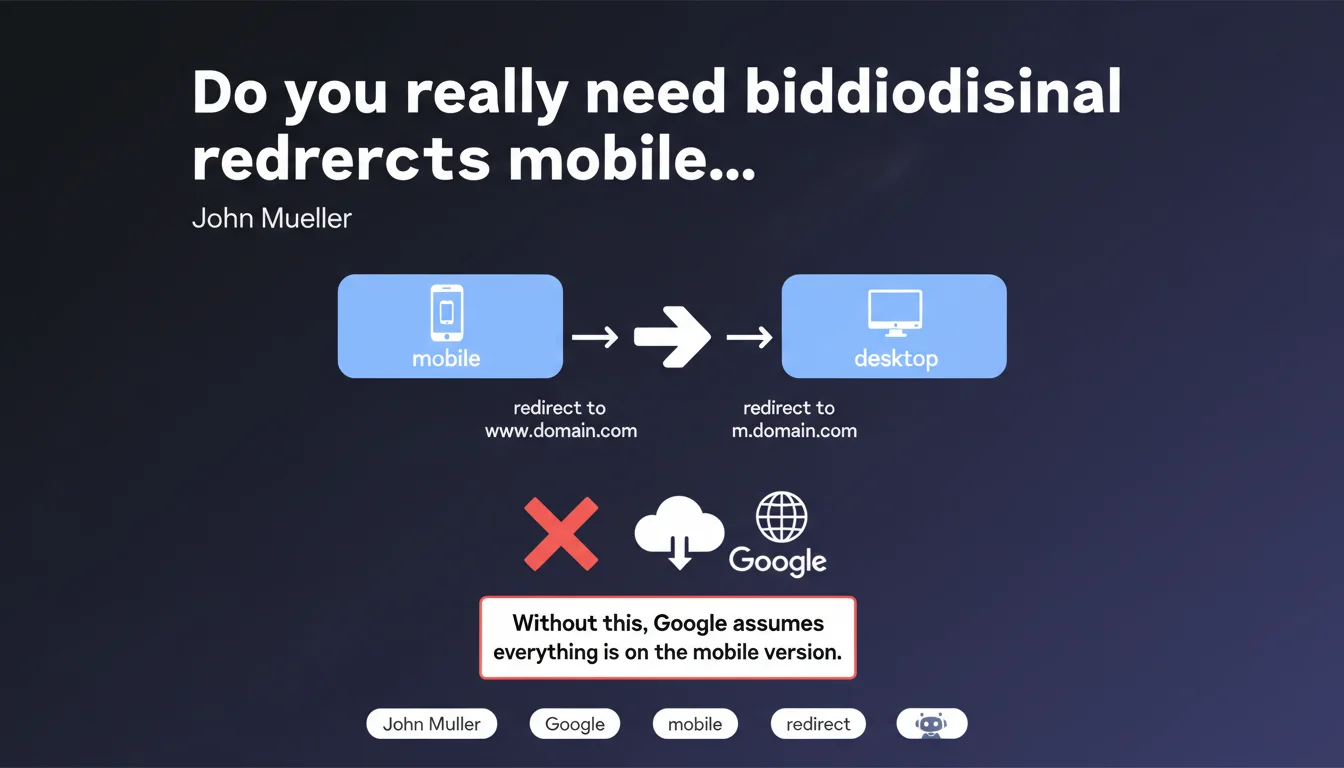
Google requires bidirectional redirects for sites with separate mobile and desktop versions. Without a redirect from desktop to m.domain.com AND from mobile to www.domain.com, Google defaults to assuming all content exists on the mobile version. Result: your desktop version risks disappearing from the index.
What you need to understand
Why does Google insist on bidirectional redirects?
Google's logic is based on signal consistency. If a desktop user accesses your mobile site without being redirected, Google interprets this as a deliberate choice to serve the mobile version to all user profiles. Conversely, a mobile user who lands on the desktop version without a redirect signals that this URL is the universal canonical version.
Without these bidirectional redirects, the search engine cannot reliably determine which version to prioritize. It therefore defaults to considering that the mobile version is authoritative — which aligns with Mobile-First indexing, but becomes problematic if your desktop version contains content missing from mobile.
What does this actually mean for indexing?
If Google assumes everything is on mobile while your desktop version offers enriched content, features, or pages absent from mobile, you create a blind spot in the index. Orphaned desktop pages will never be crawled or indexed as primary versions.
Worse: Google may treat your desktop URLs as poorly managed duplicates, dilute their authority, or simply ignore them. Bidirectional redirects allow the engine to clearly map each URL to its equivalent and properly apply canonicalization signals.
Which sites are affected by this requirement?
This directive applies exclusively to architectures with separate URLs for mobile and desktop (such as www.domain.com vs m.domain.com). If you're using responsive design or dynamic serving, you serve the same URLs — so no redirect needed.
Hybrid configurations — where some sections are responsive and others use separate URLs — must apply these redirects only to the affected portions. Complexity increases, and this is where many sites fail.
- Redirects must be fast (301) and consistent across the entire site.
- They apply URL by URL: m.domain.com/page-A must redirect to www.domain.com/page-A and vice versa.
- Without these redirects, Google systematically prioritizes the mobile version in its index.
- Sites using responsive or dynamic serving are not affected.
SEO Expert opinion
Is this statement consistent with what we observe in practice?
Yes, and it's one of the few points where Google is explicit. Sites that maintain separate mobile URLs without bidirectional redirects consistently experience desktop indexing problems. Search Console often displays alerts like "Page with redirect" or "Alternate URL with appropriate canonical tag," but without concrete action from Google on the desktop version.
What's less clear is the tolerance threshold. How long does Google wait before fully switching to mobile? Is it enough for just a few desktop pages to lack redirects to pollute the index? [To be verified] — Google provides no numerical metrics, and behavior varies by industry.
In what cases does this rule become a trap?
The classic trap: sites that have partially migrated to responsive while leaving old mobile URLs accessible. If these URLs remain accessible without redirects, Google may continue crawling them, creating a chaotic hybrid situation where some pages are indexed in duplicate or in degraded form.
Another problematic case: sites using mobile subdomains (m.domain.com) but forgetting to redirect desktop requests to www. Result: Google sees two distinct sites with no clear canonical link, and handles indexation unpredictably.
Are bidirectional redirects alone enough to guarantee clean indexation?
No. They are necessary, not sufficient. You must also properly manage rel="alternate" and rel="canonical" tags to explicitly signal to Google which version is which. Without these annotations, even with redirects in place, Google may hesitate or prioritize the wrong URL.
And let's be honest: in a Mobile-First world, maintaining two separate versions is expensive technical debt. Unless you have a compelling business reason (specific mobile app, radically different UX), switching to responsive simplifies everything.
Practical impact and recommendations
What do you need to do concretely to implement these redirects?
First step: map all your mobile and desktop URLs. Each page m.domain.com/X must have an equivalent www.domain.com/X. If not, you have a structural problem before even discussing redirects.
Next, set up 301 bidirectional redirects based on user-agent. A desktop user accessing m.domain.com should be redirected to www.domain.com, and vice versa for mobile. Caution: this user-agent detection must be reliable and kept up-to-date — Google crawls with both Googlebot Mobile and Desktop, and each bot must be redirected correctly.
- Verify that each mobile URL has an equivalent desktop URL (and vice versa).
- Implement 301 redirects based on user-agent in both directions.
- Test with Googlebot Mobile and Desktop via Search Console (URL Inspection Tool).
- Add rel="alternate" tags (desktop → mobile) and rel="canonical" tags (mobile → desktop).
- Monitor "Coverage" and "Crawl" reports in Search Console to detect inconsistencies.
- Document your configuration to prevent regressions during technical updates.
What mistakes must you absolutely avoid?
Mistake #1: redirecting all mobile URLs to the desktop homepage instead of doing URL-by-URL mapping. You lose granularity and Google indexes poorly.
Mistake #2: forgetting to test with both Google bots. If Googlebot Desktop accesses m.domain.com without being redirected, Google considers this intentional — and indexes that version as primary.
Mistake #3: believing that canonical tags alone are enough. They help, but without redirects, Google can still crawl and index both versions, creating duplicate content.
How do you verify everything is working correctly?
Use the URL inspection tool in Search Console's "Live test" mode with both user-agents. Verify that the redirect triggers correctly and that the final displayed page matches expectations.
Also check coverage reports: if you see mobile URLs indexed when you're targeting desktop indexation (or vice versa), this signals a redirect problem. Server logs can also reveal inconsistencies in bot behavior.
❓ Frequently Asked Questions
Dois-je implémenter ces redirections si mon site est en responsive design ?
Que se passe-t-il si je ne redirige que dans un sens (mobile vers desktop, mais pas l'inverse) ?
Les balises rel="alternate" et rel="canonical" peuvent-elles remplacer les redirections ?
Comment détecter si mes redirections fonctionnent correctement pour Googlebot ?
Est-il encore pertinent de maintenir des URLs mobiles séparées aujourd'hui ?
🎥 From the same video 11
Other SEO insights extracted from this same Google Search Central video · published on 17/11/2022
🎥 Watch the full video on YouTube →
💬 Comments (0)
Be the first to comment.