
Official statement
Other statements from this video 11 ▾
- □ 301 vs 302 : les redirections temporaires font-elles vraiment perdre du PageRank ?
- □ Pourquoi les redirections 307 et 308 sont-elles inutiles pour le SEO classique ?
- □ Faut-il vraiment abandonner les meta refresh pour vos redirections ?
- □ Les redirections JavaScript sont-elles réellement suivies par Google ?
- □ Faut-il vraiment rediriger chaque URL individuellement lors d'une migration de domaine ?
- □ Pourquoi les fusions et divisions de domaines provoquent-elles des fluctuations SEO prolongées ?
- □ Les redirections géographiques empêchent-elles vraiment l'indexation de vos contenus européens ?
- □ Faut-il abandonner les redirections géographiques pour préserver votre crawl budget ?
- □ Les interstitiels avec redirections bloquent-ils vraiment Googlebot ?
- □ Faut-il vraiment des redirections bidirectionnelles entre versions mobile et desktop pour éviter les problèmes d'indexation ?
- □ Pourquoi l'URL Inspection Tool affiche-t-il un code 200 même après redirection ?
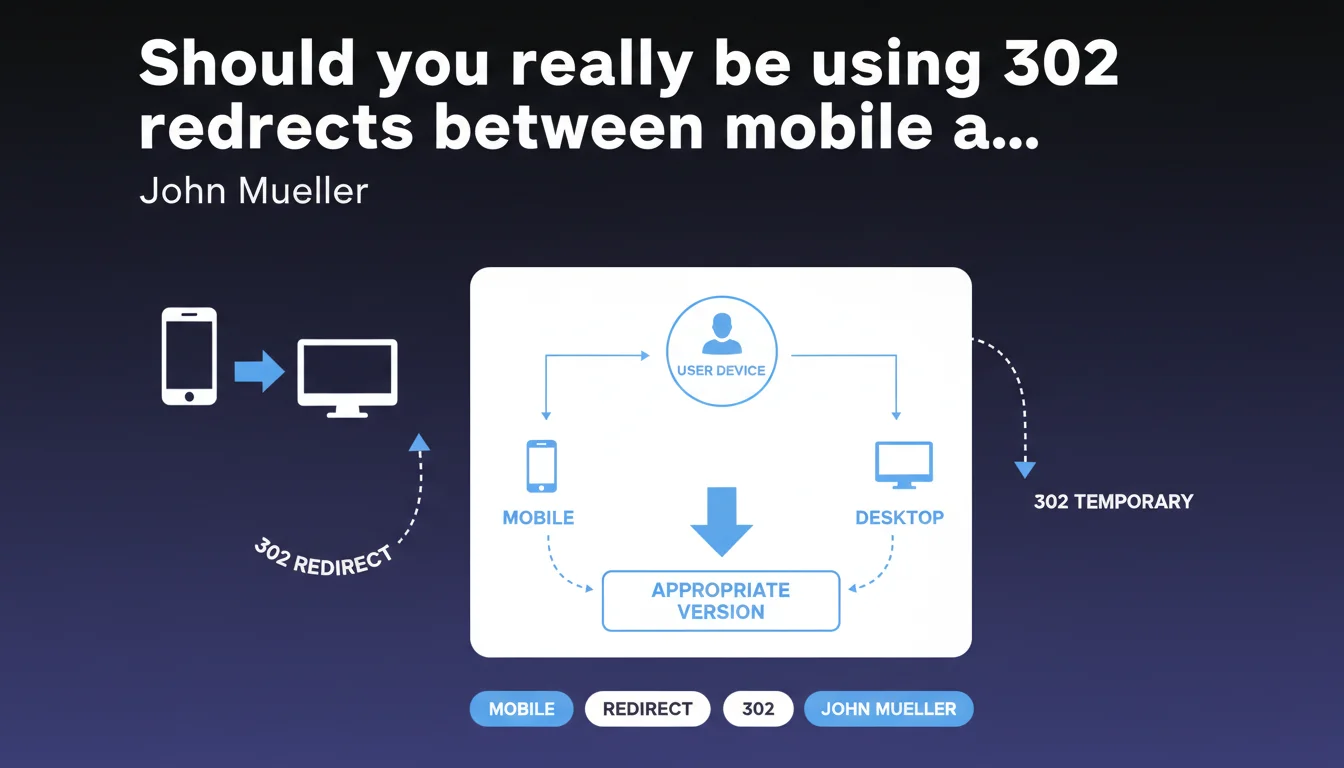
Google recommends using 302 redirects (temporary) rather than 301 for websites that redirect between mobile and desktop versions. The logic: the appropriate URL changes depending on the device used on each visit, which technically justifies a temporary status. An important nuance for separate mobile architectures still in production.
What you need to understand
Why does Google specifically recommend 302 in this context?
Google's logic is straightforward: a 302 redirect signals to the search engine that the redirect is contextual and temporary. When a mobile user visits example.com and is redirected to m.example.com, it's not a permanent relocation of content—it's an adaptation to the device.
If you use a 301, you're telling Google that the resource has permanently moved. But that's not the case: the desktop version still exists and is served to desktop users. The 302 therefore better reflects the reality of your architecture.
Does this recommendation still apply today?
Important context: this recommendation applies to sites with separate URLs for mobile and desktop (m.example.com vs www.example.com or example.com/mobile/ vs example.com/). This type of architecture has become rare since the rollout of the mobile-first index.
The majority of modern websites use responsive design or dynamic serving—two approaches that serve the same URL regardless of device. In these cases, the question of 302 vs 301 redirects doesn't even arise.
What concrete difference for crawling and indexing?
With 302 redirects, Googlebot preserves the source URL in its index and continues to crawl it regularly. Ranking signals (backlinks, authority) remain associated with the original URL.
With 301 redirects, Google would eventually consolidate signals toward the target URL and might reduce crawling of the source URL. Problem: if your redirect is conditional based on device, you risk creating confusion in the index.
- 302 redirects preserve the source URL in Google's index
- 301 redirects progressively transfer signals to the target
- For contextual redirects (device, language, geolocation), prioritize 302
- For permanent content relocation, always use 301
- Responsive design eliminates this dilemma entirely
SEO Expert opinion
Is this recommendation still consistent with real-world practices?
Let's be honest: this Mueller statement is technically correct but concerns an increasingly marginal scenario. Most sites I audit have migrated to responsive years ago.
Those still maintaining separate mobile/desktop URLs generally do so for historical reasons (legacy systems, refactoring costs). In those cases, yes, 302 remains the best practice—and I systematically verify the status code during technical audits.
What nuances should be added to this rule?
Mueller doesn't clarify one crucial point: what happens if you use 301 anyway? The answer depends on your implementation. If your redirects are bidirectional and properly configured (mobile to desktop for desktop Googlebot, desktop to mobile for smartphone Googlebot), Google will eventually understand the logic.
But you're creating unnecessary friction. I've observed cases where poorly configured 301 redirects between mobile/desktop versions caused indexing issues—with Google inconsistently favoring one or the other version. [To be verified]: Google claims to handle these cases, but field feedback shows it's not always smooth.
In what context does this recommendation lose relevance?
If you're permanently migrating from a separate mobile architecture to responsive design, absolutely don't use 302 redirects. There, you want standard 301 redirects that consolidate your URLs.
Another case: geolocation or multilingual redirects follow the same logic as mobile/desktop redirects. If you redirect example.com to example.fr based on IP, use 302 redirects (or better: hreflang tags without redirection).
Practical impact and recommendations
What should you check on your site right now?
First step: identify your mobile architecture. Are you serving different URLs based on device (m.example.com, example.com/mobile/) or are you using responsive/dynamic serving?
If you have separate URLs, check the HTTP status codes of your redirects. Use Chrome DevTools (Network tab) or a tool like Screaming Frog in mobile user-agent mode. You should see 302, not 301.
How to fix if you're using 301 instead of 302?
The fix depends on your server. On Apache, modify your .htaccess by replacing [R=301] flags with [R=302]. On Nginx, change "return 301" to "return 302". On WordPress with a redirection plugin, check the redirect type settings.
Always test after making changes: do a crawl with a mobile user-agent and a desktop user-agent to verify that redirects work both ways with the correct status code.
What's the best long-term strategy?
If you're still on a separate mobile architecture, seriously evaluate the cost/benefit of migrating to responsive design. Benefits: simplified technical setup, reduced maintenance, consistent user experience, and no more headaches with redirects.
If a redesign isn't feasible in the short term, at least ensure your rel="alternate" and rel="canonical" tags are correctly configured between mobile and desktop versions. This is just as crucial as redirect status codes.
- Audit your current mobile architecture (responsive, dynamic serving, separate URLs)
- If separate URLs: verify your redirects use 302
- Test with multiple user-agents (Googlebot smartphone, Googlebot desktop, real browsers)
- Check your rel="alternate" tags (desktop → mobile) and rel="canonical" tags (mobile → desktop)
- Monitor Search Console for any mobile/desktop indexing issues
- Consider migrating to responsive design if possible
❓ Frequently Asked Questions
Dois-je utiliser des 302 ou des 301 pour rediriger mon ancien site vers le nouveau ?
Si j'utilise déjà des 301 entre mobile et desktop, dois-je les changer immédiatement ?
Les 302 ne risquent-elles pas de diluer le PageRank comme on l'entendait avant ?
Cette règle s'applique-t-elle aussi aux redirections géolocalisées ?
Le responsive design règle-t-il définitivement ce problème ?
🎥 From the same video 11
Other SEO insights extracted from this same Google Search Central video · published on 17/11/2022
🎥 Watch the full video on YouTube →
💬 Comments (0)
Be the first to comment.