
Official statement
Other statements from this video 20 ▾
- □ Does Google really index iframe content as part of the parent page — or treats it as completely separate?
- □ Should you really prioritize a hierarchical structure for large websites?
- □ Is blocking crawl via robots.txt really the miracle solution against toxic links?
- □ Should you translate your URLs to boost international SEO rankings?
- □ Does Googlebot really ignore the meta prerender-status-code 404 tag in JavaScript applications?
- □ Why do site migrations fail so often even with careful SEO preparation?
- □ Are double slashes in URLs really hurting your SEO performance?
- □ Is your video being penalized by Google for appearing below the fold, and how can you fix it?
- □ Should you really worry about 404 errors on your website?
- □ Is returning HTTP 200 on a 404 page really cloaking or just a soft 404?
- □ Should you force your sitemap file indexation in Google?
- □ Should you worry when Googlebot crawls your API endpoints and generates 404 errors?
- □ Is web accessibility really a Google ranking factor or just a smoke screen?
- □ Does Google really penalize paid link purchases, or is it just a myth?
- □ Should you still report bad backlinks to Google in 2024?
- □ Why does blocking crawl via robots.txt prevent Google from seeing your noindex directive?
- □ Is Google really rejecting the idea of a magic formula to rank higher?
- □ Why is Google displaying your special characters as gibberish in search results?
- □ Why are the data discrepancies between Google Analytics and Search Console causing so much confusion for SEO professionals?
- □ Should you really be chasing perfect SEO?
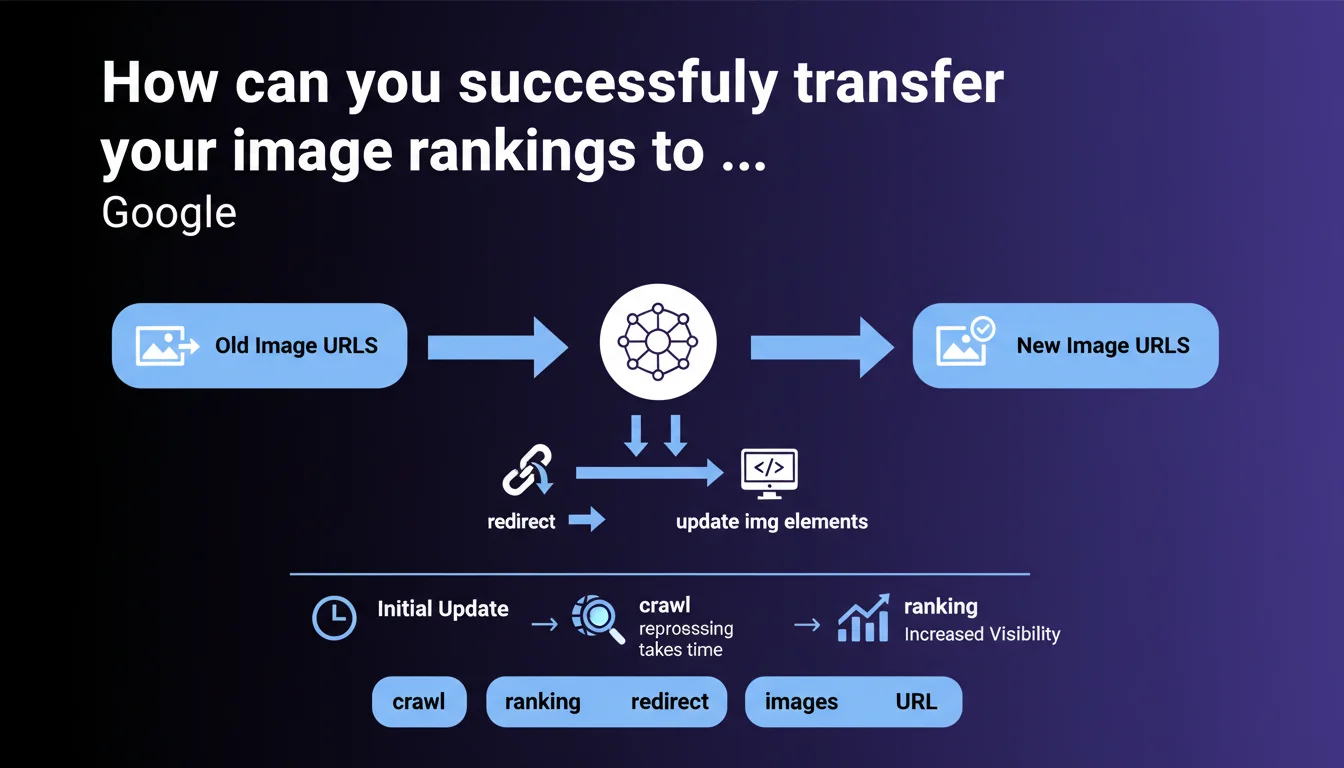
Google confirms that transferring image rankings requires two simultaneous actions: updating <img> tags to new URLs AND implementing 301 redirects from old URLs. The process takes time because images are crawled less frequently than HTML pages. A simple URL change without redirects means starting from scratch.
What you need to understand
Why does Google insist on both redirects AND img tag updates?
The statement appears obvious, but it reveals a recurring problem in disguise: many webmasters update their <img src=""> tags without redirecting the old image URLs. Result: Google discovers new URLs without knowing they replace the old ones.
Redirects allow Google to transfer ranking signals accumulated by the old URL (backlinks, popularity, click history). Without this redirect, the new URL starts from zero, even if the visual content is identical.
What does Google mean by "reprocessing across all systems"?
Google distinguishes several layers in its architecture: crawl, indexation, content analysis, ranking calculation. For images, this pipeline is significantly slower than for HTML pages.
Image crawling often occurs during secondary passes, not during the main page crawl. Once the image is recrawled, it must be reprocessed by Google Vision, redirect signals propagated, and ranking recalculated. This process can take several weeks or even months depending on your site's crawl frequency.
Does this directive apply to all types of migrations?
Google remains deliberately vague about the scope. Domain change? HTTP to HTTPS migration? Complete redesign with new site structure? CDN to primary hosting? The phrase "image URL changes" encompasses all these scenarios.
This ambiguity is problematic because the stakes differ. A CDN change while maintaining relative paths poses fewer risks than a complete redesign with new file naming.
- Dual action required: update <img> tags + implement 301 redirects for old URLs
- Significant delay: ranking transfer takes time due to infrequent image crawling
- No shortcuts: without redirects, rankings don't transfer automatically
- Transferred signals: backlinks to images, popularity, click history in Google Images
SEO Expert opinion
Does this recommendation contradict real-world observations?
No, it confirms them. Image migration tests consistently show Image Search traffic loss when redirects aren't implemented. The problem is that Google never quantifies the reprocessing delay.
On high-authority sites crawled daily, some images regain their rankings in 2-3 weeks. On less prioritized sites, I've observed delays of 3-4 months. Google says "it will take time" — but how long? This lack of temporal reference complicates client management.
What nuances does Google deliberately omit?
First point: the directive doesn't mention crawl budget dedicated to images. If your site hosts 50,000 images and you migrate them all, Googlebot must recrawl everything. On a site with tight crawl budget, this could take months.
Second point: Google doesn't specify whether chained redirects (301 → 301 → 301) degrade ranking transfer for images. For HTML pages, this is documented — for images, radio silence. [To verify] on real cases, but best to avoid as a precaution.
Third point: no mention of lazy-loaded or JavaScript-rendered images. If the <img> tag doesn't exist during initial crawl, how does Google detect the new URL? The directive assumes classic static HTML.
In what cases is this rule insufficient?
When images are massively linked from third-party sites. If 500 blogs point to old-domain.com/photo.jpg, setting up a server-side redirect isn't enough — these sites will continue displaying the old URL in their HTML.
Ranking transfer will work on Google's side (the redirect is followed), but user experience will be degraded by these extra requests. In this case, a campaign to update external backlinks may be necessary.
Practical impact and recommendations
What should you do concretely during an image migration?
First, map your strategic images. Not all generate traffic — focus on those appearing in Google Images and driving visits. Google Search Console, Performance section, "Images" filter gives you this list.
Next, set up 301 redirects at server level (Apache .htaccess, Nginx config, or equivalent). JavaScript redirects or meta refresh won't work for images — Googlebot Image won't interpret them.
Finally, update all <img src=""> tags to point directly to new URLs. Don't rely solely on redirects to "hide" the change — Google needs to see the new URL in HTML to crawl it with priority.
What critical mistakes must you absolutely avoid?
Don't delete old image URLs until transfer is complete. Some webmasters set up redirects, wait 1 week, then delete old URLs — fatal error. Reprocessing takes minimum several weeks.
Don't forget images referenced in XML image sitemaps. If your sitemap still points to old URLs 3 months after migration, you're sending contradictory signals to Google.
Avoid temporary 302 redirects. Google interprets them as provisional changes and doesn't transfer ranking signals. Only 301 (permanent redirect) triggers transfer.
How do you monitor transfer progress?
Google Search Console remains your best ally. In Coverage → Images, verify that new URLs progressively appear as indexed, and old ones shift to "Redirected" status.
In Analytics, monitor traffic from Google Images (source/medium = google/organic + landing pages containing your images). A sudden drop signals implementation issues with redirects.
Server logs let you track Googlebot-Image activity specifically. If you see it massively recrawling old URLs without following redirects, that's an alarm signal.
- Identify strategic images driving traffic via GSC
- Set up permanent 301 redirects at server level
- Update all <img src=""> tags to new URLs
- Refresh XML image sitemaps with new URLs
- Keep old URLs active for at least 6 months
- Monitor GSC Images section to track new URL indexation
- Analyze logs to verify Googlebot-Image behavior
- Plan for 2-6 month transfer window depending on crawl budget
❓ Frequently Asked Questions
Combien de temps faut-il pour que le classement des images soit entièrement transféré ?
Faut-il rediriger les images même si elles ne génèrent pas de trafic direct ?
Les redirections d'images consomment-elles du crawl budget ?
Que se passe-t-il si j'utilise un CDN avec des URLs différentes pour mes images ?
Les images en lazy-loading sont-elles concernées par ces recommandations ?
🎥 From the same video 20
Other SEO insights extracted from this same Google Search Central video · published on 18/12/2023
🎥 Watch the full video on YouTube →
💬 Comments (0)
Be the first to comment.