
Official statement
Other statements from this video 12 ▾
- □ Should you really be concerned about crawl budget for your website?
- □ What's Google's real definition of crawl budget—and which levers can actually move the needle?
- □ Is crawl budget a concept invented by Google or by SEO professionals?
- □ Does Google really index only a fraction of the web because of storage costs?
- □ Are POST requests really eating up your crawl budget?
- □ Does a new section inherit its crawl budget from your main site's quality?
- □ Are HTTP 503 and 429 status codes really killing your crawl budget?
- □ Can you really manage your crawl budget from Google Search Console?
- □ What does your "discovered but not crawled" URL status really reveal about your site?
- □ Are you wasting your crawl budget on JavaScript files that add no value?
- □ Are 404s and robots.txt Really Wasting Your Crawl Budget?
- □ Should you block your decorative JavaScript files to optimize your crawl budget?
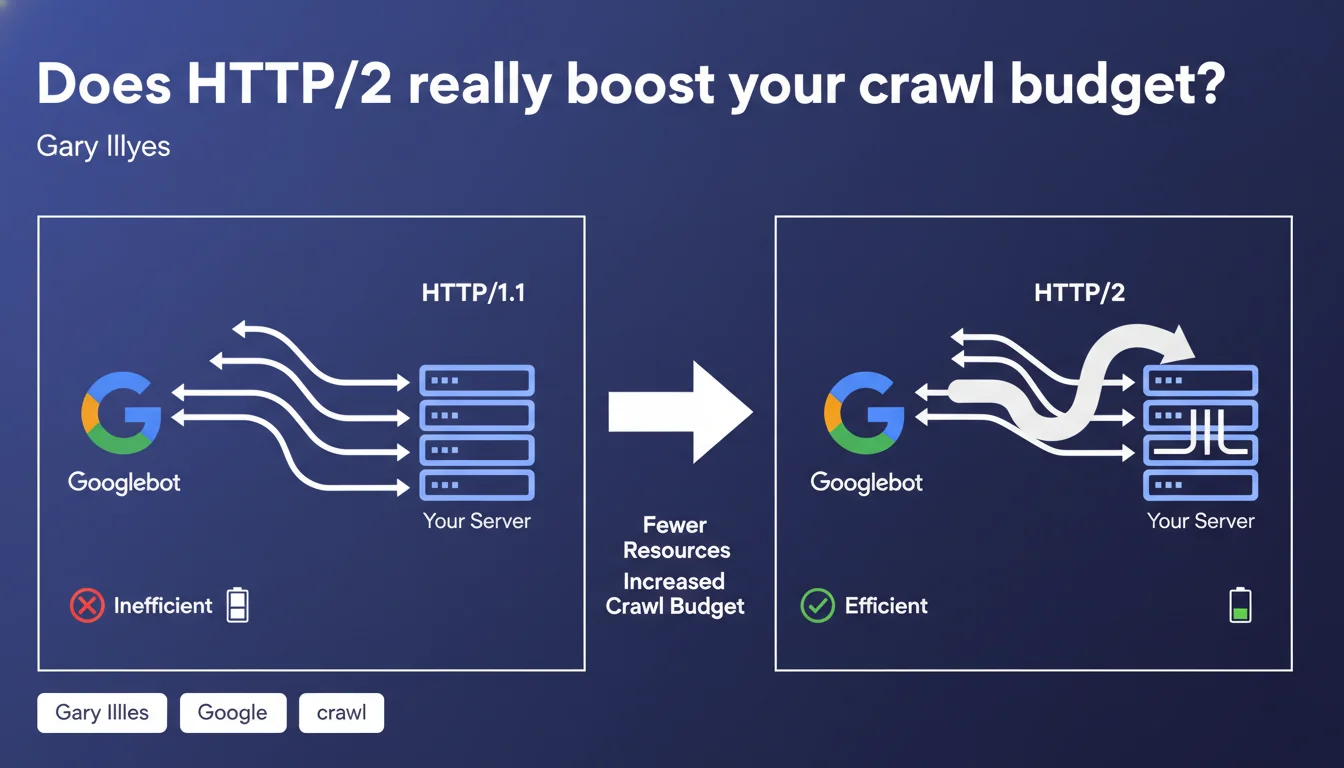
Gary Illyes confirms that HTTP/2 optimizes crawl budget by allowing Googlebot to use a single connection to stream multiple simultaneous requests instead of opening multiple parallel connections. This approach reduces server load and improves crawl efficiency. For high-volume sites with thousands of pages, this optimization can make the difference between complete and partial crawling.
What you need to understand
Why does Googlebot prefer HTTP/2 over HTTP/1.1?
The fundamental difference lies in request multiplexing. With HTTP/1.1, Googlebot opens multiple simultaneous TCP connections to crawl multiple URLs in parallel, which creates significant server load: repeated handshakes, multiple socket management, connection overhead.
HTTP/2 changes the game by enabling streaming of multiple requests over a single connection. In practice, Googlebot establishes one TCP connection, then sends dozens of requests in parallel over that same channel. The server responds in a continuous stream without managing the opening and closing of multiple connections.
What does this mean for crawl budget in practice?
Crawl budget is the amount of resources Google allocates to crawling your site. This allocation depends on two main factors: site popularity and the server's ability to respond quickly without saturation.
With HTTP/2, your server consumes fewer resources to serve the same number of pages. Result: Googlebot can crawl more pages in the same timeframe, or crawl the same number of pages while using fewer resources. For sites with thousands of pages, this efficiency translates into more frequent and complete crawling.
Do all sites benefit equally?
No. The impact is proportional to page volume and crawl frequency. A 50-page site won't notice any significant difference. However, an e-commerce site with 100,000 product pages or a news site publishing 200 articles daily will gain significantly in indexing responsiveness.
Servers already under stress during crawl peaks will also get immediate relief. If your logs show 503 errors or timeouts during intense Googlebot visits, HTTP/2 can resolve part of the problem.
- HTTP/2 reduces the number of simultaneous connections opened by Googlebot, easing server load
- Multiplexing allows streaming multiple requests over a single TCP connection
- The impact is maximum on high-volume sites and those publishing frequently
- Small sites (fewer than 1,000 pages) will likely see no noticeable change
- HTTP/2 requires HTTPS — you cannot enable it on unsecured HTTP
SEO Expert opinion
Is this statement consistent with real-world observations?
Yes, and server logs have confirmed this for several years. As early as 2016-2017, when Googlebot started supporting HTTP/2, sites that activated the protocol noticed a drop in simultaneous connections in their Apache or Nginx logs, accompanied by a slight increase in daily crawled pages.
Servers struggling to absorb crawl spikes saw their CPU load and response times improve. But beware: HTTP/2 is not a magic bullet. If your server is misconfigured or undersized, the underlying problem persists. The protocol optimizes communication; it doesn't compensate for failing infrastructure.
What nuances should we add to this claim?
Gary Illyes speaks of a "significant" improvement, but provides no figures. [To verify]: the actual improvement scale varies enormously depending on server configuration, the CDN used, and network latency. Some sites report 20-30% gains in crawled volume, others see nothing.
Another critical point: HTTP/2 requires HTTPS to be mandatory. If you're still on pure HTTP, you must migrate to HTTPS first before even considering HTTP/2. This migration itself can cause issues (redirects, mixed content, poorly optimized SSL/TLS performance). HTTP/2 is therefore not a quick win for everyone.
Finally, not all CDNs and server configurations handle HTTP/2 optimally. Poorly configured Nginx, a CDN that disables certain HTTP/2 features by default, or a badly implemented SSL certificate can eliminate expected benefits.
In what cases does this optimization do nothing?
If your site has fewer than 1,000 pages and publishes little new content, Googlebot already crawls it completely without difficulty. HTTP/2 will add nothing. Same if your bottleneck isn't HTTP protocol but dynamic page generation: a slow database, poorly optimized SQL queries, misconfigured CMS.
Similarly, if your indexing problem stems from duplicate content, misplaced noindex tags, or overly deep silo architecture, HTTP/2 won't help. Crawling may be more efficient, but problematic pages will remain problematic.
Practical impact and recommendations
How do I verify that HTTP/2 is enabled on my site?
Open Chrome DevTools, Network tab, reload your page, and check the "Protocol" column. If you see "h2", HTTP/2 is active. If you see "http/1.1", it's not. You can also use online tools like KeyCDN HTTP/2 Test or tools.keycdn.com/http2-test.
On the server side, check your access logs. Googlebot now identifies HTTP/2 requests in its User-Agent or via specific headers depending on your configuration. If you see a drop in simultaneous connections and an increase in requests per connection, then HTTP/2 is working correctly.
What mistakes should you avoid when migrating to HTTP/2?
The first mistake is thinking that simply enabling HTTP/2 is enough. If your SSL certificate is misconfigured (obsolete protocols, weak cipher suites), performance can degrade. Verify your SSL configuration with SSL Labs and aim for at least an A grade.
Second trap: not testing server load before and after. HTTP/2 reduces connections, but each connection carries more requests. If your server isn't dimensioned to handle this flow, you risk timeouts or 503 errors during crawl spikes.
Third mistake: forgetting to check compatibility with your CDN. Some CDNs enable HTTP/2 by default, others require manual configuration. Cloudflare, Fastly, and AWS CloudFront support HTTP/2, but with nuances in implementation. Check your provider's documentation.
What concrete steps should you take to maximize benefits?
- Migrate to HTTPS if not already done — HTTP/2 only works with HTTPS
- Enable HTTP/2 on your server (Nginx, Apache, LiteSpeed) or through your CDN
- Verify SSL/TLS configuration with SSL Labs and fix detected weaknesses
- Monitor server logs and Search Console for 2-3 weeks to measure crawl impact
- Optimize server response times (TTFB) — HTTP/2 doesn't compensate for slow backends
- Disable old HTTP/1.1 optimizations that are now counterproductive (domain sharding, excessive CSS sprites)
- Load-test your server under real conditions to avoid surprises during crawl peaks
❓ Frequently Asked Questions
HTTP/2 est-il obligatoire pour un bon référencement ?
Peut-on activer HTTP/2 sans HTTPS ?
Quels sont les risques d'activer HTTP/2 ?
HTTP/2 améliore-t-il aussi la vitesse de chargement pour les utilisateurs ?
Faut-il désactiver les optimisations HTTP/1.1 après avoir migré vers HTTP/2 ?
🎥 From the same video 12
Other SEO insights extracted from this same Google Search Central video · published on 25/08/2022
🎥 Watch the full video on YouTube →
💬 Comments (0)
Be the first to comment.