
Official statement
Other statements from this video 12 ▾
- □ Faut-il vraiment se préoccuper du crawl budget pour votre site ?
- □ Comment Google définit-il réellement le crawl budget et quels leviers peut-on actionner ?
- □ Le crawl budget est-il un concept inventé par Google ou par les SEO ?
- □ Google n'indexe-t-il vraiment qu'une fraction du web à cause de ses coûts de stockage ?
- □ Le crawl budget d'une nouvelle section est-il hérité de la qualité du site principal ?
- □ Les codes 503 et 429 peuvent-ils vraiment réduire votre crawl budget ?
- □ Peut-on vraiment piloter son crawl budget depuis Google Search Console ?
- □ HTTP/2 améliore-t-il vraiment votre crawl budget ?
- □ Pourquoi vos URLs 'découvertes mais non crawlées' révèlent-elles un problème de fond ?
- □ Faut-il bloquer l'indexation de vos fichiers JavaScript pour optimiser le crawl budget ?
- □ Les 404 et robots.txt gaspillent-ils vraiment votre crawl budget ?
- □ Faut-il bloquer vos fichiers JavaScript décoratifs pour optimiser votre crawl budget ?
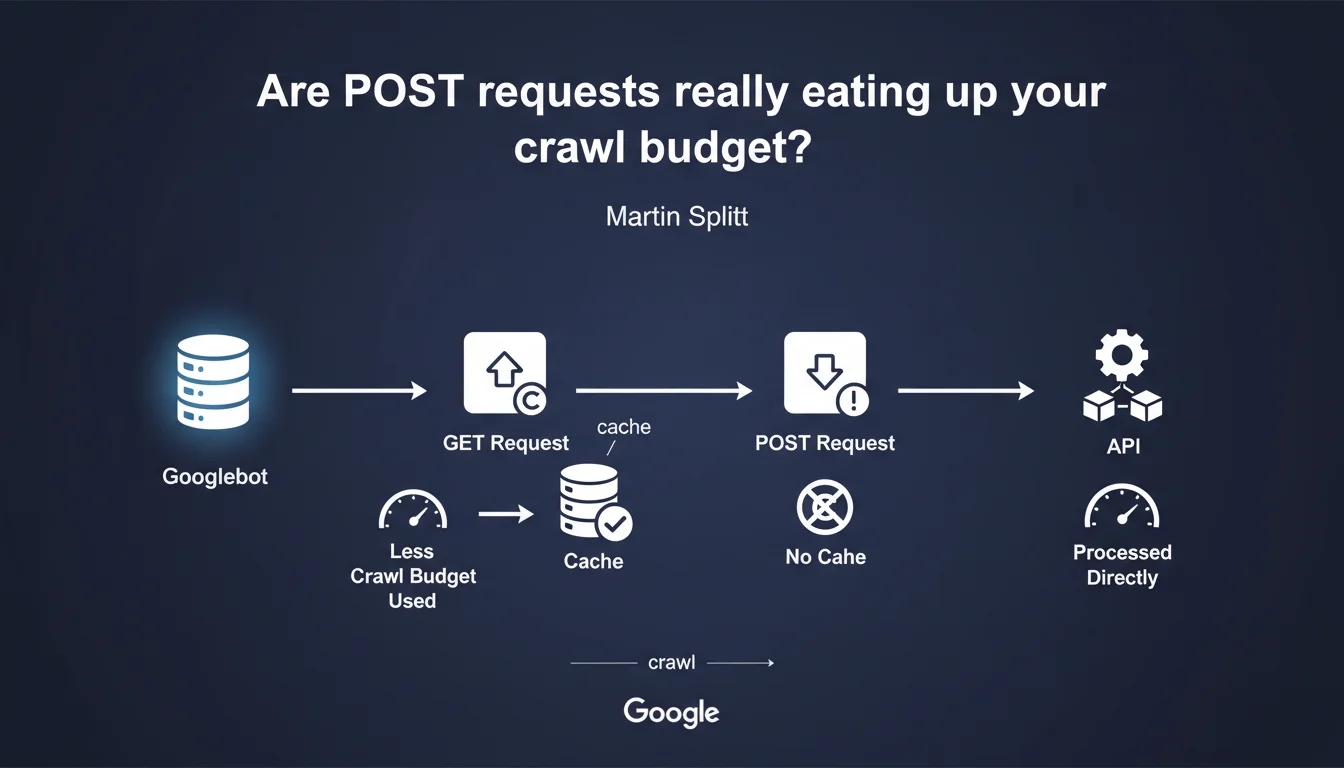
Google cannot cache POST requests, unlike GET requests. As a result: each crawl re-fetches these resources entirely, which eats into your crawl budget. If your pages rely on POST APIs to display content, you pay the price every time the bot visits.
What you need to understand
Why doesn't Google cache POST requests?
The difference between GET and POST is not just a technical convention — it carries a semantic intention. GET requests are meant to be idempotent: same URL, same result, every time. Google can safely store the response in cache and serve it again on the next crawl.
POST requests, on the other hand, are designed to modify a state or transmit variable data. Googlebot cannot assume that two identical calls will return the same content — hence the impossibility of caching anything.
How does this impact crawl budget?
Each POST request must be executed in full with every crawl. No shortcuts, no 304 Not Modified, no reuse of a previous response. If your page loads 10 POST endpoints to assemble its DOM, the bot must query all of them on every visit.
Crawl budget is a limited envelope of requests that Google agrees to perform on your site within a given time frame. The more resources you consume per page, the less is left to explore other URLs — or to recrawl your important pages more frequently.
Which architectures are particularly at risk?
Single Page Applications (SPAs) that assemble their content via API calls are the first targets. If these calls go through POST — often by habit or bad practice —, the bot experiences the full latency on every visit.
Headless or JAMstack sites that rely on external APIs to hydrate pages on the client side face the same risk. Crawling becomes expensive, slow, and Google may decide to return less often.
- GET = cacheable: Google reuses previous responses if nothing has changed
- POST = always fresh: each request is executed in full, even if the content is identical
- A site with many POST calls consumes more crawl budget per page
- Modern JS architectures (SPA, headless) are particularly exposed if misconfigured
SEO Expert opinion
Is this statement consistent with what we observe in the field?
Yes — and it's even documented for years in the HTTP specs. It's not a Google quirk, it's an intrinsic property of the protocol. POST requests are not idempotent, so they are not cacheable by default (unless explicitly allowed by specific headers, which remains rare).
On the crawl budget side, field observations confirm: sites that abuse POST requests to load content see their crawl frequency stagnate, especially if API latency is high. Google cannot afford to wait 500 ms per POST endpoint across millions of pages.
What nuance should be added to this statement?
Martin Splitt doesn't specify how critical this overconsumption is. Is it 10% extra crawl budget? 50%? It depends on the number of POST calls, their latency, the size of responses. [To verify]: Google has never published a detailed benchmark on this topic.
Second nuance: not all POST requests are equal. A POST that consistently returns the same JSON can technically be cached server-side with a well-configured CDN. Googlebot will then see an instant response, even if the initial request is a POST. But you have to set that up yourself — Google won't do it for you.
In which cases does this rule not pose a problem?
If your POST pages only serve non-indexable user actions (contact forms, cart, checkout), no SEO impact. Google doesn't crawl these interactions — or shouldn't, if you've properly marked them noindex.
Another case: sites with excess crawl budget. A 50-page blog can afford a few misplaced POST requests without it changing anything. The problem really arises on large e-commerce catalogs or content portals with tens of thousands of URLs.
Practical impact and recommendations
What should you audit first on your site?
Start by identifying all API calls that participate in rendering indexable content. Chrome DevTools, Network tab, filter by "Fetch/XHR" and track the POST requests. If an endpoint serves critical SEO content (titles, descriptions, prices, reviews), it should switch to GET.
Next, check the latency of these requests. A POST that responds in 50 ms is less of a concern than a GET that takes 2 seconds. But at equal latency, GET always wins — so you might as well switch everything that can be switched.
How do you convert a POST to a GET without breaking everything?
Most of the time, it's a matter of convention. If your POST only retrieves data without modifying state server-side, it can become a GET. Pass parameters in the URL or query string rather than in the body.
If you need to transmit a lot of data (for example, complex filters), consider a hash system: store the request server-side, return an identifier, and call that identifier via GET. Google will then be able to cache the response.
What mistakes should you absolutely avoid?
Don't switch all your POST requests to GET without thinking. Actions that modify data (adding to cart, form submission, voting) must remain POST for security and HTTP semantics reasons.
Another trap: converting a POST to a GET without adjusting cache headers server-side. If your API returns Cache-Control: no-cache, Google won't cache anything even with a GET. Properly configure your ETag and Last-Modified.
- Audit all API calls that serve indexable content
- Identify which ones are POST when they could be GET
- Measure the latency of each endpoint to prioritize optimizations
- Switch to GET requests that are read-only (idempotent)
- Configure cache headers server-side (
Cache-Control,ETag) - Verify that Googlebot can properly execute your APIs (no CORS or firewall blocking)
- Monitor crawl budget evolution in Search Console after making changes
❓ Frequently Asked Questions
Un site avec quelques requêtes POST est-il pénalisé par Google ?
Peut-on forcer Google à cacher une réponse POST ?
Les frameworks JS modernes utilisent-ils POST par défaut ?
Comment savoir si mes POST posent problème ?
Un CDN peut-il compenser l'absence de cache Google sur les POST ?
🎥 From the same video 12
Other SEO insights extracted from this same Google Search Central video · published on 25/08/2022
🎥 Watch the full video on YouTube →
💬 Comments (0)
Be the first to comment.