
Official statement
Other statements from this video 12 ▾
- □ Faut-il vraiment se préoccuper du crawl budget pour votre site ?
- □ Comment Google définit-il réellement le crawl budget et quels leviers peut-on actionner ?
- □ Le crawl budget est-il un concept inventé par Google ou par les SEO ?
- □ Google n'indexe-t-il vraiment qu'une fraction du web à cause de ses coûts de stockage ?
- □ Les requêtes POST plombent-elles vraiment votre crawl budget ?
- □ Le crawl budget d'une nouvelle section est-il hérité de la qualité du site principal ?
- □ Peut-on vraiment piloter son crawl budget depuis Google Search Console ?
- □ HTTP/2 améliore-t-il vraiment votre crawl budget ?
- □ Pourquoi vos URLs 'découvertes mais non crawlées' révèlent-elles un problème de fond ?
- □ Faut-il bloquer l'indexation de vos fichiers JavaScript pour optimiser le crawl budget ?
- □ Les 404 et robots.txt gaspillent-ils vraiment votre crawl budget ?
- □ Faut-il bloquer vos fichiers JavaScript décoratifs pour optimiser votre crawl budget ?
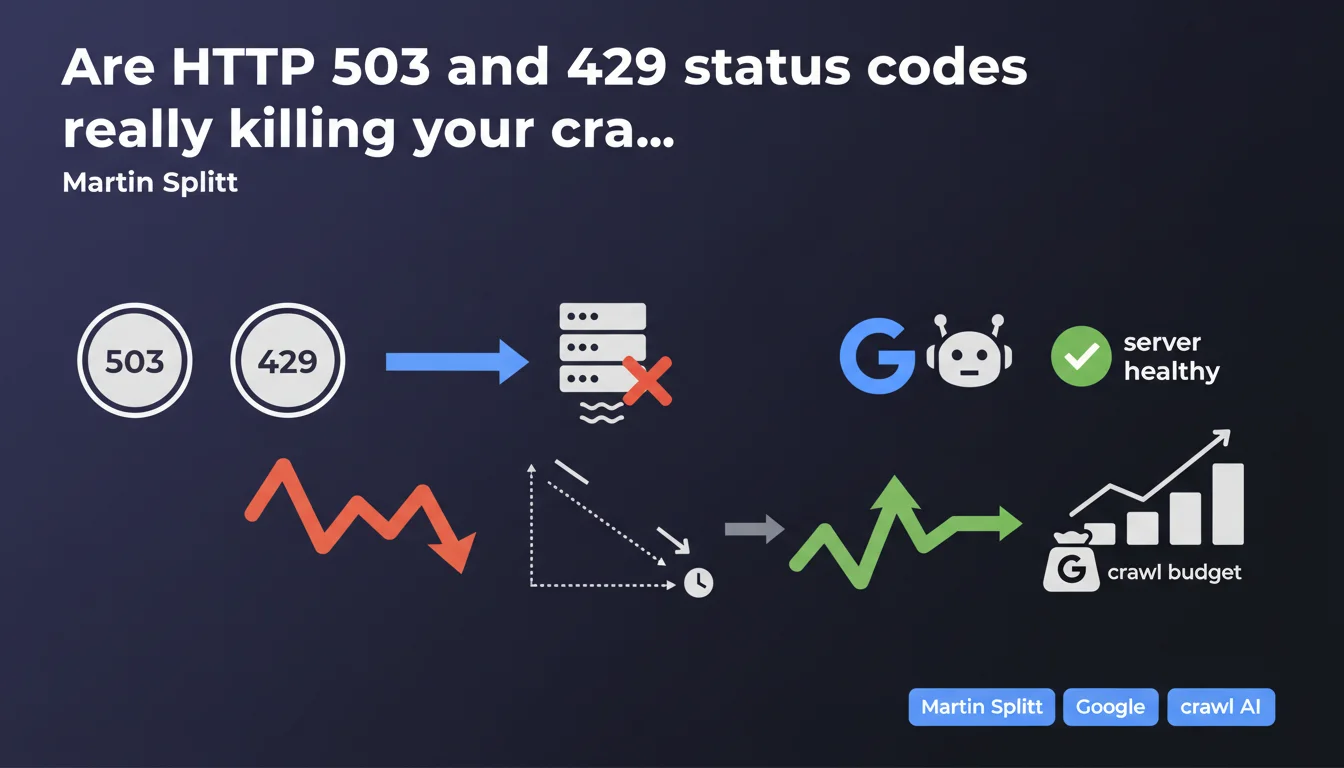
HTTP status codes 503 and 429, along with slow response times, signal to Googlebot that your server is overloaded. Direct consequence: the bot slows down its crawl and reduces the budget allocated to your site. Good news: the effect is not permanent and disappears as soon as the server returns to normal performance.
What you need to understand
What happens when Googlebot encounters a 503 or 429 code?
Googlebot interprets these codes as a server distress signal. 503 (Service Unavailable) signals temporary unavailability, while 429 (Too Many Requests) explicitly indicates a request rate limit exceeded.
In both cases, the bot applies simple logic: slow down to avoid making the situation worse. The crawl budget reduction that follows is not a punishment — it's a protective measure, both for your infrastructure and for Google's resources.
Why do slow response times have the same effect?
A server that takes time to respond sends a similar signal. If your pages take 2, 3, or 5 seconds to load on the server side, Googlebot infers that you're at the limit of your capacity.
The bot then adjusts its pace to avoid completely saturating your infrastructure. Fewer requests per second = fewer pages crawled in the allotted time = effectively reduced crawl budget.
Is this crawl budget reduction permanent?
No. Martin Splitt is clear: the situation improves when the server becomes healthy again. Googlebot regularly tests your availability and gradually increases its pace if everything goes well.
Concretely, if you fix the problem (server capacity increase, application optimization, bug fix), you should see a return to normal within a few days — sometimes a few weeks for large sites.
- 503 and 429 signal to Googlebot a server in difficulty
- The robot automatically slows down its crawl to protect your infrastructure
- Slow response times produce the same crawl reduction effect
- The crawl budget drop is not permanent and reverses when the server stabilizes
- Googlebot regularly re-evaluates your server's capacity to handle the load
SEO Expert opinion
Is this statement consistent with real-world observations?
Absolutely. For years we've observed that sites returning massive 503s — following a botched migration, unexpected traffic spike, or hosting problem — see their crawl frequency drop drastically.
What's interesting is that Google officially acknowledges it here. No corporate speak: if your server can't keep up, Googlebot eases off. Period.
What nuances should we add to this claim?
First point: not all 503s are created equal. A one-off 503 on a handful of URLs for 30 minutes doesn't trigger the same reaction as a global 503 lasting 3 days. Duration, frequency, and scope all matter.
Second nuance: Martin talks about "slow response times," but doesn't specify a threshold. [To verify]: we don't know if Google considers a 500ms server response time problematic, or if you need to reach 2-3 seconds to trigger a reaction. Some internal tests suggest the threshold sits around 1-1.5 seconds, but Google provides no official data on this.
Third point: the return to normal isn't instant. We often observe a lag in reaction — Googlebot waits to make sure the problem is truly resolved before gradually ramping up the crawl. On medium-sized sites, expect one to two weeks to get back to pre-incident pace.
In which cases does this rule not apply strictly?
Very high-authority sites — think Wikipedia, Amazon, major news sites — receive different treatment. Their crawl budget is so high that even a temporary reduction doesn't really penalize their indexation.
Conversely, a small site already receiving only 20 Googlebot visits per day and hit with a wave of 503s can see its crawl drop to 5 visits — and that's directly visible in your logs and indexation delays.
Practical impact and recommendations
What should you do concretely to avoid these crawl penalties?
First priority: monitor server health. If you're not already tracking your TTFB (Time To First Byte) and HTTP status codes, start now. Google Search Console alerts you to server errors, but it often arrives too late — after the problem has already impacted crawl.
Second action: analyze your server logs to identify patterns. If Googlebot is slowing down, you need to know why. A 503 spike at 3am during automatic maintenance? Response time exploding when certain heavy pages are crawled? These insights are in your logs.
Third lever: optimize server-side resources. Application caching, CDN for assets, database query optimization, implementing a reverse proxy — anything that reduces load and speeds up TTFB works in your favor.
What mistakes should you absolutely avoid?
Classic mistake: returning a global 503 during migration or maintenance without disabling crawl via robots.txt or the Search Console tool. Result: Googlebot hits a wall of 503s, interprets it as a capacity problem, and reduces crawl for days or weeks afterward.
Another trap: using 429 to "conserve crawl budget". Some SEOs think they can finely control Googlebot's pace by returning 429s on certain sections. It doesn't work as intended — you mainly risk signaling a performance problem and reducing your site's overall crawl.
Finally, don't underestimate the impact of response times. A TTFB oscillating between 800ms and 1.2 seconds might not trigger an immediate alert, but it mechanically limits how many pages Googlebot can crawl in the time allocated to your site.
How can I verify my site is compliant and responsive?
- Set up real-time monitoring of TTFB and HTTP status codes
- Analyze server logs to spot slowdowns or spikes in server errors
- Check Search Console regularly to detect crawl errors
- Test load capacity: can your server handle it if Googlebot doubles its pace?
- Optimize application cache to reduce load on critical resources
- Configure rate limits properly if you use them, and exclude Googlebot if necessary
- For planned maintenance, communicate via Search Console or temporarily disable crawl
❓ Frequently Asked Questions
Combien de temps faut-il pour que le crawl budget remonte après un incident serveur ?
Un code 503 ponctuel sur une seule page réduit-il le crawl de tout le site ?
Quelle est la différence entre un 503 et un 429 du point de vue de Googlebot ?
Peut-on utiliser un 429 pour contrôler le rythme de crawl de Googlebot ?
À partir de quel temps de réponse serveur Googlebot commence-t-il à ralentir ?
🎥 From the same video 12
Other SEO insights extracted from this same Google Search Central video · published on 25/08/2022
🎥 Watch the full video on YouTube →
💬 Comments (0)
Be the first to comment.