
Official statement
Other statements from this video 12 ▾
- □ Faut-il vraiment se préoccuper du crawl budget pour votre site ?
- □ Comment Google définit-il réellement le crawl budget et quels leviers peut-on actionner ?
- □ Le crawl budget est-il un concept inventé par Google ou par les SEO ?
- □ Google n'indexe-t-il vraiment qu'une fraction du web à cause de ses coûts de stockage ?
- □ Les requêtes POST plombent-elles vraiment votre crawl budget ?
- □ Le crawl budget d'une nouvelle section est-il hérité de la qualité du site principal ?
- □ Les codes 503 et 429 peuvent-ils vraiment réduire votre crawl budget ?
- □ Peut-on vraiment piloter son crawl budget depuis Google Search Console ?
- □ HTTP/2 améliore-t-il vraiment votre crawl budget ?
- □ Pourquoi vos URLs 'découvertes mais non crawlées' révèlent-elles un problème de fond ?
- □ Faut-il bloquer l'indexation de vos fichiers JavaScript pour optimiser le crawl budget ?
- □ Faut-il bloquer vos fichiers JavaScript décoratifs pour optimiser votre crawl budget ?
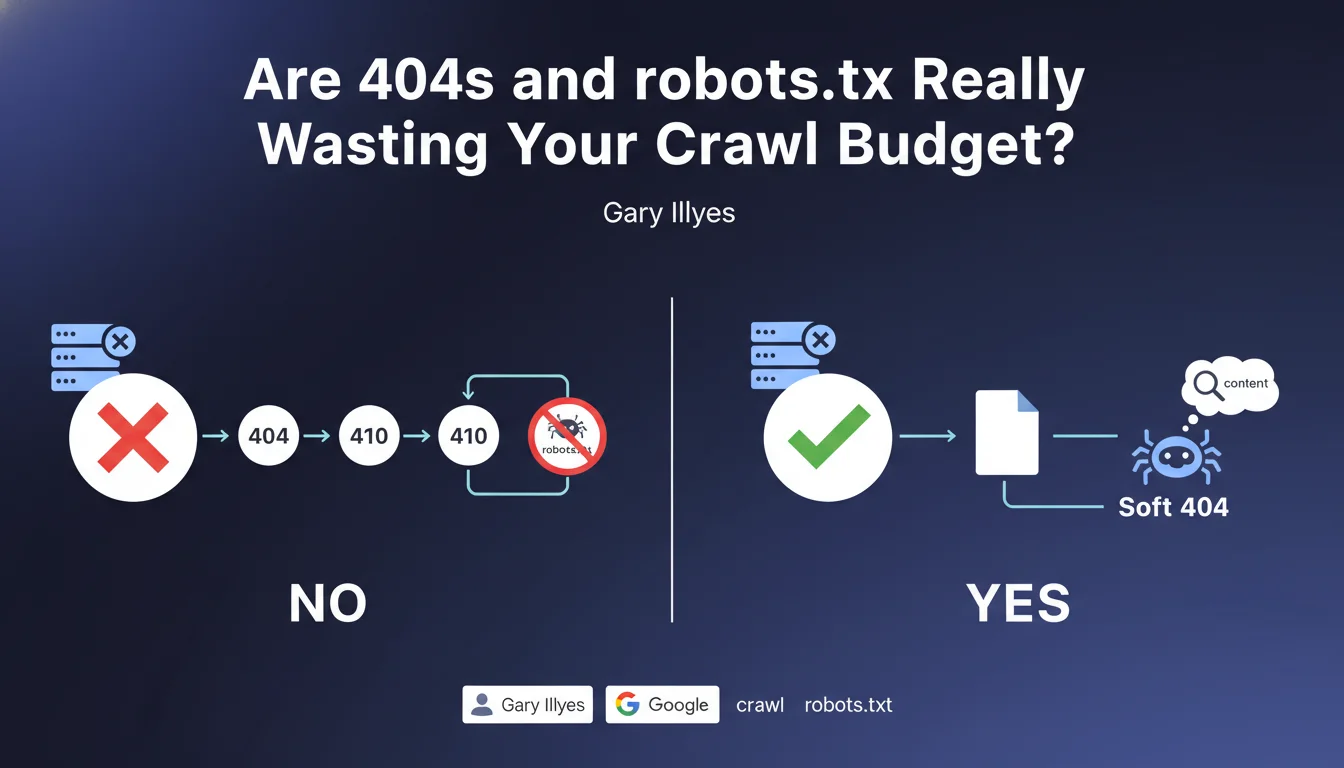
HTTP status codes 404, 410, and URLs blocked by robots.txt do not consume crawl budget according to Google. On the other hand, soft 404s — pages that return a 200 status code but have no actual content — waste your crawl resources. The distinction is technical but crucial for optimizing your site's exploration.
What you need to understand
Why does Google distinguish between 404s and soft 404s?
Google receives only the HTTP status code for 404s and 410s, without downloading the page content. The bot crawls the URL, gets the error code, and immediately moves to the next one. No heavy processing, no rendering, no resources mobilized.
Soft 404s, on the other hand, return a 200 code — a signal that the page exists. Google must then analyze the content to understand that it's actually an error. This detection mobilizes resources: downloading, parsing, semantic evaluation. That's where your crawl budget slips away.
What about URLs blocked by robots.txt?
A URL blocked by robots.txt generates no complete HTTP request. Googlebot reads the robots.txt file, identifies the ban, and ignores the URL without even attempting to load it. Zero bytes downloaded, zero processing.
Practically speaking? Blocking entire sections of your site via robots.txt does not penalize your crawl budget. It's even an effective method to guide the bot toward your strategic pages — as long as you know what you're blocking.
What is Google's exact definition of crawl budget?
Crawl budget is the quantity of pages that Googlebot is willing to explore on your site within a given timeframe. This limit depends on your site's technical health, popularity, and server speed.
Google adjusts this budget based on your performance. A site that responds slowly or multiplies errors will see its budget reduced. Conversely, a site with clean technical architecture and quick response times can obtain more exploration resources.
- 404s and 410s do not consume crawl budget because Google only processes the HTTP code
- Soft 404s waste budget because Google must analyze the content to detect the error
- URLs blocked by robots.txt are ignored without resource consumption
- Crawl budget is a finite resource that depends on your technical performance
- Optimizing error management allows you to concentrate the budget on your strategic pages
SEO Expert opinion
Is this statement consistent with real-world observations?
Yes, and it's one of the rare Google claims that matches exactly what we observe in logs. 404s appear in log files as ultra-fast requests: one line, one code, done. No server load.
Soft 404s, on the other hand, are a quiet nightmare. They generate complete requests — often several seconds of processing — and Google must mobilize its semantic analysis to understand that the page is actually empty. On a medium-sized site with a few thousand soft 404s, the impact on crawl budget is measurable.
Should you systematically fix all 404s?
No, and that's where many SEO professionals get it wrong. A clean 404 on a URL that never had relevant content or has no backlinks is not a problem. Google logs it, marks it as dead, and rarely revisits it.
The real issue is when strategic URLs — with historical traffic, backlinks, or mentioned in your internal linking — return a 404 without redirection. There, you lose equity and authority. But a 404 on old pagination with no value? Let it go.
Is robots.txt always the best solution for managing crawl?
Let's be honest: robots.txt is a blunt tool. Blocking an entire section may seem convenient, but it also prevents Google from discovering links present on those pages. If these URLs contain internal linking to your important pages, you create dead zones in your architecture.
The robots.txt + noindex combination often remains smarter for low-value content: you let Google explore to follow links, but prevent indexation. [To verify] on massive volumes — some sites report a crawl budget reduction with this approach if there are too many noindexed pages.
Practical impact and recommendations
What should you concretely do to optimize your crawl budget?
First, identify your soft 404s. Use Google Search Console (Coverage section), cross-reference with your server logs, and check pages that return 200 but display an error message or empty content. These are your crawl budget vampires.
Next, fix them by returning a genuine 404 or 410 code. If the URL had relevant content in the past, redirect to an alternative with a 301. If it never served any purpose, a 410 (Gone) is cleaner than a 404 — it signals to Google that the page will never return.
What mistakes should you avoid when managing HTTP codes?
Never block via robots.txt a URL that you intend to redirect. Google cannot follow a redirect it doesn't have the right to crawl. Result: the URL remains in error in Search Console, and you lose the PageRank transfer.
Also avoid unnecessary redirect chains. Each extra hop (301 → 301 → 200) consumes budget and dilutes transmitted authority. Always redirect directly to the final destination.
How do you verify that your site is compliant?
Analyze your server logs over a minimum 30-day period. Isolate URLs crawled by Googlebot, and review the distribution of HTTP codes. If you see an abnormal proportion of 200s on empty or generic pages, you have a soft 404 problem.
Use Screaming Frog or Sitebulb to simulate a crawl and identify pages that return 200 but contain empty content patterns ("No results", "Page not found", etc.). Automate this detection if your site generates dynamic content.
- Audit Search Console Coverage section to spot soft 404s reported by Google
- Analyze server logs to identify URLs consuming crawl budget without value
- Fix soft 404s by returning a genuine 404 or 410 code
- Redirect in 301 historical URLs with backlinks to a relevant alternative
- Avoid blocking via robots.txt URLs with backlinks or strategic internal linking
- Remove redirect chains to limit PageRank dilution
- Regularly monitor HTTP code distribution in your logs to anticipate drift
❓ Frequently Asked Questions
Un 404 peut-il nuire au référencement de mon site ?
Quelle est la différence entre un 404 et un 410 ?
Faut-il bloquer les pages paginées par robots.txt pour économiser du crawl budget ?
Comment détecter automatiquement les soft 404 sur un gros site ?
Peut-on bloquer par robots.txt des URLs déjà indexées ?
🎥 From the same video 12
Other SEO insights extracted from this same Google Search Central video · published on 25/08/2022
🎥 Watch the full video on YouTube →
💬 Comments (0)
Be the first to comment.