
Official statement
Other statements from this video 12 ▾
- □ Comment Google définit-il réellement le crawl budget et quels leviers peut-on actionner ?
- □ Le crawl budget est-il un concept inventé par Google ou par les SEO ?
- □ Google n'indexe-t-il vraiment qu'une fraction du web à cause de ses coûts de stockage ?
- □ Les requêtes POST plombent-elles vraiment votre crawl budget ?
- □ Le crawl budget d'une nouvelle section est-il hérité de la qualité du site principal ?
- □ Les codes 503 et 429 peuvent-ils vraiment réduire votre crawl budget ?
- □ Peut-on vraiment piloter son crawl budget depuis Google Search Console ?
- □ HTTP/2 améliore-t-il vraiment votre crawl budget ?
- □ Pourquoi vos URLs 'découvertes mais non crawlées' révèlent-elles un problème de fond ?
- □ Faut-il bloquer l'indexation de vos fichiers JavaScript pour optimiser le crawl budget ?
- □ Les 404 et robots.txt gaspillent-ils vraiment votre crawl budget ?
- □ Faut-il bloquer vos fichiers JavaScript décoratifs pour optimiser votre crawl budget ?
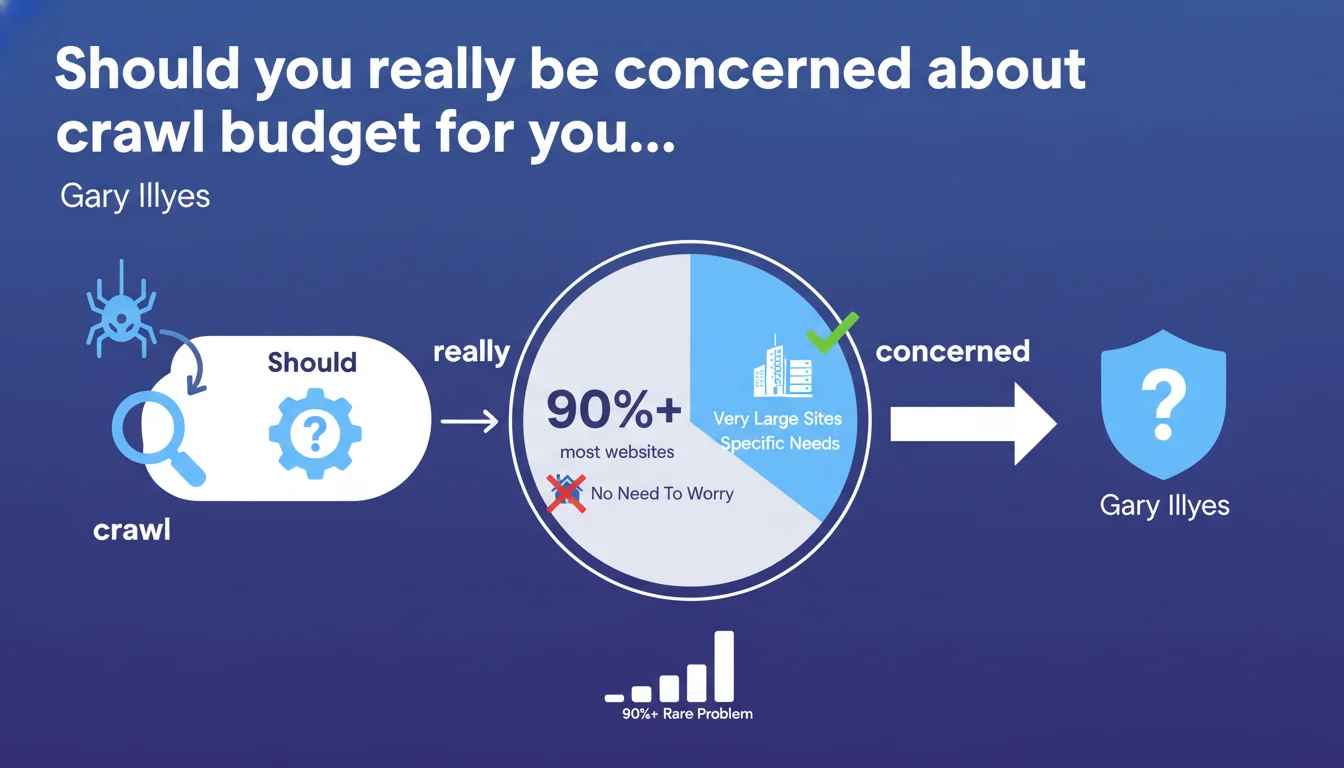
Google states that over 90% of websites have no reason to worry about crawl budget. Only very large sites or those with specific technical configurations are affected. For the majority of projects, optimizing user experience and content quality remains far more profitable than getting lost in crawl budget optimizations.
What you need to understand
What exactly is crawl budget?
The crawl budget represents the number of pages that Googlebot is willing to crawl on your site within a given time period. Google allocates limited resources to each site based on several criteria: domain popularity, content freshness, and technical quality.
Contrary to what is often said, this is not a fixed quota. Google dynamically adjusts this budget based on your actual needs and your site's technical health. A site that rarely publishes doesn't need the same crawl frequency as a news media outlet.
Why is Gary Illyes downplaying this concept?
Gary's statement aims to refocus a debate that is often disproportionate within the SEO community. Too many practitioners worry about crawl budget when their site has 500 pages and receives 3 updates per month.
Google has every incentive to crawl sites efficiently that need it — it's in their DNA. The search engine automatically adjusts its resources. If your content is relevant and your technical setup is clean, you'll never encounter problematic limitations.
Which sites are truly affected?
Platforms with millions of dynamic pages: large-catalog e-commerce, classified ad sites, content aggregators, multi-section media portals. Sites that massively generate useless URLs through filtering facets, user sessions, or poorly managed parameters.
And even then — even in these cases, the problem rarely comes from a lack of crawl budget but rather from poor crawl prioritization. Google wastes its resources on pages with no value instead of focusing on those that matter.
- Sites with fewer than 10,000 pages: no reason to worry about crawl budget
- E-commerce or media sites between 10k and 100k pages: check internal linking quality and avoid parasitic URLs
- Beyond 100k pages: seriously audit architecture, facets, and URL parameters
- The real problem is almost never the volume of available crawl, but the prioritization of pages to crawl
SEO Expert opinion
Is this statement consistent with real-world observations?
Absolutely. In 15 years of practice, I've encountered maybe a dozen cases where crawl budget was truly limiting. And even then, these cases systematically hid deeper architecture problems: infinite pagination, massive duplication, uncontrolled URL parameters.
The anxiety-driven discourse around crawl budget mainly benefits those selling crawl monitoring tools. Let's be honest: if your crawl budget is problematic, it's because your content strategy or technical setup is broken elsewhere.
What nuances should be added to this statement?
Gary is right on substance, but his wording leaves an important blind spot: the concept of crawl priority. Even a 5,000-page site can run into issues if Google wastes 80% of its time on empty categories, useless tag pages, or outdated archives.
This isn't a problem of available crawl volume — it's a problem of wasting existing crawl. A crucial distinction that Google's statement glosses over a bit too quickly.
In what cases does this rule not apply?
Sites with pages generated dynamically on the fly (infinite product filters, combinatorial facets). Poorly structured multilingual platforms with duplication across language versions. Sites undergoing technical migration with temporary coexistence of two architectures.
And a often-overlooked case: sites that publish content at an irregular but intense pace. A media outlet publishing 200 articles during a major event can saturate its crawl budget for 48 hours, even if it runs at 10 articles per day the rest of the year.
Practical impact and recommendations
What should you do concretely to optimize crawl?
Start by checking Google Search Console crawl statistics. If Google regularly crawls your new pages within 24-48 hours, you have no issues. If strategic pages remain uncrawled for weeks, investigate why.
Analyze server logs to identify crawl patterns: which sections does Googlebot visit? How much time does it spend on useless pages? Tools like Screaming Frog Log File Analyzer or OnCrawl often reveal surprises.
What mistakes should you absolutely avoid?
Never massively block sections in robots.txt thinking you'll "save" crawl budget. Google adjusts its crawl according to your actual needs — if you block legitimate content, you deprive it of indexation, period.
Avoid poorly designed facet architectures that generate thousands of valueless combinations. An e-commerce site doesn't need to index "Red shoes size 42 leather price 50-100€ express delivery." Use canonical tags, noindex, or Google Search Console URL parameters.
How do you verify that your site is optimized for crawl?
Audit click depth: your strategic pages should be accessible in 3 clicks maximum from the homepage. Good internal linking guides Googlebot to what matters. Avoid dead-ends and orphaned pages.
Monitor 404 errors, redirect chains, and server response times. A technically clean site crawls efficiently. Google doesn't like wasting time on URLs that crash or respond slowly.
- Analyze crawl statistics in Google Search Console to detect anomalies
- Audit server logs to identify Googlebot's actual behavior
- Clean up parasitic URLs: unnecessary parameters, combinatorial facets, empty pages
- Optimize internal linking to guide crawl toward priority pages
- Use canonical tags and noindex intelligently on page variations
- Verify that important new pages are crawled within 48 hours
- Resolve blocking technical issues: 404s, redirects, server slowness
❓ Frequently Asked Questions
Mon site de 2000 pages doit-il se préoccuper du crawl budget ?
Comment savoir si mon site rencontre un problème de crawl budget ?
Bloquer des sections dans robots.txt améliore-t-il le crawl budget ?
Les facettes de filtrage e-commerce consomment-elles beaucoup de crawl budget ?
Un site d'actualité qui publie intensément peut-il saturer son crawl budget ?
🎥 From the same video 12
Other SEO insights extracted from this same Google Search Central video · published on 25/08/2022
🎥 Watch the full video on YouTube →
💬 Comments (0)
Be the first to comment.