
Official statement
Other statements from this video 11 ▾
- □ Google indexe-t-il vraiment vos PDF ou les transforme-t-il d'abord ?
- □ Le poids du contenu varie-t-il selon son emplacement en HTML et en PDF ?
- □ Google indexe-t-il vraiment le code source comme du texte ordinaire ?
- □ Pourquoi les fichiers de code source peinent-ils à se classer dans Google ?
- □ Faut-il vraiment arrêter de stocker tous vos PDF dans un dossier /pdfs/ ?
- □ Pourquoi Google n'indexe-t-il jamais une image isolée sans page d'hébergement ?
- □ Google indexe-t-il vraiment les images et vidéos différemment du texte ?
- □ Google filtre-t-il les données personnelles avant indexation ?
- □ L'extension de fichier (.html, .php, .txt) a-t-elle un impact sur le référencement Google ?
- □ Google indexe-t-il vraiment tous vos fichiers XML ?
- □ Peut-on vraiment indexer des fichiers JSON et texte brut sans méta-données ?
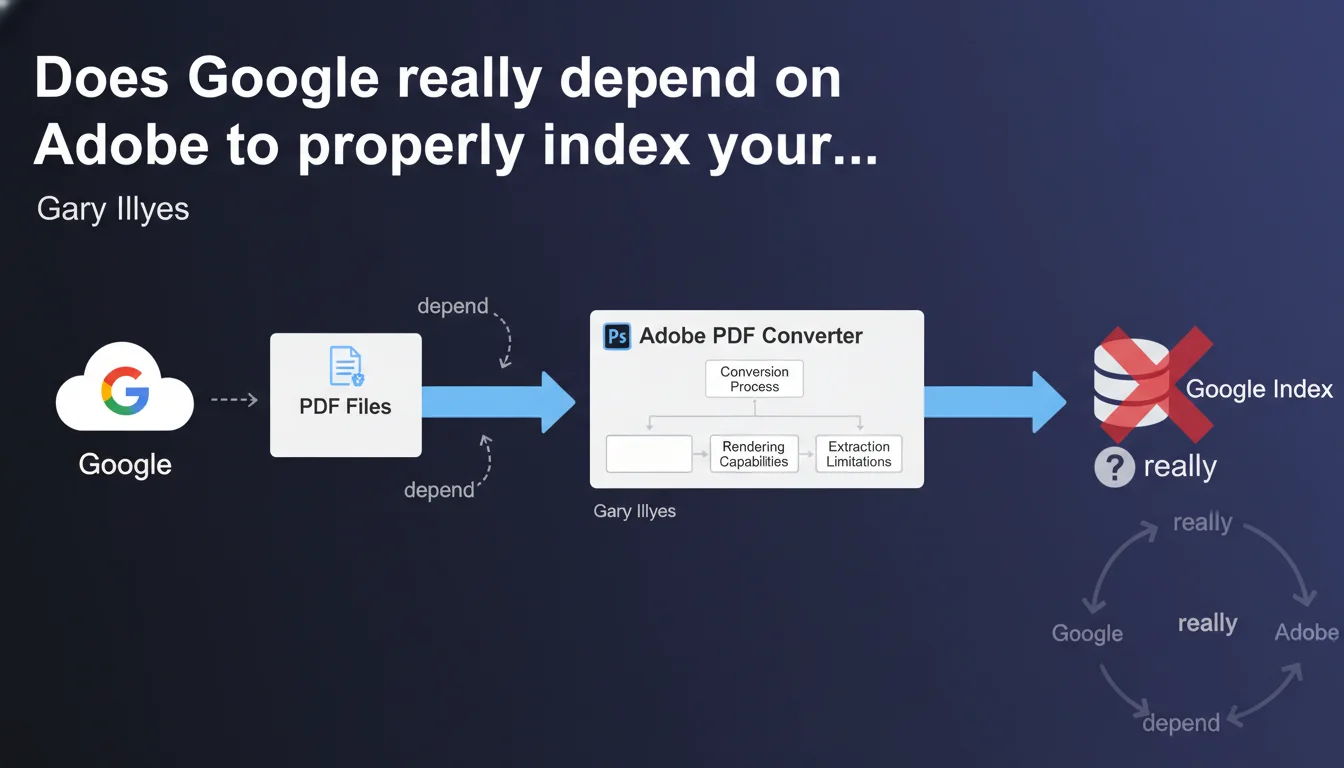
Google uses an Adobe license to convert PDF files and does not have complete control over this conversion process. This technical dependency means that Adobe's converter limitations directly impact how Googlebot interprets your PDF documents. If a PDF is poorly indexed, the problem may stem from the converter itself, not necessarily from your file.
What you need to understand
Why does Google outsource PDF conversion?
Google could have developed its own internal PDF rendering engine. But the company chose to rely on an Adobe license, the historic creator of the PDF format. It's a pragmatic choice: Adobe masters the subtleties of the format it created.
This outsourcing means that Google does not fully control the process. If Adobe updates its converter, Google inherits the changes — both positive and negative. If a PDF feature is not supported by Adobe, Google cannot process it either.
What are the concrete implications for indexing?
When Googlebot encounters a PDF, it doesn't read it directly. It sends it to the Adobe converter, which transforms the content into usable text. This converted text is what Google analyzes and indexes.
The problem? Conversion quality depends on Adobe's capabilities. A complex PDF with layers, interactive forms, or exotic fonts can be misinterpreted. And Google can't do anything about it — it receives what the converter gives it.
What does this change for SEO practitioners?
This statement explains why some well-structured PDFs are sometimes poorly indexed or incomplete in search results. It's not necessarily a document design error. Sometimes it's a technical limitation of the Adobe converter.
Let's be honest: there's not much we can do about it. But understanding this dependency allows you to adjust expectations and optimize differently.
- Google does not control PDF conversion — it depends on an Adobe license
- Adobe converter limitations directly impact indexation
- A poorly indexed PDF can be a victim of a conversion issue, not an SEO defect
- This outsourcing explains certain inconsistencies observed in the field
SEO Expert opinion
Is this statement consistent with real-world observations?
Absolutely. SEO professionals who regularly work with PDFs have already noticed erratic behavior: a perfectly structured document that is only partially indexed, ignored metadata, missing text in snippets.
This statement from Gary Illyes provides an official explanation. Google doesn't control everything. The Adobe converter has its own bugs, its own limitations — and Google suffers from them.
What nuances should we add?
Google may not have complete control, but that doesn't mean it's completely passive. The company can negotiate improvements with Adobe, report critical bugs, request enhancements. But the pace of these changes doesn't depend solely on Google.
Another point: this dependency concerns conversion, not indexing itself. Once the text is extracted, Google applies its own ranking algorithms. Content quality, backlinks, relevance — all of that remains under Google's control.
[To verify] We don't know exactly which version of the Adobe converter is used, or how frequently it's updated. These technical details are not public.
In which cases does this technical limitation really cause problems?
Mainly for complex PDFs: scientific documents with mathematical formulas, brochures with elaborate layouts, interactive forms, poorly OCR'd scanned PDFs. The Adobe converter sometimes struggles with these formats.
For a simple PDF — linear text, standard font, no frills — the problem generally doesn't arise. It's on edge cases that things get stuck.
Practical impact and recommendations
What should you do concretely to optimize your PDFs?
First, simplify the structure. A linear PDF with selectable text is better converted than a document with complex layers. Use standard fonts, avoid unnecessary graphic effects.
Next, test actual indexation. Use the site: operator in Google to verify that your PDFs appear and that snippets are coherent. If an important document is poorly indexed, consider duplicating the content in HTML — yes, it's redundant, but at least you control the rendering.
What mistakes should you avoid?
Don't rely on advanced PDF metadata for your SEO. The Adobe converter doesn't always transmit it faithfully. Better to integrate key information directly into visible text.
Also avoid scanned PDFs without quality OCR. If the text isn't selectable, the converter can't do anything. And that's where it gets stuck — an image-based PDF is nearly invisible to Google.
How can you verify that your PDFs are being processed correctly?
Use Google Search Console. Verify that your PDFs are properly indexed in the coverage report. If PDF URLs appear with errors or exclusions, investigate.
Also test with the Rich Results Test tool. Even though it's oriented toward structured data, it allows you to see how Google interprets content. If the rendering is aberrant, you have a conversion problem.
- Simplify the structure of your PDFs: linear text, standard fonts
- Make sure text is selectable (no images without OCR)
- Test indexation with site: and verify displayed snippets
- Duplicate critical content in HTML if the PDF is poorly rendered
- Monitor Search Console to detect PDF indexation errors
- Avoid advanced metadata — integrate info into visible text
❓ Frequently Asked Questions
Google peut-il indexer un PDF scanné sans OCR ?
Pourquoi certains de mes PDF bien structurés sont-ils mal indexés ?
Dois-je abandonner les PDF pour du HTML ?
Les métadonnées PDF sont-elles prises en compte par Google ?
Google peut-il améliorer ce processus de conversion ?
🎥 From the same video 11
Other SEO insights extracted from this same Google Search Central video · published on 08/09/2022
🎥 Watch the full video on YouTube →
💬 Comments (0)
Be the first to comment.