
Official statement
Other statements from this video 13 ▾
- □ Should you really master technical SEO before producing content?
- □ Why should e-commerce product titles absolutely contain the brand name and color?
- □ Are structured data really essential for Google to properly understand your pages?
- □ Should you really keep out-of-stock product pages indexed?
- □ Should you really create specific content for every step of the buyer's journey?
- □ Should you really create a unique URL for every product variant?
- □ Should you really describe every product variant in your canonical page?
- □ Should you really reuse the same URL for your recurring promotional events?
- □ Is user experience really a decisive ranking factor at Google?
- □ Why does PageSpeed Insights combine real-world data with lab testing to measure performance?
- □ Why does SEO really take several months to deliver measurable results?
- □ Is buying backlinks really destroying your SEO, or is Google's stance on paid links more nuanced than we think?
- □ Is 'the best possible content' really Google's strategic compass, or just clever marketing spin?
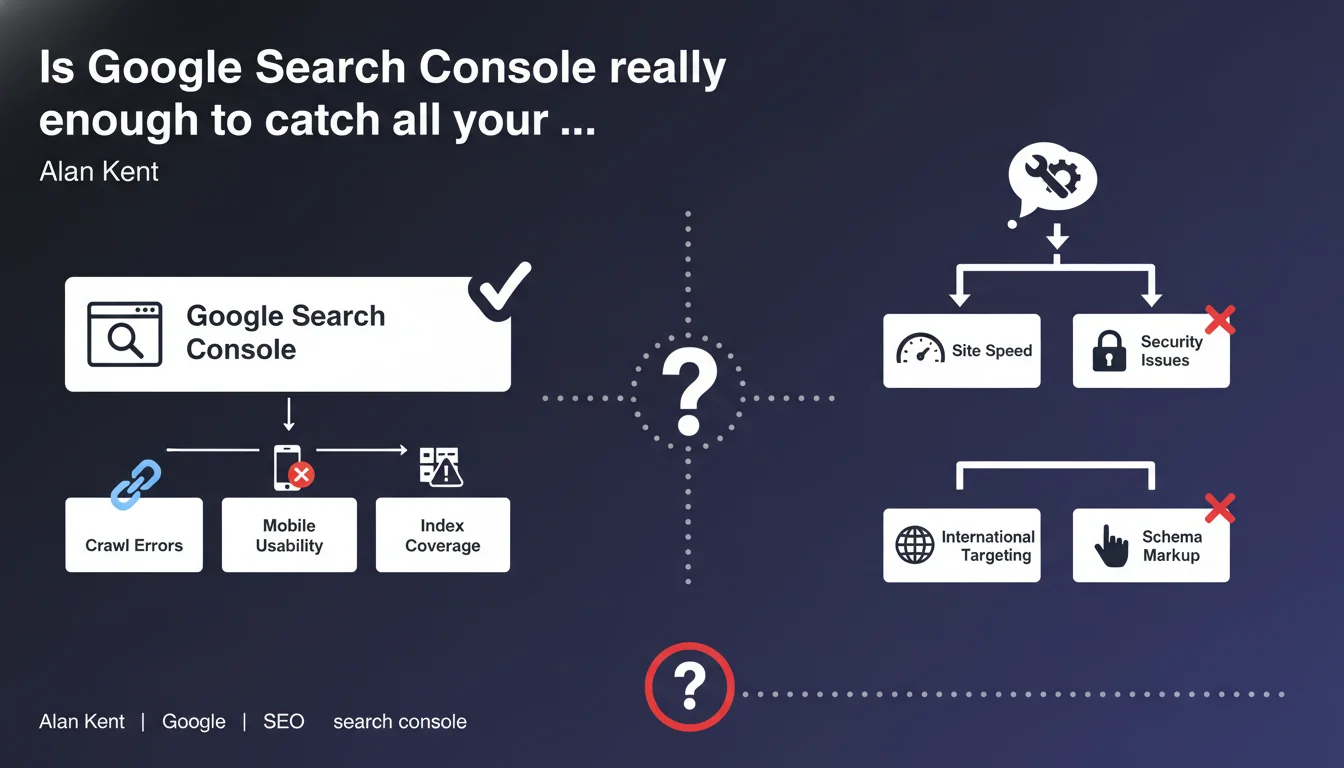
Google positions Search Console as the reference tool for identifying technical issues on your site. Several reports cover different types of potential anomalies. The real question is whether this tool actually detects everything that matters.
What you need to understand
What does Google mean by calling Search Console the primary tool?
Google insists that Search Console should be your first reflex when diagnosing technical malfunctions. The tool aggregates signals picked up by Googlebot's crawl and offers dedicated reports: page coverage, Core Web Vitals, mobile usability, security issues, and structured data.
This official position aims to centralize diagnostics within a single ecosystem controlled by Google. Rather than multiplying third-party tools, Mountain View wants you to start with their interface to understand how the search engine perceives your site.
What types of issues is Search Console supposed to detect?
Reports cover several categories: excluded pages (noindex, canonical, redirects), 404 or 5xx errors, performance issues (LCP, FID, CLS), mobile compatibility, structured markup errors, and misconfigured robots.txt or sitemap files.
In theory, this represents good coverage of critical technical axes. Except that the devil often hides in the details that the tool doesn't surface — or surfaces several days late.
Why is Google pushing this message now?
On one hand, Google wants to simplify communication with webmasters. Centralizing alerts reduces confusion and decreases support burden. On the other hand, it lets them control the narrative: if a problem doesn't appear in Search Console, it becomes harder to prove it exists on Google's end.
- Search Console = the official recommended tool for detecting technical SEO issues
- Covers main categories: indexation, performance, mobile, security, structured data
- Google's strategic position to centralize diagnostics within its ecosystem
- The tool only detects what Googlebot has crawled — with variable reporting delays
SEO Expert opinion
Does Search Console really detect all technical issues?
Let's be honest: no. Search Console only reports what Googlebot could observe during its crawl — and only what Google deems relevant to surface. Critical issues can fly under the radar for weeks: massive undetected duplication, JavaScript blocking rendering on certain pages, orphaned internal links that the bot never crawled.
Take a real-world example: you have a redirect chain problem on an important category. If Googlebot only crawls this URL every 15 days, the delay before it appears in Search Console can be substantial. In the meantime, you lose traffic without understanding why. [To be verified]: Google publishes no SLA on anomaly detection timeframes.
Should you abandon third-party tools then?
Absolutely not. Solutions like Screaming Frog, Oncrawl, Botify, or Semrush offer a level of granularity that Search Console doesn't provide: complete internal linking analysis, duplicate content detection before Google indexes it, server log analysis to understand Googlebot's actual behavior.
Search Console gives you Google's perspective, not the exhaustive reality of your site. An independent crawl will detect structural errors or optimization opportunities that Mountain View's tool will never surface. Relying solely on Search Console is like driving with only a rearview mirror.
Is this statement consistent with observed practices?
Yes and no. Google benefits from you using their tool — it's free, universal, and it simplifies their support. But in practice, no serious SEO relies only on Search Console. Agencies systematically combine Search Console + logs + crawls + third-party monitoring for complete visibility.
Google's message is politically sound: they won't recommend competitors. But claiming Search Console is the primary tool is more marketing than technical reality. It's a necessary tool, not a sufficient one.
Practical impact and recommendations
What should you do concretely with Search Console?
First, configure it properly: verify all your domains and subdomains (http, https, www, non-www), connect Analytics and link the property to the right accounts. Enable email alerts to be notified quickly of critical issues (indexation drops, mass server errors, detected malware).
Next, integrate key reports into your routine: indexation coverage (weekly), Core Web Vitals (biweekly), mobile usability (monthly), structured data (with every major deployment). But never stop there as your sole source.
What mistakes should you avoid?
First mistake: waiting passively for Search Console to detect an issue. The reporting delay can be long, especially on sites with low crawl budget. Second mistake: ignoring third-party tools because Google recommends its own solution. It's like trusting only the car manufacturer to diagnose a breakdown — the independent mechanic sometimes sees what the dealer won't look for.
Third classic mistake: not cross-referencing data. A page flagged as "Excluded by noindex tag" in Search Console deserves manual verification — sometimes it's intentional, sometimes it's a template bug nobody caught.
How can you verify your site is properly monitored?
Implement a monitoring stack that combines multiple sources: Search Console for Google's view, weekly independent crawls (Screaming Frog or equivalent), server log analysis to understand Googlebot's actual behavior, automated alerts on organic traffic variations (Analytics), position tracking on your strategic keywords.
Document recurring anomalies and their Search Console detection delays. You'll quickly see that some issues never appear in the official tool — which fully justifies a multi-source approach.
- Configure Search Console on all domains and subdomains
- Enable email alerts for critical issues
- Review indexation coverage report weekly
- Systematically cross-check with independent crawling (Screaming Frog, Oncrawl, Botify)
- Analyze server logs to detect crawl anomalies not reported by Google
- Never wait for Search Console to identify an issue — proactive detection is essential
- Document reporting delays for anomalies to anticipate future occurrences
❓ Frequently Asked Questions
La Search Console remplace-t-elle les outils de crawl comme Screaming Frog ?
Pourquoi certains problèmes techniques n'apparaissent-ils jamais dans la Search Console ?
Quel délai entre un problème technique réel et sa remontée dans la Search Console ?
Dois-je corriger toutes les erreurs signalées dans la Search Console ?
Les outils tiers détectent-ils des problèmes que Google ignore volontairement ?
🎥 From the same video 13
Other SEO insights extracted from this same Google Search Central video · published on 29/06/2022
🎥 Watch the full video on YouTube →
💬 Comments (0)
Be the first to comment.