
Official statement
Other statements from this video 11 ▾
- □ Does the H1 tag really have the SEO impact that Google claims?
- □ Is Google Search Console really the only source of truth about your actual performance?
- □ Is a sitemap really essential for Google to crawl your website effectively?
- □ Does Google really index JavaScript as well as traditional HTML?
- □ Do you really need to force server-side rendering for all JavaScript applications?
- □ Do you really need to migrate your microdata to JSON-LD for structured data?
- □ How many links should you really place on your homepage to optimize crawl budget?
- □ Could testing your site across different browsers be the missing link to your SEO success?
- □ Are View Source and DevTools really enough to diagnose your SEO issues?
- □ Do you really need to wait a full year to evaluate SEO performance on a seasonal site?
- □ Should you really wait 6 months before evaluating your new website's performance?
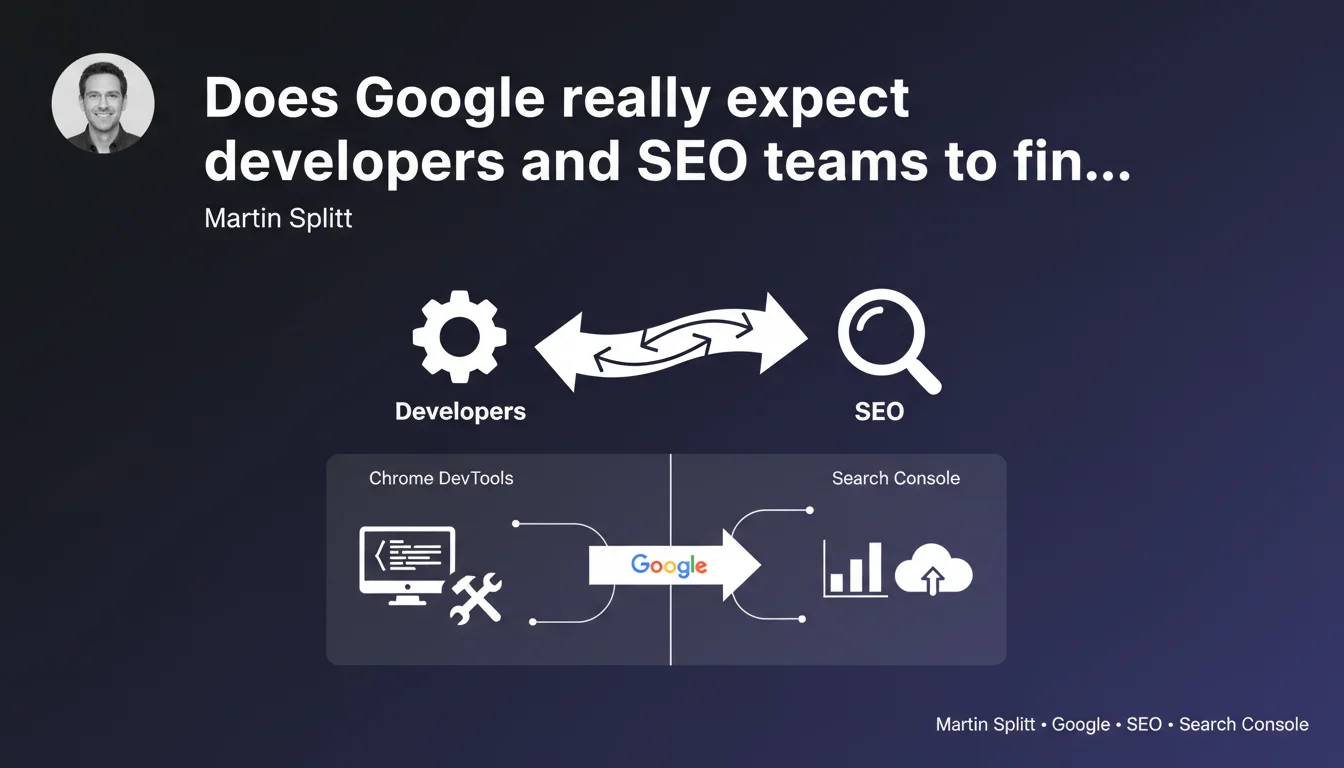
Google highlights its Chrome DevTools and Search Console as bridges between developers and SEO specialists. The stated goal: to streamline technical site analysis and measure real-world search performance. A reminder that technical SEO remains fundamentally a team effort.
What you need to understand
Why is Google communicating about its tools at this particular moment?
Martin Splitt, Developer Advocate at Google, reiterates an often-overlooked truth: technical SEO cannot function in isolation. Chrome DevTools and Search Console are presented as dialogue interfaces between two professions that rarely speak the same language.
This statement comes at a time when the technical complexity of modern websites (JavaScript frameworks, client-side rendering, Core Web Vitals) demands increased coordination. Google isn't saying anything revolutionary — it's repositioning its existing tools as facilitators of this collaboration.
What specific tools does Google mention?
Chrome DevTools allows you to inspect code, analyze rendering performance, debug JavaScript, and simulate different browsing contexts. It's the developer's tool par excellence.
Search Console provides crawl data, indexation information, and real search performance metrics. It's Google's official SEO dashboard. The idea: cross-reference both perspectives to identify and resolve technical issues impacting visibility.
What are the key takeaways?
- Google doesn't separate development from SEO — its tools explicitly encourage collaboration between these two areas
- Chrome DevTools analyzes how the site is built, while Search Console reveals how it actually performs in search results
- This statement introduces no new functionality — it's a strategic reminder about the combined use of existing tools
- The emphasis is on technical understanding rather than content optimization or link-building strategy
SEO Expert opinion
Does this statement bring anything new to the table?
Let's be honest: no. Chrome DevTools has existed for years, as has Search Console. What's changing is Google's insistence on using them together — and that's revealing.
Google never communicates without reason. If Splitt is emphasizing this collaboration, it's likely because Google is still seeing too many sites penalized by avoidable technical errors. Errors that unaware developers regularly introduce.
In what cases does this approach show its limitations?
The message is compelling, but it assumes that developers and SEO professionals have the time and skills to collaborate effectively. This isn't always the case — especially in smaller organizations where one person juggles multiple roles.
Moreover, Search Console remains a tool with partial and sometimes opaque data. Coverage reports can take weeks to update, performance data is sampled, and certain critical technical errors never surface. [To verify]: Google claims these tools "enable analysis of how the site performs," but the actual data granularity remains limited.
What is Google's true intention behind this communication?
Google has been pushing for years for websites to adopt modern web development standards — standards that, by design, also benefit SEO (performance, accessibility, semantic structure).
This statement fits into that strategy: by presenting its tools as bridges between professions, Google is implicitly encouraging teams to integrate SEO from the technical design phase, rather than treating it as a corrective overlay.
Practical impact and recommendations
What should you concretely do with these tools?
First step: train your developers on Search Console basics and your SEO team on Chrome DevTools fundamentals. Too many projects fail because each team stays in its comfort zone without understanding the other's constraints.
Use Chrome DevTools to audit rendering: disable JavaScript to verify content remains accessible, analyze Core Web Vitals under real conditions, identify render-blocking resources. Then cross-reference with Search Console reports to see if Googlebot encounters the same issues.
What errors should you avoid in this collaboration?
Don't assume that developers know what Googlebot needs to see. Modern frameworks (React, Vue, Angular) can create perfectly functional sites for users but opaque ones for search engines.
Conversely, don't ask developers to fix "SEO errors" without explaining the actual impact. A misplaced canonical tag doesn't have the same urgency as a JavaScript block that prevents the indexation of entire sections.
How can you verify your site is properly analyzable?
- Audit the site with Chrome DevTools in Incognito mode to eliminate extensions and cookies that skew analysis
- Use the URL inspection tool in Search Console to compare raw HTML rendering and post-JavaScript rendering
- Verify that critical elements (titles, main content, internal links) are present in the source HTML, not just injected by JavaScript
- Monitor coverage and error reports in Search Console to identify recurring patterns
- Set up automated alerts for sudden drops in indexation or clicks
- Document technical decisions impacting SEO to prevent regressions during updates
❓ Frequently Asked Questions
Search Console suffit-il pour faire un audit SEO technique complet ?
Les développeurs doivent-ils maîtriser Search Console ou juste les SEO doivent-ils comprendre DevTools ?
Chrome DevTools montre-t-il exactement ce que Googlebot voit ?
Quels sont les signaux d'alerte dans Search Console qui nécessitent une intervention développeur ?
🎥 From the same video 11
Other SEO insights extracted from this same Google Search Central video · published on 22/03/2022
🎥 Watch the full video on YouTube →
💬 Comments (0)
Be the first to comment.