
Official statement
Other statements from this video 12 ▾
- □ Is Google's AI Mode about to completely reshape your long-tail keyword strategy?
- □ Are query groups in Search Console really changing how you should analyze your SEO performance?
- □ Is Google really tightening the screws on low-quality content with this August spam update?
- □ Can Google Discover really boost your visibility without driving traffic to your website?
- □ How will creator profiles in Discover reshape the SEO traffic landscape?
- □ Should you declare shipping and return policies at the organization level in structured data?
- □ Should you still implement structured data if Google strips away their visual display?
- □ Why does Google insist on flexible configuration for your structured data?
- □ Is Chrome about to make HTTPS mandatory by default in 2026? Here's what you need to know
- □ Is your JavaScript paywall destroying your crawl budget? Here's how to fix it without cloaking
- □ Do you really need to create an llms.txt file to appear in Google's AI search results?
- □ Can Google's AI actually book a table on your restaurant site without human intervention?
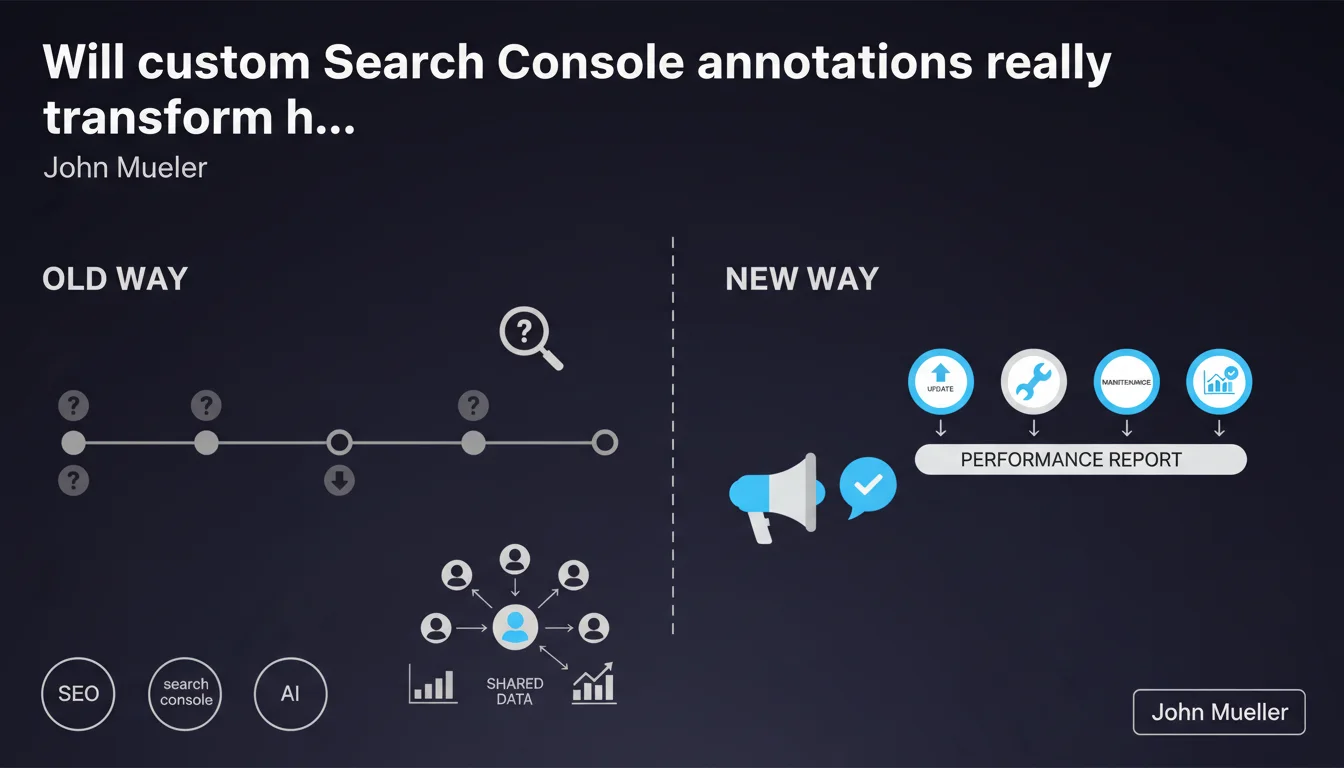
Google is rolling out custom annotations in Search Console to all users. This feature lets you tag events impacting your site (updates, migrations, campaigns) directly on performance graphs. Annotations are shared across all users with access to the property.
What you need to understand
What concrete benefits does this feature actually deliver?
Custom annotations let you mark time-based events directly within the Search Console performance report. You can now document a CMS update, structural change, campaign launch, or robots.txt modification at the exact date and time the event occurred.
These markers appear as visual reference points on your clicks, impressions, and position graphs. Instead of juggling between Excel and Search Console to correlate traffic drops with technical changes, everything is centralized in one place.
Why is Google rolling this out to everyone now?
This feature already existed in limited form for certain accounts. The broader rollout suggests Google is trying to improve the granularity of performance analysis by helping SEO teams better document their history.
Automatic sharing with all users on a Search Console property eliminates information silos — a developer can annotate a migration, and the marketing team immediately sees the context behind traffic fluctuations.
What information is worth annotating effectively?
Any intervention that might impact organic visibility deserves an annotation: template redesigns, hosting changes, internal linking modifications, structured data deployment, HTTPS migrations, site architecture overhauls.
External events count too: algorithm updates (even though Google documents these themselves), predictable seasonal spikes, brand campaign traffic surges.
- Complete traceability of technical and editorial interventions
- Immediate correlation between actions and performance changes
- Frictionless information sharing across teams
- Historical documentation for future audits or team transitions
- Quick identification of unexpected fluctuation causes
SEO Expert opinion
Does this feature actually change the game for SEO professionals?
Let's be honest: annotations already existed in Google Analytics (pre-GA4), in third-party tools like Ahrefs or SEMrush, and many of us were already using spreadsheets to track events. The news is the native integration in Search Console.
The main advantage? Automatic synchronization with pure organic performance data. No need to fiddle with matching dates between Analytics and Search Console, no manual reprocessing. It's an operational time-saver, not a methodological revolution.
What pitfalls should you watch out for with this feature?
Automatic annotation sharing between property users can create unnecessary noise. If ten people annotate micro-events without coordination, your graph becomes unreadable. You need internal conventions about what deserves annotation.
Another limitation: annotations only appear in the overall performance report. They don't show up in filters by page, query, or country — which limits their usefulness for granular analysis. And obviously, they don't replace a real project management system for documenting complex interventions.
Is Google using this data for anything else?
Fair question. Google claims annotations are private to your property, but you might wonder if these metadata feed their internal models to understand how webmasters manage sites.
Nothing concerning in itself — and nothing confirmed either. But if you systematically annotate "recovery from manual penalty," that leaves a trace. Still, the practical usefulness far outweighs this theoretical risk.
Practical impact and recommendations
How do you effectively integrate annotations into your SEO workflow?
First step: establish clear naming conventions for your annotations. Use standardized prefixes (TECH:, CONTENT:, ALGO:, MARKETING:) to categorize events and make graphs easier to read visually.
Then, document systematically major interventions as soon as they deploy. Don't rely on memory three months later to explain why traffic dropped 15%. Fresh annotations contain far more context than reconstructing the story after the fact.
Finally, use annotations as knowledge transfer tools: when a new consultant or employee joins the team, the annotated history lets them quickly understand past interventions and their observed consequences.
Which mistakes should you avoid to keep reports clean?
Don't overload your graphs. Annotating every piece of content published or minor title tag tweak creates counterproductive visual noise. Reserve annotations for structural events likely to impact overall performance.
Avoid vague wording like "SEO optimization." Prefer factual, precise annotations: "Migrated 450 category URLs to new site architecture" or "Deployed FAQ Schema across 80% of product pages." Future-you will appreciate it.
What should you actually do starting today?
Start by retroactively annotating the major events from the last 6 months if you remember them: migrations, redesigns, penalties, unexplained traffic spikes. This creates a reference baseline.
Then integrate annotation into your deployment checklist: every major technical or editorial release should trigger a Search Console annotation. It's a habit to develop, like validating redirects or testing crawlability.
- Define a shared annotation naming convention across your team
- Retroactively annotate major interventions from the last 3-6 months
- Integrate annotations into technical deployment processes
- Limit annotations to structural events only
- Train all Search Console users on proper annotation usage
- Quarterly review annotations to remove outdated ones
🎥 From the same video 12
Other SEO insights extracted from this same Google Search Central video · published on 17/11/2025
🎥 Watch the full video on YouTube →
💬 Comments (0)
Be the first to comment.