
Official statement
Other statements from this video 12 ▾
- □ Is Google's AI Mode about to completely reshape your long-tail keyword strategy?
- □ Are query groups in Search Console really changing how you should analyze your SEO performance?
- □ Will custom Search Console annotations really transform how you track your SEO performance?
- □ Is Google really tightening the screws on low-quality content with this August spam update?
- □ Can Google Discover really boost your visibility without driving traffic to your website?
- □ How will creator profiles in Discover reshape the SEO traffic landscape?
- □ Should you declare shipping and return policies at the organization level in structured data?
- □ Should you still implement structured data if Google strips away their visual display?
- □ Why does Google insist on flexible configuration for your structured data?
- □ Is your JavaScript paywall destroying your crawl budget? Here's how to fix it without cloaking
- □ Do you really need to create an llms.txt file to appear in Google's AI search results?
- □ Can Google's AI actually book a table on your restaurant site without human intervention?
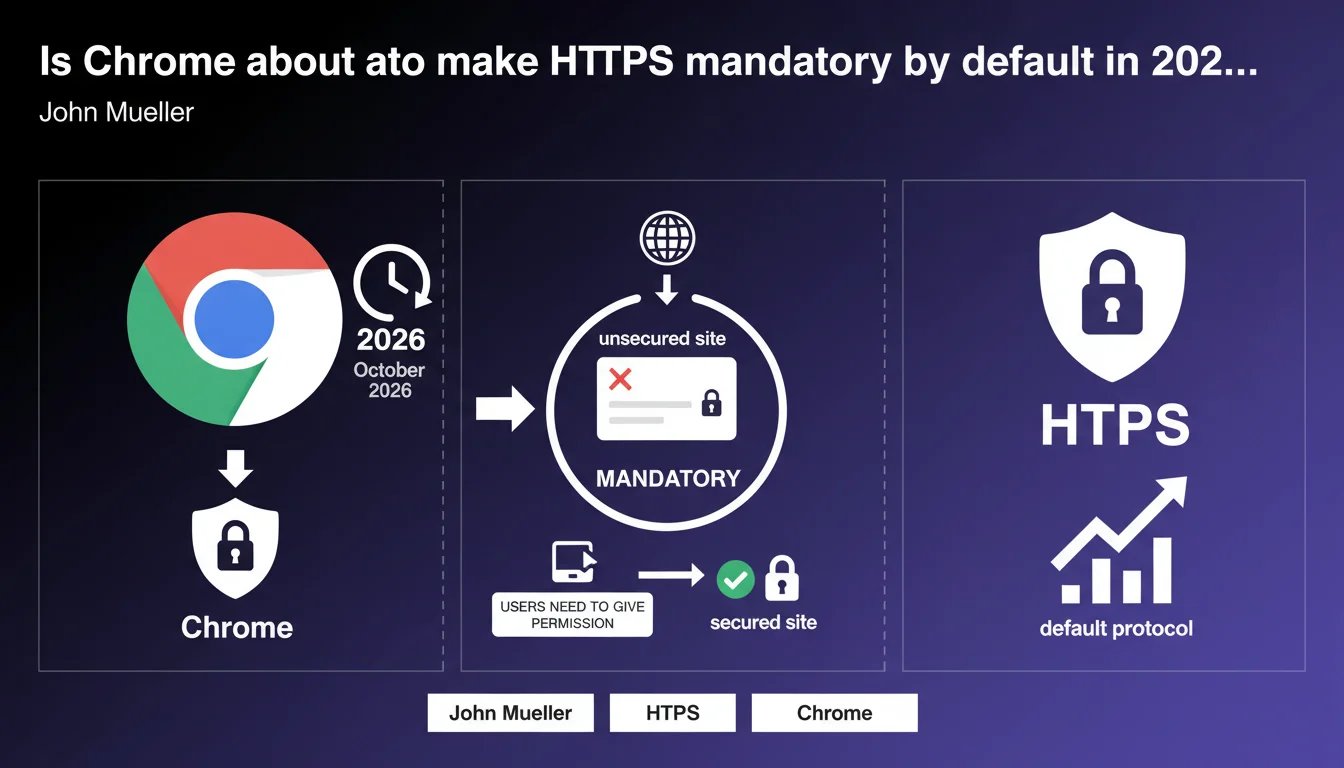
Chrome will switch to HTTPS by default by October 2026. In concrete terms, sites still running on HTTP will require explicit user permission to load — effectively making them invisible to the vast majority of Chrome traffic. If your site or certain pages are still running on HTTP, you have 18 months to make the switch before losing most of your Chrome audience.
What you need to understand
What does this Chrome decision actually change for websites?
Until now, Chrome displayed a discreet warning for HTTP sites, but pages would still load anyway. Starting in October 2026, the browser will block access to unsecured sites by default.
Users will need to give explicit permission to view an HTTP site. We're talking about an extra click, an anxiety-inducing warning message — in short, a user journey that will drive away 90% of visitors before they even see your content.
Why is Google pushing so hard on HTTPS?
The answer boils down to one word: security. HTTPS encrypts the data exchanged between the browser and the server, protecting against interception and tampering in transit.
Google has been using HTTPS as a ranking signal since 2014, and Chrome has been displaying warnings for years. This new step is logical — but it transforms a strong recommendation into a near-requirement.
Are all websites affected equally?
In theory, yes. Any site accessible via HTTP will be subject to this default blocking. In practice, transactional sites, media outlets, and e-commerce stores migrated to HTTPS long ago.
The real problem concerns legacy institutional sites, abandoned blogs, forgotten subdomains, or test pages still in production. If you manage a complex portfolio of sites, now is the time to audit your entire inventory.
- Chrome will block HTTP sites by default starting in October 2026
- Users will need to explicitly authorize loading — maximum friction
- HTTPS has been a ranking signal since 2014, but is now becoming quasi-mandatory
- Affected sites: anything not yet migrated, including subdomains, redirects, mixed resources
- Timeline: 18 months to get your house in order before October 2026
SEO Expert opinion
Does this announcement really change the game for SEO in 2025?
Honestly? Not really. If you're doing serious SEO, your sites have been on HTTPS since 2016. HTTPS migration is a basic requirement, just like XML sitemaps or robots.txt files.
What changes is the brutal impact on user experience. Before, an HTTP site might lose a few positions in the SERPs. Now, it will lose actual visitors. It's a much more powerful adoption lever than a subtle ranking signal.
What technical pitfalls still exist around HTTPS?
Moving to HTTPS isn't complicated in itself — but there are recurring mistakes that tank performance or create indexation issues. Mixed content tops the list: a page served over HTTPS that loads resources (images, scripts, CSS) over HTTP.
Chrome already blocks some of these resources, but some sites work around the problem without actually fixing it. Result: broken pages, scripts that don't execute, even critical elements for crawling (like client-side JavaScript) that no longer load.
Should we expect other browsers to follow this decision?
Probably. Chrome accounts for roughly 65% of global web traffic — what Chrome enforces becomes a de facto standard. Firefox, Edge, and Safari have already tightened their HTTP warnings.
What's interesting is that this decision is progressively transforming HTTPS into a technical prerequisite, just like mobile compatibility or loading speed. It's no longer an optimization, it's a condition for accessing the web.
Practical impact and recommendations
What should you verify on your sites right now?
First step: list all your domains and subdomains. Not just your main site, but also staging environments, microsites, old blogs, forgotten landing pages. Everything that's still indexed or accessible needs to be audited.
Second step: verify that all these sites are properly served over HTTPS, with valid and up-to-date SSL certificates. Use a tool like Screaming Frog or OnCrawl to detect mixed content, missing HTTP → HTTPS redirects, and internal links still pointing to HTTP URLs.
What mistakes should you avoid during HTTPS migration or audits?
Don't just force HTTPS on the server without updating your internal URLs. If your links still point to http://, you're creating unnecessary redirect chains that slow crawling and dilute PageRank.
Another classic pitfall: forgetting to update Search Console and Google Analytics with the new HTTPS URLs. If you don't, you'll lose your data history and complicate performance tracking.
Finally, watch out for self-signed or expired SSL certificates. Chrome blocks them just as heavily as pure HTTP sites. Use Let's Encrypt or a recognized provider, and set up automatic renewal alerts.
How do you prioritize actions if you manage a complex portfolio of sites?
Start with sites that generate traffic or revenue. No point wasting time on an abandoned blog getting 10 visits a month — focus on what matters.
Next, identify strategic subdomains: customer portals, payment modules, conversion pages. These will be hit hardest by Chrome's blocking, and they pose the biggest security risks.
- Audit all domains and subdomains still accessible via HTTP
- Check the validity and expiration date of SSL certificates
- Detect and fix mixed content
- Update internal links to point directly to HTTPS
- Set up 301 permanent redirects from HTTP to HTTPS
- Update Search Console and Analytics with new HTTPS properties
- Test your site after migration to detect display or functionality errors
- Set up SSL renewal alerts to prevent expiration
🎥 From the same video 12
Other SEO insights extracted from this same Google Search Central video · published on 17/11/2025
🎥 Watch the full video on YouTube →
💬 Comments (0)
Be the first to comment.