
Official statement
Other statements from this video 10 ▾
- □ Why do your Search Console data never match your time zone?
- □ Why is Google Search Console hiding your most recent data from you by default?
- □ Are you leaving 40% of your potential traffic on the table by only tracking performance on the classic Web tab?
- □ Why should you absolutely separate branded and non-branded queries in Search Console?
- □ Why are your target queries not showing up in Google Search Console?
- □ Why aren't your strategic pages showing up in Search Console?
- □ Does low CTR really justify adding images and structured data to your pages?
- □ Are your Search Console annotations really private, or can all your contractors see them?
- □ Why does your Discover report stay hidden in Search Console even when you're getting traffic?
- □ Why Is Your Google News Report Invisible in Search Console?
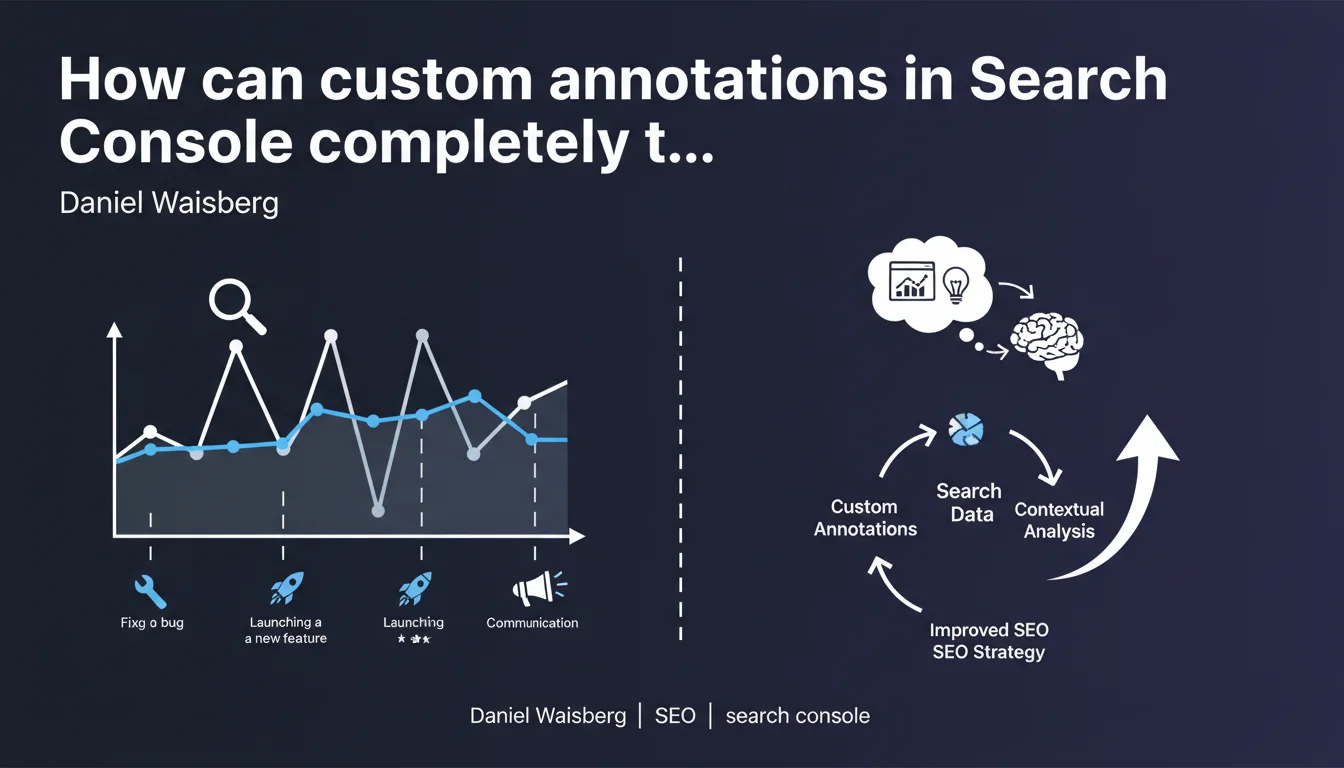
Google reminds us that Search Console allows you to add custom annotations to charts to mark important events (migrations, fixes, updates). These annotations contextualize traffic fluctuations and make it easier to analyze the real causes behind performance variations. An underutilized tool that should be part of every SEO analysis workflow.
What you need to understand
What is this feature really about?
Custom annotations in Search Console allow you to place time markers directly on your performance charts. Did you launch a redesign? Fix a major technical error? You add a note that will then appear on the chart, exactly on the relevant date.
Concretely, this transforms a silent chart into a contextualized history. Instead of just seeing a traffic drop on March 15th, you see "HTTPS Migration" or "robots.txt blocking fix." The difference? You save analysis time and avoid searching through your emails or tickets to figure out what happened three months ago.
Why is Google communicating about a feature that already exists?
Because nobody uses it — or almost nobody. Google has this habit of regularly reminding SEOs about native features they ignore. Annotations have existed for years in Analytics, and since 2021 in Search Console. Yet how many audited accounts display a single marker?
This communication is an indirect reminder: if you don't contextualize your data, you're analyzing in a vacuum. Google can't guess that your click drop corresponds to accidental deindexation or a failed A/B test. It's up to you to document it.
What events deserve an annotation?
- Technical migrations: HTTPS migration, CMS change, architecture redesign
- Major fixes: resolving canonicalization issues, unblocking crawl, fixing redirect chains
- Content updates: deploying new strategic pages, optimizing templates
- Google Updates: Core Updates, thematic algorithms — even if Google already displays them
- External events: planned seasonal spike, media campaign, unexpected buzz
- Server-side technical changes: hosting change, cache activation, CDN modification
SEO Expert opinion
Does this feature really make a difference?
Let's be honest: annotations don't fix anything. They don't boost your traffic. But they make retrospective analysis infinitely faster and more reliable. How many times have you spent an hour reconstructing a site's history to understand a variation from six months ago?
The real problem is discipline. Adding an annotation takes 30 seconds. Not doing it costs you hours later. And that's where it breaks down: in the heat of action — migration, urgent fix, deployment — nobody thinks to document. Result: three months later, you look at a curve and wonder "what happened on that day?"
What limitations should you know about?
Search Console annotations are only visible to you. Unlike Analytics where you could share annotations between users (before GA4, which removed this feature), here each account sees only its own markers. If you work in a team, everyone has to annotate separately — or you centralize it elsewhere.
Another limitation: you can't easily export these annotations to cross-reference with other tools. They remain trapped within the Search Console interface. For cross-platform analysis (GSC + Analytics + server logs), you'll need to maintain an external history — spreadsheet, project management tool, internal wiki.
In what cases does this practice become essential?
On sites with high velocity of changes: e-commerce with frequent updates, media with dozens of publications per day, SaaS platforms with weekly releases. The faster your site evolves, the more you need to track what's happening.
For post-mortem audits as well. A client contacts you because their traffic dropped two months ago? If they annotated their actions, you save a lot of time. If they didn't, you start by reconstructing the history — often approximately.
Practical impact and recommendations
How do you set up an effective annotation routine?
Create a systematic reflex: any major technical or editorial modification = immediate annotation. Integrate this step into your deployment processes. If you use checklists for migrations or production releases, add "Add GSC annotation" as the last line.
For teams, designate an annotation manager or centralize in a shared external tool (Notion, Airtable, Google Sheets with timestamps). This compensates for the native non-sharing limitation in Search Console.
What mistakes must you absolutely avoid?
Don't confuse annotation with justification. An annotation isn't "We tried something but we're not sure if it works." It documents a fact: "HTTPS migration completed 2:37 PM" or "Accidental deindexation of /blog/ fixed." Be factual, not interpretive.
Another pitfall: annotating only voluntary actions and forgetting incidents. A 6-hour server outage? Annotate it. A bug that blocked Googlebot for two days? Annotate it. Events beyond your control count just as much as those you pilot.
What should you do concretely starting today?
- Open Search Console and locate the annotation function (pencil icon or "Add a note" depending on the interface)
- Retroactively annotate the 3-5 major events from the past six months if you remember them
- Add a reminder or alert in your task management tool to systematically annotate after each deployment
- Train your entire technical and editorial team on this practice — not just SEOs
- Document the same events in a shared file (spreadsheet, wiki) to compensate for the GSC sharing limitation
- Schedule a quarterly audit of annotations to verify they're current and actionable
🎥 From the same video 10
Other SEO insights extracted from this same Google Search Central video · published on 04/12/2025
🎥 Watch the full video on YouTube →
💬 Comments (0)
Be the first to comment.