
Official statement
Other statements from this video 10 ▾
- □ Why do your Search Console data never match your time zone?
- □ Why is Google Search Console hiding your most recent data from you by default?
- □ Are you leaving 40% of your potential traffic on the table by only tracking performance on the classic Web tab?
- □ Why should you absolutely separate branded and non-branded queries in Search Console?
- □ Why are your target queries not showing up in Google Search Console?
- □ Does low CTR really justify adding images and structured data to your pages?
- □ How can custom annotations in Search Console completely transform your SEO analysis?
- □ Are your Search Console annotations really private, or can all your contractors see them?
- □ Why does your Discover report stay hidden in Search Console even when you're getting traffic?
- □ Why Is Your Google News Report Invisible in Search Console?
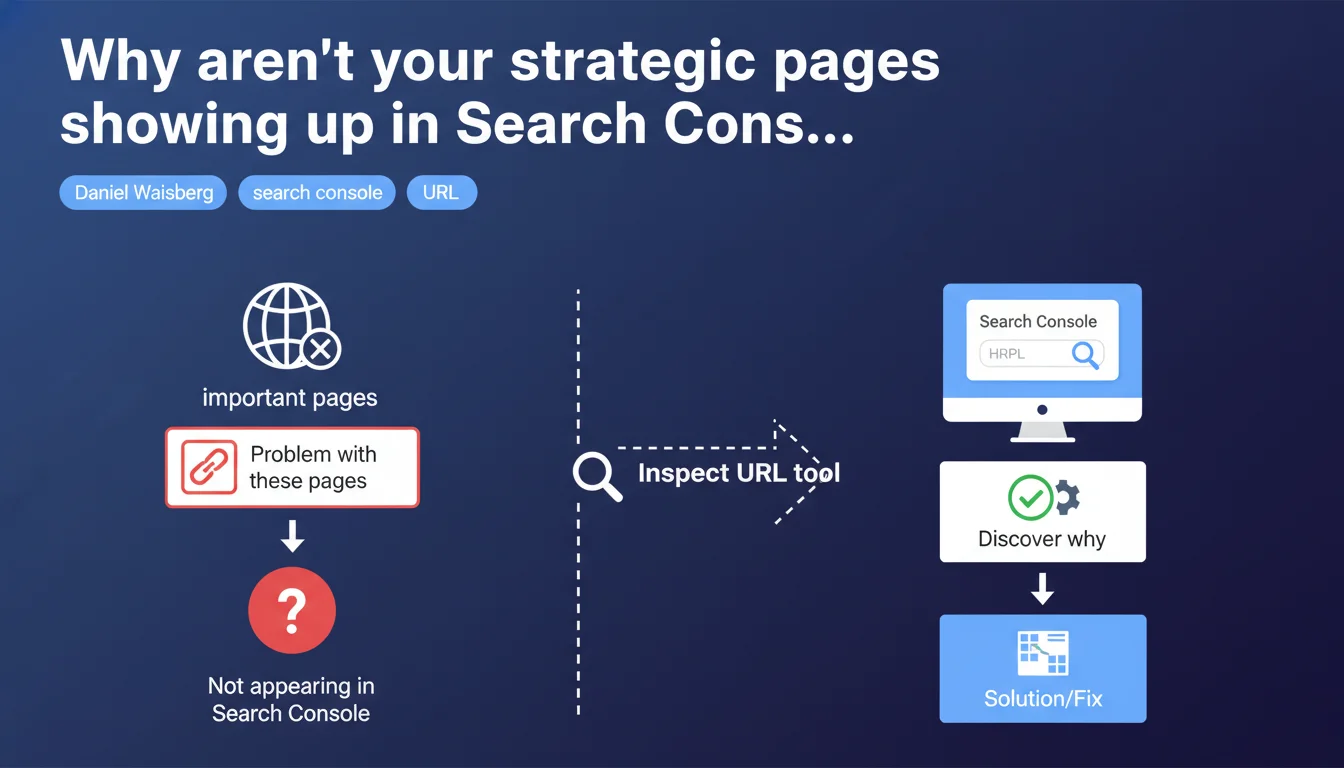
Google confirms that missing important pages from your Search Console report signals a technical issue worth investigating. The URL inspection tool becomes the mandatory diagnostic to identify the root cause. This statement repositions Search Console as an active monitoring tool, not just a reporting platform.
What you need to understand
What does "missing important pages" really mean?
Google isn't talking about normal indexation fluctuations here. We're dealing with a technical red flag: URLs you consider strategic — main categories, flagship product pages, conversion pages — simply aren't showing up in coverage reports.
The absence can take several forms. Either the page never appeared in Search Console, or it disappeared after being indexed. In both cases, Google is pointing to a malfunction rather than an algorithmic choice.
Why is URL inspection presented as THE solution?
Because global Search Console reports only give you a macro view — how many pages indexed, how many excluded, a few generic reasons. The inspection tool, meanwhile, analyzes a specific URL in real-time and exposes precise blockers: robots.txt, noindex, redirects, server errors, inaccessible content.
It's medical diagnosis versus public health statistics. When a strategic page goes missing, you need the former, not the latter.
Does this statement change the game for SEO audits?
Not fundamentally, but it officially establishes a tool hierarchy. URL inspection becomes the mandatory starting point whenever a gap is detected between your sitemap/crawl and Search Console.
It also implies that Google sees its own coverage reports as insufficient for diagnosing individual cases — something practitioners have known for years.
- Absence = technical problem, not an algorithmic decision to deprioritize
- The URL inspection tool is designated as first-level diagnostic, before any external crawl
- Google implicitly acknowledges that global Search Console reports aren't enough to identify root causes
- This approach applies to important pages — the notion of criticality is central to the message
SEO Expert opinion
Is this recommendation consistent with what we observe in practice?
Yes, but with a significant caveat. The inspection tool works well for diagnosing binary blockers: noindex, robots.txt, 4xx/5xx errors, redirects. In those cases, diagnosis is immediate and reliable.
But when a page is technically crawlable and indexable, and Google still decides not to index it? The tool will tell you "the URL can be indexed" while it actually isn't. The famous gap between live testing and actual index. In those cases — insufficient perceived quality, detected duplication, crawl budget — inspection won't get you far.
What nuances should we add to this statement?
Google talks about "important pages" without defining the concept. Important to whom? To you, to your conversions, to your internal linking — or important by Google's standards? Because Google indexes what it considers useful, not what you deem strategic.
Second nuance: the inspection tool tests a URL at a specific moment with the Googlebot user-agent. If your issue stems from poorly executed JavaScript, content served differently based on context, or shaky mobile-first handling, the test can come back green while indexation fails.
In which cases is this approach insufficient?
When the problem is structural. If 50 product pages out of 200 don't show up, inspecting each URL one by one will only give you a symptom list. You'll need a full crawl to identify the common pattern: insufficient internal linking, excessive depth, misconfigured canonicals, crawl budget dilution.
URL inspection is a point-in-time diagnostic tool. It doesn't replace a Screaming Frog crawl, log analysis, or architecture review. Google tells you what to use first — which is legitimate — but not that it's the only answer.
Practical impact and recommendations
What should you do concretely when a strategic page is missing?
First step: open Search Console, paste the URL into the inspection tool, run the live test. Check the "Coverage" section to identify an obvious blocker — robots.txt, noindex tag, redirect, server error.
If the test comes back green but the page still isn't indexed, request indexation via the provided button. This prioritizes the page in the crawl queue. Wait 48-72 hours and re-inspect. If it remains absent, the problem isn't technical in the strict sense.
What mistakes should you avoid in this diagnosis?
Never rely solely on the live test result. Also verify the actual status in the index via a "site:yoururl.com" search on Google. The gap between the two is common.
Another trap: inspecting a URL from a sitemap when it isn't linked anywhere on the site. Google can see it, test it, and decide it has no internal weight therefore no reason to be indexed. Internal linking matters as much as technical crawlability.
Finally, don't loop-inspect the same URL every hour. That won't force Google to speed up. One indexation request per week maximum.
How do you structure effective monitoring of your critical pages?
Build a list of non-negotiable URLs: homepage, main categories, top products/articles, conversion pages. Regularly export Search Console data and cross-reference it with this list to spot absences.
Automate if possible — a script comparing your critical list to the Search Console API and alerting you on discrepancies. This prevents discovering three months later that an entire category has vanished from the index.
- Identify your 20-50 absolutely strategic pages and document them
- Check their presence in Search Console monthly via the coverage report
- If absent, use the inspection tool as first-level diagnostic
- If the live test passes but the page remains absent, look for a quality, duplication, or internal linking issue
- Don't confuse successful test with effective indexation — always verify with a site: search in Google
- Build documentation of critical URLs to ease monitoring and handover
- Automate gap detection between your reference list and Search Console if you manage a large catalog
🎥 From the same video 10
Other SEO insights extracted from this same Google Search Central video · published on 04/12/2025
🎥 Watch the full video on YouTube →
💬 Comments (0)
Be the first to comment.