
Official statement
Other statements from this video 16 ▾
- □ Do you really need to notify Google when redesigning your website?
- □ Does Google really detect WEBP format through the HTTP header rather than the file extension?
- □ What does Google really consider a prominent video, and why does it matter for your search rankings?
- □ Does multilingual duplicate content really hurt your international SEO rankings?
- □ Should you choose a ccTLD over .com to target a local market?
- □ Why does Google insist on isolating site migrations from any other redesign work?
- □ Should you consolidate all hreflang annotations in one sitemap or split them by language?
- □ Does Google offer a button to force massive reindexing of a website after a redesign?
- □ Strong vs Bold: Does Google really make a difference between these two tags?
- □ Does LCP really only measure what's visible in your viewport at load time?
- □ Is an XML sitemap really essential for Google to index your website?
- □ Should you use hreflang 'de' or 'de-de' to target German speakers?
- □ Does Google really retry indexing your pages after a 401 error or server downtime?
- □ Does nesting your structured data really help Google understand what your page is actually about?
- □ Should you really prioritize alt text over OCR for extracting text from images?
- □ Is infinite scroll killing your e-commerce indexation on Google?
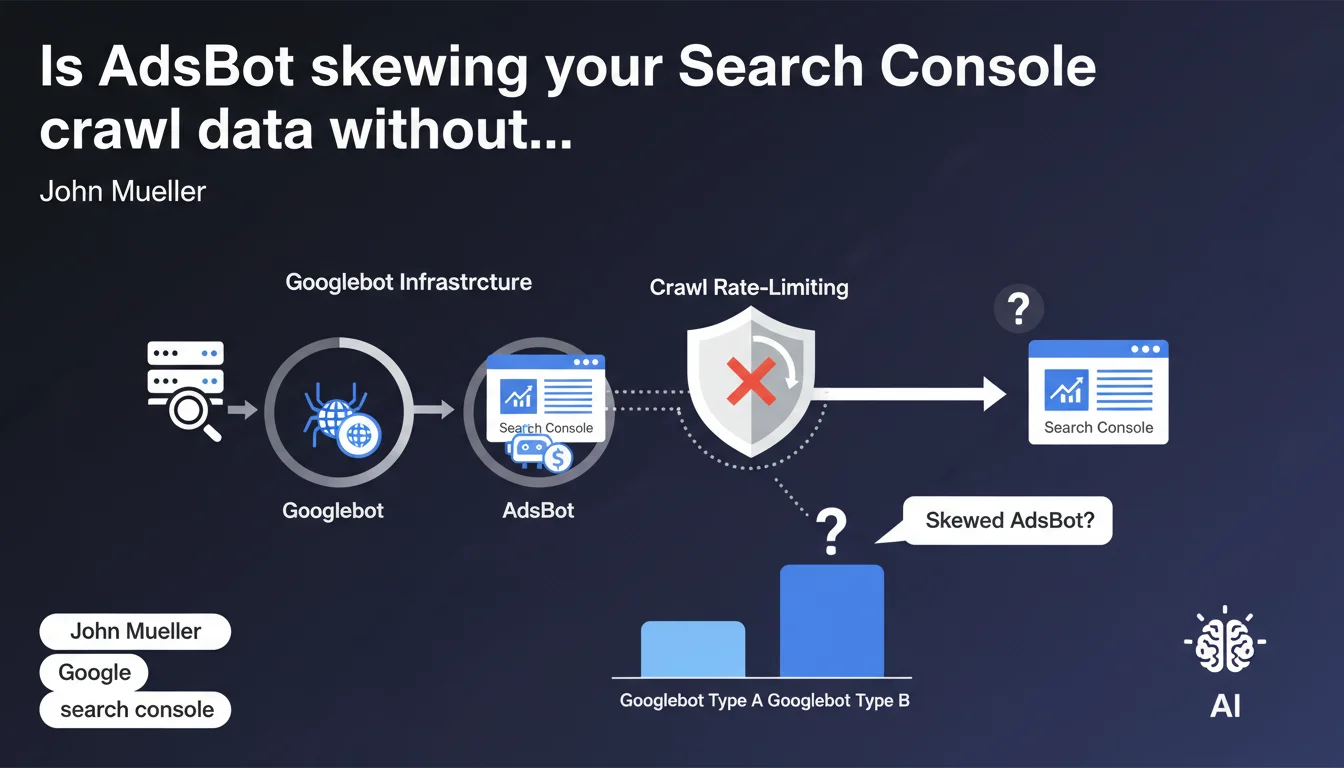
Crawl stats in Search Console also integrate AdsBot, which shares Googlebot's infrastructure and is subject to the same rate-limiting constraints. It appears as a distinct type within Googlebot categories, but consumes from the shared crawl budget. The bottom line: your crawl budget isn't reserved exclusively for organic URLs.
What you need to understand
Do AdsBot and Googlebot really share the same infrastructure?
Yes, and that's where the issue lies. AdsBot uses exactly the same technical infrastructure as Googlebot to crawl your site. That means it goes through the same servers, respects the same load-limiting rules, and counts toward the same crawl metrics.
The important nuance: Search Console displays AdsBot separately in the Googlebot types section, which can create an illusion of independence. In reality, both bots share the same pool of resources allocated to your site.
What does this actually mean for my crawl budget?
Your crawl budget isn't unlimited. If AdsBot consumes 20% of your daily crawls to verify advertising landing pages, that's 20% less capacity to explore your new product pages or news content.
The problem becomes acute on medium-sized sites with active Google Ads campaigns: AdsBot can crawl aggressively through hundreds of ad URLs, sometimes more frequently than standard Googlebot visits your strategic content.
How can I identify AdsBot's impact on my statistics?
In Search Console, under Settings > Crawl statistics, you can filter by Googlebot type. AdsBot appears as a distinct category with its own request volume.
Compare the AdsBot to standard Googlebot ratio. If AdsBot represents more than 15-20% of your total crawl on a non-massive e-commerce site, you likely have a poorly optimized Ads campaign generating unnecessary crawl.
- Shared infrastructure: AdsBot and Googlebot use the same technical resources
- Common rate-limiting: crawl rate mechanisms apply globally to both bots
- Separate visibility: Search Console distinguishes AdsBot in reports but it consumes from the same budget
- Variable impact: heavily depends on volume and structure of your Google Ads campaigns
SEO Expert opinion
Does this statement align with real-world observations?
Yes, but with a significant caveat. On sites I've tracked for years, we consistently see AdsBot crawl spikes correlated with campaign launches. That validates Mueller's statement.
Where things get murky: [To be verified] Google never specifies the crawl budget share ratio between AdsBot and standard Googlebot. On some e-commerce sites, I've observed AdsBot representing up to 35% of total crawl for weeks — hard to believe that doesn't impact organic indexation.
What nuances should we add to this claim?
The devil is in the details. Mueller says "constrained by the same rate-limiting mechanisms," but doesn't specify whether AdsBot receives different priority in allocating this shared budget.
Concretely? I've seen situations where AdsBot crawled ad landing pages multiple times daily while important product pages were visited once a week. If the mechanisms are truly identical, why this frequency difference?
[To be verified] Hypothesis: AdsBot might have an internal priority system tied to ad spending, explaining why ad-heavy sites see their organic crawl slow down.
In which scenarios does this rule become problematic?
Three scenarios where shared infrastructure creates issues:
Sites with tight crawl budgets (news, marketplaces): each AdsBot request to a temporary landing page is a strategic URL not crawled. On an events site with 10,000 pages and 500 crawls/day budget, 100 AdsBot crawls = 20% capacity lost.
Poorly structured Ads campaigns: hundreds of unique destination URLs generated dynamically (UTM parameters in final URL, infinite variations) create a crawl sink. AdsBot will attempt to explore all of them.
Practical impact and recommendations
What concrete steps should I take to limit AdsBot's impact?
First action: audit your Google Ads destination URLs. Open your Ads account, extract all final URLs from active campaigns. Count the unique variations. If you have 50 campaigns pointing to 500 different URLs, that's 500 URLs AdsBot will crawl regularly.
Rationalize. Use generic landing pages with UTM parameters instead of creating unique URLs per campaign. Configure Search Console to ignore these tracking parameters in your statistics.
What mistakes must I absolutely avoid?
Never block AdsBot in your robots.txt. Let's be honest: that would kill your Google Ads campaigns. Google needs to verify your pages comply with advertising policies.
Also avoid creating masses of destination URLs via tools that generate infinite variations (language × region × product × promotion). Each URL = potential AdsBot crawl. On a multilingual site, prioritize server-side automatic language detection rather than distinct URLs.
How can I verify my configuration is optimal?
Weekly monitoring in Search Console: track the evolution of your AdsBot requests to total Googlebot requests ratio. If this ratio increases without your Ads budget exploding, that's a red flag.
Cross-reference with your server logs. Compare URLs crawled by AdsBot against your active campaign destinations. If AdsBot crawls URLs you haven't used in Ads for weeks, you have stale redirects or orphaned links to clean up.
- Consolidate Ads destination URLs on a limited number of generic landing pages
- Configure UTM parameters in Search Console to exclude them from performance statistics
- Monitor monthly the AdsBot to Googlebot ratio in crawl statistics
- Clean up old campaign URLs from inactive campaigns still generating AdsBot crawl
- Verify in server logs that AdsBot isn't crawling hundreds of useless URL variations
- Avoid dynamic parameters in Google Ads final URLs (prioritize ValueTrack instead)
❓ Frequently Asked Questions
AdsBot consomme-t-il vraiment du crawl budget destiné au SEO ?
Peut-on bloquer AdsBot pour préserver le crawl budget SEO ?
Comment savoir si AdsBot impacte négativement mon site ?
Les paramètres UTM dans les URLs Ads génèrent-ils du crawl supplémentaire ?
AdsBot a-t-il une priorité différente de Googlebot dans l'allocation du crawl ?
🎥 From the same video 16
Other SEO insights extracted from this same Google Search Central video · published on 09/03/2023
🎥 Watch the full video on YouTube →
💬 Comments (0)
Be the first to comment.