
Official statement
Other statements from this video 7 ▾
- □ Does Googlebot really ignore scrolling and user interactions?
- □ Does your browser's DOM really show what Google actually indexes?
- □ Are DevTools really enough to debug your technical SEO problems?
- □ Why does spoofing Googlebot's user agent in your browser actually accomplish nothing?
- □ Is your resource waterfall chart really exposing your hidden performance bottlenecks?
- □ Does Google really analyze the DOM instead of raw HTML—and why does this matter for your rankings?
- □ Should you really ban lazy loading and infinite scroll to get indexed by Google?
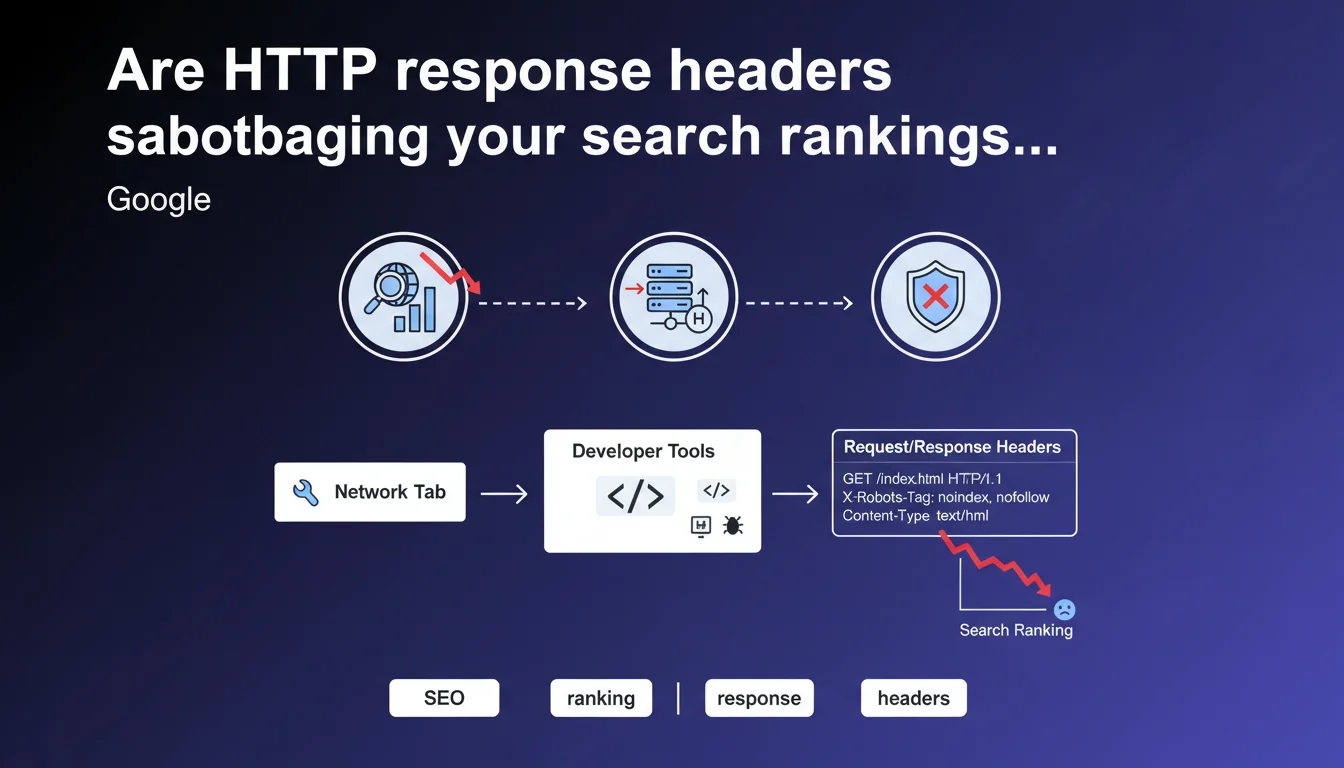
Google reminds us that the Network tab in DevTools lets you audit HTTP response headers, particularly the X-Robots-Tag which dictates indexation directives. Checking these headers is essential to ensure that no hidden instructions are blocking the crawl or indexation of your strategic pages.
What you need to understand
Which HTTP headers actually impact your SEO performance?
HTTP response headers transmit metadata that Googlebot interprets before even parsing the HTML. Among them, the X-Robots-Tag functions like a robots meta tag but at the server level: it can forbid indexation, block link following, or prevent snippet display.
Other headers matter too: the Status Code (200, 301, 404...), the Content-Type to detect resource format, or cache directives (Cache-Control, ETag) which influence crawl frequency. Overlooking these server-side signals risks sabotaging your indexation without even realizing it.
Why use the Network tab instead of other SEO tools?
The DevTools Network tab displays the raw HTTP request exactly as the browser — and Googlebot — receives it. Unlike third-party crawlers that sometimes imperfectly simulate Google's behavior, this tab shows what actually travels between server and client.
You see the exact status, cascading redirects, cookies, security headers (HSTS, CSP) and especially the X-Robots-Tag. It's the source of truth when a Screaming Frog or OnCrawl audit finds no problems but your pages still don't appear in the index.
Can the X-Robots-Tag conflict with the meta robots tag?
Yes — and in that case, the most restrictive directive wins. If the HTTP header says X-Robots-Tag: noindex and the HTML tag says <meta name="robots" content="index">, Google won't index the page.
Worse: some CMS platforms or CDNs inject X-Robots-Tags by default on certain routes (APIs, assets, previews) without your awareness. A manual audit via Network can uncover these phantom configurations that wreck indexation.
- X-Robots-Tag acts at server level, before HTML parsing
- The Network DevTools tab displays raw HTTP exchange reality
- Multiple directives (header + meta) accumulate: the most restrictive wins
- CMS and CDN platforms can inject headers without warning
- Manually checking each critical page type (category, product sheet, hub) is mandatory
SEO Expert opinion
Does this statement align with real-world practices?
Absolutely. We regularly see sites penalized by a X-Robots-Tag: noindex inherited from outdated server config or a poorly configured WordPress plugin. The classic case: a staging site protected by noindex that goes live without removing the header.
Google doesn't do nuance here — if the header says noindex, it's non-negotiable. No amount of backlinks or premium content will circumvent this directive. And unlike the meta tag, X-Robots-Tag applies to non-HTML resources too: PDFs, images, videos.
What frequent errors slip past automated audits?
Standard SEO crawlers parse HTML but don't always simulate the complete server context: headers conditional on User-Agent, CDN-specific rules, redirects based on geolocation. Result: your audit shows 200 OK while Googlebot receives a 403 or unexpected X-Robots-Tag.
Another trap: headers sent only in production, absent in dev environment. An application firewall (WAF) can inject security headers that block indexation — Cloudflare, for example, lets you add X-Robots-Tags via Page Rules, and if a junior checked the wrong box, an entire directory can vanish from the index.
[To verify]: Google doesn't specify how it handles inconsistencies between multiple X-Robots-Tags on the same request (e.g., one added by CDN, another by origin server). Field observation suggests it applies the first one encountered, but no official documentation confirms this.
When does this manual verification become absolutely necessary?
Whenever a site uses a CDN, a reverse proxy (Nginx, Varnish), or edge workers (Cloudflare Workers, Lambda@Edge). These layers inject or modify headers without touching application code — impossible to detect the problem by inspecting only the CMS.
Same for headless architectures where the React/Vue frontend consumes an API: if the API returns X-Robots-Tag: noindex on its JSON endpoints, Googlebot never sees the client-rendered content. A DevTools audit in Disable cache and Preserve log mode becomes the only way to diagnose.
X-Robots-Tag: noindex in next.config.js for a route, no SEO plugin will detect it — only raw HTTP inspection reveals it.Practical impact and recommendations
How do you systematically check critical SEO headers?
Open the Network tab in Chrome DevTools (F12 then Network), reload the page, and click the first document-type request. In the Headers tab, scroll to Response Headers and search for X-Robots-Tag, Status Code, Content-Type.
Do this on every strategic page template: homepage, category, product sheet, blog article, author page. Note anything unusual — a Cache-Control: no-cache can slow crawling, X-Frame-Options: DENY prevents iframe display but doesn't affect indexation.
To automate at scale, use curl or httpie from command line:
curl -I https://yoursite.com/critical-page
Or script an audit with Python + requests to test 100 URLs at once and log all suspicious headers.
What mistakes should you avoid when configuring server headers?
Never leave an X-Robots-Tag: noindex active in production — seems obvious, but it's error #1. Also verify your CDN or WAF isn't adding directives by default: Cloudflare, Fastly, AWS CloudFront all have options that inject headers without warning.
Avoid conflicts between header and meta tag: if you genuinely want to block indexation, put the directive in both (defense in depth), but never pit them against each other — Google will apply the most restrictive and you lose transparency.
Watch out for poorly calibrated regex in Nginx or Apache: a location ~ /admin might match /administration-products and block useful pages. Test all your rewrite rules and conditional headers with real URLs.
What checklist should you apply for a complete HTTP header audit?
- Verify X-Robots-Tag on homepage, categories, product sheets, articles
- Control exact Status Code (not just 200 vs 404, but 301 vs 302, 503...)
- Ensure Content-Type matches actual format (text/html for HTML, application/json for JSON)
- Inspect Cache-Control and ETag to optimize crawl frequency
- Track headers injected by CDN, WAF, reverse proxy
- Test under real conditions: from different IPs, User-Agents, geolocations
- Automate via curl/Python to monitor for drift continuously
❓ Frequently Asked Questions
Le X-Robots-Tag fonctionne-t-il exactement comme la balise meta robots ?
Un CDN peut-il injecter des en-têtes X-Robots-Tag sans que je le sache ?
Comment vérifier les en-têtes HTTP reçus par Googlebot précisément ?
Les headers Cache-Control influencent-ils vraiment le crawl budget ?
Peut-on utiliser X-Robots-Tag pour des directives avancées comme nosnippet ou unavailable_after ?
🎥 From the same video 7
Other SEO insights extracted from this same Google Search Central video · published on 07/02/2023
🎥 Watch the full video on YouTube →
💬 Comments (0)
Be the first to comment.