
Official statement
Other statements from this video 7 ▾
- □ Does your browser's DOM really show what Google actually indexes?
- □ Are DevTools really enough to debug your technical SEO problems?
- □ Are HTTP response headers sabotaging your search rankings without you knowing it?
- □ Why does spoofing Googlebot's user agent in your browser actually accomplish nothing?
- □ Is your resource waterfall chart really exposing your hidden performance bottlenecks?
- □ Does Google really analyze the DOM instead of raw HTML—and why does this matter for your rankings?
- □ Should you really ban lazy loading and infinite scroll to get indexed by Google?
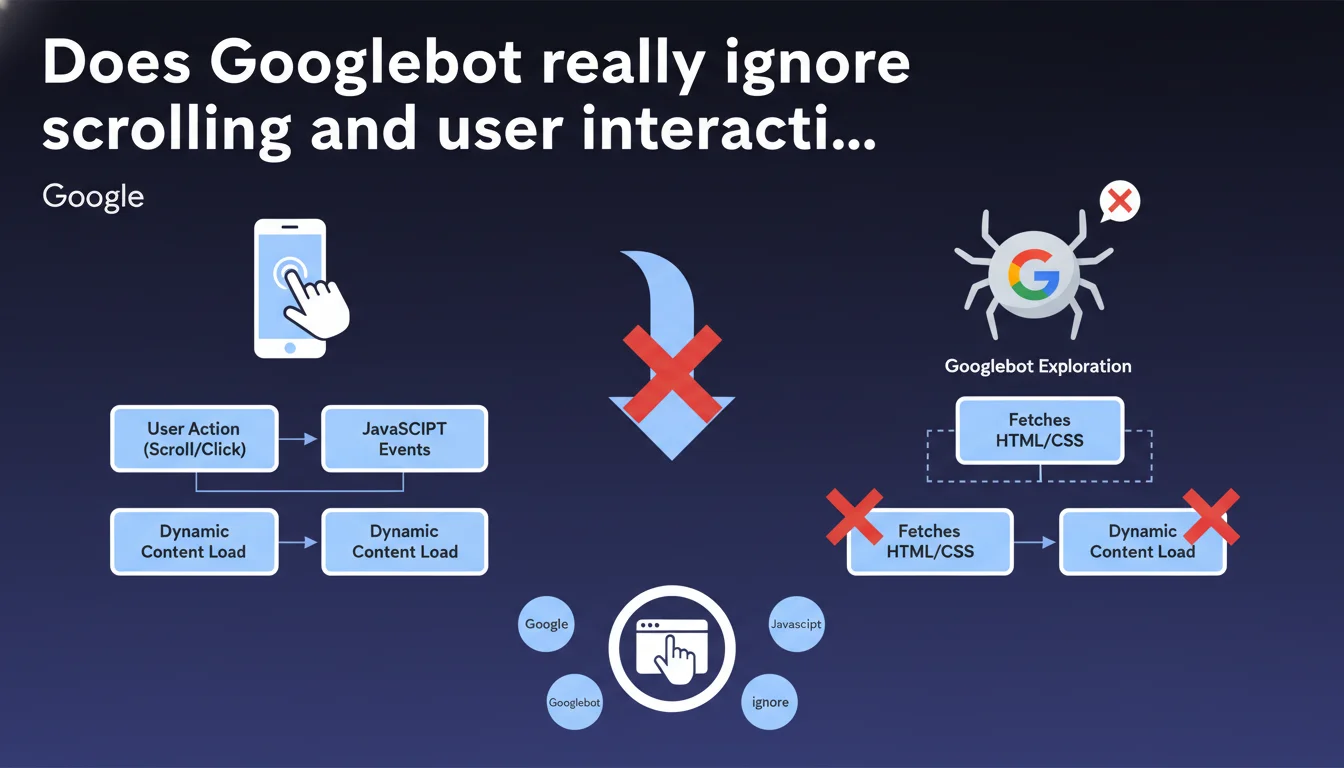
Googlebot does not interact with web pages: no clicks, no scrolling, no user events. JavaScript that depends on scrolling or other interactions will never be executed during crawling. Your scroll-triggered lazy-loaded content risks being completely invisible to Google.
What you need to understand
This statement from Google makes it crystal clear: Googlebot behaves like a passive visitor. It loads the page, executes initial JavaScript, but simulates no human action whatsoever.
In practice, if your site loads additional content only when the user scrolls or clicks, these elements simply don't exist for the search engine. This is a critical technical point, often overlooked when implementing performance optimizations.
Why does Google need to clarify this now?
Because modern JavaScript frameworks (React, Vue, Next.js) encourage lazy-loading and dynamic interactions to improve perceived performance. What's excellent for users can become problematic for indexing.
Google has been trying for years to properly crawl and index JavaScript. But this statement reminds us of a fundamental limitation: the bot neither has the time nor the resources to simulate complete user behavior on every crawled page.
What actually triggers JavaScript execution by Googlebot?
Googlebot executes JS that triggers on page load — scripts that run automatically via DOMContentLoaded or window.onload. Anything requiring interaction (scroll, hover, click) remains invisible.
The important nuance: if your JavaScript loads content via an automatic request (fetch on load, not on scroll), Google will see it. It's the trigger that matters, not the technology.
- Googlebot loads the page and waits for initial JavaScript to execute
- No user events are simulated (scroll, click, hover, resize)
- Scroll-triggered lazy-loaded content will not be discovered or indexed
- Only JavaScript that executes automatically on load is taken into account
SEO Expert opinion
Does this rule really apply in all cases?
Let's be honest: Google sometimes exhibits contradictory behaviors. We regularly observe cases where lazy-loaded content appears to be indexed anyway. But you need to understand the mechanism.
If your lazy-loading uses Intersection Observer with a generous threshold (high rootMargin), content can load automatically without actual scrolling. Google then sees the final DOM. It's not that the bot scrolls — it's that your code loads content sufficiently in advance.
Where does this statement lack precision?
Google remains vague on a crucial point: how long does the bot wait for JavaScript to execute? The official answer mentions "a few seconds," but that's insufficient information.
In practice, if your JS takes more than 5 seconds to load critical content, you're probably in the red zone. [To be verified] No official data confirms this threshold — it's an empirical observation based on field testing.
Is this limitation consistent with Google's strategy?
Absolutely. Google has been pushing for Server-Side Rendering (SSR) or static generation for years. This statement confirms that relying solely on client-side rendering with scroll-triggered lazy-loading is risky for SEO.
The underlying message: if your content matters for search rankings, it must be present in the initial HTML or loaded automatically on load. No compromise.
Practical impact and recommendations
How to identify content invisible to Googlebot?
First step: audit your scripts that depend on events. Search your code for listeners on scroll, click, hover, resize. Any content loaded via these triggers is potentially invisible.
Use Search Console and compare the rendered HTML in the inspection tool with what you see in the page source (Ctrl+U). If major differences appear, you have a dynamic content indexing problem.
What technical changes should you apply as priority?
For critical content: load it automatically on load, not on scroll. If you use Intersection Observer for lazy-loading, configure a generous rootMargin (for example 200-300px) to anticipate loading.
For images: use the native loading="lazy" attribute only for images below the fold. Critical images (above the fold) should load normally.
Consider a hybrid approach with Server-Side Rendering for essential content and client-side for secondary elements. Next.js, Nuxt, or Gatsby facilitate this architecture.
- Identify all scripts triggered by scroll or click in your code
- Move critical content loading to automatic load
- Test rendering in Search Console after modifications
- Verify that the source HTML contains your strategic content
- Adjust Intersection Observer thresholds if you use it
- Prioritize SSR or static generation for high-stakes SEO pages
❓ Frequently Asked Questions
Le lazy-loading d'images est-il également impacté par cette limitation ?
L'outil d'inspection d'URL reflète-t-il le comportement réel de Googlebot ?
Les infinite scroll sont-ils condamnés pour le SEO ?
Dois-je abandonner React ou Vue pour mon SEO ?
Comment tester si mon contenu JavaScript est bien crawlé ?
🎥 From the same video 7
Other SEO insights extracted from this same Google Search Central video · published on 07/02/2023
🎥 Watch the full video on YouTube →
💬 Comments (0)
Be the first to comment.