
Official statement
Other statements from this video 7 ▾
- □ Does Googlebot really ignore scrolling and user interactions?
- □ Does your browser's DOM really show what Google actually indexes?
- □ Are DevTools really enough to debug your technical SEO problems?
- □ Are HTTP response headers sabotaging your search rankings without you knowing it?
- □ Is your resource waterfall chart really exposing your hidden performance bottlenecks?
- □ Does Google really analyze the DOM instead of raw HTML—and why does this matter for your rankings?
- □ Should you really ban lazy loading and infinite scroll to get indexed by Google?
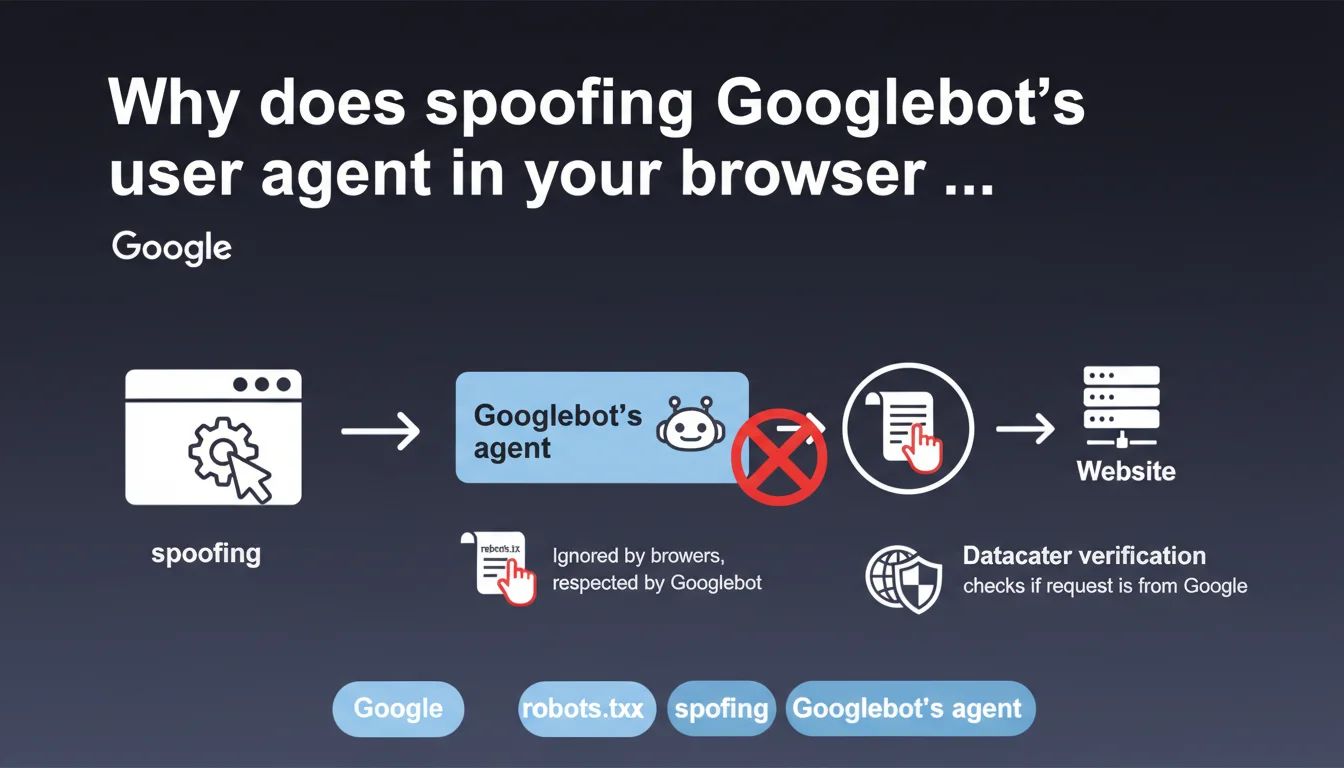
Manually changing your browser's user agent to mimic Googlebot doesn't accurately reproduce the crawler's actual behavior. Googlebot respects robots.txt and originates from verifiable IP addresses in Google datacenters — two elements that a simple user agent change cannot simulate. This testing technique remains limited and misleading for diagnosing page rendering or accessibility issues.
What you need to understand
Why do people want to simulate Googlebot in a browser?
Many SEOs change their browser's user agent to mimic Googlebot, hoping to see exactly what the crawler sees. The idea? Quickly detect whether a page blocks the bot, displays different content (cloaking), or encounters JavaScript rendering issues.
This practice assumes that a simple user agent string change is enough to reproduce Googlebot's behavior. But Google is pointing out here that this approach is incomplete — and potentially misleading.
What are the technical limitations of this simulation?
First pitfall: robots.txt. Your browser, even with a modified user agent, completely ignores this file. Googlebot, on the other hand, strictly respects it. If a directive blocks access to certain CSS or JS resources, your browser will load them anyway — skewing your diagnosis.
Second problem: IP verification. Some websites verify that requests claiming to come from Googlebot actually originate from a Google datacenter. A reverse DNS lookup or verification using IP ranges published by Google allows them to unmask imposters. Your browser, however, comes from your ISP.
- Googlebot respects robots.txt, your browser doesn't — blocked resources won't be visible to the bot
- Websites can verify the source IP via reverse DNS to authenticate Googlebot
- A simple user agent change simulates neither the infrastructure nor the complete behavior of the crawler
- This technique can create a false sense of security about actual page accessibility
When can this method still be useful?
Despite its limitations, changing the user agent remains useful for quick and superficial testing. You can detect crude cloaking based solely on the user agent string, or check whether a page displays a specific error message for bots.
But don't rely on this method to diagnose indexation problems related to robots.txt, JavaScript, or IP restrictions. For that, Google Search Console and the URL inspection tool are essential.
SEO Expert opinion
Is this statement consistent with what's observed in the field?
Absolutely. Experienced SEOs have long known that simply changing the user agent is a workaround, not a real testing solution. The cases where things break often involve resources blocked by robots.txt (fonts, third-party scripts) that the browser loads without issue.
On the IP verification side, some e-commerce or media sites do actually block fake Googlebots to protect themselves from scraping. They use solutions like Cloudflare or homemade scripts that cross-reference user agent and IP address. In these configurations, your browser will never pass as Googlebot — even with the correct user agent.
What nuances should be applied to Google's message?
Google isn't saying that changing the user agent is useless, but that you shouldn't expect it to provide a faithful simulation. Important nuance: this technique remains valid for basic checks, but becomes misleading if you rely on it to validate complete page accessibility.
One point Google doesn't address: JavaScript rendering. Even with the correct user agent, your browser may execute JS differently than Googlebot depending on the Chrome version used, active extensions, or hardware capabilities. [To be verified] in each specific context.
What's the best alternative for testing like Googlebot?
The URL inspection tool in Google Search Console remains the gold standard. It actually solicits Googlebot, respects robots.txt, and shows you exactly what the crawler sees — rendering included. It's the only 100% reliable method.
For bulk or automated testing, tools like Screaming Frog can simulate Googlebot more comprehensively (robots.txt respect, rendering options). But nothing replaces a real test via GSC to validate page indexability for strategic pages.
Practical impact and recommendations
What should you concretely do to test page accessibility?
Prioritize Google Search Console and the URL inspection tool for any serious diagnostics. You'll have access to actual rendering, blocked resources, and JavaScript errors encountered by Googlebot.
If you still need to change the user agent in your browser (for a quick test), remember that the result will be indicative only. Cross-reference it with other sources: server logs, GSC, third-party tools.
What errors should you avoid when testing crawlability?
Never base validation solely on a user agent change to confirm that Googlebot can access a page. Always verify robots.txt — manually or via a tool — to identify blocked resources.
Also avoid testing from your local network if your site applies geographic or IP restrictions. Use a VPN or remote server to simulate external access.
- Use Google Search Console to inspect critical pages and see Googlebot's actual rendering
- Check robots.txt to identify blocked resources (CSS, JS, images)
- Cross-reference results with server logs to confirm actual Googlebot requests
- Don't rely on user agent alone to diagnose indexation issues
- Test JavaScript rendering via the URL inspection tool or third-party solutions (Screaming Frog, OnCrawl)
- If your site verifies IPs, ensure Google's IP ranges aren't blocked by mistake
❓ Frequently Asked Questions
Puis-je quand même utiliser le changement de user agent pour tester mes pages ?
Comment un site peut-il vérifier que la requête vient vraiment de Googlebot ?
Googlebot respecte-t-il systématiquement le robots.txt, même pour l'indexation ?
Quels outils permettent de simuler Googlebot plus fidèlement qu'un simple changement de user agent ?
Si mon site bloque les faux Googlebots par IP, est-ce pénalisant pour le SEO ?
🎥 From the same video 7
Other SEO insights extracted from this same Google Search Central video · published on 07/02/2023
🎥 Watch the full video on YouTube →
💬 Comments (0)
Be the first to comment.