
Official statement
Other statements from this video 13 ▾
- □ Faut-il vraiment craindre son prestataire SEO ?
- □ Faut-il vraiment arrêter de mesurer le succès SEO aux positions dans les SERP ?
- □ Quelles questions un prestataire SEO doit-il vraiment poser avant d'intervenir ?
- □ Pourquoi votre prestataire SEO doit-il comprendre votre business avant de toucher à votre site ?
- □ Pourquoi personne ne peut garantir votre classement sur Google ?
- □ Que risque vraiment un site qui enfreint les directives Google ?
- □ Comment vérifier qu'un prestataire SEO livre vraiment des résultats durables ?
- □ Faut-il vraiment intégrer le SEO à la stratégie business plutôt que de le traiter comme un canal d'acquisition ?
- □ Faut-il vraiment confier l'audit SEO de son site à un prestataire externe ?
- □ Faut-il vraiment optimiser pour l'utilisateur plutôt que pour Google ?
- □ Comment estimer l'investissement SEO et l'impact business d'un audit ?
- □ Comment prioriser les optimisations SEO pour maximiser le ROI avec un minimum de ressources ?
- □ Faut-il vraiment définir des objectifs précis avant de piloter une stratégie SEO ?
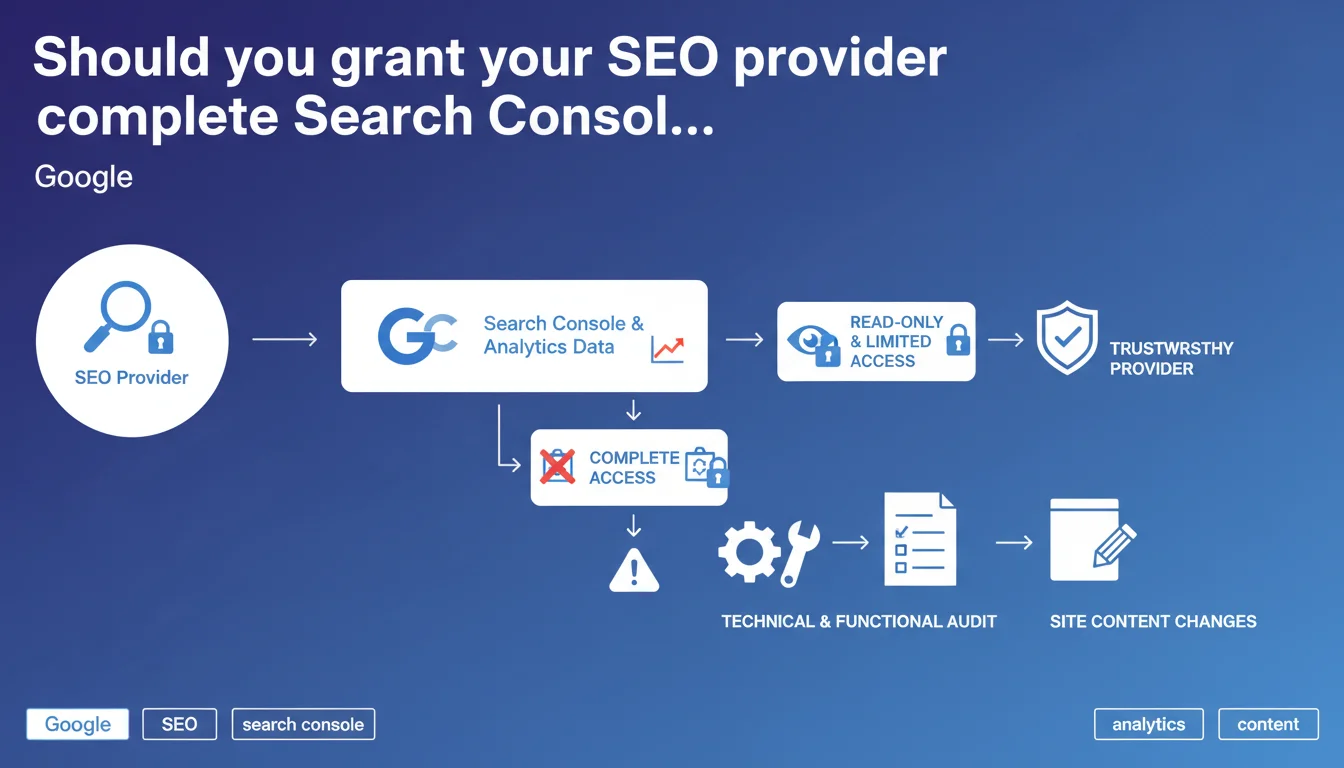
Google recommends limiting your SEO provider's access to Search Console and Analytics to read-only mode. A comprehensive technical audit must precede any actual site modifications. This directive aims to protect your data while enabling thorough diagnosis.
What you need to understand
Why does Google insist on read-only access?
Google is establishing a security barrier between your data and external providers. Read-only access allows the consultant to analyze performance without risking accidental or malicious manipulation.
In Search Console, a read-only account can view queries, rankings, indexation errors — everything needed for diagnosis. But it cannot submit sitemaps, modify international targeting settings, or disavow links.
What does a truly comprehensive technical audit actually mean?
Google mentions a technical and functional audit as a mandatory prerequisite. Concretely, this means: crawl analysis, architecture verification, indexation issue detection, Core Web Vitals audit, internal linking examination.
The goal? Identify priorities before touching code or content. A provider who modifies your site without prior diagnosis is working blind — and Google knows it.
Does this recommendation apply to all types of collaboration?
The phrasing "if the provider is trustworthy" introduces a subjective condition. Google isn't imposing anything; it's framing best practice. For a freelancer you've worked with for two years, the rule can loosen. For an agency discovered via cold email, it becomes non-negotiable.
- Limited access: protects your data and reduces risks of manipulation errors
- Prior audit: ensures modifications are based on objective data, not intuition
- Progressive trust: access rights can evolve with the working relationship
- Traceability: read-only access makes it easier to identify who did what if problems arise
SEO Expert opinion
Does this directive reflect real-world practice?
Let's be honest: in 90% of SEO engagements, clients grant full access by the first week. Why? Because working in read-only mode significantly slows things down. Impossible to fix a broken canonical, test a sitemap, or submit a URL for quick indexation.
Google's recommendation is cautious and defensive. It targets site owners unfamiliar with their provider. But it creates operational friction that most professionals quickly bypass.
What are the real risks of full access?
A malicious provider with admin access could theoretically delete properties, modify geographic targeting settings, or massively disavow quality backlinks. [To verify]: Google has never published statistics on how frequently these abuses occur.
The most common risk? Human error. A consultant who accidentally disavows a strategic link or changes international targeting without documenting the action. For that, the solution isn't limited access — it's systematic documentation and modification history.
When does this rule become counterproductive?
For a one-off audit, read-only access is more than sufficient. But for a site redesign or migration mandate, blocking write access is like hiring a surgeon and forbidding them to touch the patient.
The real issue isn't technical — it's contractual. A solid NDA, clear liability clauses, and a validation process for critical modifications protect far better than an access restriction that gets lifted after three weeks anyway.
Practical impact and recommendations
How should you structure access for a new provider?
Start with read-only access during the initial audit phase (2-4 weeks depending on site size). Once recommendations are validated and the action plan approved, progressively expand rights.
In Google Search Console, use the "Limited User" role to restrict access to sensitive data. In GA4, the "Viewer" role allows report consultation without modifying tracking configurations.
What mistakes should you avoid when managing access?
Classic mistake: granting owner-level access upfront "to save time." If the provider disappears with that account, you lose control of your tools. Always keep at least two owner accounts under your direct control.
Another trap: forgetting to revoke access once the engagement ends. Conduct quarterly audits of active users in GSC and GA4 — you'll often discover former interns or providers still lurking.
What should you concretely demand before any modification?
A written audit document with issues ranked by priority and estimated impact. Not an 80-page PDF stuffed with screenshots — an action plan with quantified recommendations.
Also request a validation process for critical modifications: URL structure changes, large-scale redirect implementation, hreflang tag modifications. These actions must pass review before deployment.
- Create a Google account dedicated to providers (not your personal account)
- Systematically start new collaborators with read-only access
- Require documented audit before any site intervention
- Contractually define which modifications need prior approval
- Set up alerts in GSC to be notified of critical parameter changes
- Conduct quarterly audits of active access and remove obsolete accounts
- Keep a history of modifications with dates and responsible parties
- Plan complete access restitution in your engagement termination clause
❓ Frequently Asked Questions
Peut-on donner un accès propriétaire à un prestataire de confiance ?
Combien de temps faut-il maintenir l'accès en lecture seule ?
Que faire si un ancien prestataire refuse de rendre les accès ?
L'accès en lecture seule permet-il de voir toutes les données de la Search Console ?
Faut-il un accès différent pour Analytics et Search Console ?
🎥 From the same video 13
Other SEO insights extracted from this same Google Search Central video · published on 24/02/2022
🎥 Watch the full video on YouTube →
💬 Comments (0)
Be the first to comment.