
Official statement
Other statements from this video 5 ▾
- □ Should you really monitor Search Console access for your SEO vendors?
- □ Why does Google insist on verifying your website ownership?
- □ Should you systematically remove old agencies from your Search Console access?
- □ Why should you remove all verification tokens from former users in Search Console?
- □ Should you really restrict SEO tools to read-only access in Google Search Console?
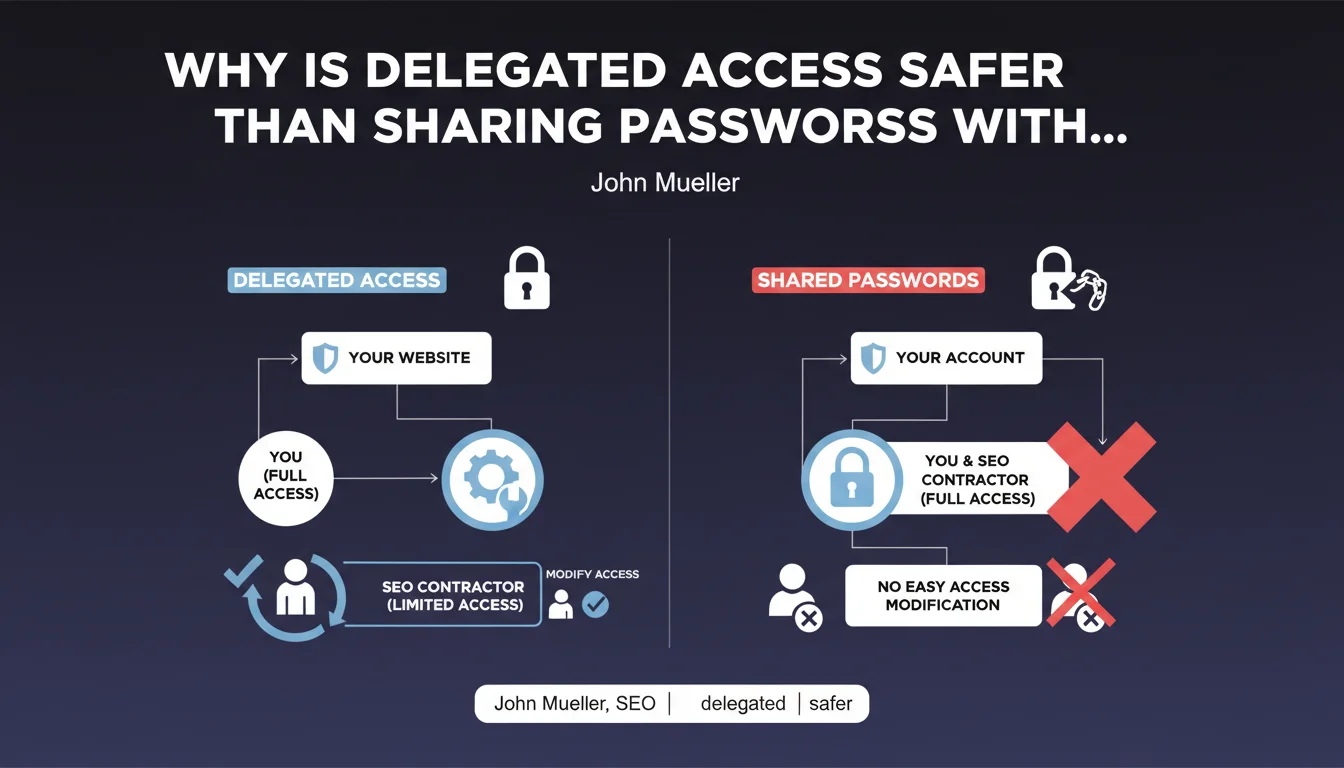
Google officially recommends using delegated access to collaborate with external agencies or consultants. This approach lets you precisely control permissions and revoke access without changing your credentials. In practice: most SEO projects don't require full administrator access.
What you need to understand
What exactly is delegated access?
Delegated access refers to a granular permissions system offered by Google Search Console, Google Analytics, or Google My Business. Instead of sharing your credentials, you invite an external user with a specific permission level.
This feature has existed for years, but Google takes the trouble to remind everyone—which says a lot about how frequently bad practices occur in the field. Many companies still hand over their admin passwords to their agency.
Why is Google emphasizing this now?
Two likely reasons. First, account security: credential leaks are common, and compromised admin access can destroy years of data. Second, contractual relationship control: when a collaboration ends badly, you can't remove the agency from your tools if they hold all the keys to the kingdom.
Mueller doesn't specify which event motivated this statement, but the emphasis on "most types of work" suggests Google is seeing too many unjustified admin access grants.
What access levels are actually necessary for a typical SEO project?
In Google Search Console, "Full" access is sufficient in 90% of cases—it allows viewing all data and submitting sitemaps without touching account ownership. "Restricted" access works for pure reporting.
For Google Analytics 4, an "Analyst" or "Editor" role covers the essentials. Admin is only necessary to modify account structure or manage other users.
- Delegated access = revocable permissions without touching the website
- Most SEO projects don't require full administrator access
- Access control = leverage for security and contractual management
- Favor the least permissive roles that still allow the work to be completed
SEO Expert opinion
Does this recommendation actually reflect real-world practices?
Let's be honest: a significant portion of agencies still request admin access reflexively, without real technical justification. Some do it out of habit, others to maintain a form of "control" over the client relationship.
On the client side, many don't even know delegated access exists. Result: passwords get sent by email in plain text, sometimes via Slack or WhatsApp. It's heresy in 2020+, but it remains frequent.
In what cases is admin access still legitimate?
There are situations where admin access is technically necessary. For example: initial setup of a complex GA4 account with multiple properties, implementation of custom audiences requiring elevated rights, or full management of a linked Google Ads account.
But again—and this is Mueller's underlying point—these cases are minority situations. Most of the time, the agency can accomplish its mission with lower-level rights. [To verify]: Google provides no statistics on the percentage of admin access that's truly justified versus what's granted out of convenience.
What concrete risks if you ignore this advice?
First risk: loss of control. If the agency holds your admin credentials and disappears overnight (it happens), you're left scrambling to reset all access, or worse, losing history if the account was under the agency's name.
Second risk: liability in case of breach. If a shared account is compromised and client data is exposed, you're legally responsible—even if the agency's laptop was stolen.
Practical impact and recommendations
How to properly set up delegated access?
In Google Search Console: Settings > Users and permissions > Add user. Choose "Full" for an agency that needs to take action, "Restricted" for reporting only. The email must be a Google account—preferably professional.
In Google Analytics 4: Administration > Property access management > Add users. The "Editor" role allows creating custom reports and filters. "Analyst" is sufficient for viewing without modifying.
What mistakes should you avoid when managing access?
Never use a personal Gmail account of the agency as the primary owner of your Search Console. If that person leaves, access leaves with them. Always create the property with an account from your company.
Also avoid giving admin access "just in case." The principle of least privilege applies here: start low, and increase permissions only if a specific technical need arises.
How do you audit current access to your Google tools?
Regularly review—at minimum quarterly—the list of users with access to your properties. Revoke former vendors, departed employees, any accounts you don't recognize.
Document each access: who, why, what permission level, date granted. A simple spreadsheet works. It seems tedious, but it's what will save you during a security incident or contractual dispute.
- Invite agencies via delegated access, never through password sharing
- Favor "Full" or "Editor" roles rather than "Admin"
- Use professional email addresses from the agency, not personal accounts
- Keep primary account ownership under your company's name
- Audit access every 3 months and revoke inactive users
- Document each access grant in an internal registry
❓ Frequently Asked Questions
Peut-on révoquer l'accès d'une agence sans qu'elle le sache immédiatement ?
Un accès délégué permet-il de voir l'historique complet des données ?
Faut-il donner un accès admin pour que l'agence puisse soumettre un sitemap ?
L'accès délégué fonctionne-t-il avec Google My Business ?
Que faire si l'agence refuse de travailler sans accès admin ?
🎥 From the same video 5
Other SEO insights extracted from this same Google Search Central video · published on 26/07/2023
🎥 Watch the full video on YouTube →
💬 Comments (0)
Be the first to comment.