
Official statement
Other statements from this video 5 ▾
- □ Faut-il vraiment surveiller les accès Search Console de vos prestataires SEO ?
- □ Pourquoi Google insiste-t-il sur la vérification de propriété de votre site ?
- □ Faut-il systématiquement retirer les anciennes agences de Search Console ?
- □ Faut-il vraiment limiter les accès des outils SEO à la lecture seule dans la Search Console ?
- □ Pourquoi l'accès délégué est-il préférable aux mots de passe partagés avec vos prestataires SEO ?
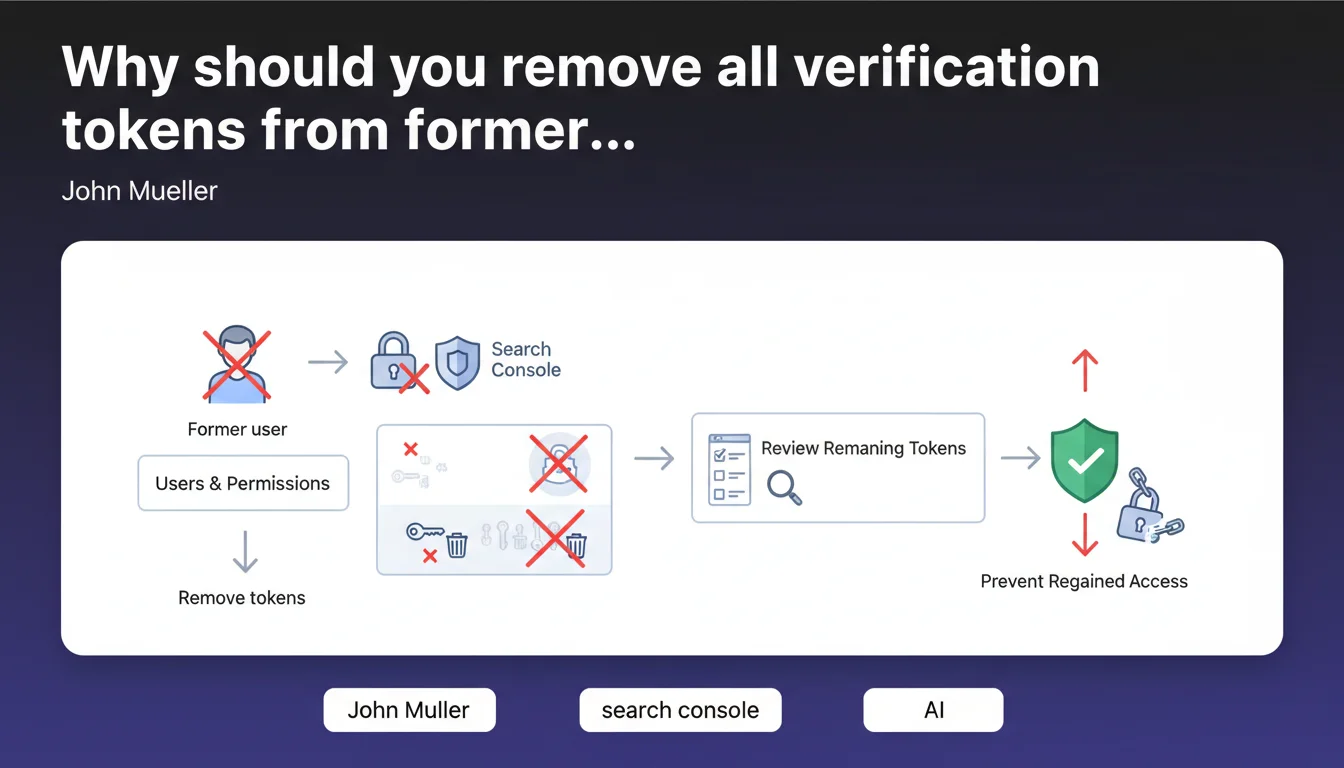
Google recommends systematically removing all verification tokens from former users in Search Console to prevent them from regaining access to your property. This security measure concerns permission management and protection of your SEO data, not directly impacting your rankings.
What you need to understand
This statement from John Mueller falls under administrative management of Google Search Console, not a proper SEO directive. It aims to protect access to your property data.
What exactly is a verification token?
A verification token is a technical identifier that proves you own a website. It can take several forms: HTML tag in the code, file uploaded to the server, DNS record, or Google Analytics tag.
The problem: even after removing a user from the access list, these tokens remain active. A former collaborator, service provider, or employee could technically use them to regain access to the property without your permission.
Why does Google emphasize this point?
Data breaches and unauthorized access are sensitive topics. Google has dealt with cases where Search Console properties were compromised by malicious or negligent former users.
By removing verification tokens, you definitively cut off the possibility of a former user using a dormant token to reconnect. It's a basic security measure, but often overlooked.
Which tokens are affected?
- HTML tag in your site's <head>
- HTML file uploaded to the server root
- DNS record (TXT record)
- Google Analytics or Google Tag Manager tag
- Domain name provider (automatic DNS via registrar)
SEO Expert opinion
Is this recommendation consistent with observed practices?
Yes, absolutely. In the field, we regularly observe Search Console properties compromised because a former service provider or employee retained an active token.
The classic case: an SEO agency installs an HTML verification tag, loses the contract, but the tag remains in the code. Two years later, the agency can still access the data. Not necessarily through malice — often through simple negligence — but the risk exists.
What nuances should be added?
Google doesn't specify whether all token types present the same level of risk. A DNS record is harder to exploit than a forgotten HTML tag in the code. But Mueller doesn't go into these details — he prefers a radical approach: remove everything.
[To verify]: Google doesn't provide concrete examples of attempted unauthorized access via a dormant token. This is preventive advice, not based on quantified experience reports.
In what cases does this rule not apply?
If you manage a large structure with frequent team rotation (agency, multi-site advertiser), systematically removing all tokens can become unmanageable. In such cases, prioritize rigorous permission management over blind purging.
Certain verification types — particularly via Google Analytics or Tag Manager — are shared across multiple tools. Removing the tag can impact other services. You need to weigh the pros and cons.
Practical impact and recommendations
What do you need to do concretely?
First step: go to Settings > Users and permissions in your Search Console. List all current users and identify those who should no longer have access.
Next, for each former user, check the verification methods associated with them. Google shows you which tokens are still active. Remove them one by one, ensuring at least one valid owner remains connected.
What mistakes should you avoid?
- Never remove all tokens without verifying that an active owner retains a valid one
- Don't forget DNS records — they're invisible in source code but remain active
- Don't confuse "removing a user" and "removing their tokens": both actions are independent
- Avoid deleting shared tags (Analytics, GTM) without checking the impact on other tools
How can you verify your site is properly secured?
Conduct a complete audit of your verification methods. List each active token, compare it against the list of authorized users, and remove discrepancies.
If you use an HTML tag, inspect the source code. If it's a file, verify via FTP. For DNS, log into your registrar and examine TXT records.
This Google directive is above all a good security practice. It doesn't directly impact your SEO, but protects your strategic data.
If your Search Console property has had multiple managers (agencies, freelancers, internal teams), regular token cleanup is essential. Neglected, this task can expose your data to unauthorized access.
For complex structures with numerous sites and collaborators, managing accesses and verification tokens can quickly become time-consuming and error-prone. In these cases, relying on a specialized SEO agency allows you to effectively secure your properties while avoiding missteps that could cause you to lose access to your data.
❓ Frequently Asked Questions
Retirer un utilisateur de Search Console suffit-il à bloquer son accès ?
Quels types de jetons sont les plus à risque ?
Que se passe-t-il si je supprime tous les jetons par erreur ?
Cette recommandation impacte-t-elle le référencement de mon site ?
À quelle fréquence faut-il auditer les jetons de vérification ?
🎥 From the same video 5
Other SEO insights extracted from this same Google Search Central video · published on 26/07/2023
🎥 Watch the full video on YouTube →
💬 Comments (0)
Be the first to comment.