
Official statement
Other statements from this video 12 ▾
- □ Le keyword stuffing est-il vraiment pénalisé par Google ?
- □ Le texte caché est-il toujours considéré comme du spam par Google ?
- □ Le contenu généré aléatoirement fait-il vraiment partie des pratiques spam selon Google ?
- □ Les backlinks sont-ils devenus inutiles pour le référencement naturel ?
- □ Le HTML valide est-il vraiment nécessaire pour bien se classer dans Google ?
- □ Faut-il vraiment abandonner les images CSS au profit des balises <img> pour le SEO ?
- □ Le noindex est-il vraiment une règle absolue ou Google prend-il des libertés ?
- □ HTTPS est-il vraiment obligatoire pour être indexé par Google ?
- □ Pourquoi Google recommande-t-il d'abandonner les plugins pour afficher du contenu web ?
- □ Pourquoi Google ne déclenche-t-il pas les événements de scroll ou de clic pour crawler votre contenu ?
- □ L'alt text des images reste-t-il vraiment indispensable face à la vision par ordinateur de Google ?
- □ Les directives SEO de Google sont-elles vraiment fiables sur la durée ?
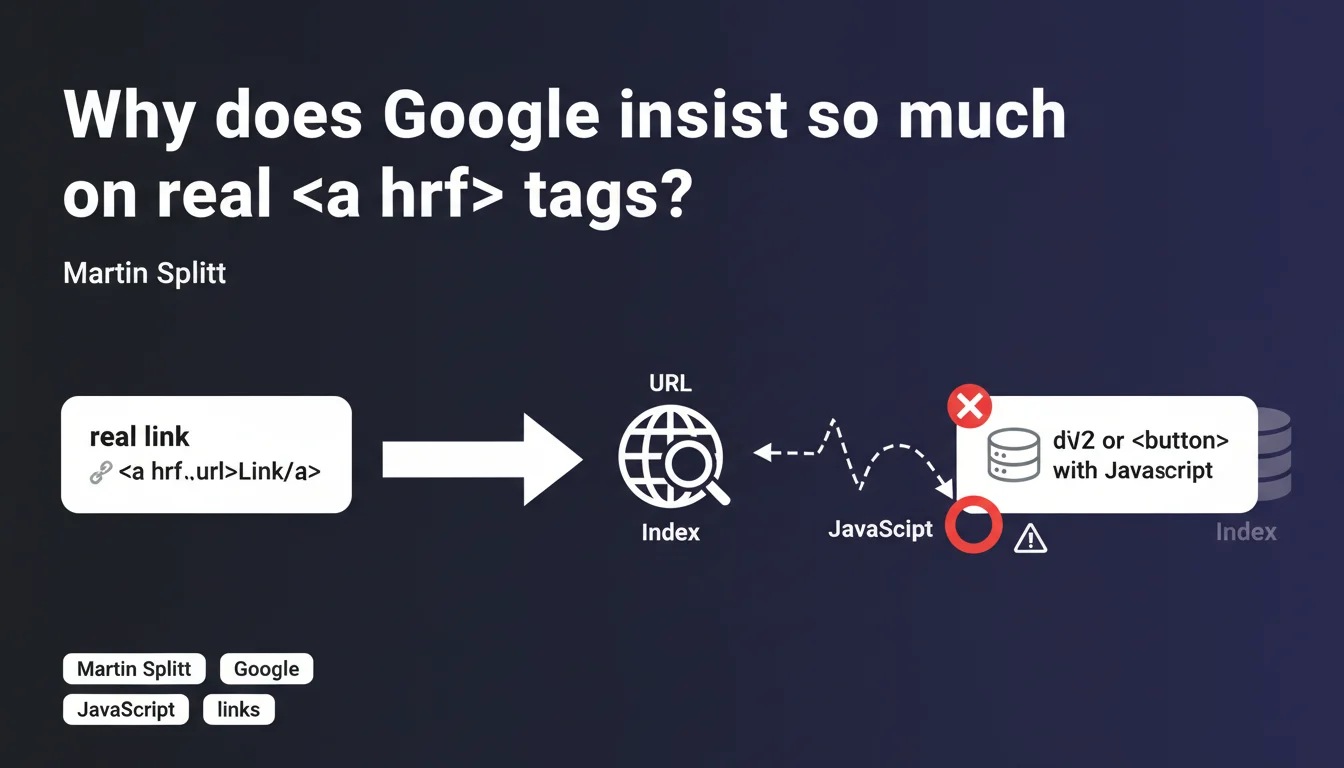
Google explicitly requests using <a href> tags with accessible URLs rather than buttons or spans with JavaScript to create links. Simulated links in JS prevent Googlebot from discovering and crawling your pages properly. A return to HTML fundamentals that goes beyond mere compliance.
What you need to understand
What differentiates a real link from a simulated one?
A real HTML link uses the <a href="URL"> tag with a directly accessible URL in the href attribute. The browser and Googlebot can immediately identify the destination without executing any code.
A simulated link is a <button>, a <span>, or even a <div> that triggers navigation via JavaScript (onClick, eventListener). The destination URL is hidden in the JS code, not in the raw HTML.
Why does Googlebot struggle with JavaScript links?
Googlebot must first download the HTML, then execute the JavaScript, then identify the URLs hidden in event handlers. This process consumes crawl budget and is not guaranteed 100% of the time.
With an <a href>, the URL is immediately visible in the initial DOM. No need for a rendering phase to discover the page. The link is crawlable on the first pass.
Does this rule really apply to all links?
Martin Splitt talks about structural navigation links — menus, pagination, internal linking. The links that allow Googlebot to discover your content.
For occasional action buttons (modal opening, AJAX submission), the problem is minor. But as soon as it's about making a URL discoverable, the <a> tag remains essential.
<a href>tags are crawled instantly without JavaScript rendering- Simulated links in JS require an expensive rendering phase and are not guaranteed
- This constraint directly impacts page discoverability and crawl budget
- The rule primarily concerns structural navigation (menus, pagination, linking)
- Google always prioritizes HTML fundamentals over complex JS solutions
SEO Expert opinion
Is this statement consistent with what we observe in the field?
Completely. Crawl audits consistently show that sites with heavy JS-based navigation have lower discovery rates. Google crawls fewer pages and takes longer to index new content.
I've seen sites lose 30-40% of indexed pages after migrating to a poorly implemented SPA architecture with simulated links everywhere. Returning to clean <a href> tags = crawl normalization within weeks.
What nuances should we consider?
Google can discover JS links — but it's less reliable and slower. If your site has 10,000 pages and tight crawl budget, you can't afford this inefficiency.
Another point: accessibility. A button that simulates a link breaks the experience for screen reader users and keyboard navigation. SEO and UX converge here — which should always be a red flag when considering technical shortcuts.
<a href> tags even if you use their navigation components. Always verify the final rendered HTML, not just your source code.In what cases can this rule be relaxed?
For purely application interactions — member areas, dashboards, dynamic filters without URL changes — you can use buttons without issue. Google doesn't seek to crawl these elements.
But as soon as an action changes the URL or displays new indexable content, return to <a href>. Let's be honest: 90% of navigation use cases fall into this category.
Practical impact and recommendations
What should you audit as a priority on your site?
Start with primary navigation: header, footer, dropdown menus. Open the inspector and verify that every navigation link is a proper <a href="URL"> with a valid complete or relative URL.
Next, look at pagination — product categories, blog archives, listings. "Next Page" buttons must be real links. Same for filters that modify the URL (sorting, product filters).
How do you fix existing simulated links?
If you have <button onClick="navigateTo('/page')">, replace them with <a href="/page">. You can keep your JS for animations or tracking, but the URL must be in the href.
For SPAs, use progressive enhancement: the link works in pure HTML, JS intercepts the click for smooth transitions. Next.js <Link> does exactly that.
- Audit primary navigation (header, footer, menus) with the HTML inspector
- Verify that all pagination links use
<a href> - Replace onClick buttons with links containing href + optional JS interception
- Test your site with JavaScript disabled to identify broken links
- Check crawl logs to detect undiscovered pages
- Use framework components that generate real HTML (Next Link, Nuxt NuxtLink)
- Validate link accessibility with a screen reader
<a href> tags for all navigation links is non-negotiable if you want optimal crawling. Complex sites with multiple templates and frameworks can make compliance technically challenging — especially if you need to refactor shared components or migrate from an SPA to a hybrid architecture. In these situations, engaging an SEO agency specialized in modern framework constraints can accelerate the project and prevent regressions.❓ Frequently Asked Questions
Est-ce que Googlebot crawle quand même les liens JavaScript ?
Les frameworks comme React ou Vue sont-ils concernés ?
Comment vérifier si mes liens sont bien détectés par Google ?
Peut-on mélanger <a href> et JavaScript pour améliorer l'UX ?
Les liens en JavaScript dans le footer comptent-ils autant que ceux du menu ?
🎥 From the same video 12
Other SEO insights extracted from this same Google Search Central video · published on 03/02/2022
🎥 Watch the full video on YouTube →
💬 Comments (0)
Be the first to comment.