
Official statement
Other statements from this video 12 ▾
- □ Le keyword stuffing est-il vraiment pénalisé par Google ?
- □ Le texte caché est-il toujours considéré comme du spam par Google ?
- □ Le contenu généré aléatoirement fait-il vraiment partie des pratiques spam selon Google ?
- □ Les backlinks sont-ils devenus inutiles pour le référencement naturel ?
- □ Le HTML valide est-il vraiment nécessaire pour bien se classer dans Google ?
- □ Pourquoi Google insiste-t-il autant sur les vraies balises <a href> ?
- □ Le noindex est-il vraiment une règle absolue ou Google prend-il des libertés ?
- □ HTTPS est-il vraiment obligatoire pour être indexé par Google ?
- □ Pourquoi Google recommande-t-il d'abandonner les plugins pour afficher du contenu web ?
- □ Pourquoi Google ne déclenche-t-il pas les événements de scroll ou de clic pour crawler votre contenu ?
- □ L'alt text des images reste-t-il vraiment indispensable face à la vision par ordinateur de Google ?
- □ Les directives SEO de Google sont-elles vraiment fiables sur la durée ?
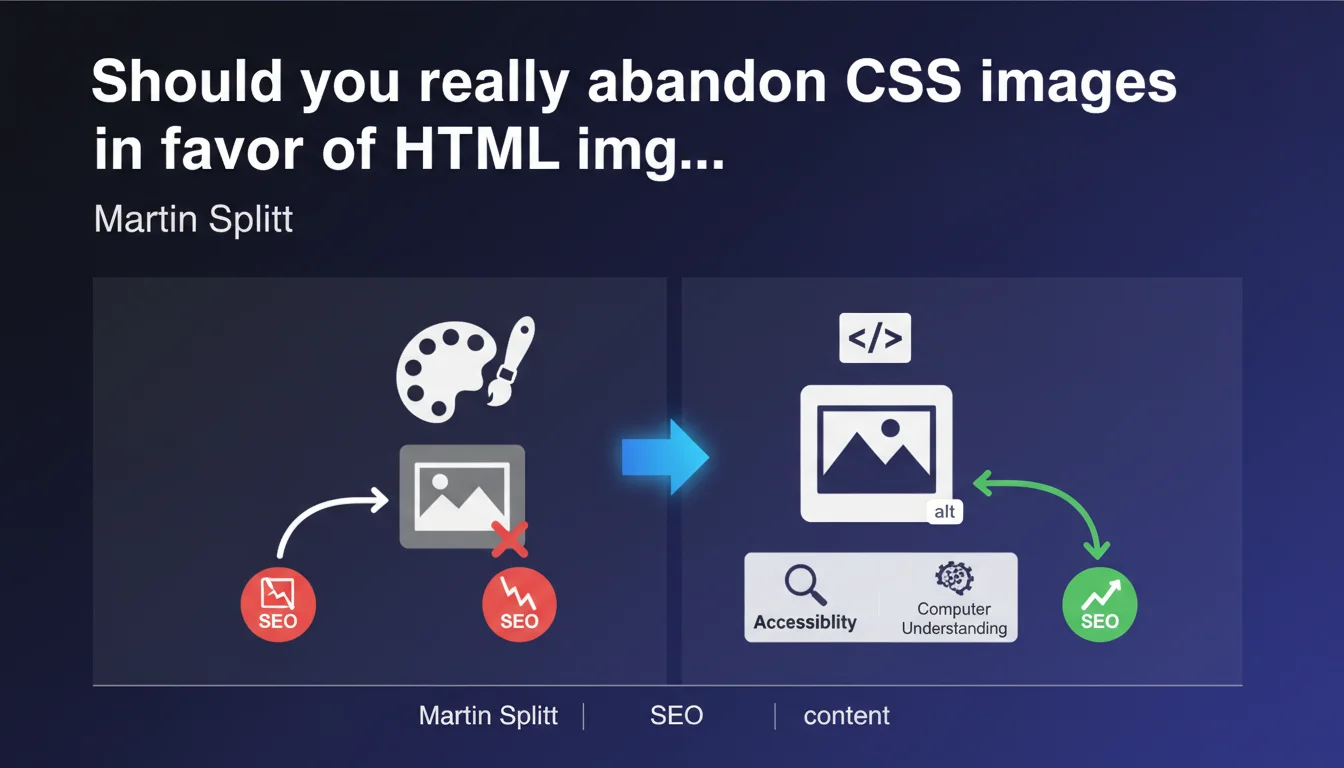
Google explicitly recommends using HTML <img> tags with alt attributes rather than CSS background images for any meaningful content. Alt text should be reserved for images that carry semantic value, not for purely decorative elements. This practice serves both accessibility and algorithmic understanding of your content.
What you need to understand
Why does Google insist on the ![]() tag rather than CSS?
tag rather than CSS?
The technical distinction is straightforward: an image embedded via CSS (background-image, for example) is not accessible to crawlers in the same way as an HTML <img> tag. Google can technically detect and analyze CSS images, but extracting semantic context is far more difficult.
With an HTML tag, you have the alt attribute, placement context within the DOM, and a clear structure that algorithms can interpret. A CSS background image? That's a presentation element, not content — and Google treats it as such.
Should alt text be systematic on every image?
No, and this is where many people go wrong. Google is clear: the alt attribute should be added for images that convey meaningful content. A decorative icon, a graphic separator, or a purely aesthetic element doesn't need alt text — or can have an empty alt (alt="").
The common mistake is stuffing every image with keyword-bloated alt text. The result: signal dilution and degraded user experience for assistive technologies.
What's the connection between accessibility and algorithmic understanding?
Google is increasingly aligning its quality standards with web accessibility standards. What helps a screen reader also helps algorithms: relevant alt text contextualizes an image for a visually impaired user AND for a bot analyzing the page.
It's no coincidence that SEO guidelines align with WCAG (Web Content Accessibility Guidelines). An accessible site is a better-structured site — therefore better understood and better ranked.
- Use <img> with alt for images carrying meaning (product photos, infographics, explanatory visuals)
- Leave alt empty or use CSS for purely decorative elements (borders, non-informative icons)
- Treat alt as a contextual description, not as a keyword-stuffing field
- Align SEO practices with accessibility standards to maximize algorithmic understanding
SEO Expert opinion
Is this recommendation consistent with what we observe in the field?
Yes, and it's one of the rare points where Google aligns with empirical observations. Sites that heavily use CSS images for editorial content systematically suffer from a contextual understanding deficit by search engines.
A/B tests show that migrating CSS images to <img> tags with well-written alt text often generates visibility gains in image search and, indirectly, in regular search. The signal is clear.
What nuances should we consider?
First nuance: not all visuals are equal. A hero image on a landing page deserves an tag with carefully crafted alt text. A background gradient or decorative texture? Keep it as CSS—there's nothing to gain by exposing it to crawlers.
Second nuance—and this is where it gets tricky: Google says nothing about the weight of images in overall scoring. Alt text helps with understanding, certainly, but what's the real impact on a page's ranking? [To be verified] with your own data, because the impact varies greatly depending on your industry and query type.
Are there cases where this rule doesn't apply?
Yes. Highly visual sites (portfolios, galleries) can legitimately use CSS for performance and responsive flexibility reasons. In that case, the trade-off between SEO and technical UX should be made on a case-by-case basis.
Another exception: images loaded dynamically via JavaScript after initial render. There, the issue is no longer CSS vs HTML, but client-side rendering vs server-side rendering. An tag injected client-side without alt can be worse than a well-documented CSS image in a structured metadata file.
Practical impact and recommendations
What should you audit as a priority on your site?
Start by identifying CSS images used for editorial or informational content. A crawling tool (Screaming Frog, Oncrawl, Botify) can extract background-image CSS and cross-reference it with page context.
Next, check the quality of existing alt text: is it descriptive? Contextualized? Or just a string of keywords? Good alt text should be understandable by someone who can't see the image.
What mistakes should you avoid during migration?
Classic mistake #1: replacing all CSS images with tags indiscriminately. Result: DOM pollution with dozens of pointless decorative images that slow down rendering and muddy the signal.
Classic mistake #2: writing alt text that's too long or too generic. Alt should be concise and descriptive, not a paragraph or isolated keyword. Think "functional description" rather than "SEO opportunity".
How do you verify compliance after implementation?
Run an accessibility audit with axe DevTools or WAVE. These tools flag images without alt, empty alt on informative images, and redundant alt text.
On the SEO side, monitor the evolution of traffic from Google Images and rankings on queries where your visuals are strategic. If you've migrated product images from CSS to HTML, the impact should be measurable within weeks.
- Identify CSS images used for meaningful content (products, infographics, editorial visuals)
- Migrate these images to <img> tags with descriptive, contextualized alt attributes
- Keep purely decorative images in CSS or with empty alt (alt="")
- Avoid keyword stuffing in alt text — prioritize functional description
- Test compliance with accessibility tools (axe, WAVE, Lighthouse)
- Monitor impact on Google Images traffic and rankings tied to visuals
❓ Frequently Asked Questions
Un alt vide (alt="") est-il pénalisant pour le SEO ?
Google indexe-t-il les images CSS en arrière-plan ?
Quelle longueur idéale pour un attribut alt ?
Faut-il inclure des mots-clés dans les alt text ?
Les images lazy-loaded posent-elles un problème pour les crawlers ?
🎥 From the same video 12
Other SEO insights extracted from this same Google Search Central video · published on 03/02/2022
🎥 Watch the full video on YouTube →
💬 Comments (0)
Be the first to comment.