
Official statement
Other statements from this video 12 ▾
- □ Le keyword stuffing est-il vraiment pénalisé par Google ?
- □ Le texte caché est-il toujours considéré comme du spam par Google ?
- □ Le contenu généré aléatoirement fait-il vraiment partie des pratiques spam selon Google ?
- □ Les backlinks sont-ils devenus inutiles pour le référencement naturel ?
- □ Le HTML valide est-il vraiment nécessaire pour bien se classer dans Google ?
- □ Pourquoi Google insiste-t-il autant sur les vraies balises <a href> ?
- □ Faut-il vraiment abandonner les images CSS au profit des balises <img> pour le SEO ?
- □ Le noindex est-il vraiment une règle absolue ou Google prend-il des libertés ?
- □ HTTPS est-il vraiment obligatoire pour être indexé par Google ?
- □ Pourquoi Google recommande-t-il d'abandonner les plugins pour afficher du contenu web ?
- □ L'alt text des images reste-t-il vraiment indispensable face à la vision par ordinateur de Google ?
- □ Les directives SEO de Google sont-elles vraiment fiables sur la durée ?
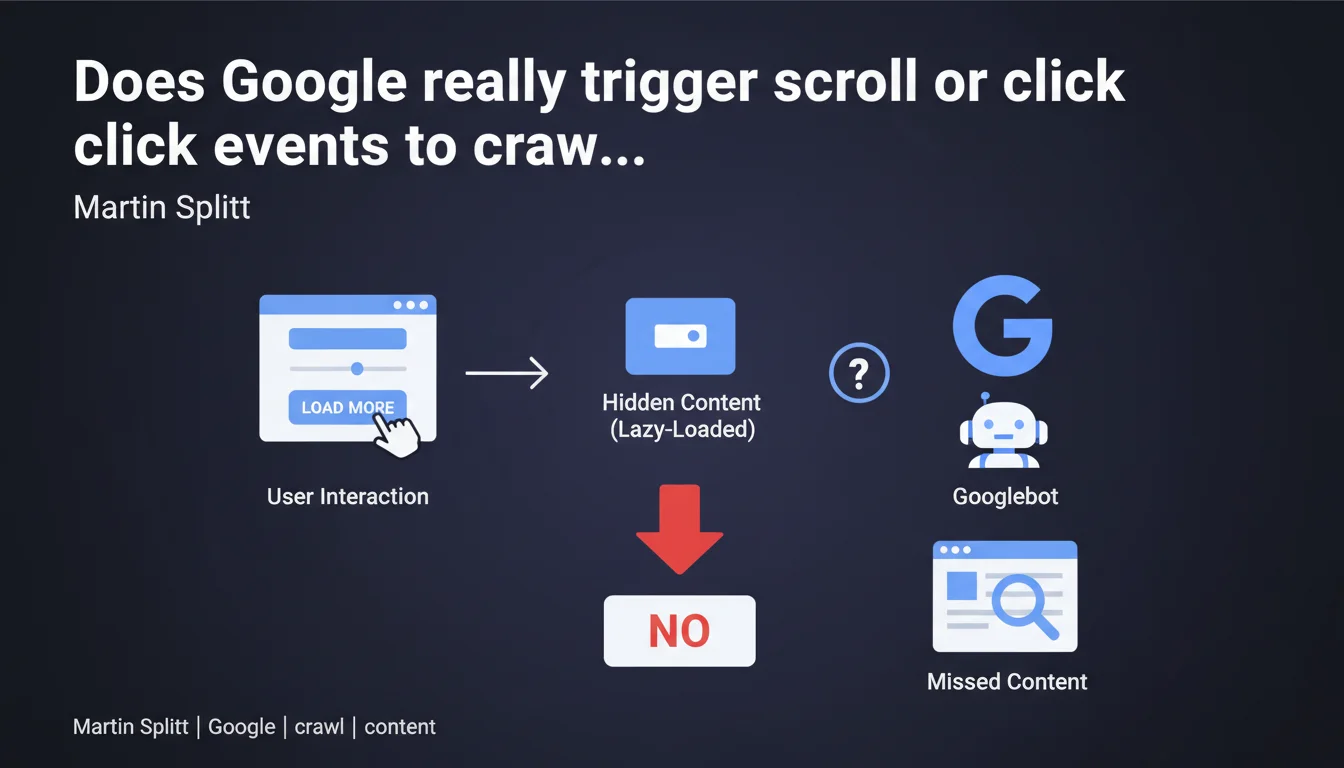
Google does not simulate user interactions (scrolling, clicking) during crawling. Any content hidden behind these events risks never being indexed. In plain terms: no scroll-based lazy loading, no "Load More" buttons to reveal text, no accordions requiring a click to reveal essential content.
What you need to understand
What exactly happens when Googlebot crawls a page?
Googlebot loads the raw HTML, executes available JavaScript, then analyzes what is rendered in the DOM. It does not scroll. It does not click. It does not simulate any user interaction.
Result: any content that requires scrolling to load — typically via onScroll events or IntersectionObserver without fallback — remains invisible. Google sees a truncated page, not your full content.
Why does this limitation persist when Google executes JavaScript?
Google's JavaScript execution is real, but it only applies to code that runs automatically on page load. A script waiting for a manual trigger (scroll, hover, click) will never be activated.
This is a technical and economic choice: simulating interactions multiplies crawl time and resource consumption. Google prioritizes efficiency — it scans billions of pages every day.
Which types of content are affected by this constraint?
Any interface pattern that hides content behind a user action is at risk. Accordions, non-preloaded tabs, "Read More" buttons, infinite-scroll product grids — all potential pitfalls.
Also watch out for poorly configured lazy-loaded images: if the src attribute is empty on load and only filled on scroll, Google may miss your visuals.
- Google triggers no user events (scroll, click, hover)
- Content hidden by these mechanisms remains invisible to crawling
- Native lazy loading (
loading="lazy") is supported, but custom scroll scripts are not - Accordions and tabs must preload their content in the DOM, even if visually hidden
- Content invisible to Googlebot = non-indexable content
SEO Expert opinion
Is this statement consistent with real-world observations?
Yes, and it's been documented for years. Tests with Search Console consistently show that content loaded on scroll does not appear in Googlebot's rendering. No ambiguity there.
However — and this is where it gets tricky — Google has long suggested it "understands" certain modern UX patterns. Except in practice, it doesn't support them. There's a gap between the stated ambitions ("we execute JavaScript like Chrome") and reality ("but without any interaction").
When can you still use lazy loading?
Native lazy loading (loading="lazy" on <img> tags) is supported by Google. It detects these attributes and loads images even if they're outside the viewport. No concerns there.
For custom JS images, the rule is simple: the src attribute must be filled on initial render. If you defer loading via a scroll script, provide an SSR fallback or prerender. Otherwise, you'll lose your images in the index.
What nuance should we add regarding "hidden" content?
Hiding content visually with CSS (display:none, visibility:hidden) while keeping it in the DOM remains acceptable — Google crawls the HTML, not the visual rendering. This is different from hiding content that doesn't yet exist in the DOM.
Example: an accordion where all panels are present in the source code but hidden by default? No problem. An accordion that loads content via AJAX on click? Lost. [To verify]: Google sometimes claims to detect "common interface patterns" (accordions, tabs) but provides no technical details on what it considers "common" or how it actually treats them.
Practical impact and recommendations
What should you do concretely to guarantee content indexation?
Prioritize server-side rendering (SSR) or pre-rendering for all critical content. If your JavaScript framework (React, Vue, Next.js) supports SSR, enable it. The HTML received by Googlebot must contain the full content, not an empty shell.
For images, use the native loading="lazy" attribute rather than custom JS libraries. If you absolutely must use a script, ensure the src attribute is present on initial load.
How do you verify that your content is crawlable?
Use the URL inspection tool in Google Search Console. Compare the raw HTML source ("View crawled source") with the final render ("Test live URL" then "View tested page"). If content is missing from the render, it's hidden behind an interaction.
Another simple test: disable JavaScript in your browser. What disappears is potentially invisible to Googlebot — or at least delayed in the processing pipeline.
What mistakes should you absolutely avoid?
Never hide essential content (descriptions, product specs, text paragraphs) behind a "See More" button that loads via AJAX. Google will not click it.
Avoid infinite scroll without an HTML pagination alternative. If your product list loads as you scroll, provide <a href> links to crawlable paginated pages. Google must be able to access all products via standard URLs.
- Check Googlebot rendering in Search Console for each critical template
- Ensure all important content is present in the initial HTML (SSR or prerender)
- Use native
loading="lazy"for images, not custom scroll scripts - If you use accordions or tabs, preload content in the DOM (hidden with CSS if needed)
- Provide standard paginated URLs alongside infinite scroll
- Test your pages with JavaScript disabled — what remains visible is what Google prioritizes for indexing
- Document UX patterns at risk with your front-end teams to anticipate SEO impacts
❓ Frequently Asked Questions
Google peut-il indexer du contenu chargé en AJAX après un clic ?
Le lazy loading natif (loading="lazy") pose-t-il problème pour le SEO ?
Les accordéons nuisent-ils au référencement si le contenu est masqué en CSS ?
Comment savoir si Google voit tout mon contenu ?
L'infinite scroll est-il compatible avec le SEO ?
🎥 From the same video 12
Other SEO insights extracted from this same Google Search Central video · published on 03/02/2022
🎥 Watch the full video on YouTube →
💬 Comments (0)
Be the first to comment.