
Official statement
Other statements from this video 12 ▾
- □ Le keyword stuffing est-il vraiment pénalisé par Google ?
- □ Le texte caché est-il toujours considéré comme du spam par Google ?
- □ Le contenu généré aléatoirement fait-il vraiment partie des pratiques spam selon Google ?
- □ Les backlinks sont-ils devenus inutiles pour le référencement naturel ?
- □ Pourquoi Google insiste-t-il autant sur les vraies balises <a href> ?
- □ Faut-il vraiment abandonner les images CSS au profit des balises <img> pour le SEO ?
- □ Le noindex est-il vraiment une règle absolue ou Google prend-il des libertés ?
- □ HTTPS est-il vraiment obligatoire pour être indexé par Google ?
- □ Pourquoi Google recommande-t-il d'abandonner les plugins pour afficher du contenu web ?
- □ Pourquoi Google ne déclenche-t-il pas les événements de scroll ou de clic pour crawler votre contenu ?
- □ L'alt text des images reste-t-il vraiment indispensable face à la vision par ordinateur de Google ?
- □ Les directives SEO de Google sont-elles vraiment fiables sur la durée ?
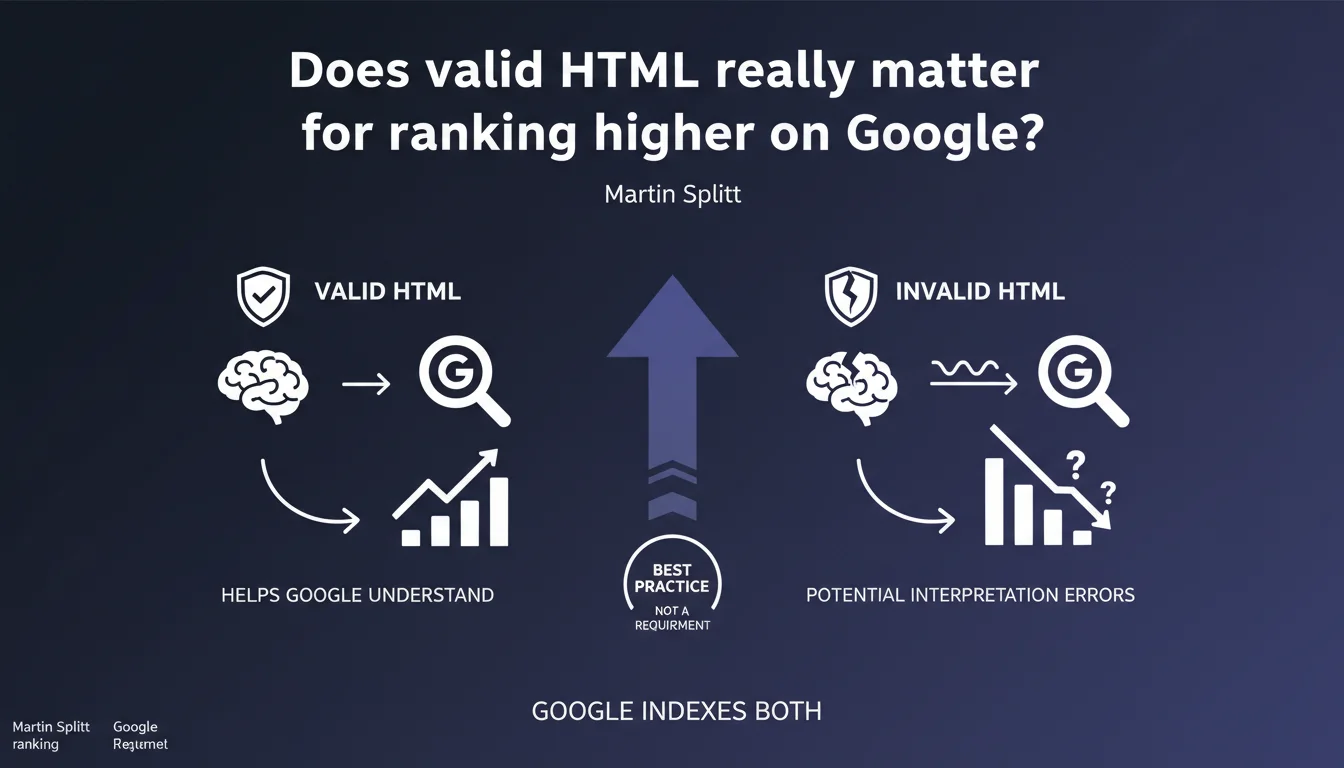
Google indexes pages even with invalid HTML, but prefers clean code to avoid interpretation errors. Valid HTML is not a technical requirement, but a strong recommendation to maximize crawl and indexation reliability. Practically speaking: a site can rank with messy code, but it takes unnecessary risks.
What you need to understand
Why does Google insist on valid HTML without making it a requirement?
Google's position is based on a simple technical reality: search engines are designed to be tolerant. The web is full of imperfect code, and if Google refused to index every page with an HTML error, its index would be empty.
But tolerance doesn't mean indifference. Valid HTML according to W3C specifications ensures that Google's parsers correctly interpret the page structure — title, content, links, semantic tags. With invalid code, the engine must guess the developer's intentions, which opens the door to interpretation errors.
What does "interpretation error" concretely mean?
Take a classic example: a poorly closed <div> tag can cause an entire section of content to be skipped by Googlebot. Or a <meta> tag placed in the <body> instead of the <head> can be ignored.
These errors don't block indexation, but they create zones of uncertainty. Google might miss an important internal link, misunderstand the title hierarchy, or ignore structured data that is actually present. The risk? Losing SEO juice unnecessarily, on aspects that a simple validator would have caught.
Does this mean a site with invalid HTML can't rank?
No. Thousands of sites with questionable code rank very well — because their other signals (content, backlinks, UX) more than compensate. Google won't actively penalize a page for a poorly closed tag.
But it's an avoidable handicap. If two sites have equivalent signals, the one with clean HTML will mechanically have fewer friction points during crawl and indexation. It's less risk, not a decisive advantage.
- Valid HTML = better reliability of interpretation by Googlebot, not a direct ranking factor
- Google indexes invalid code, but may misinterpret certain elements (links, structure, metadata)
- Google's tolerance doesn't exempt you from following W3C standards — it's quality assurance
- Critical errors (unclosed tags, broken structures) increase the risk of partial or inconsistent indexation
SEO Expert opinion
Is this statement consistent with what we observe in the field?
Yes, broadly speaking. I've seen WordPress sites with poorly coded themes, <div> tags scattered everywhere and hundreds of errors in the W3C validator — that perform very well in the SERPs. But I've also seen cases where a simple HTML bug prevented indexation of an entire section without the site even knowing it.
The problem is that Google never says "your invalid HTML caused us to miss that element". The error stays silent. You can lose crawl budget, internal links or rich snippets without even realizing it. That's why validation remains a best practice — not to please Google, but to avoid blind spots.
What nuances should be added to this recommendation?
First point: not all HTML errors are equal. An <img> tag without an alt attribute is a validation error, but it doesn't prevent Google from crawling the image. On the other hand, a poorly closed <head> tag can wreck the entire metadata reading.
Second nuance: Google doesn't validate your code against W3C specs before indexing it. It uses its own parsers, which are more tolerant than standard validators. So you can have code that's "invalid" according to W3C but perfectly readable by Google — and vice versa. [To verify]: we have no official documentation on Googlebot's exact tolerance thresholds.
In what cases does invalid HTML really cause problems?
Sites with high page volume — e-commerce, directories, aggregators — are most exposed. A template error that repeats across 10,000 pages can create a snowball effect: wasted crawl budget, partial indexation, inconsistencies in how Google perceives the structure.
Another case: sites that heavily depend on rich snippets and structured data. If your HTML is so broken that it breaks Schema.org parsing, you lose your stars, your enriched FAQs, your breadcrumbs in the SERP. And then the impact is measurable.
Practical impact and recommendations
What should you concretely do to avoid interpretation errors?
No need to aim for 100/100 in the W3C validator — it's often unrealistic and not always useful. The objective is to fix critical errors that can cause problems during crawl: unclosed tags, incorrectly nested structures, misplaced elements (like <meta> in the <body>).
Use the W3C validator on a few key templates — homepage, product page, blog article — to identify recurring patterns. If you see 200 errors, prioritize those that affect the <head>, internal links, and semantic tags (<h1>, <article>, <nav>).
Which HTML errors have the most impact on SEO?
Errors that break the logical structure of the page or make strategic elements invisible. For example: a <noscript> tag misused to hide content that Googlebot will never see, or an <iframe> without a src attribute that blocks loading of an entire section.
Cosmetic errors — poor indentation, deprecated attributes like align or bgcolor — have no direct SEO impact. Don't waste time on them. Focus on DOM readability by crawlers, not code aesthetics.
How do you verify that your code doesn't block indexation?
Inspect the URL in Search Console and compare the raw HTML code with the DOM rendered by Googlebot. If entire sections disappear between the two, you have a problem — either JavaScript or broken HTML.
Also test structured data with the Rich Results test tool. If Google doesn't parse your Schema.org even though it's present in the source code, it's often because an HTML error upstream is corrupting the interpretation.
- Validate key templates with the W3C validator and fix critical errors (unclosed tags, broken structures)
- Verify that the
<head>contains all metadata (title, meta description, canonical, hreflang) and no stray tags in the<body> - Compare source code and rendered DOM in Search Console to detect sections ignored by Googlebot
- Test structured data with Google's dedicated tool — a JSON-LD error can break everything
- Prioritize fixing errors that affect internal links, heading hierarchy and semantic tags
- Don't waste time on cosmetic errors (deprecated attributes, indentation) — no SEO impact
❓ Frequently Asked Questions
Google pénalise-t-il les sites avec du HTML invalide ?
Faut-il viser un score de 100% au validateur W3C ?
Quelles erreurs HTML impactent le plus le SEO ?
Comment savoir si Google interprète mal mon HTML ?
Le HTML invalide peut-il casser les rich snippets ?
🎥 From the same video 12
Other SEO insights extracted from this same Google Search Central video · published on 03/02/2022
🎥 Watch the full video on YouTube →
💬 Comments (0)
Be the first to comment.