
Official statement
Other statements from this video 11 ▾
- □ Are broken metadata silently sabotaging your SEO without triggering indexation failures?
- □ Should you still use the meta keywords tag for SEO in 2025?
- □ Do HTML comments really have any impact on your Google rankings?
- □ Do CSS class names really affect your search rankings?
- □ Is your WordPress theme silently destroying your SEO without you knowing it?
- □ Are Core Web Vitals Really a Ranking Factor in Google?
- □ Is your JavaScript content actually being indexed by Google, or is it invisible to Googlebot?
- □ Why does Google's Indexing API remain locked down to only two content types?
- □ Does Google really give Angular special treatment in search rankings?
- □ Are you really leaving all those Google scripts slowing down your site?
- □ Does semantic HTML structure really matter for Google's content understanding?
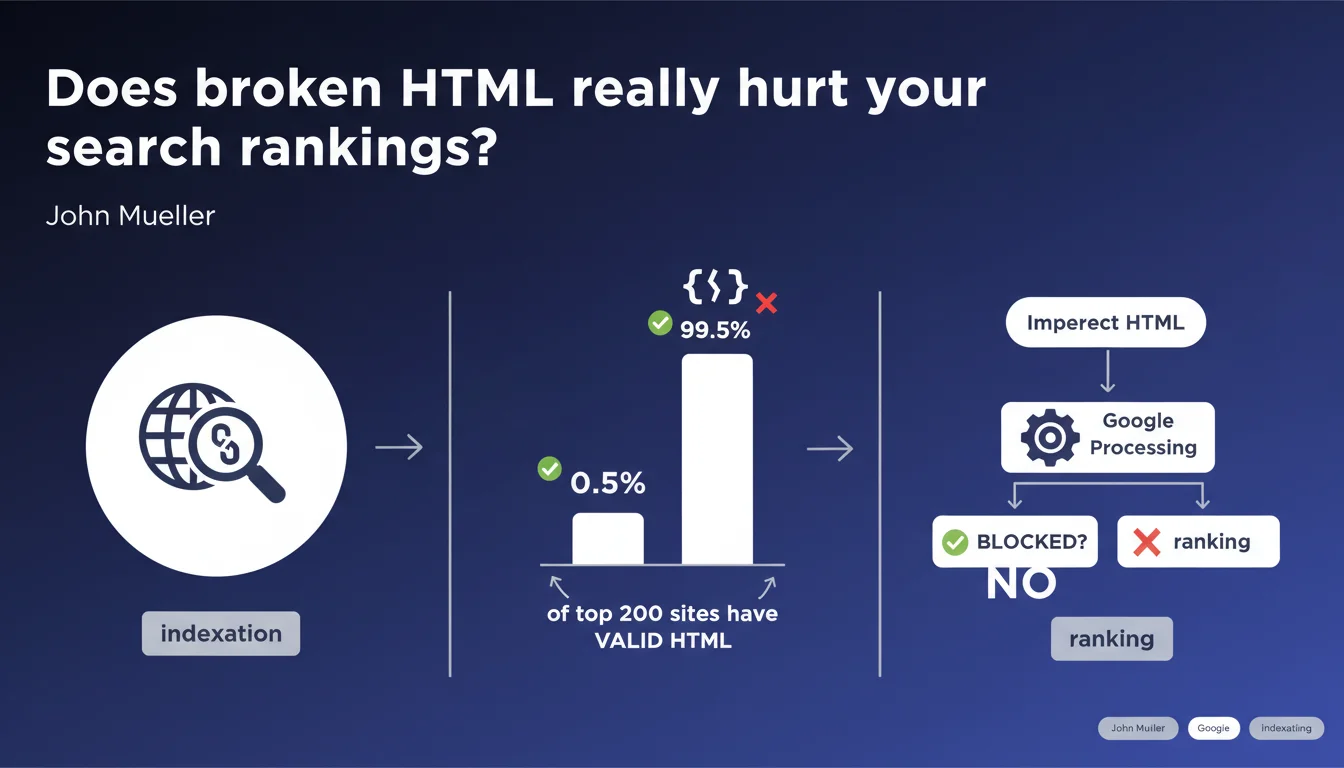
Google handles broken or invalid HTML without any problem. Only 0.5% of the top 200 websites have valid HTML on their homepage. Search engines are designed to process imperfect code — incorrect syntax won't block indexation or ranking.
What you need to understand
Why does Google tolerate invalid HTML?
Modern search engines are built to handle the real web, not the ideal web. From the earliest days of the internet, browsers had to develop recovery mechanisms to display pages even with broken code. Google followed the same logic: its crawler must be able to extract content and ranking signals even if the HTML doesn't pass W3C validation.
In concrete terms, Googlebot uses robust parsers capable of reconstructing the DOM even when faced with unclosed tags, malformed attributes, or incorrect nesting. The engine prioritizes visible content and semantic signals over syntactic perfection.
What does the 0.5% valid HTML figure really mean?
Mueller cites a striking statistic: among the top 200 websites, only 0.5% have valid HTML on their homepage. That's roughly one site out of 200. This figure shows that strict validation is clearly not a ranking criterion — otherwise, 99.5% of the top 200 would be penalized.
This statistic also reveals a technical reality: complex websites — e-commerce, media, platforms — accumulate validation errors due to layering of third-party scripts, heavy content management systems, and multiple development layers. Perfect HTML is a luxury even web giants don't systematically afford themselves.
Which HTML errors are actually problematic?
- Broken tags that prevent rendering: If an error blocks content display in a browser, it will also block Googlebot.
- Malformed JavaScript: Scripts that crash can prevent client-side rendering and affect indexation of dynamic content.
- Duplicate or missing meta tags: This isn't a validation issue, but an SEO signal — a missing meta description or duplicate title has direct impact.
- Invalid structured data: Unlike general HTML, errors in schema.org tags can prevent rich snippets from displaying.
- Errors that degrade user experience: Broken HTML that slows loading or disrupts navigation will have indirect impact through Core Web Vitals and bounce rate.
SEO Expert opinion
Is this statement consistent with observed practices?
Yes, absolutely. For years, SEO audits have shown that sites with hundreds of W3C validation errors can rank in the top position. I've seen e-commerce businesses generating millions in revenue with HTML riddled with unclosed tags, obsolete attributes, and randomly nested DIVs.
The field test is simple: take the top 10 results for any competitive query and run them through the W3C validator. You'll rarely find clean code. What matters is that content is accessible and rendering is functional — not formal perfection.
What nuances should we add?
Caution: saying invalid HTML isn't penalizing doesn't mean you should ignore it. Clean code makes maintenance easier, reduces bugs, improves cross-browser compatibility, and simplifies integration of new features. Valid HTML is a marker of technical quality, even if it's not a direct ranking factor.
Additionally, certain HTML errors can have side effects that do impact SEO. For example, a poorly closed tag that breaks mobile rendering will degrade user experience and Core Web Vitals. A malformed script that slows loading affects perceived speed. Invalid HTML isn't penalizing in itself, but its consequences can be.
[To verify] Mueller doesn't specify whether certain specific HTML errors can cause problems in particular situations — especially for JavaScript-heavy rendering or AMP/MIP pages that impose strict standards.
In what cases does this rule not apply?
Specific formats impose their own validation standards. AMP (Accelerated Mobile Pages) requires strictly valid HTML — a single error blocks indexation in Google's AMP cache. Web Stories follow the same logic. Structured data (JSON-LD, microdata) must also be syntactically correct to trigger rich snippets.
Practical impact and recommendations
What should you do in practice?
No need to waste time fixing every W3C error if your site loads correctly and content is accessible. Focus on critical errors: those that break rendering, slow loading, or block access to main content.
Use tools like Screaming Frog or Google Search Console to identify pages where content isn't being extracted properly. If Googlebot can't see your text or links because of broken HTML, that's a problem. Otherwise, keep it in perspective.
Which errors should you absolutely avoid?
- Don't leave <script> tags unclosed — they can block parsing of the rest of the page
- Avoid empty or misused <noscript> tags that can confuse Googlebot
- Don't duplicate <title> or <meta> tags in the same document
- Test mobile rendering — some HTML errors go unnoticed on desktop but break display on mobile
- Verify structured data is syntactically correct with Google's Rich Results Test
- Ensure critical HTML is present in the initial source, not injected by JavaScript only
How should you prioritize HTML corrections?
If you have hundreds of validation errors, sort them by impact. Errors affecting critical SEO tags (title, meta, canonical, hreflang) should be fixed first. Errors that slow loading or degrade Core Web Vitals come next.
Everything else — obsolete attributes, unclosed tags that don't impact rendering, minor warnings — can be fixed during redesign or maintenance, without urgency. Development time is a limited resource: invest it in what has measurable impact.
❓ Frequently Asked Questions
Le HTML invalide peut-il empêcher l'indexation de mes pages ?
Dois-je corriger toutes les erreurs W3C détectées sur mon site ?
Un site avec du HTML valide a-t-il un avantage SEO ?
Les données structurées doivent-elles être valides même si le HTML ne l'est pas ?
Quelles erreurs HTML peuvent avoir un impact indirect sur le SEO ?
🎥 From the same video 11
Other SEO insights extracted from this same Google Search Central video · published on 26/06/2025
🎥 Watch the full video on YouTube →
💬 Comments (0)
Be the first to comment.