
Official statement
Other statements from this video 12 ▾
- □ Does Google really rewrite your title tags whenever it wants?
- □ Can heading tags really replace your title tag in the SERPs?
- □ Can external anchor texts really take over your title tags in Google search results?
- □ Does Google really pull snippets only from what users see when they land on your page?
- □ Can Google really use your alt tags and meta descriptions to build your snippets?
- □ Can you really control how long your snippets appear in Google search results with max-snippet?
- □ How can you prevent specific content from showing up in your Google snippets?
- □ Does your URL structure really impact how Google displays breadcrumbs in search results?
- □ Can you actually control how your site name appears in search results using structured data?
- □ Does your favicon really impact your site's SEO performance in Google search results?
- □ Does Google really respect your publication dates… or does it just make them up as it goes?
- □ Why does Google display multiple links from the same domain underneath a single search result?
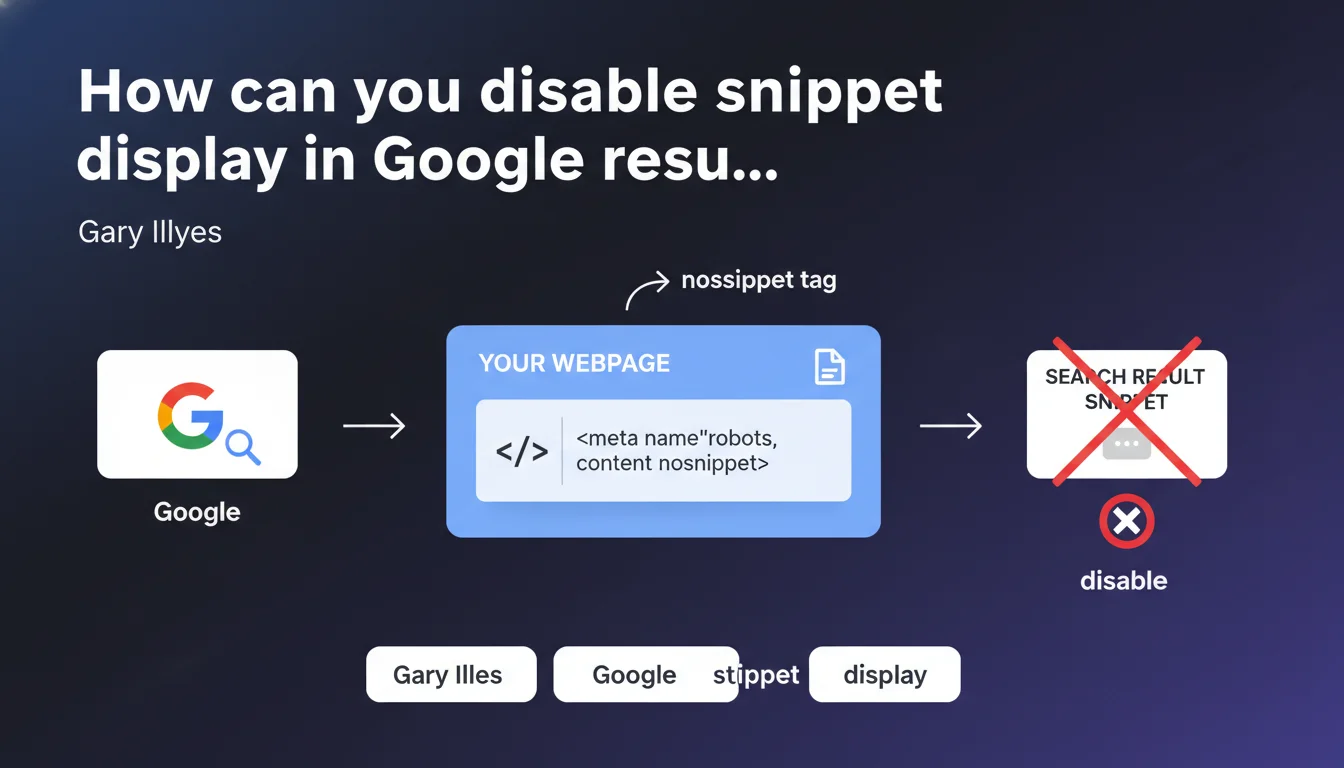
Google confirms that the meta robots nosnippet tag allows you to block snippet display for a page in the SERPs. This robots.txt directive prevents Google from showing a description of your content while preserving the title and URL. It's a strict control lever over how your pages are presented in search results.
What you need to understand
What's the difference between noindex and nosnippet?
The nosnippet tag does not prevent a page from being indexed — it remains in Google's index. What it blocks is the display of the snippet, meaning the description that appears below the title in search results.
Unlike noindex, which completely removes a page from the index, nosnippet keeps it visible but without descriptive text. The displayed result is limited to the title and URL. No meta description, no content excerpt, no date.
Why does Google offer this control option?
This directive addresses use cases where you want to be present in search results but limit the information displayed. Think of paywall pages, sensitive content, or pages where an automatically generated snippet undermines your message.
Google respects this tag because it aligns with an editorial control logic: you remain indexed, so Google can rank you, but you decide not to show descriptive content. It's a middle ground between full visibility and complete removal.
What are the concrete implications for CTR?
Without a snippet, your result loses its primary differentiation element against competitors. Users have only a title and URL to decide whether to click — which mechanically reduces engagement chances.
CTR drops in most cases. Unless your brand is strong enough to compensate for the lack of contextual information, you'll lose traffic. It's a trade-off you need to make consciously.
- nosnippet only blocks snippet display, not indexing or ranking
- The displayed result is limited to title + URL
- Likely negative impact on CTR unless the brand is very well-known
- Useful for paywall content, sensitive material, or poorly represented auto-generated snippets
- Compatible with other robots directives like noarchive or noimageindex
SEO Expert opinion
Is this directive truly respected by Google in all cases?
In real-world observations, Google systematically respects the nosnippet tag once it's detected. Unlike some directives where Google takes liberties (such as sometimes ignoring the meta description), here there's no ambiguity: no snippet is displayed.
The adoption delay depends on crawl frequency. On high-velocity sites, it can be nearly instant. On less active sites, expect a few days. [To verify]: there is no official documentation on the exact propagation time for this directive.
Should you really use nosnippet or are there finer alternatives?
Let's be honest: nosnippet is radical. If your problem is just a poorly generated snippet, you lose complete control when a good meta description might suffice. Google ignores it sometimes, sure, but not always.
For paywall content, the directive is relevant — you want to be found without revealing everything. For other cases, think twice. And what if the real problem is that your content is poorly structured and Google struggles to extract a coherent summary? In that case, improving the content is more profitable than hiding it all.
There's also data-nosnippet to block only specific text portions — a far more surgical alternative if only part of your content is problematic.
What risks exist if this tag is misplaced or combined with other directives?
Combining nosnippet with noindex makes no sense: if the page isn't indexed, it won't appear in the SERPs, so there's no snippet anyway. It's redundant and reveals a misunderstanding of the mechanics.
The classic mistake: applying nosnippet en masse to strategic pages without measuring the impact on traffic. Result: CTR drop, loss of organic visibility, and an SEO audit that reveals you shot yourself in the foot. Test first on a subset of pages and measure before generalizing.
Practical impact and recommendations
In what specific cases should you enable nosnippet?
First situation: paywall content. You want to be discovered in search results without revealing the full content. The title is enough to capture intent; the snippet would add noise.
Second case: pages where Google generates a out-of-context or misleading snippet. This happens when content is dense, technical, or when Google picks an isolated sentence that distorts the message. Rather than a bad summary, no summary at all.
Third scenario: sensitive pages where even an excerpt could pose privacy or regulatory compliance issues. Here, it's a risk management decision, not an SEO performance one.
How do you implement the nosnippet tag correctly?
Implementation is simple but must be rigorous. You add a meta tag in your page's <head>:
<meta name="robots" content="nosnippet">
If you want to apply this directive only to Google, use:
<meta name="googlebot" content="nosnippet">
You can combine nosnippet with other directives via comma: content="nosnippet, noarchive". Always verify in the source code that the tag is present and correctly formatted — a typo and it's ignored.
What errors should you avoid when deploying?
Error #1: Applying nosnippet without measuring the impact on CTR. Set up Analytics or Search Console tracking to compare before/after.
Error #2: Forgetting that nosnippet also blocks rich snippets. If you've invested in Schema.org (FAQs, products, recipes), this directive nullifies it all.
Error #3: Using nosnippet as a band-aid to hide poor-quality content. If the real problem is that your page is badly written or poorly structured, fix the content rather than hide it.
- Identify pages where the snippet truly undermines the objective (paywall, sensitive content, misleading snippet)
- Implement the tag
<meta name="robots" content="nosnippet">in the<head> - Verify in the source code that the tag is present and correctly syntaxed
- Test first on a sample of pages before mass deployment
- Measure the impact on CTR via Search Console and Analytics
- Document the affected pages to avoid future internal questions
- Periodically review the relevance of this directive — contexts change
❓ Frequently Asked Questions
La balise nosnippet affecte-t-elle le classement de ma page dans Google ?
Puis-je bloquer le snippet sur Google mais le garder sur Bing ?
Est-ce que nosnippet bloque aussi les rich snippets et les featured snippets ?
Combien de temps faut-il pour que Google prenne en compte la balise nosnippet ?
Puis-je bloquer seulement une partie du contenu au lieu de tout le snippet ?
🎥 From the same video 12
Other SEO insights extracted from this same Google Search Central video · published on 23/04/2024
🎥 Watch the full video on YouTube →
💬 Comments (0)
Be the first to comment.